December 12th, 2025
Improved
Automations
Workflow Switcher: Faster, Smarter - Now Opens in the Same Tab
What’s new
Navigation & performance improvements
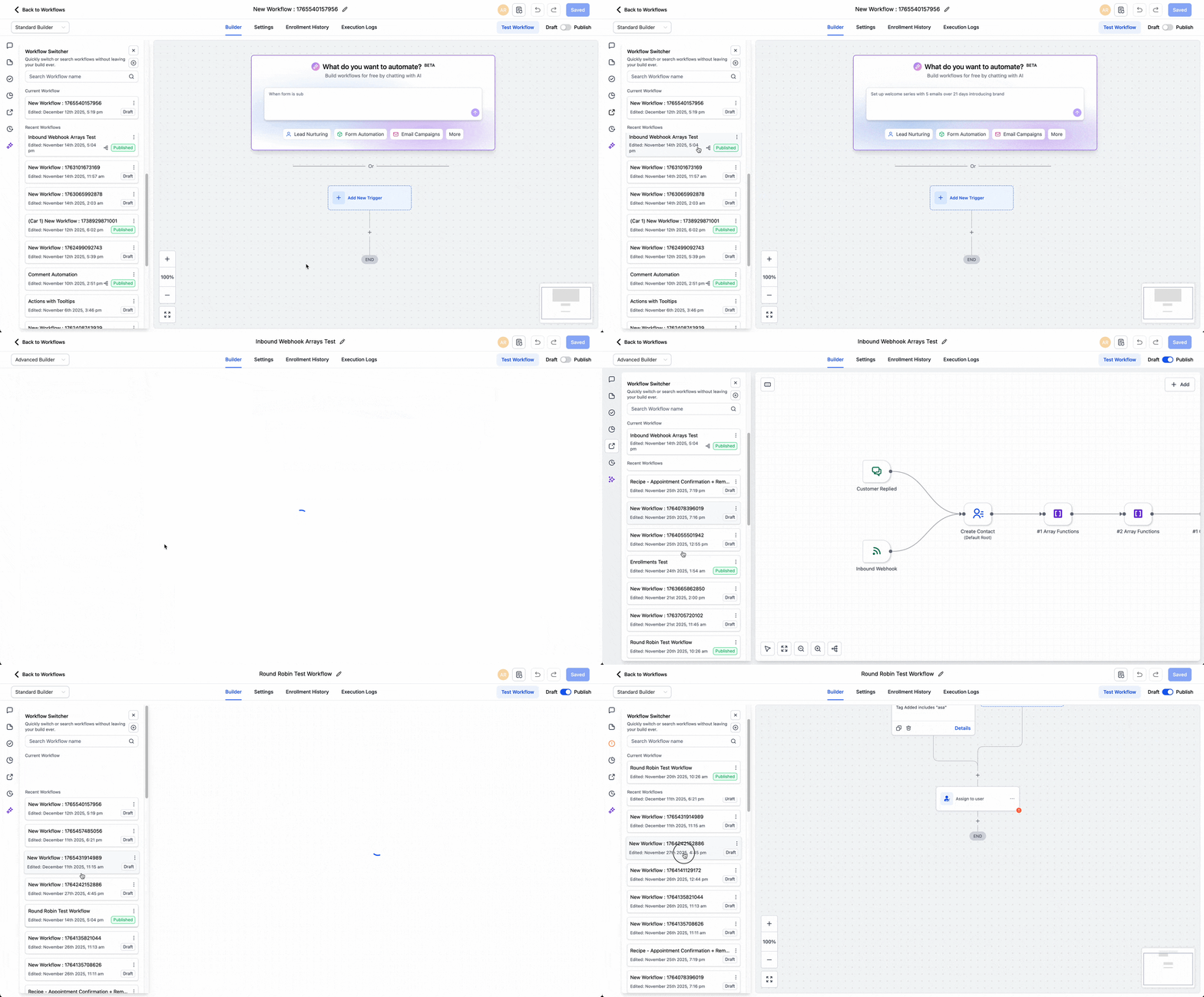
Same-tab switching - open selected workflows in the same tab to keep focus and reduce tab clutter. (Replaces the previous “new tab” behavior)
Significant speed improvements - for loading and switching between workflows.
Infinite scroll - browse your complete workflow list without pagination.
Create & organize (right from the switcher)
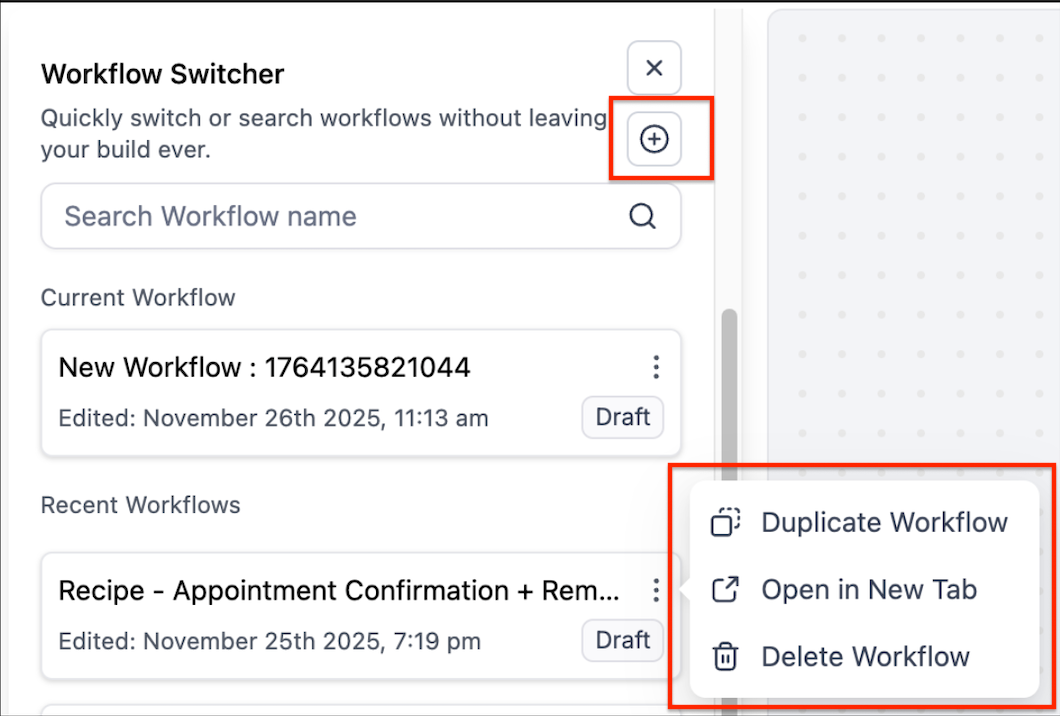
Create brand-new workflows directly in the switcher.
Name workflows at creation (no extra steps).
Duplicate existing workflows from the switcher panel.
Delete workflows from the switcher panel.
How it works
Open the Workflow Switcher in either Advanced Builder or Standard Builder.
Search or scroll (now with infinite scroll) to find a workflow.
Create, name, duplicate, or delete directly in the switcher.
Click a workflow to open it in the same tab for a seamless, focused editing flow.
Why this matters
Previously, switching often meant extra tabs and context switching. With same-tab navigation, speed boosts, you can move faster, keep focus, and manage multiple workflows without leaving your build.
Additional Notes
Availability: Workflow Switcher is now in both the Advanced Builder and Standard Builder.
Tab behavior: Same-tab by default (with option to open in new tab).
Shortcut (where supported): Shift + W to open the switcher.