December 19th, 2025
Improved
Automations
Workflow Builder: Right-click actions (fewer clicks, faster edits)
What’s new
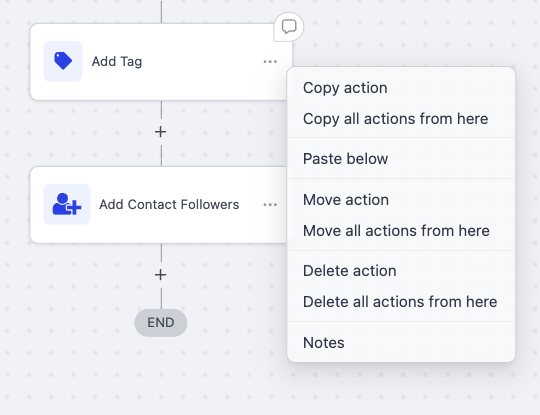
You can now right-click any action in the Workflow Builder to open a quick action menu - your go-to tools at your cursor (copy, move, delete, notes) without hunting for the three-dot menu. This cuts navigation and speeds up your common edits.
How it works
Right-click on any action block.
Choose from the quick action menu:
Copy action / Copy all actions from here (Or 'Paste below' if applicable)
Move action / Move all actions from here
Delete action / Delete all actions from here
Notes
Keep building - no extra navigation required.
Why this matters
Fewer clicks and less hunting through menus - actions are under your cursor.
Faster edits that match familiar desktop app behavior.
Preview
Write a comment...