May 29th, 2025
Improved
Calendar
Reconnect Flow for Calendar Integrations
What's New? 🚀
We've streamlined how you manage your calendar and video conferencing integrations! Now, when an integration needs attention, you'll see a prominent banner at the top of your page.
Instead of navigating to a different page, you can fix connection issues right where you are with our new in-page resolution flow. This update makes maintaining your calendar connections simpler and faster than ever.
---
How to Use? 👀
🛎️ Notice the Alert:
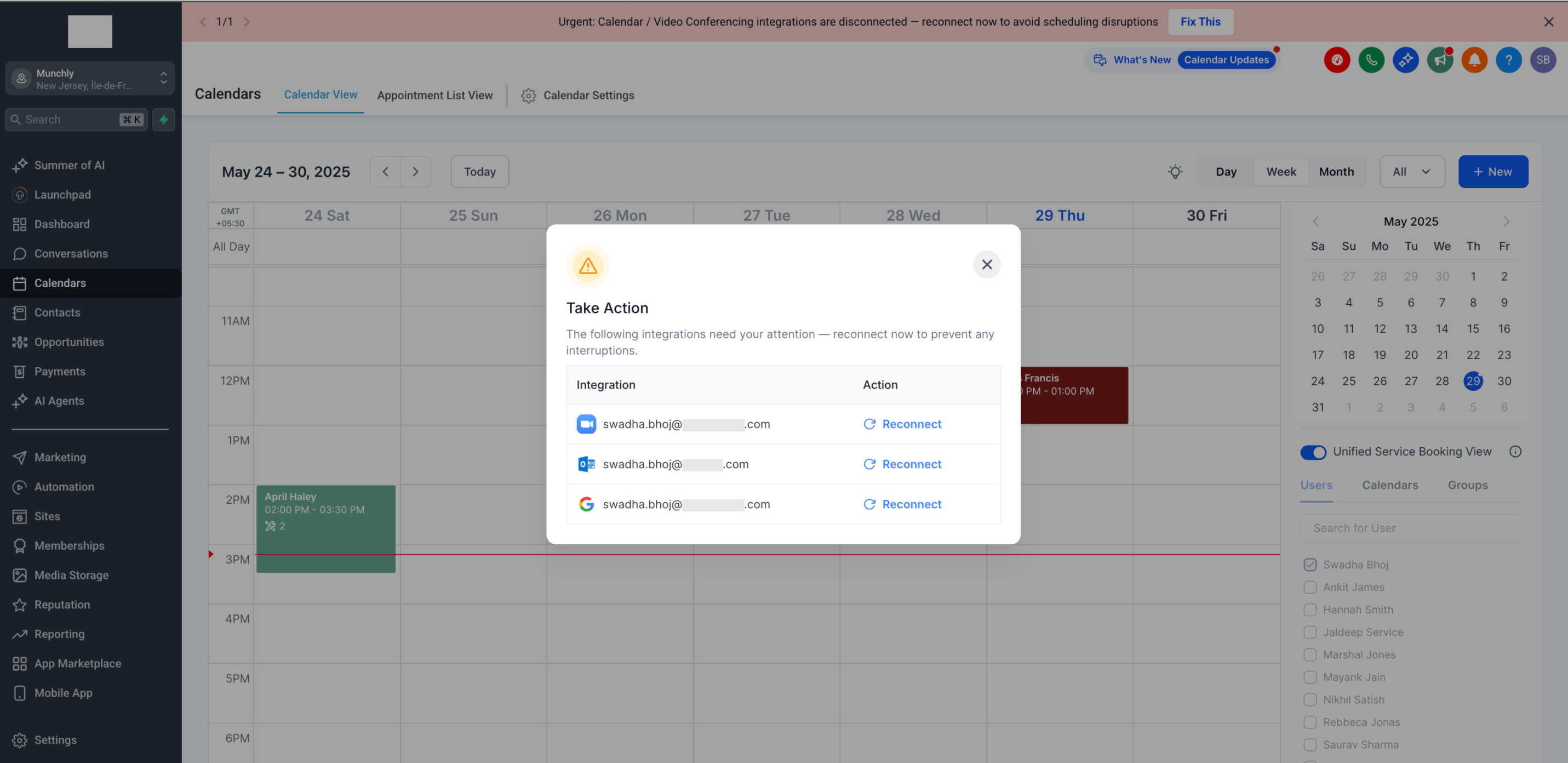
When any of your integrations disconnect, you'll see a banner at the top of your page saying: "Urgent: Calendar / Video Conferencing integrations are disconnected". This banner remains visible across all modules until the issue is resolved.
🔧 Take Action:
Click the "Fix This" button in the banner
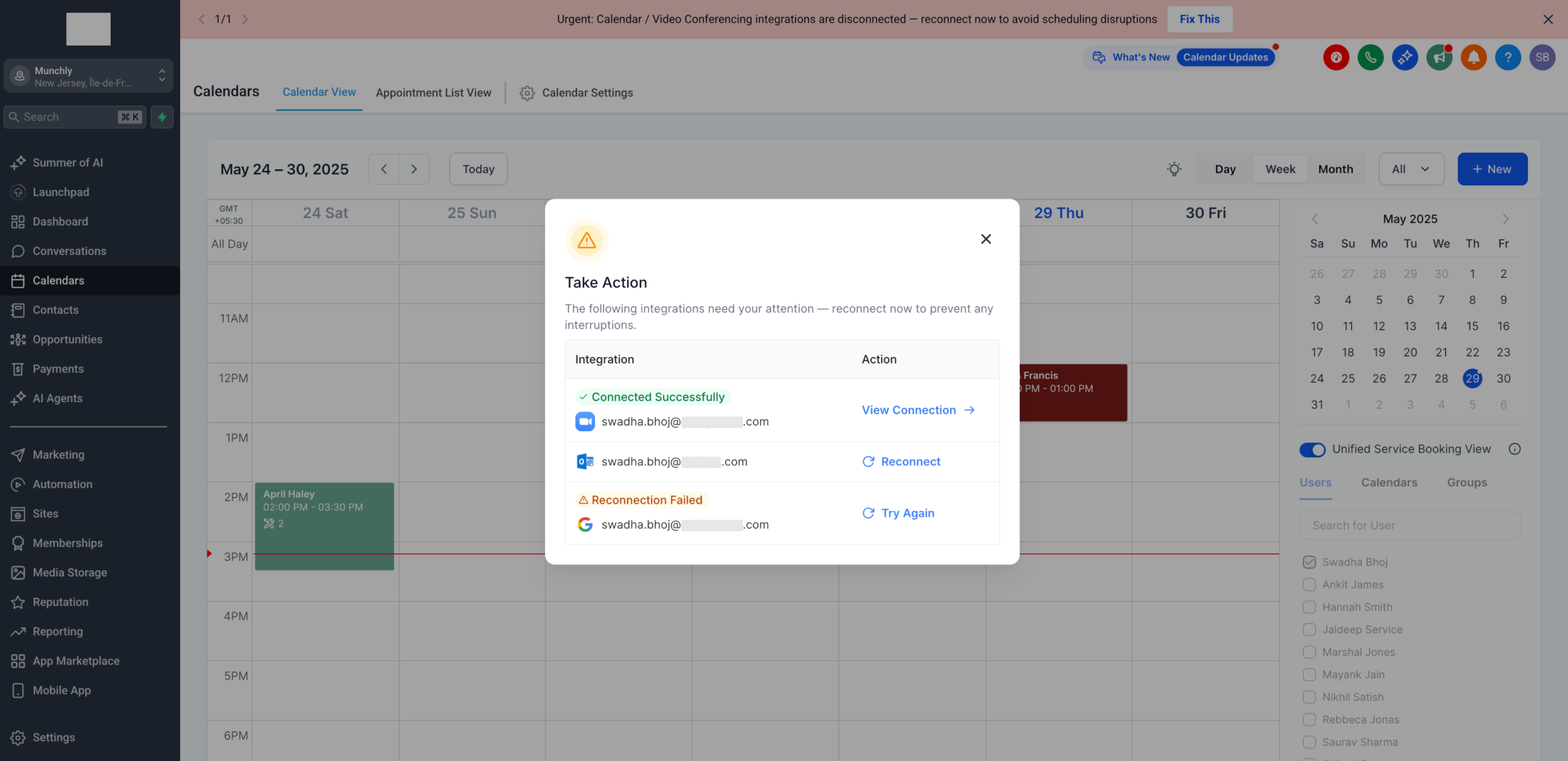
A popup will appear showing all disconnected integrations
Find your disconnected integration(s)
Click the "Reconnect" button next to the relevant integration
🔄 Reconnect:
You'll be guided through a quick authentication flow
No additional clicks or page navigation required
Once authenticated, you're all set!
---
Supported Integrations 📅
Calendar Services:
Google Calendar
iCloud Calendar
Outlook Calendar
Calendly
Video Conferencing:
Microsoft Teams
Zoom
Google Meet
---
Key Benefits 🏆
Stay Informed: Immediate visibility of disconnected integrations through the persistent banner across all modules
Save Time: Fix integration issues without leaving your current page
Prevent Issues: Address connection problems before they affect your scheduling
Simplified Process: Reconnect with minimal clicks and no page redirects
Reliable Scheduling: Ensure your meetings always have proper calendar syncing and video conferencing links