Inline Validation Errors for Schema Markup JSON View
📝 Overview
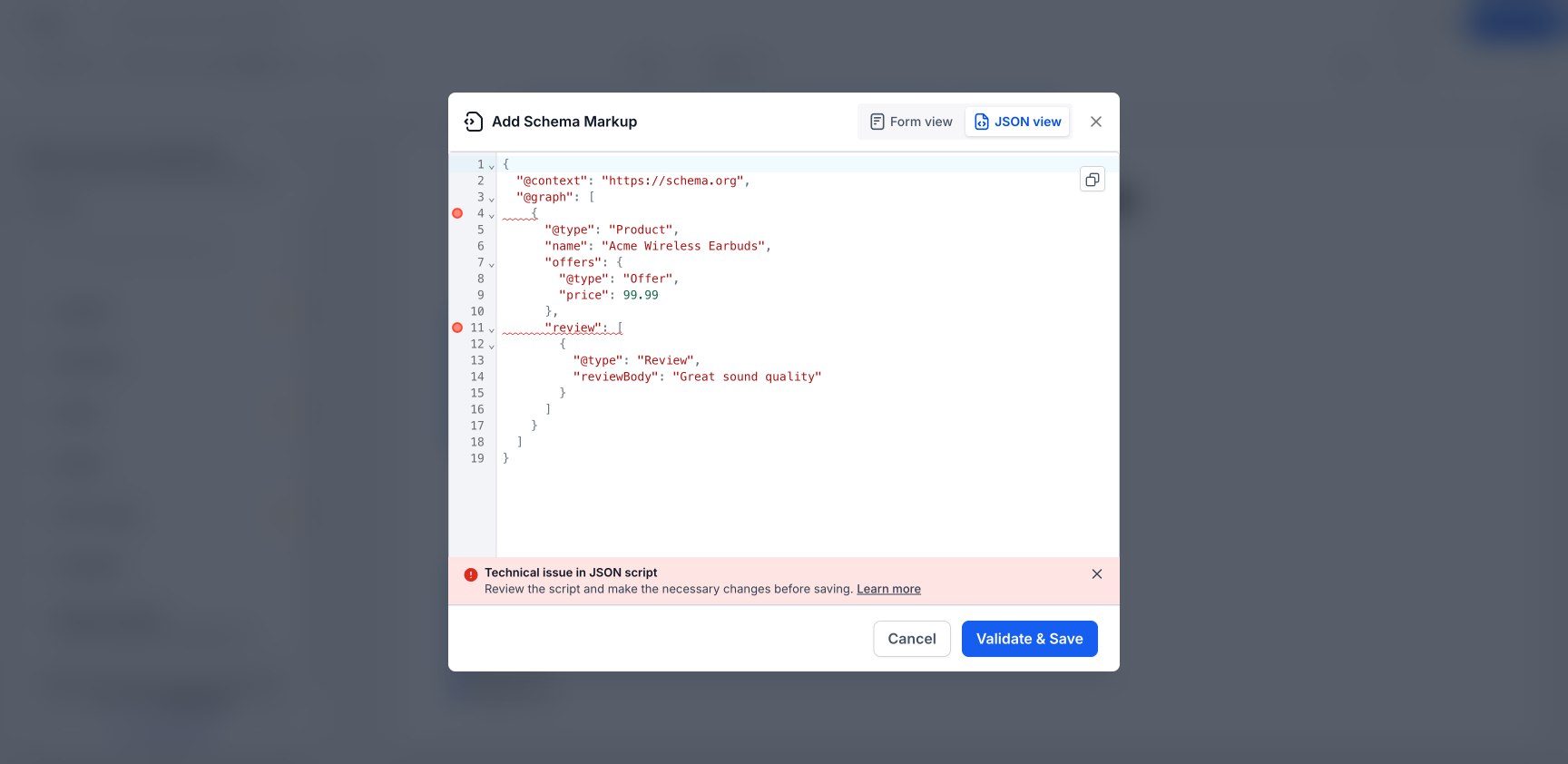
Improved the Schema Markup JSON view in Website & Funnel Builder so validation errors are now shown directly on the exact lines that need fixing.
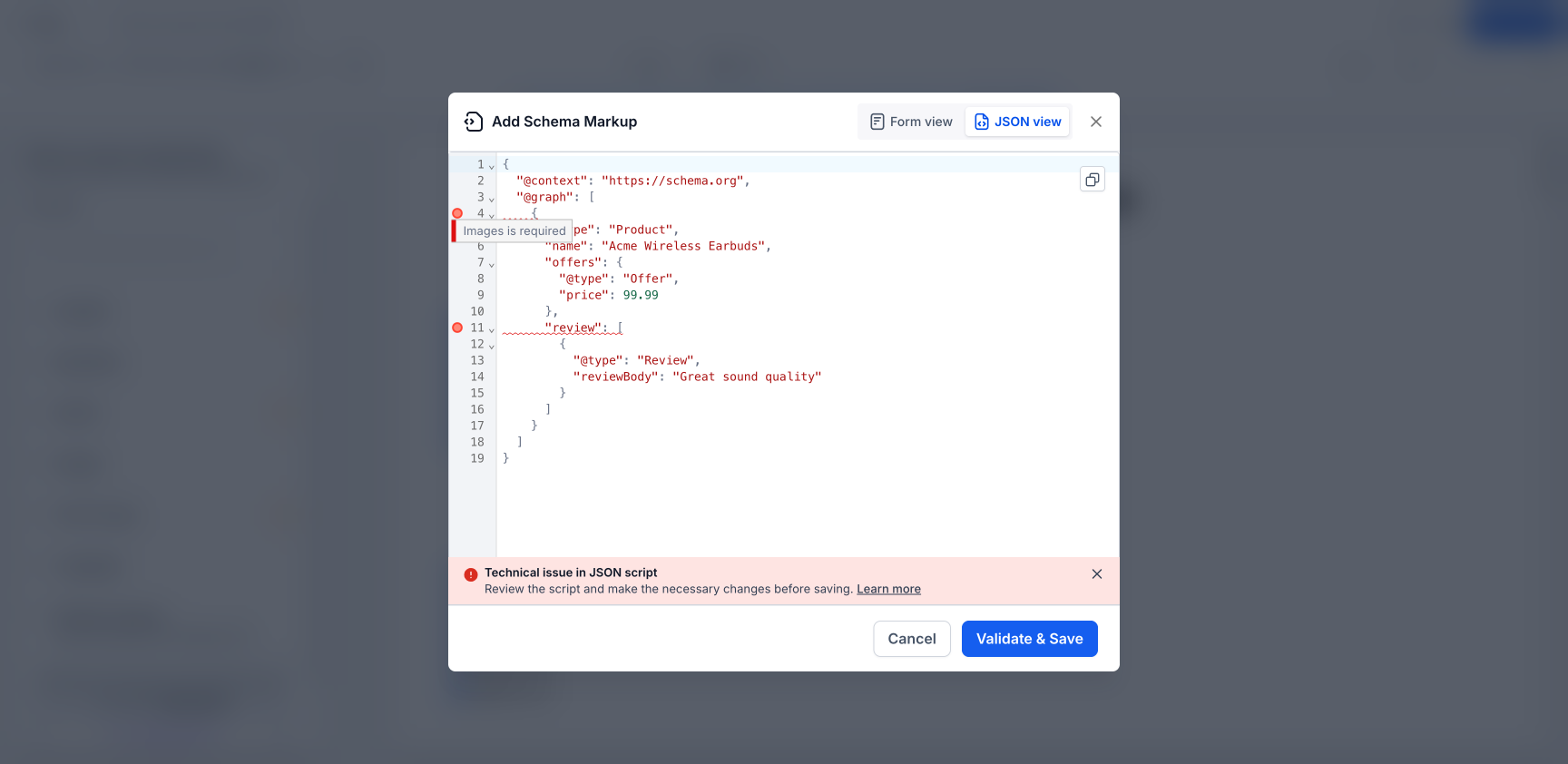
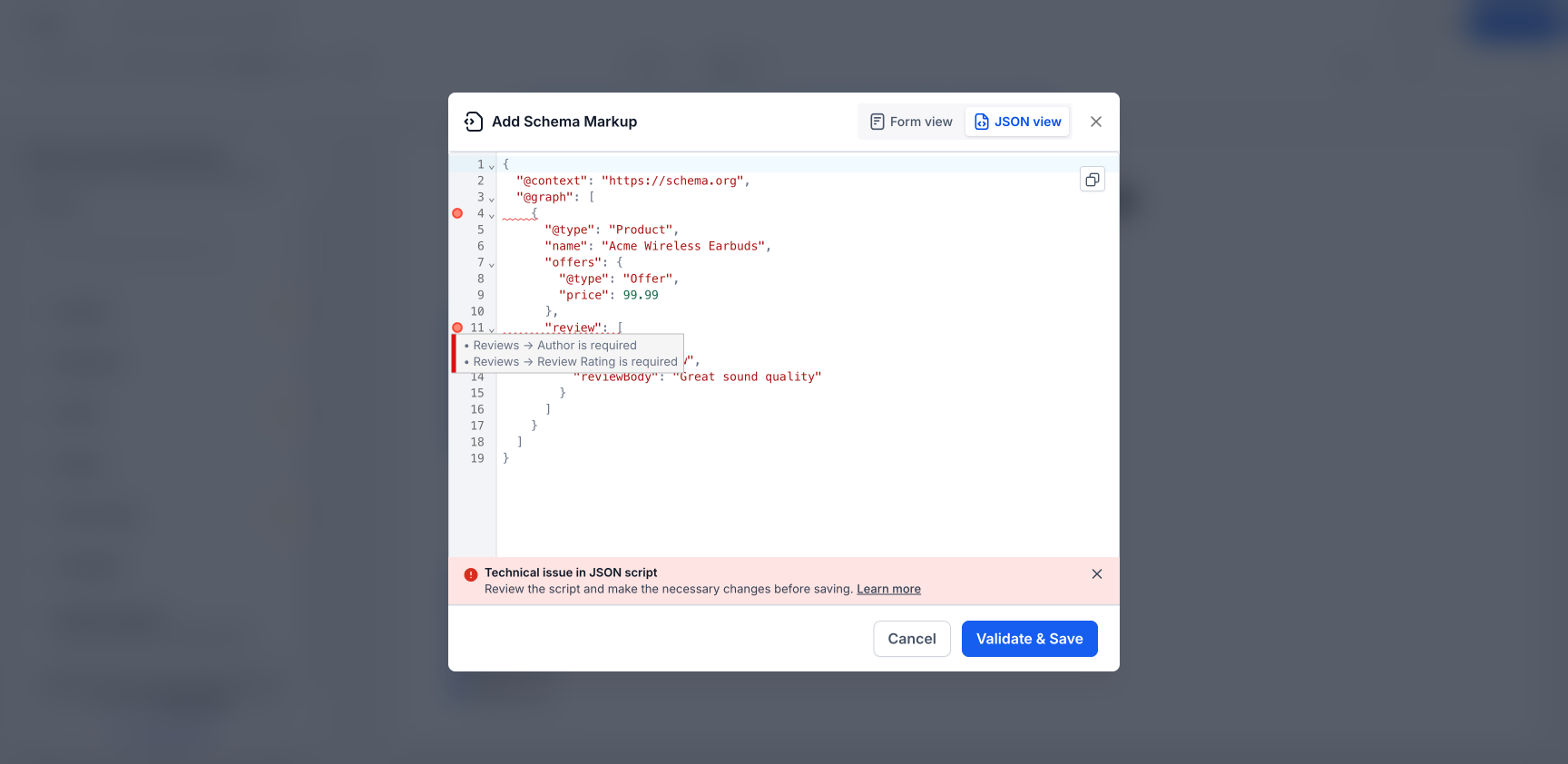
Previously, JSON validation errors appeared as a general alert, which made it hard to figure out where the problem was. Now, each error is marked inline with a tooltip that explains the issue more clearly.
🆕 What’s improved
Validation errors now appear inline next to the exact JSON line causing the issue
Hovering over an error marker shows a plain-language explanation
Works for nested fields and more complex schema structures
Supports multi-schema (@graph) JSON, with errors routed to the correct schema block
Errors clear one by one as each issue is fixed
🔍 How to access
Go to Website or Funnel Builder
Open Edit Page
Navigate to SEO & AI search optimization > Schema Markup
Open Add/Edit Schema and switch to JSON view
Click Validate & Save to see inline error markers
🎯 Why it matters
Makes schema errors much easier to find and fix
Reduces guesswork when editing large or complex JSON-LD scripts
Helps users save valid schema faster
Improves the editing experience for advanced schema use cases
💡 Good to know
Works across Website Builder and Funnel Builder
Supports all schema types, including Product, Organization, FAQ, LocalBusiness, Article, Recipe, Event, and more
Fully supports multi-schema (@graph) payloads