February 5th, 2026
Improved
Improved and More Flexible Email Builder UI 🚀
We’ve enhanced the Email Builder UI to improve speed, clarity, and flexibility helping teams execute faster while staying focused on outcomes, not tools.
🚀 What’s new?
A more intuitive, streamlined UI
Cleaner navigation and simplified interactions reduce friction across the email creation workflow.
More Editing controls
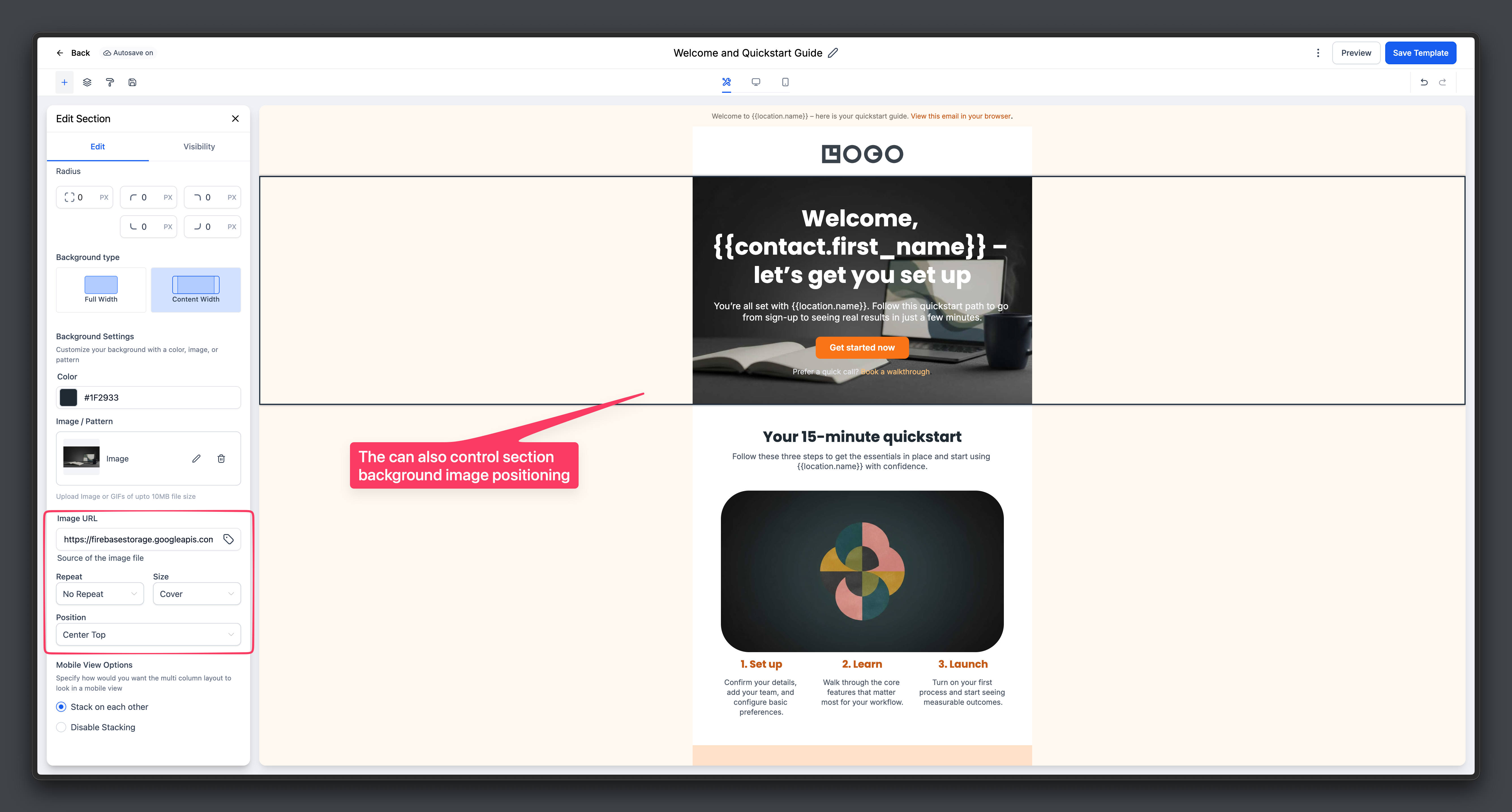
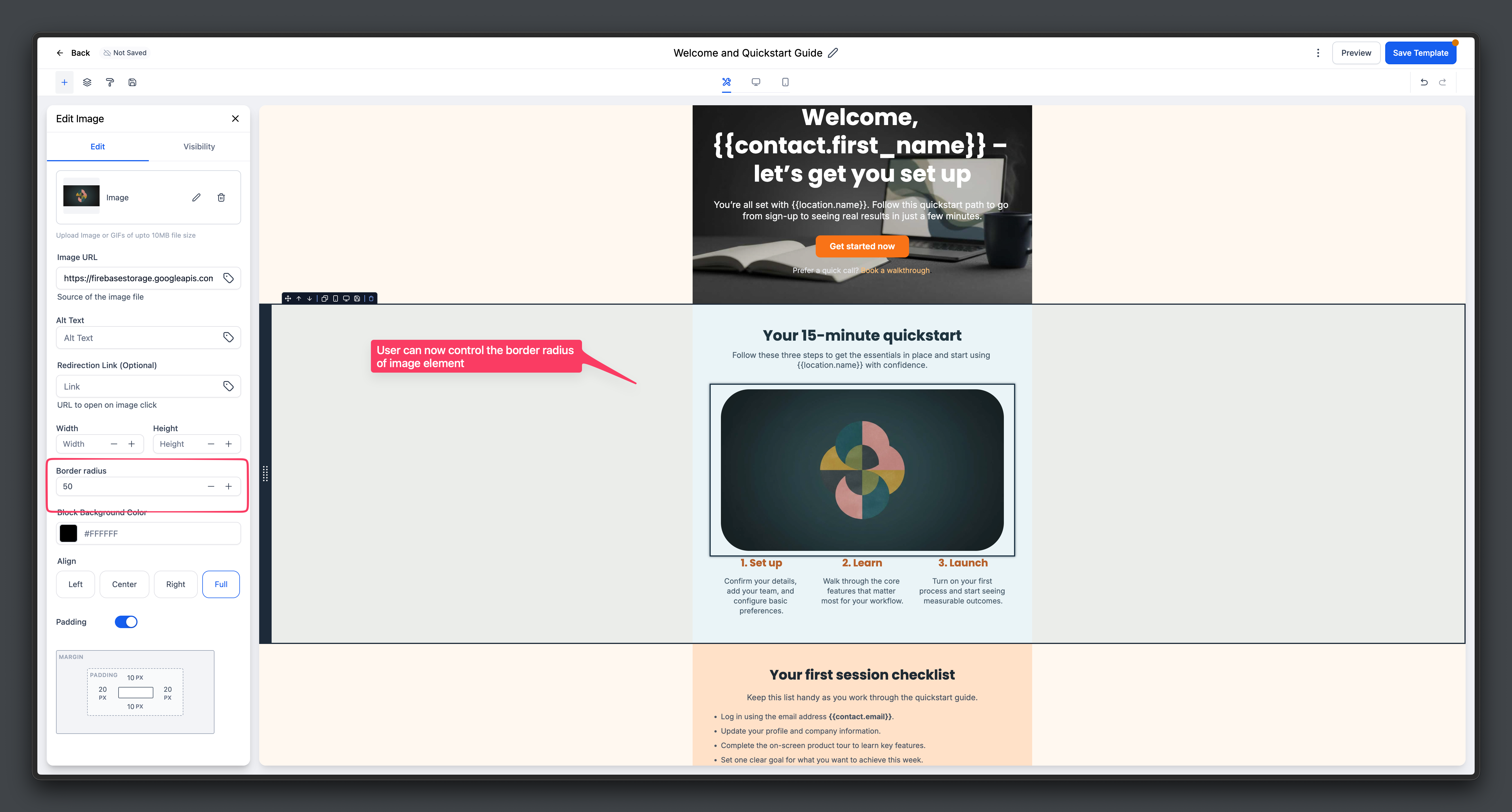
Now image element supports an overall border control and sections also have background image settings
Flexible editing layout:
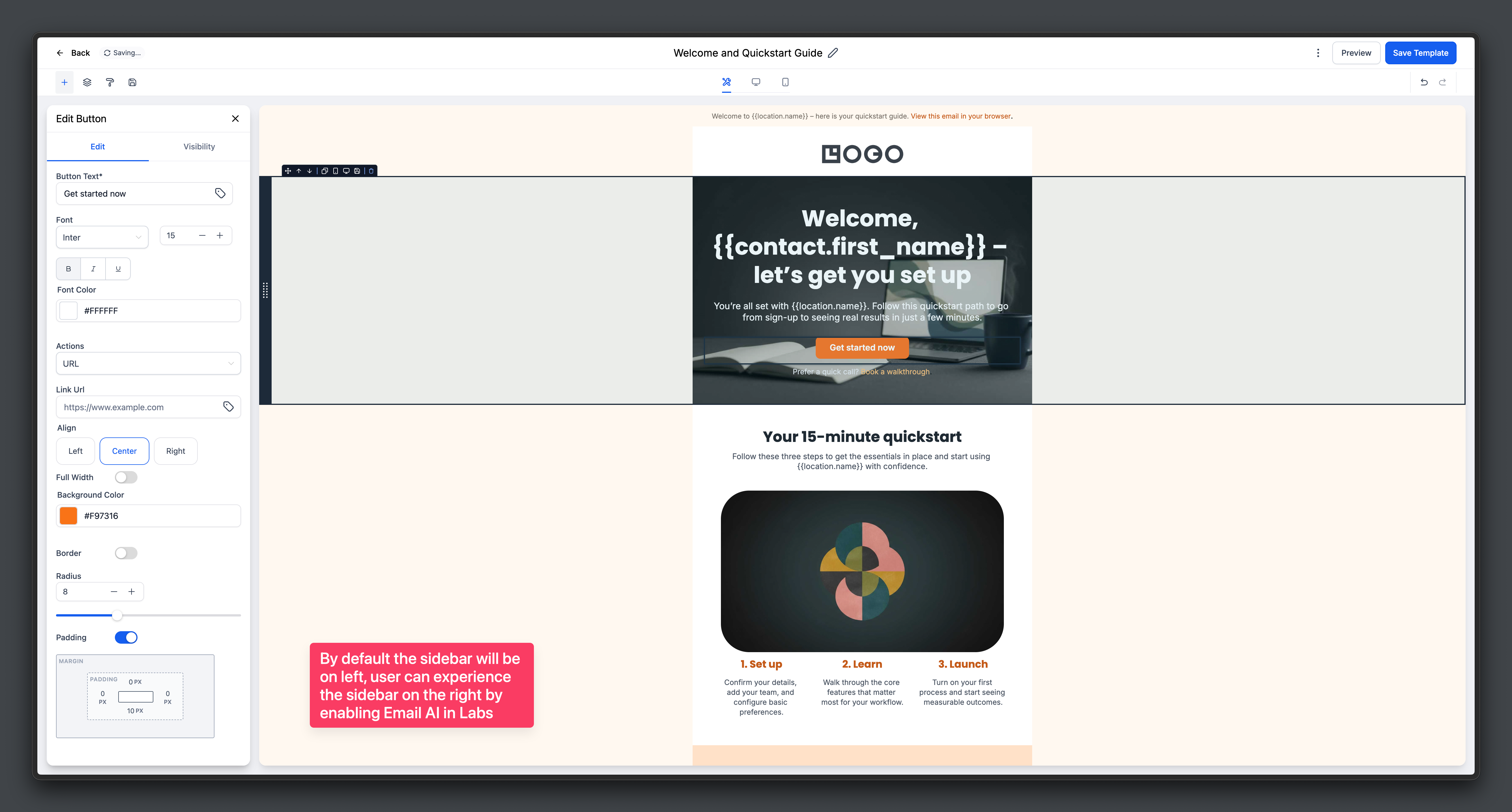
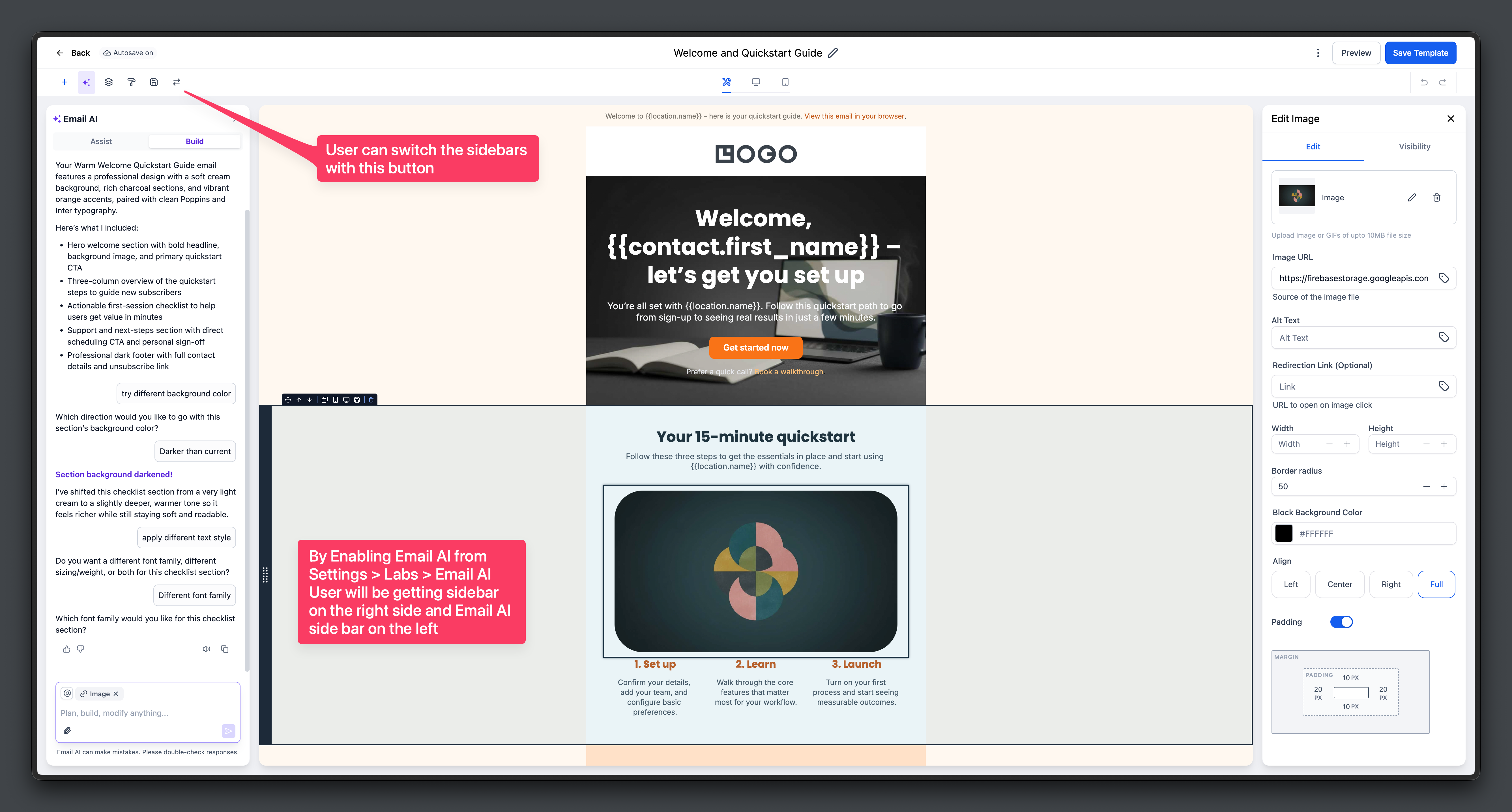
The edit panel can now be positioned on the right, enabling side-by-side use of Email AI and manual editing, with the option to switch back to the left at any time.
✅ Why this matters
Optimises time to value
More design flexibility
Creates a seamless flow between AI-assisted creation and manual edits
Improves efficiency for both new users and power users
The UI now aligns with the rest of the platform’s builders.
📝 Where to see it?
Navigate to Email Marketing and open any campaign or template in edit mode
Enable Email AI to use AI and editing side by side
Use the switch control to move the edit panel between right and left layouts
Add an image element and control the border settings
Click on a section and view/ control the background settings