June 12th, 2025
Improved
Funnels & Websites
Blogs
Height & Width Enhancements (Image + Gallery Components)
We’ve made sizing easier, smarter, and more consistent across the Image and Photo Video Gallery components. You now have better control without the hassle.
Smarter Auto-Sizing
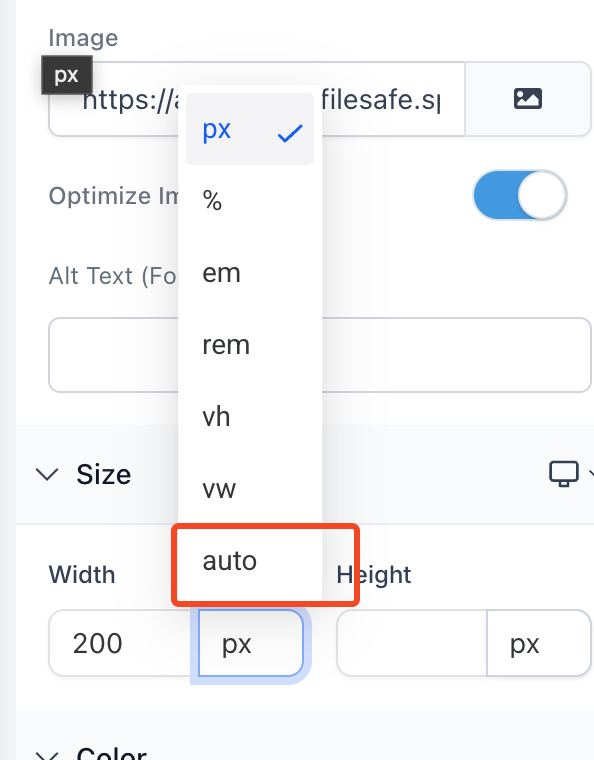
True “Auto” Support: Let elements size themselves automatically and no manual input is needed.
One-Click Toggle: Instantly switch between auto and fixed sizing (like px, %, etc.).
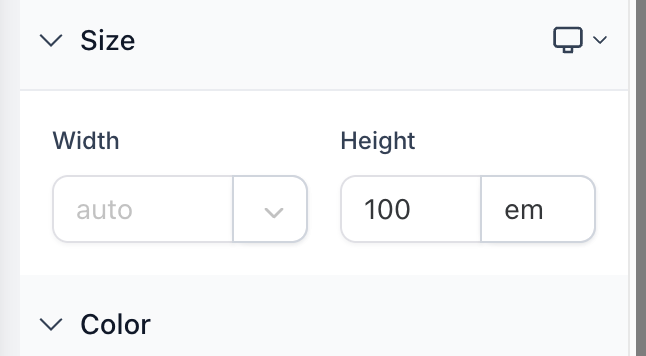
Clear Visuals: Inputs clearly show when “auto” is active.
Better Defaults & Safer Inputs
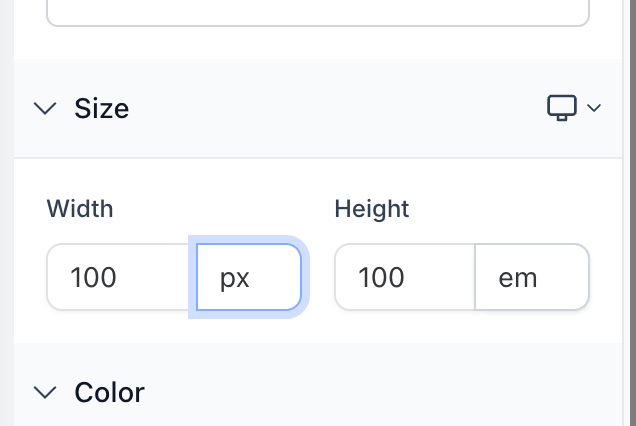
Starts at 100: Switching to a fixed unit now auto-fills 100 so users are not stuck with an empty field.
No Empty Fields: Empty values are blocked to avoid broken or invisible layouts.
Backwards-Friendly: Older components with no size data show empty, but get smart defaults once edited.
Cleaner, More Consistent Controls
Auto Labeling: When auto-sizing is on, the input says “auto” right there.
Fewer Distractions: Size dropdowns only appear when needed.
Same Logic Everywhere: Width and height now behave the same across the board.
Why This Matters
These updates help you:
Stop guessing how sizes will behave
Switch between size types faster and with confidence
Make your galleries look polished and pro
Keep layouts working across all screen sizes
Avoid broken or unpredictable results
Quick Notes
Switching from “auto” to another unit will default the size to 100.
Empty inputs are no longer allowed, they’ll switch to auto automatically.