April 23rd, 2025
Improved
Calendar
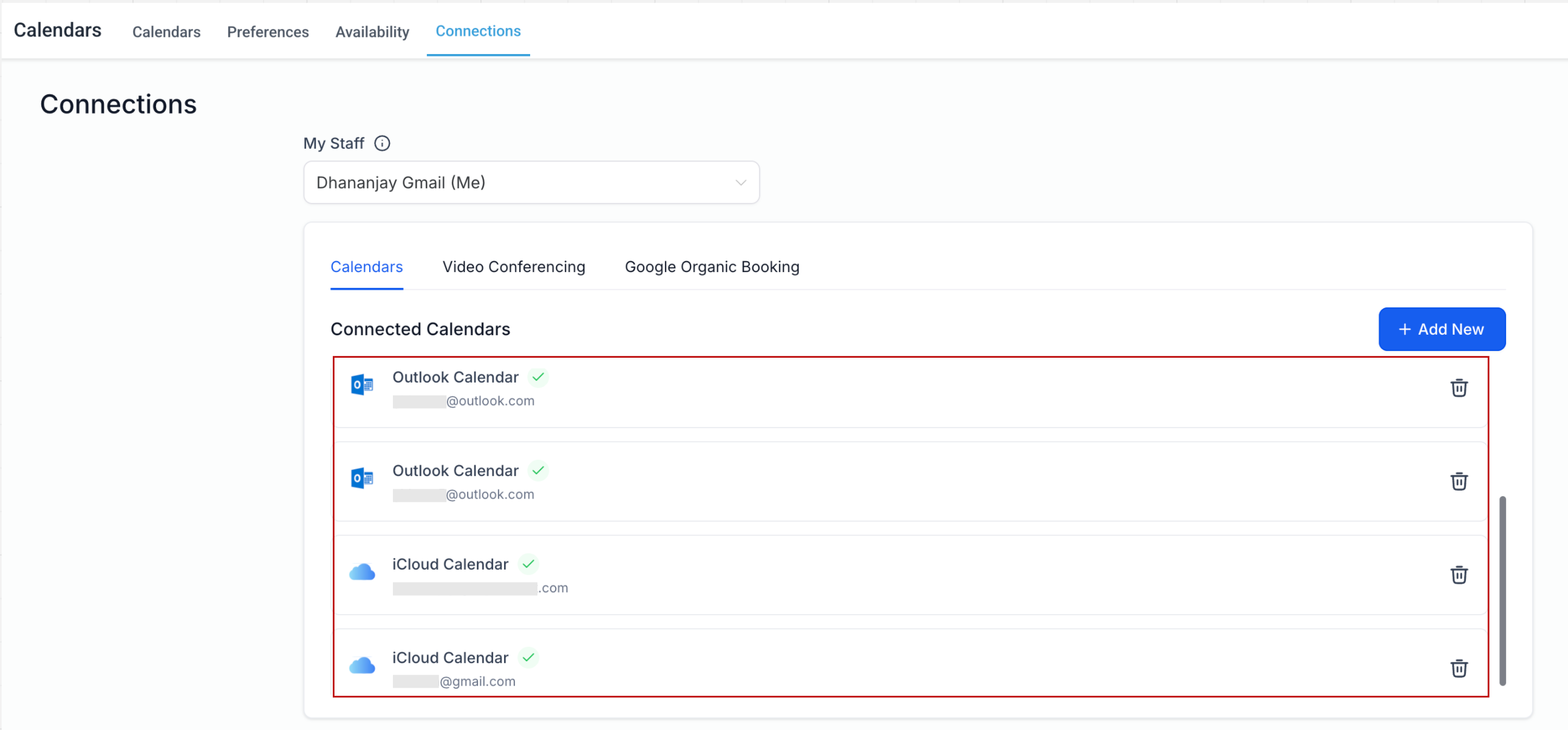
Enhanced Calendar Integrations: Connect Multiple Accounts per Integration Type
We’re excited to announce a significant improvement to calendar integrations! Previously, users were restricted to connecting only one account per integration type (Outlook or iCloud) within a subaccount. With this new update, we’re expanding the flexibility of our calendar system to match the capabilities currently offered for Google Calendar.
🚀 What’s New?
Now, users can have multiple Outlook or iCloud accounts which they can use for checking availability conflicts and syncing third-party events.
✅ Multiple Calendar Accounts per Integration Type
You can now connect multiple accounts of the same integration type (e.g., Outlook, iCloud) within a single subaccount. This enhancement brings parity across all calendar types and increases scheduling flexibility.
✅ Cross-Subaccount Support
Users can now connect the same calendar account across different subaccounts they are part of—just like with Google Calendar.
Please Note:
Video Conferencing Integrations remain unchanged. You can connect one video conferencing account (Zoom, MS Teams, or Google Meet) per user per subaccount.
However, the same video conferencing account can be connected across multiple subaccounts.
🎯 Why This Matters
This update brings Outlook and iCloud integrations up to speed with Google Calendar, providing consistent and scalable calendar management across the board—perfect for agencies, VAs, and power users handling multiple clients or business units.