April 1st, 2026
Improved
Funnels & Websites
Blogs
Enhanced Border Controls in Page Builder!
📝 Overview
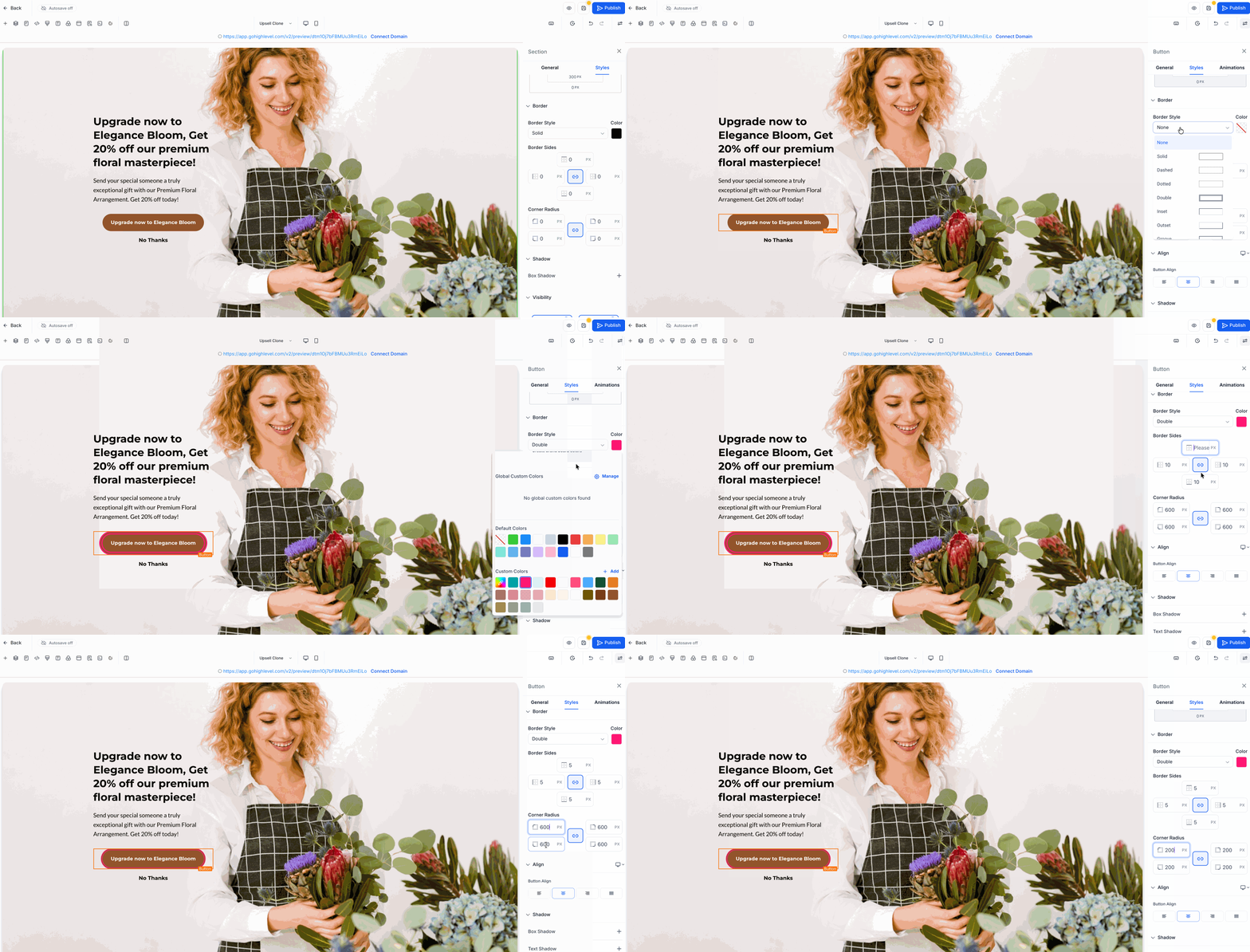
Improved border settings in Page Builder to give you more control and a more consistent editing experience.
This update replaces older border controls with one improved border settings panel across supported elements.
🆕 What’s improved
You can now adjust border width for each side individually
You can now set border radius for each corner individually
Added 5 additional border styles: double, groove, ridge, inset, and outset
Border settings now follow one more consistent experience across supported elements
Existing pages using older border settings will continue to work correctly
🔍 How to access
Open the Page Builder and select any existing element that already supports border settings.
From the element’s style settings, open the Border section to adjust border width, radius, style, and color.
🎯 Why it matters
Makes it easier to create more customized designs
Gives you better control over how elements look
Keeps older designs working while improving the editing experience