June 3rd, 2025
Improved
Calendar
Easier Access to Share & Troubleshoot Calendar
We've improved the calendar settings experience by making it much easier to share your booking link and troubleshoot availability issues — all without leaving the screen you're on.
---
🆕 What’s New
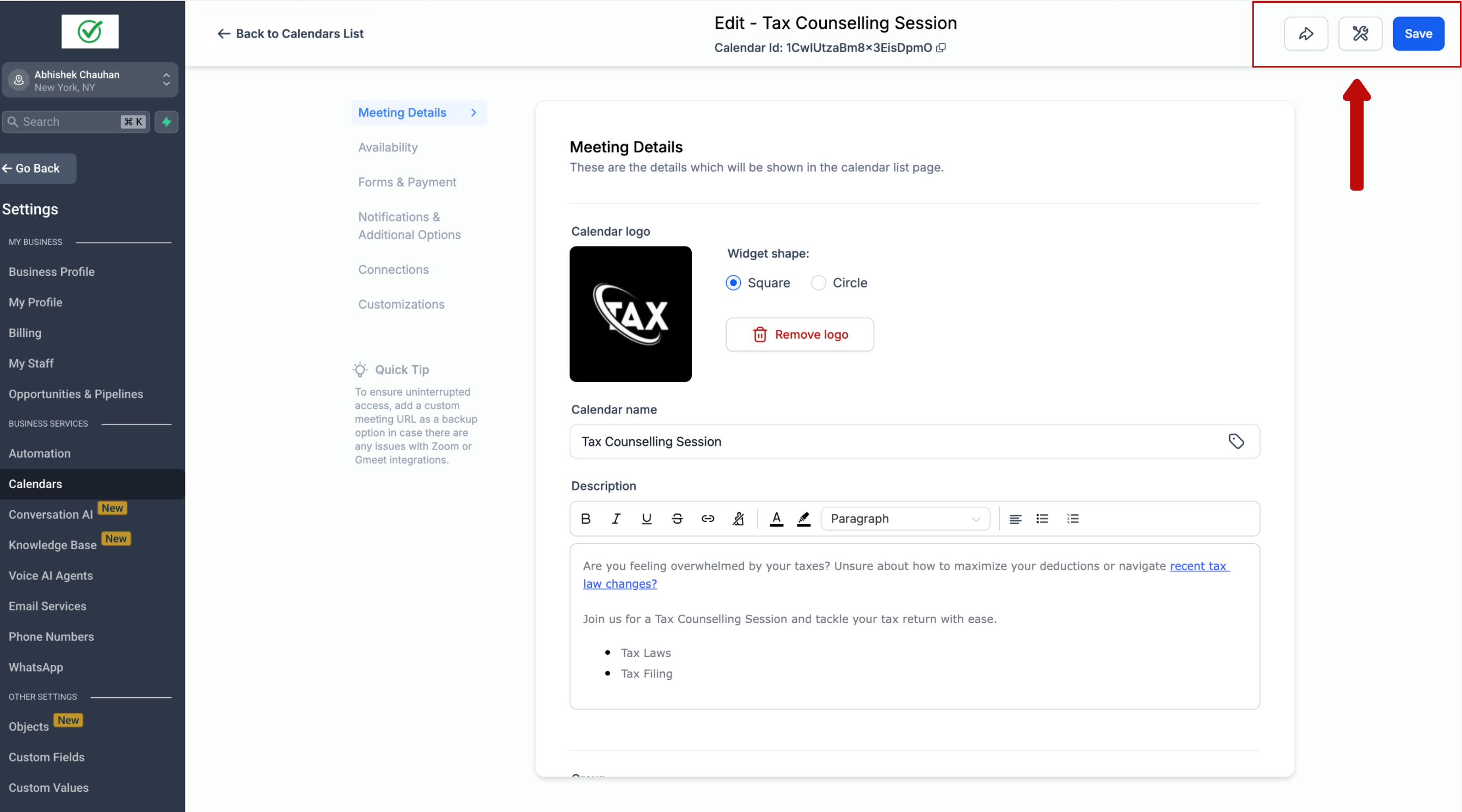
✅ A persistent "Share" button is now always visible at the top of the calendar settings screen
🛠 A new "Troubleshoot Calendar" button has also been added which opens the diagnostics tool to help identify and fix setup or availability issues
---
💡 How to Use
Open any calendar in Settings
At the top-right of the screen, you’ll see two new buttons: Share and Troubleshoot Calendar
Click Share to:
Copy your booking link
Create a one-time link
Grab the embed code
Click Troubleshoot Calendar to open the diagnostics tool and resolve availability problems
---
🌟 Key Benefits
🔗 Quickly copy and share your calendar booking link
👁 Instantly preview the calendar like your clients will see it
🛠 Troubleshoot availability issues without switching screens
⚡ Save time and reduce confusion during calendar setup