September 30th, 2025
Improved
Calendar
📅 Calendar View Enhancements
We’ve redesigned the Calendar View to make it more spacious, intuitive, and tailored to your use case. Note: This is live via LABS
✨ What’s New
Dedicated Views by Scheduling Types
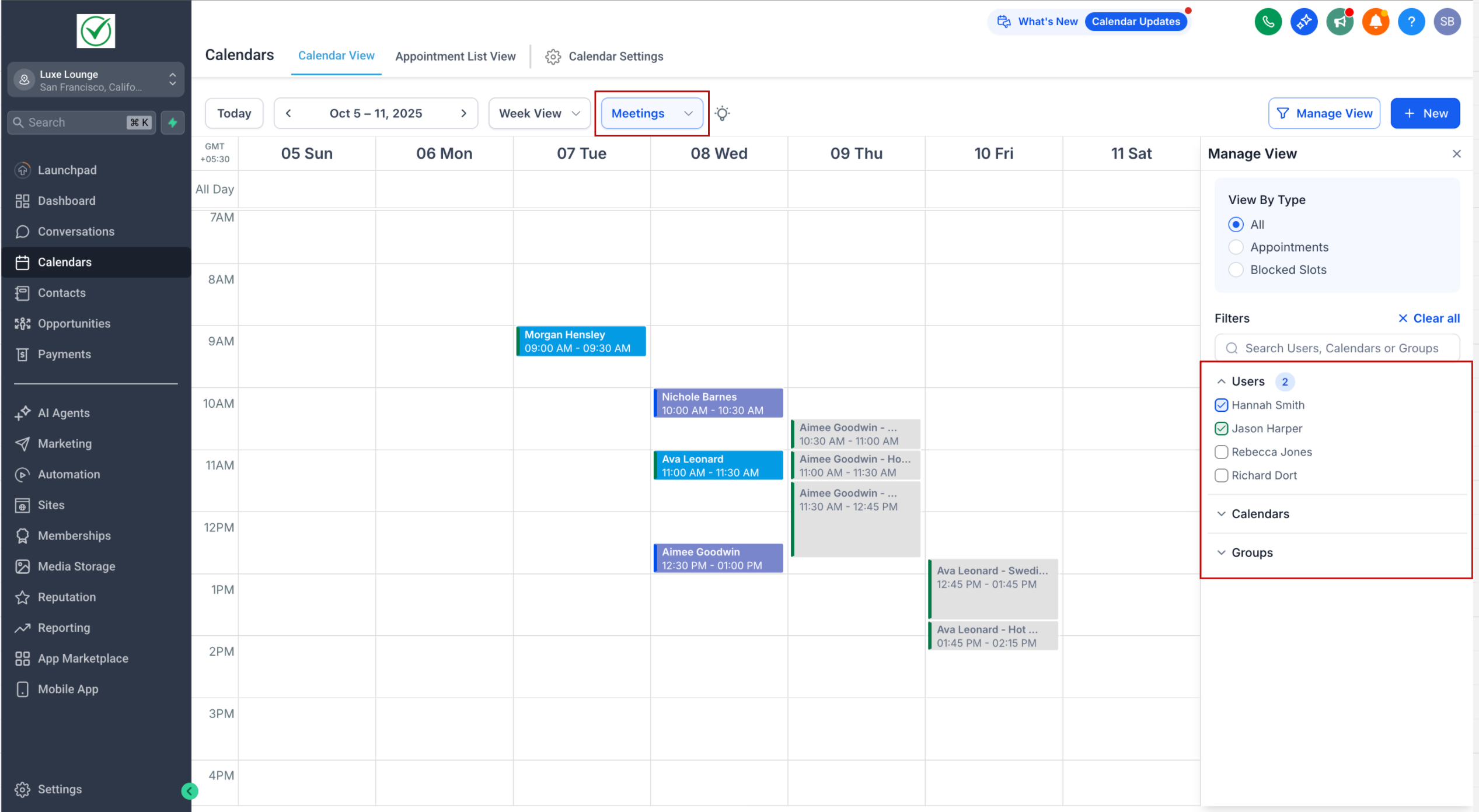
Meetings: All existing calendar types (personal, round robin, collective, class, service calendars v1, and service menu).
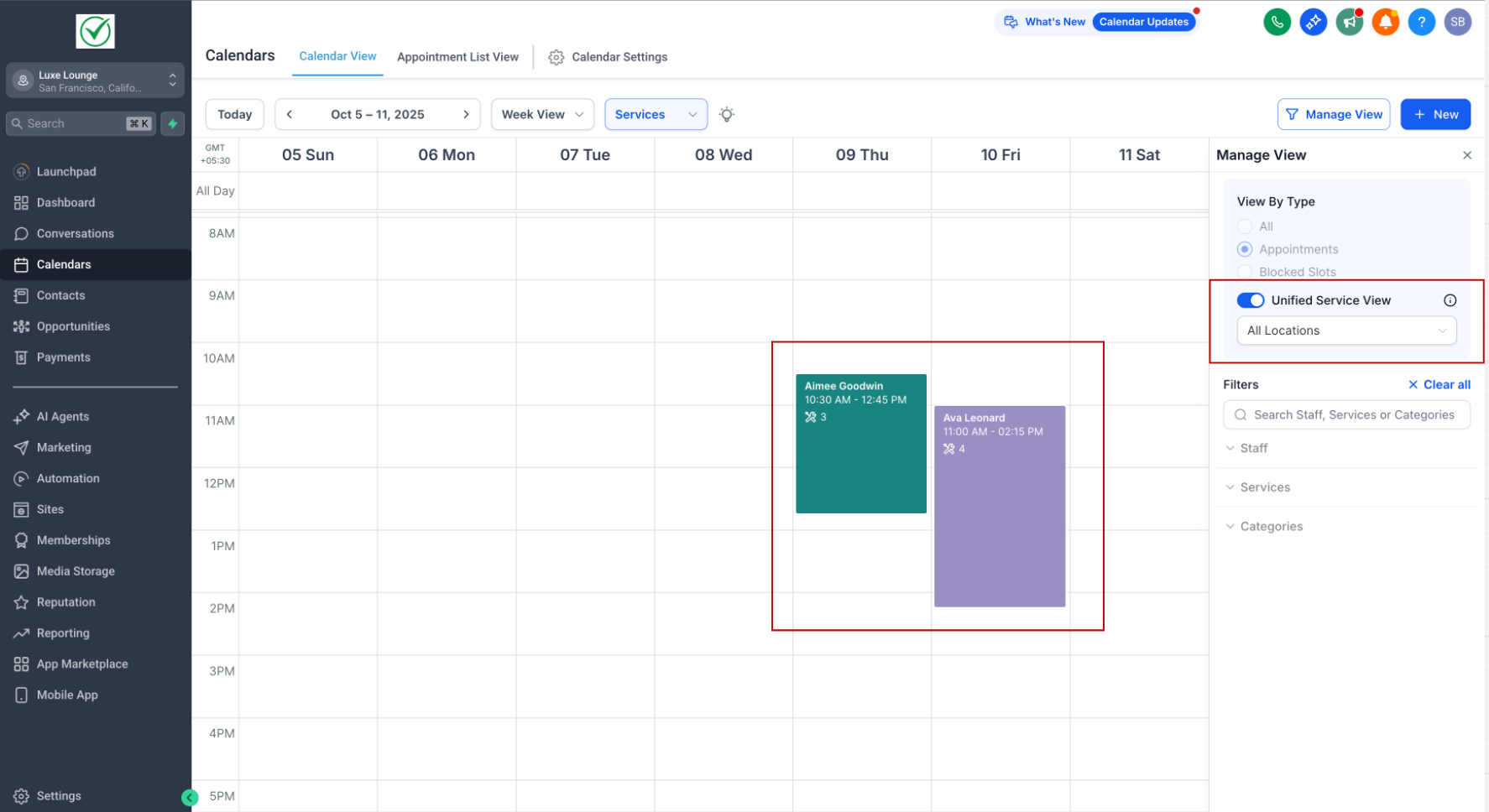
Services: Built for service-based businesses with advanced options like variations and add-ons.
Rentals (coming soon): A new way to book for rental-based businesses.
---
Smart Dropdown Navigation
Easily switch between different categories (eg. Meetings and Services) with a dropdown at the top.
The dropdown appears only if multiple types are enabled in Agency Settings.
If only one type is enabled, the dropdown stays hidden for a cleaner experience.
---
Contextual Filters
The filter panel on the right dynamically updates based on the selected view (Meetings / Services).
All events and blocked slots displayed in the calendar are specific to the selected scheduling type.
---
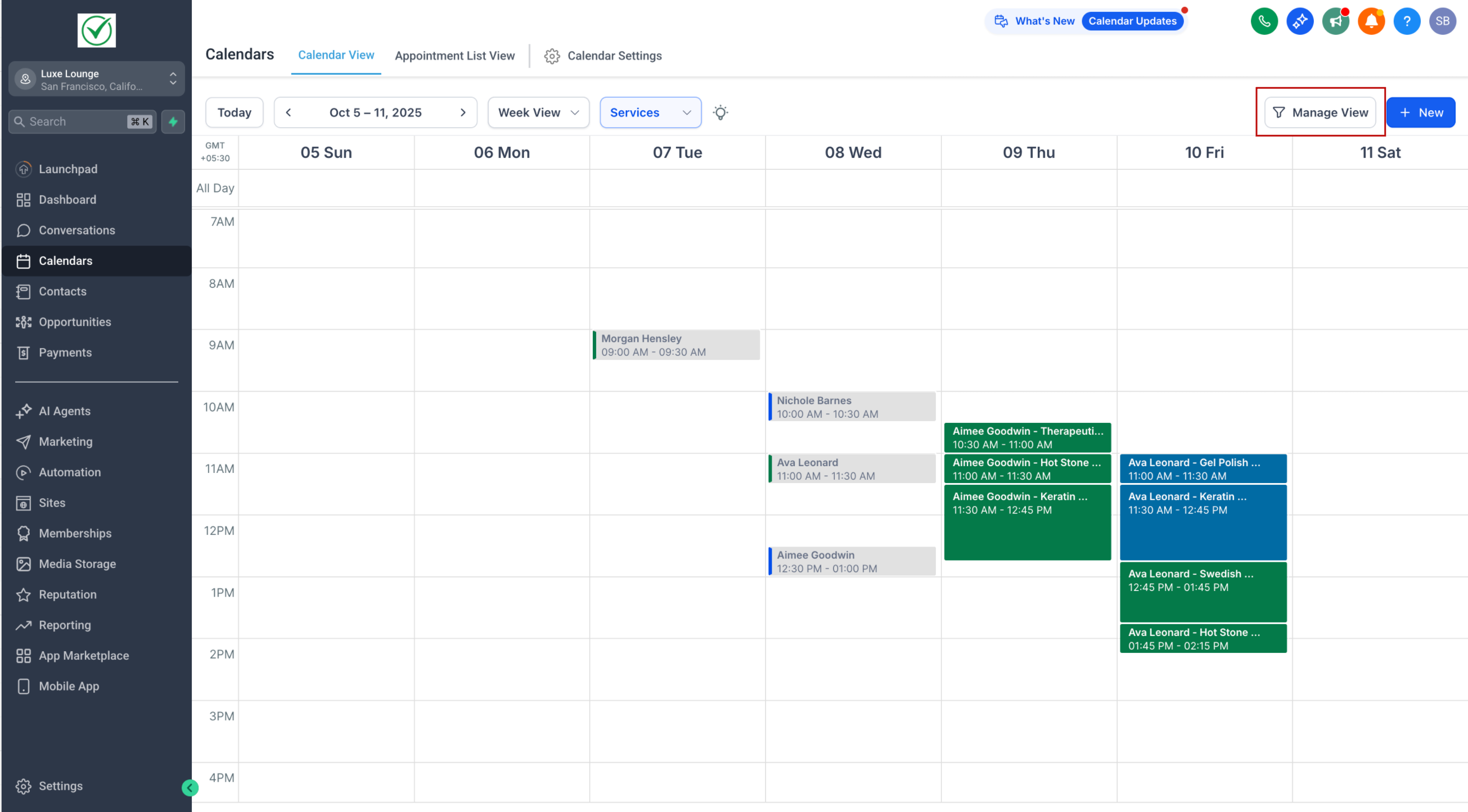
More Space to View Events
Reduced padding so more events fit into your view.
Use the new Manage View button (top right) to completely hide the right filter panel, giving you even more room to focus on your schedule.
---
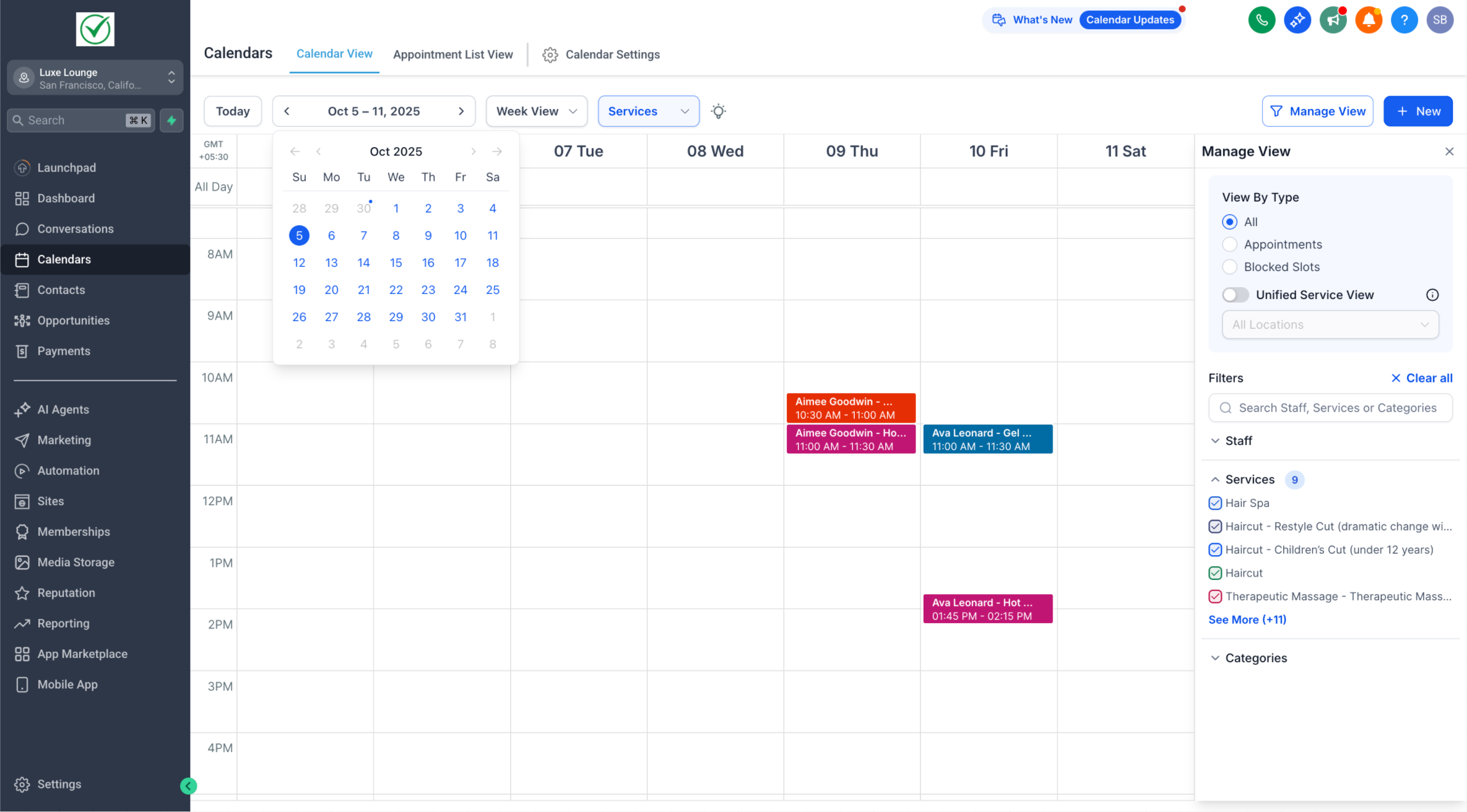
Mini Month Calendar Relocation
The mini month-view calendar has moved under the main date for easier access.
Simply click on the date to expand it.
---
🌟 Why It Matters
This redesign reduces clutter and maximizes the space available for your appointments. With scheduling-type-specific views, smarter filters, and the ability to hide panels when you don’t need them, you get a cleaner, more powerful way to manage your calendar.
We’ll be rolling out more enhancements in the coming weeks to deliver an even better scheduling experience. Stay tuned!