Conditional Visibility Enhancements
Conditional Visibility is now more flexible and easier to manage with support for layouts and value-based conditions.
👀
What is new?
• Visibility Rules for Layouts
Apply conditional visibility to entire layouts instead of configuring each element individually. Layouts now include a dedicated Visibility tab alongside Edit, with support available in HighRise as well.
• New Value-Based Operators Added IS EMPTY and IS PRESENT operators for more dynamic conditions. All custom fields — including attachment fields — are now supported in the conditional visibility dropdown.
Example Use Cases
Show a “Download Invoice” button only when an attachment field IS PRESENT
Hide a personalized greeting when first_name IS EMPTY
⭐Impact
Eliminates repetitive rule setup across multiple elements
Enables cleaner handling of empty or missing field values
Allows entire sections to hide gracefully
Makes Conditional Visibility significantly more powerful while preserving existing behaviour
👷How to Use
Select any layout or element inside the email builder.
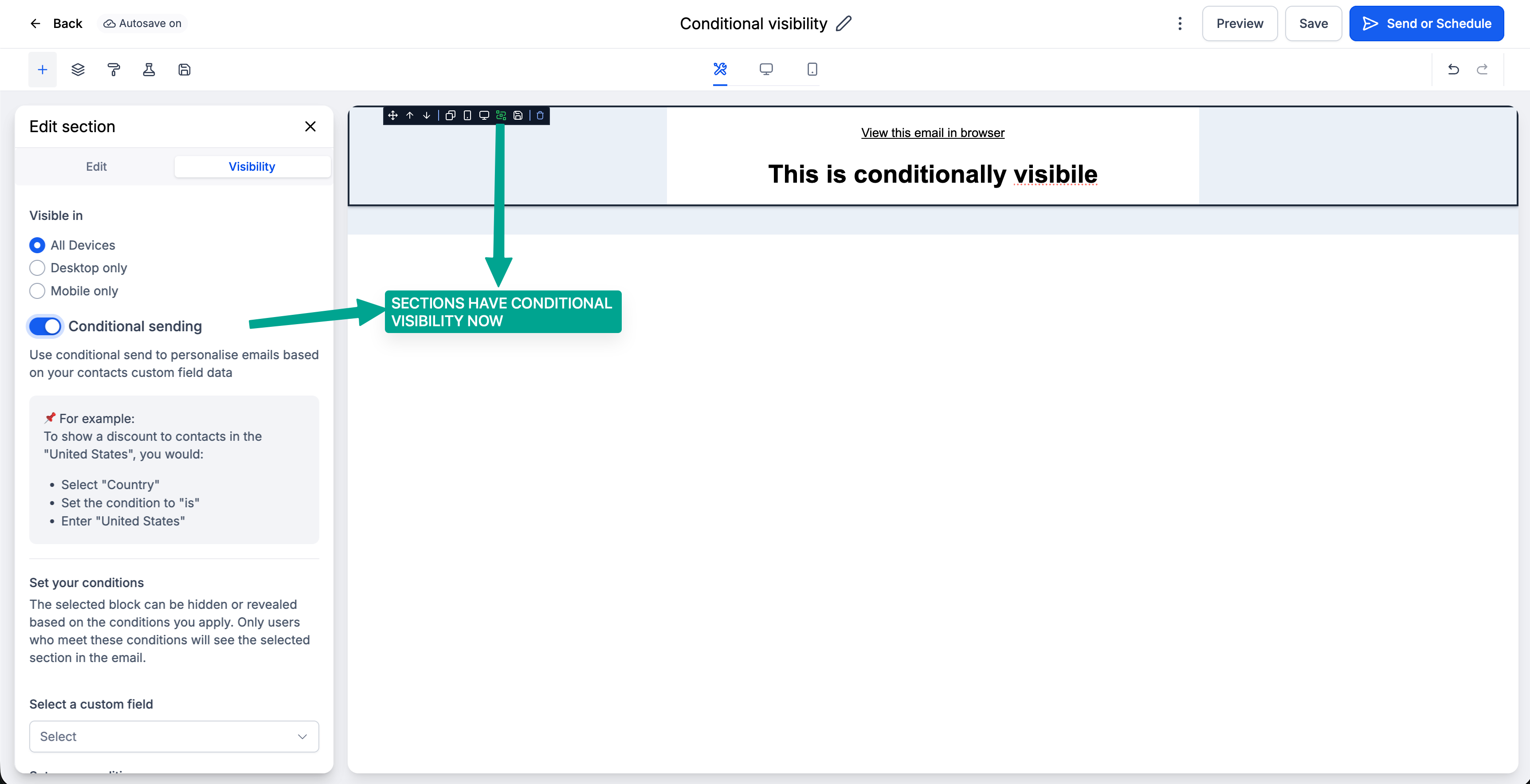
Open the Visibility tab.
Choose the field you want to evaluate.
Select a condition:
IS/ IS NOT
and
IS EMPTY/ IS PRESENT
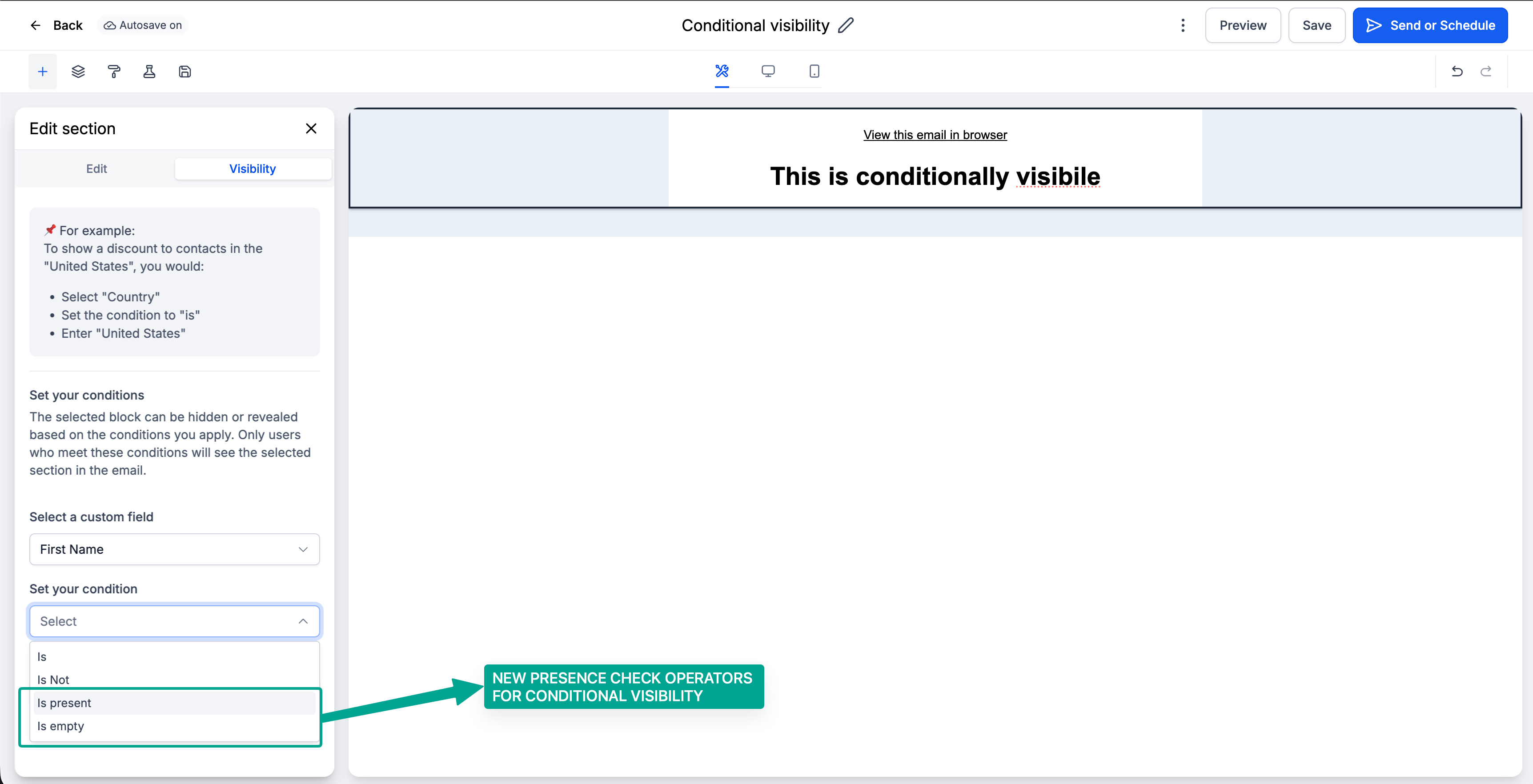
Set the required value (if applicable) and save.