🔐 Control Google Sign-in on Your Client Portal
Overview
Growably now lets sub-accounts control whether the "Sign in with Google" option appears on the Client Portal sign-up and login pages. Admins can enable or disable Google Sign-In directly from the Client Portal app permissions — giving businesses the flexibility to align their sign-up experience with their own compliance and data-handling requirements (for example, GDPR and other European regulatory considerations).
✨ Key Highlights
Google Sign-In Toggle — Show or hide the Google button on your portal's sign-up and login pages.
Managed in App Permissions — Control sits directly with the sub-account admin, no support ticket needed.
Compliance flexibility — Remove third-party sign-in to align with regional privacy rules (e.g. GDPR).
🛠️ How to Use It
Go to Sites > Client Portal settings.
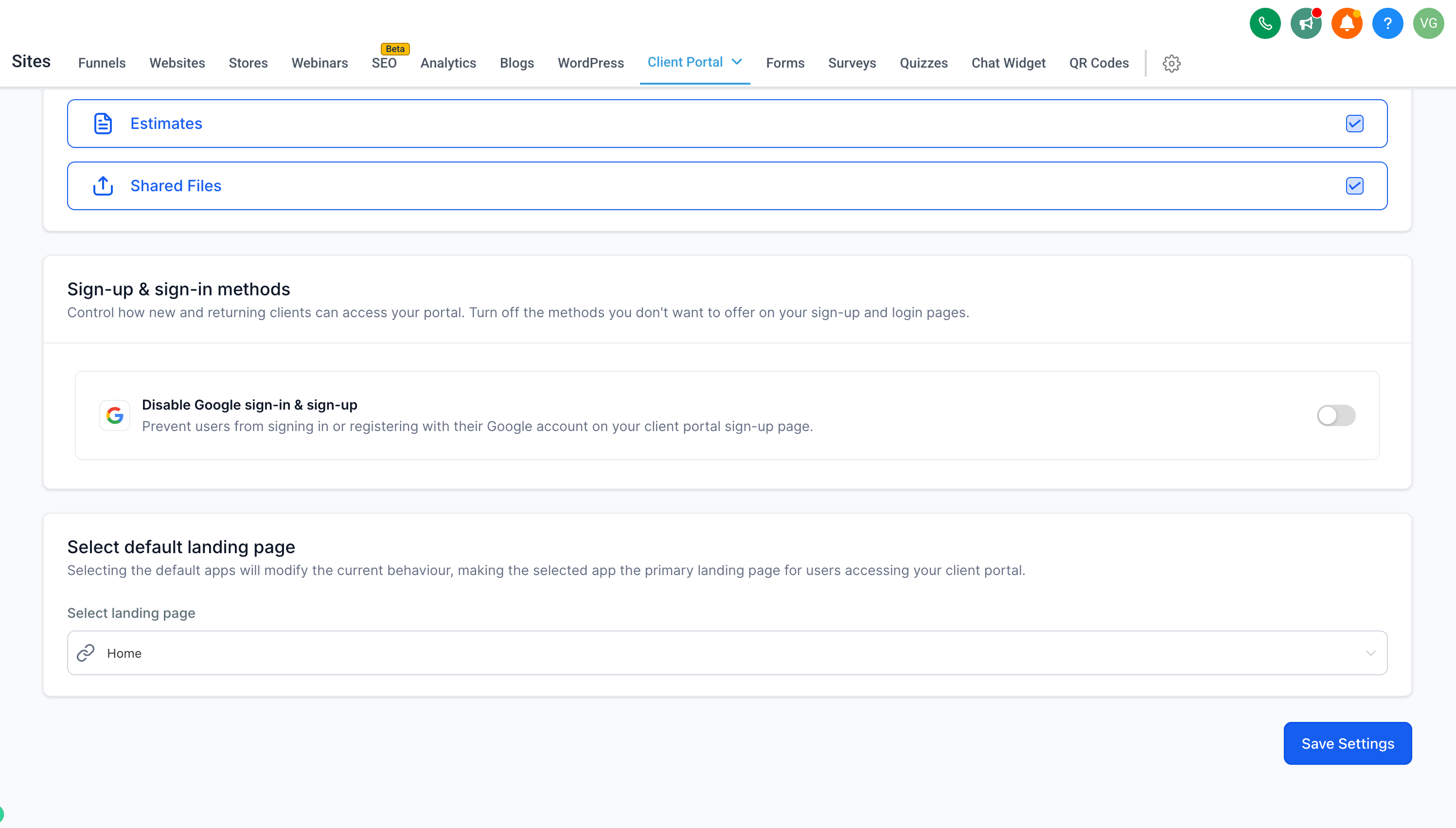
Open App Permissions and scroll to Sign-up & sign-in methods.
Toggle Disable Google sign-in & sign-up ON or OFF.
Click Save Settings — done!
💡Why This Feature?
Previously, Google Sign-In was always on with no way to turn it off — which raised compliance concerns for businesses operating under European (GDPR) data-handling requirements.
Now, you have full control over which authentication options appear on the portal, so your sign-up experience can match your regulatory and business needs.
📝 Notes
When disabled, contacts sign up / log in with email + password only, or by logging in using a secure code.
Available on the Client Portal Web platform.