AI Agent Action: Update Custom Value Tool
What's New
The AI Agent action now supports Update Custom Value as a built-in tool. The agent can evaluate context during execution and write directly to custom values inside a sub-account — replacing complex If/Else trees that previously required dozens of branches and actions.
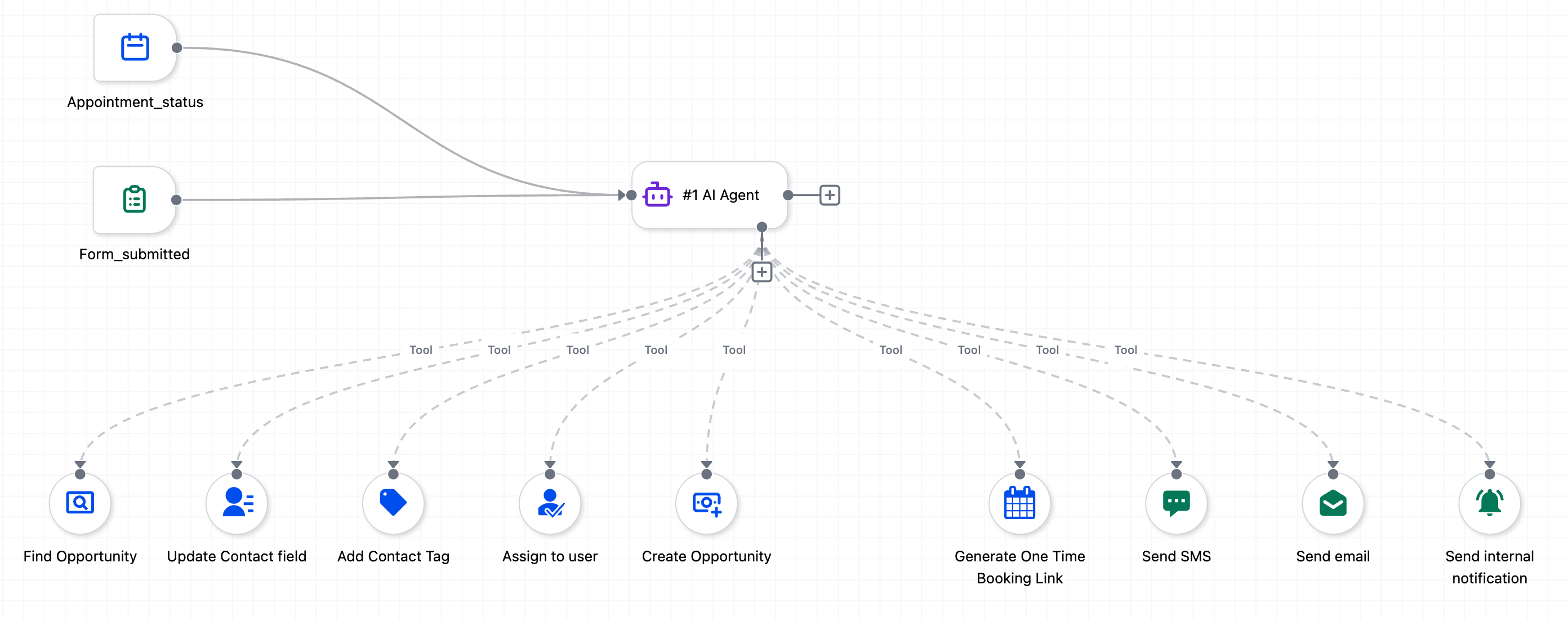
Eliminates the need for large If/Else trees built solely to set custom values based on conditions like day of the week, contact data, date formatting, timezone, or pipeline stage.
Supports the familiar "Let AI decide" vs. static value pattern already used in other AI Agent tools.
How to Use
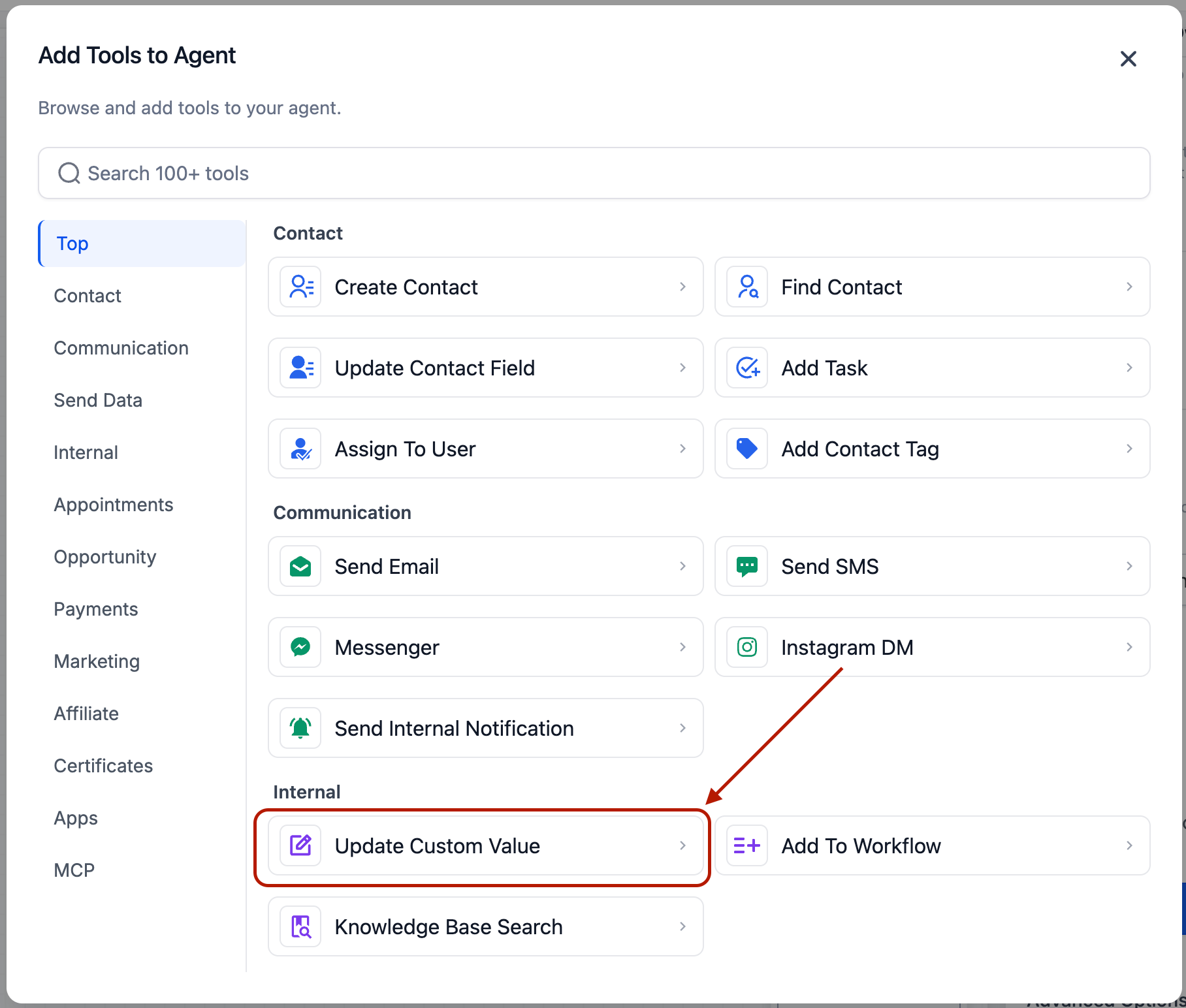
Select Update Custom Value as a tool inside the AI Agent action.
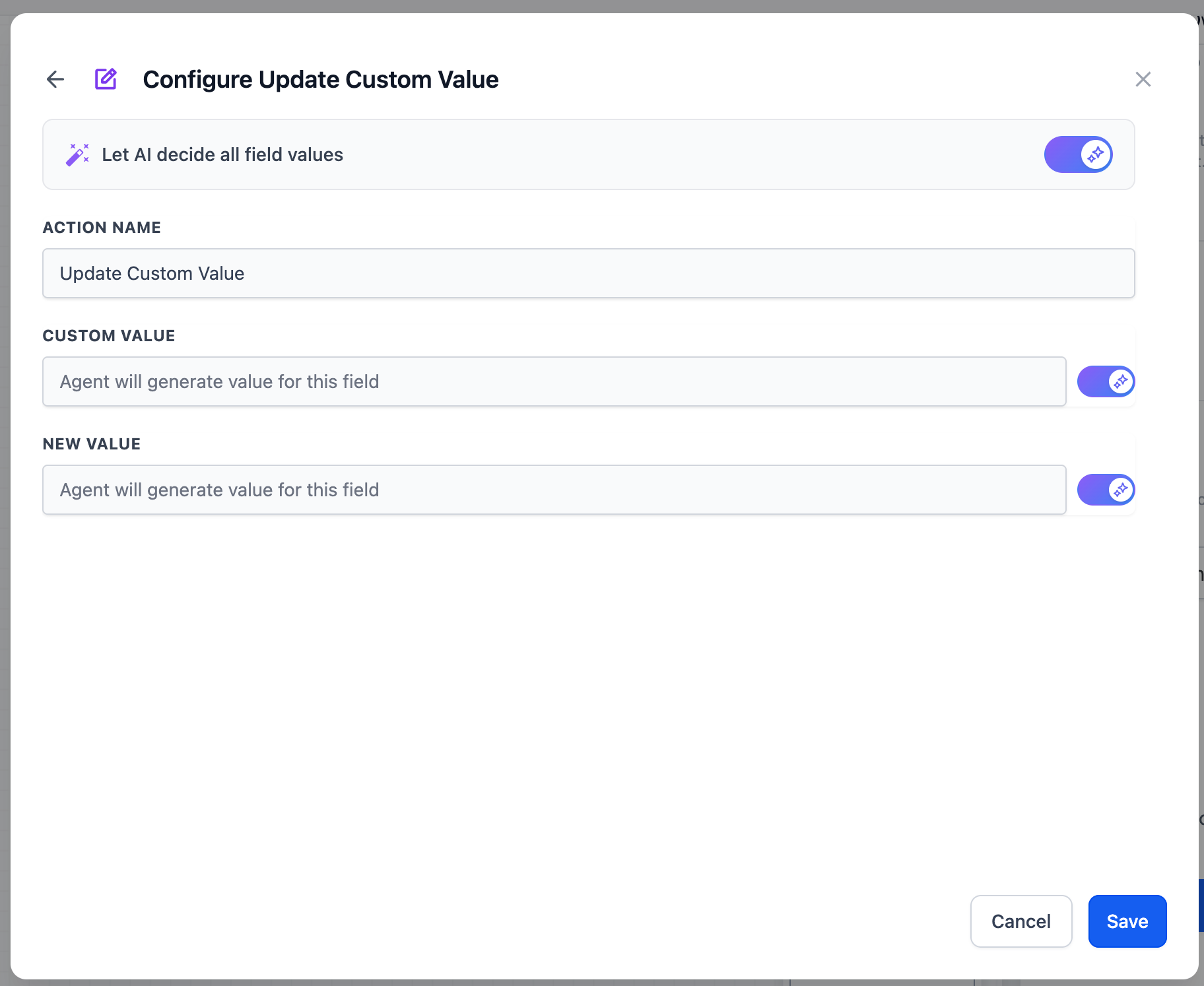
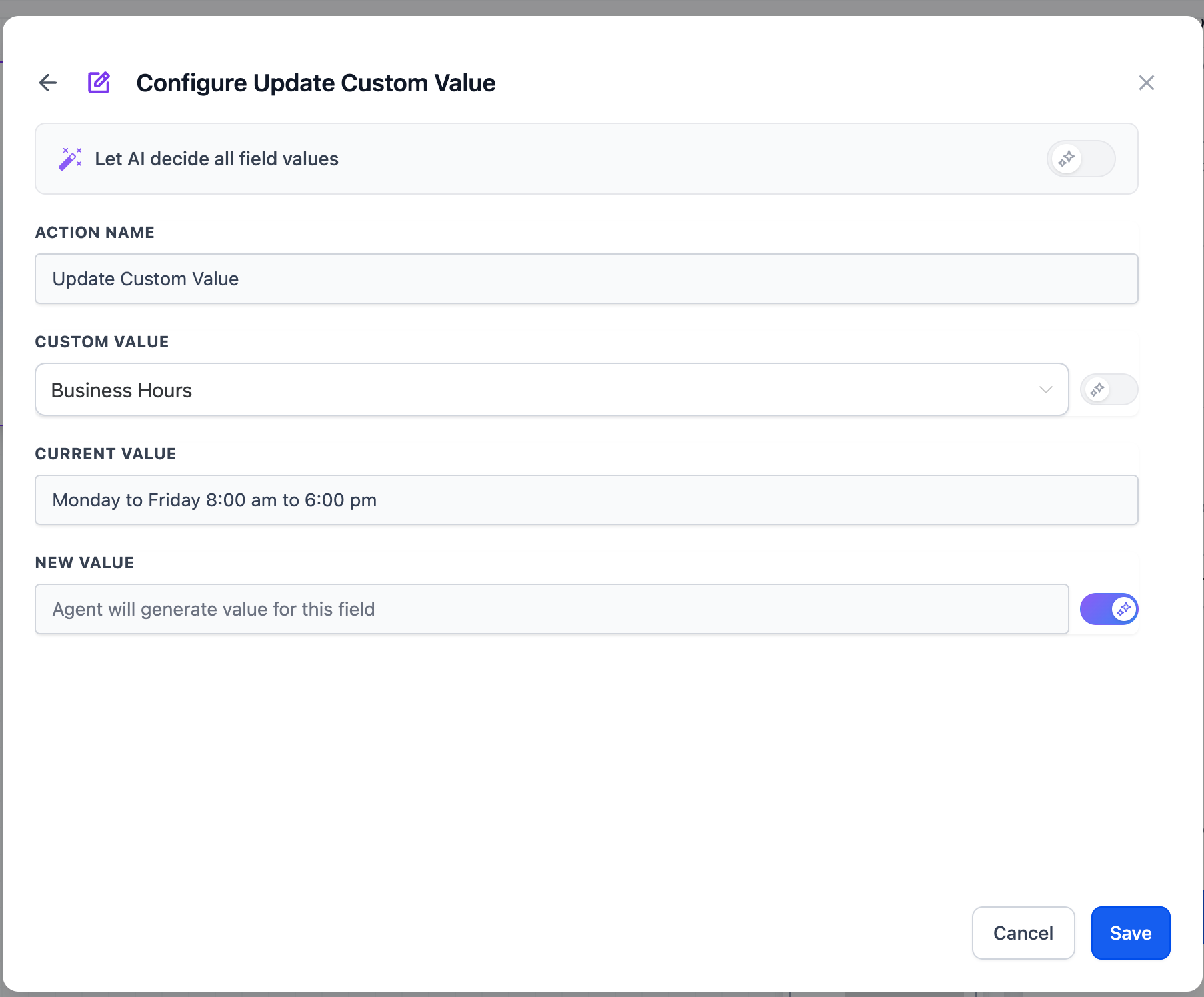
Custom Value: Pick a specific custom value to update, or set it to "Let AI decide" so the agent chooses the right field based on its reasoning.
New Value: Enter a fixed value or variable reference, or set it to "Let AI decide" so the agent generates the value based on your prompt instructions.
Common configurations:
Custom Value static + Value AI-decided: Update a specific field with whatever the agent determines. This is the most common setup.
Both AI-decided: The agent picks which custom value to update and what to set it to — suited for multi-field use cases where the target field depends on context.
Why This Matters
Workflows that previously needed branching logic for every possible condition — day-based schedules, formatted dates, rolling promo codes, context-aware values — now resolve in a single agent step. Less maintenance, fewer actions, faster execution, and lower complexity across your automations.