August 27th, 2025
New
Domains
Unified Domains & URL Redirects!
What’s New
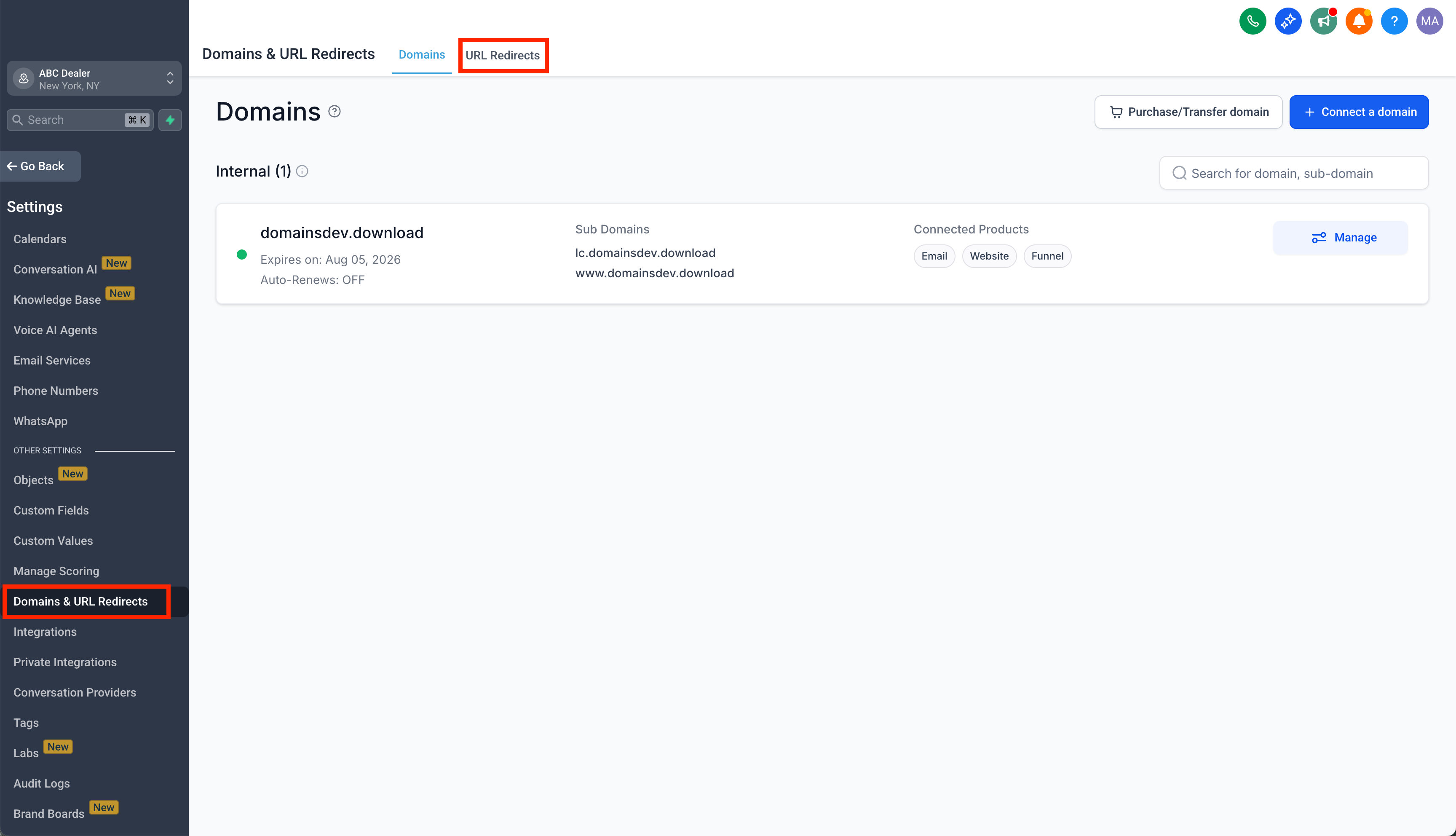
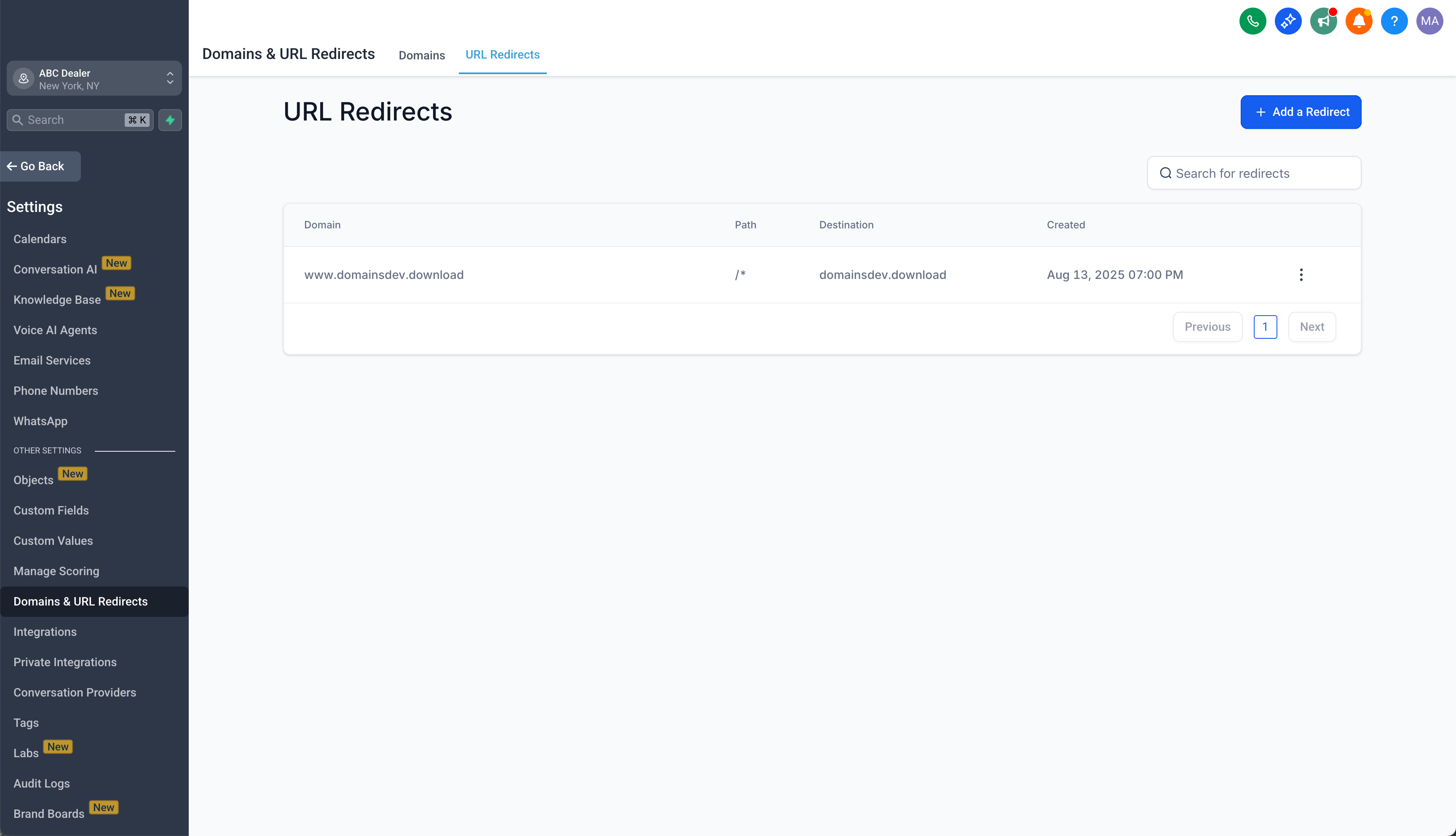
We’ve combined the Domains and URL Redirects sections into one streamlined experience under the Domains & URL Redirects tab. You can now manage domains and set up redirects in a single, unified location.
How It Works
Go to Sub Account Settings > Domains & URL Redirects in the left-hand menu. Inside this tab, you’ll find two sections:
Domains – Manage connected domains and subdomains.
URL Redirects – Create and manage redirects for your domains.
A toggle at the top of the page allows you to switch between the two views seamlessly without leaving the page.
Why It Matters
This update simplifies domain-related workflows, improves navigation clarity, and ensures that domains and redirects are managed in context. By consolidating these sections, users gain a unified view that reduces confusion and saves time.
Important Notes
The previous standalone URL Redirects menu item has been removed.
All existing redirects and domain configurations remain intact.
This update also includes minor UI/UX bug fixes for improved usability and performance.