December 2nd, 2025
New
Calendar
✨ Service Appointments Can Now Be Edited
🧭 Overview
You asked, we delivered! Users can now fully modify unpaid Service Appointments — including updating services, durations, variants, coupons, and more — directly from the edit screen without needing to cancel or rebook.
These changes make it easier to handle last-minute requests, corrections, or changes — with far less friction.
🚀 What’s New?
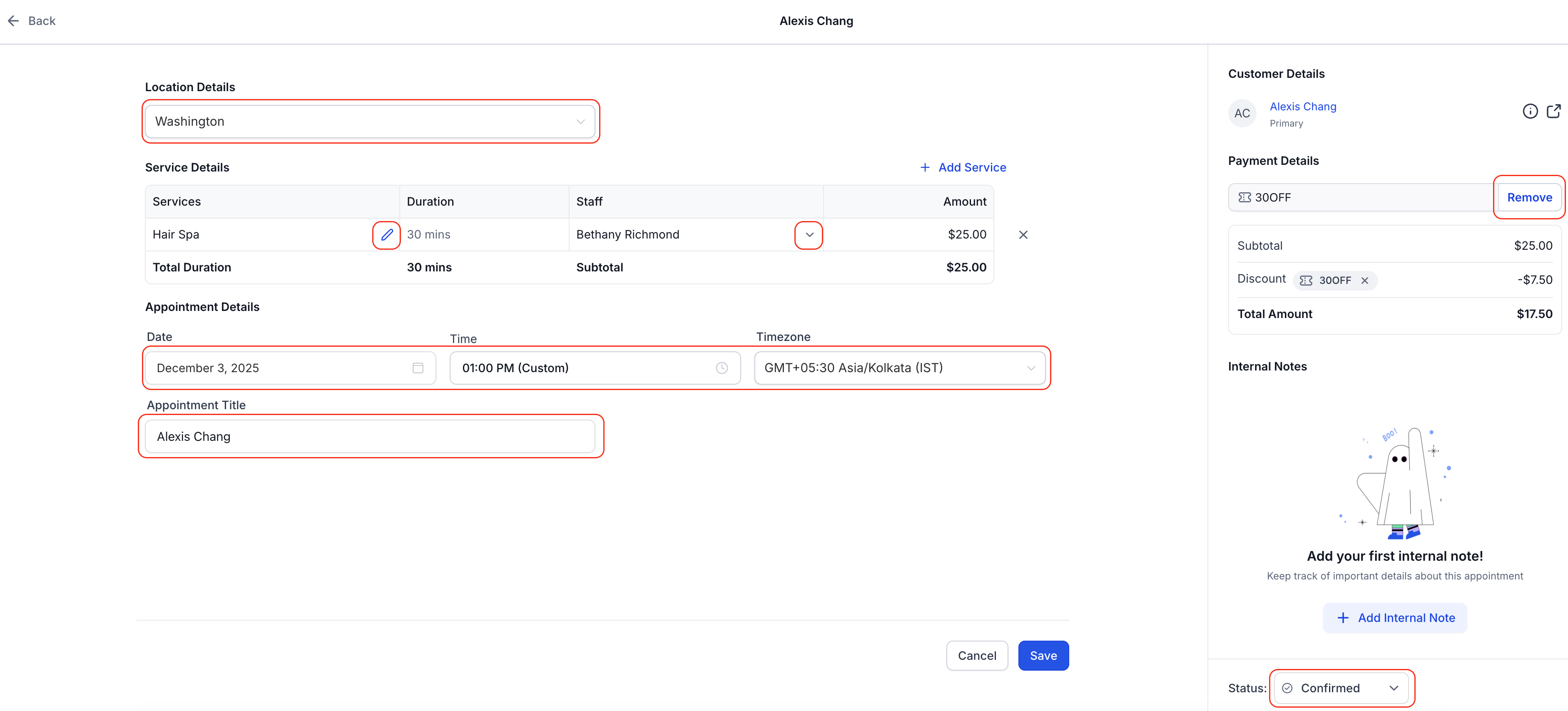
✅ Ability to Edit Unpaid Appointments
Users can now update nearly all appointment details with ease, including the ability to:
Add/remove Services
Add/remove Add-Ons
Change Staff or Service Variants
Change Location, appointment title, appointment date/time, timezone, or coupon codes
No need to cancel or recreate the appointment — make the changes directly from the appointment modal and hit Save.
✅ Enhanced Support for Editing Paid Appointments
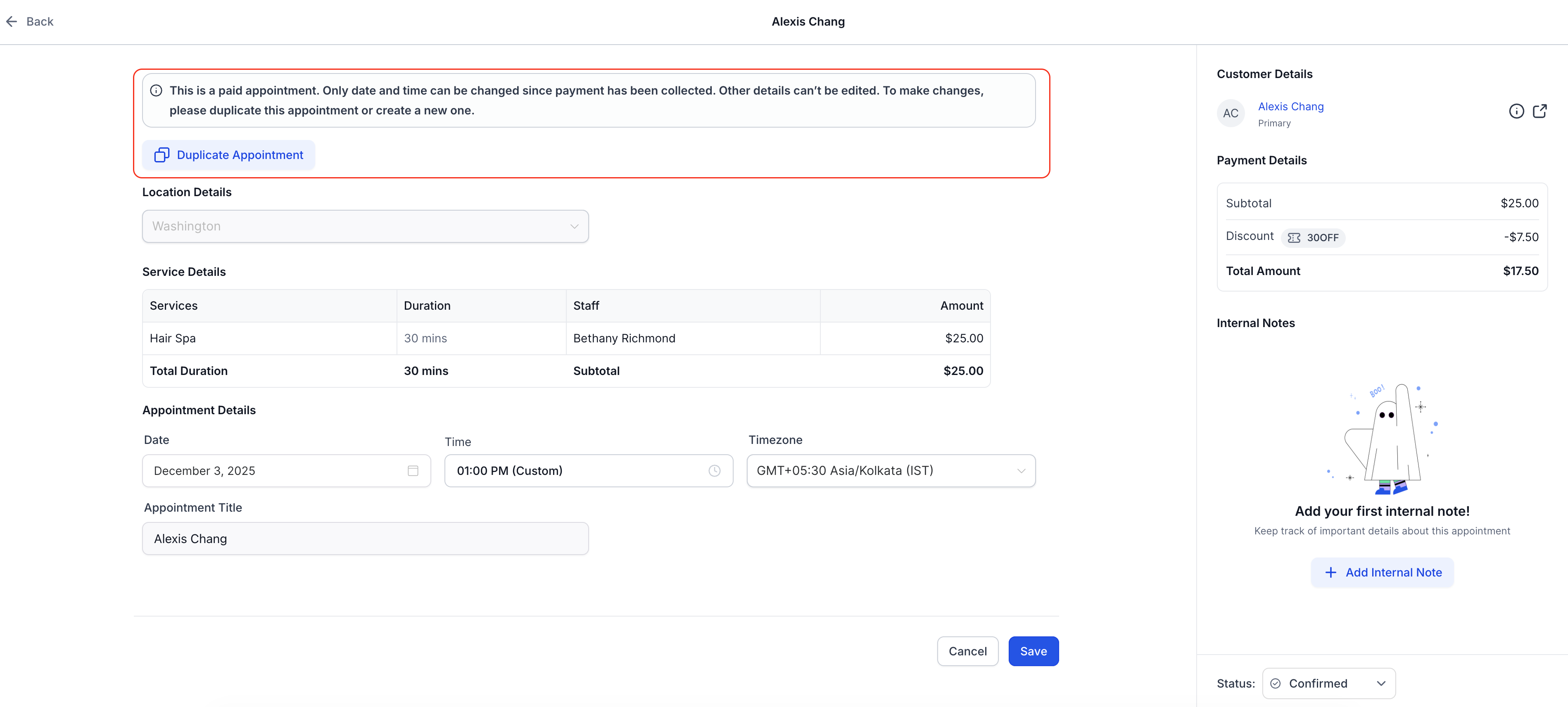
Modifying paid appointments remain locked for structural changes (e.g., service or staff), but you can now:
Duplicate Appointment
to quickly clone the appointment, make edits, and rebook without starting from scratch.
A clear message in the edit screen explains what's editable and what’s not — so there’s no confusion.
🧩 How to Use It
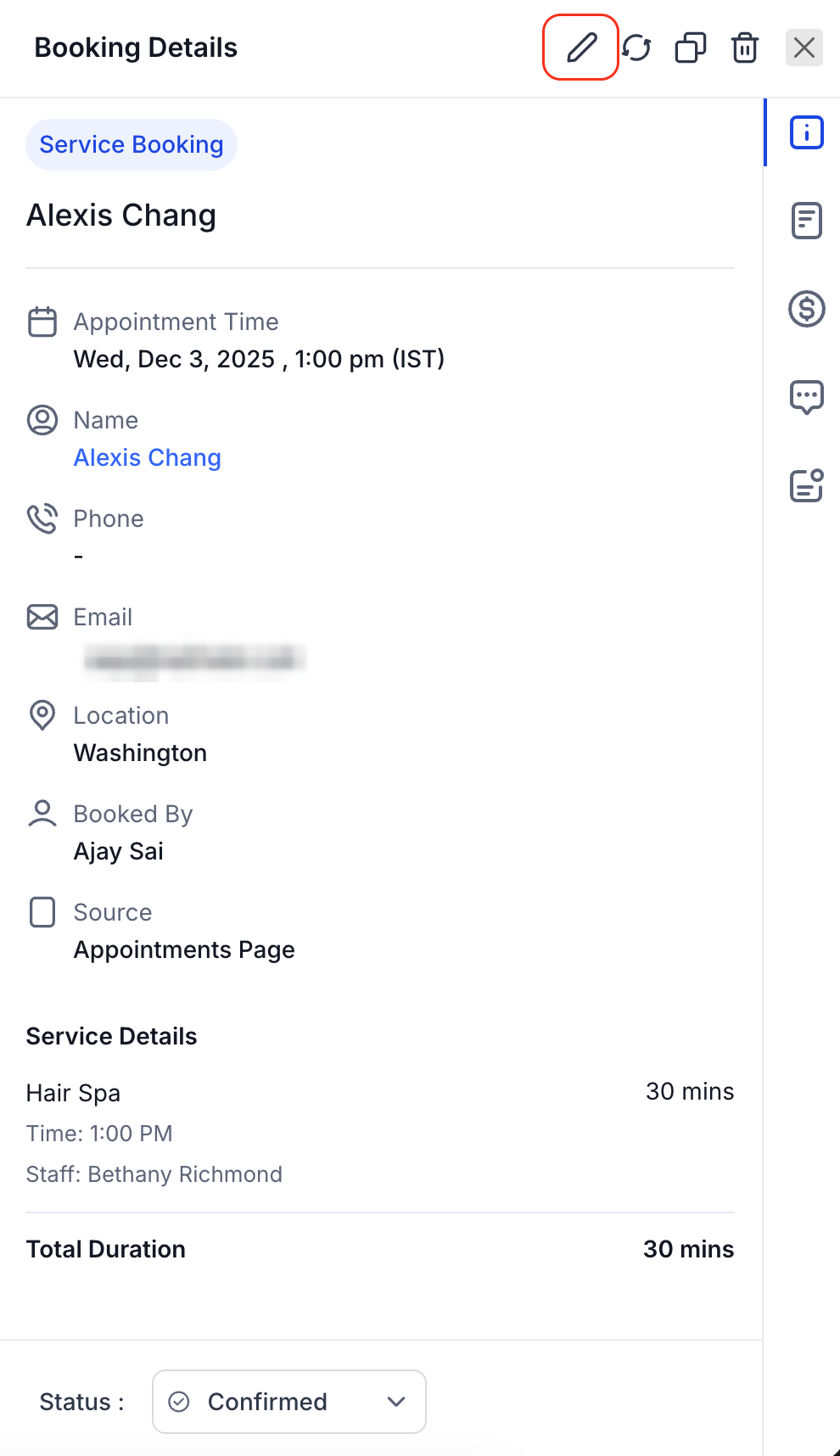
Go to Calendars > Calendar View/Appointment List View > Services > Select the Appointment you want to Edit
Click the pencil icon to Edit
Save the appointment after making the changes
🎯 Why This Matters
🛠️ Operational Flexibility: Accommodate client requests without rebooking from scratch due to minor errors or updates.
⏱ Save time by editing or duplicating directly in-app
🔁 Great for rebooking repeat customers with minor changes
Note: Editing Service Appointments is currently available on the web app only. Support for the mobile app is coming soon.