August 8th, 2025
New
Dashboards and Reporting
Reach and Frequency metrics in Ad Manager statistics
👀 What’s New?
We’ve introduced two new metrics in the campaign performance dashboard/statistics section:
Reach: Displays the number of unique users who saw your ad at least once.
Frequency: Indicates how often your ad was shown to each unique user (calculated as Impressions/Reach).
👷 How it Works:
Navigate to the Statistics screen > performance listing view of campaigns.
These metrics are now available alongside existing stats like Results, CPL, Spend, Impressions, Clicks, etc.
Use the Columns selector on the top right of the table to enable/disable Reach and Frequency metrics.
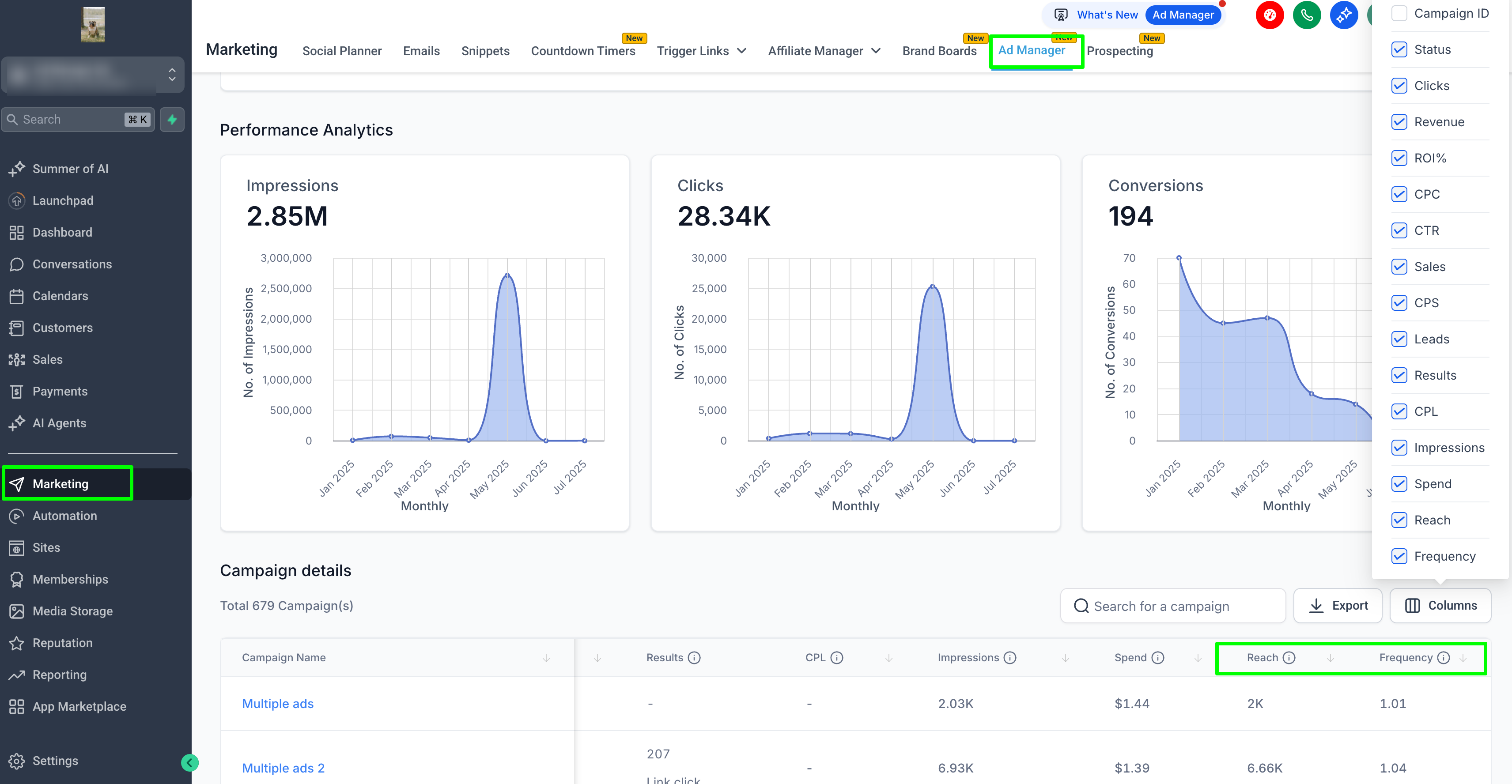
Tooltips appear on hover to guide you through interpretation.
🌟 Why it Matters:
Understanding Reach and Frequency helps you:
Measure ad exposure across your target audience.
Optimise for campaign efficiency: too low a frequency may mean underexposure, while too high may indicate audience fatigue.
Achieve a better balance between scale and repetition, ultimately boosting ROAS.