August 20th, 2025
New
Funnels & Websites
Blogs
Pricing Table Update - Funnels, Websites, Blogs and E-Comm Store!
The Pricing Table now lets you showcase your plans in more flexible, engaging ways. Choose from different layouts, set up versatile pricing models, highlight offers with discounts, strikethroughs, and captions, and add customizable buttons that link, trigger popups, or guide users through steps
What's New?
New Layout Options
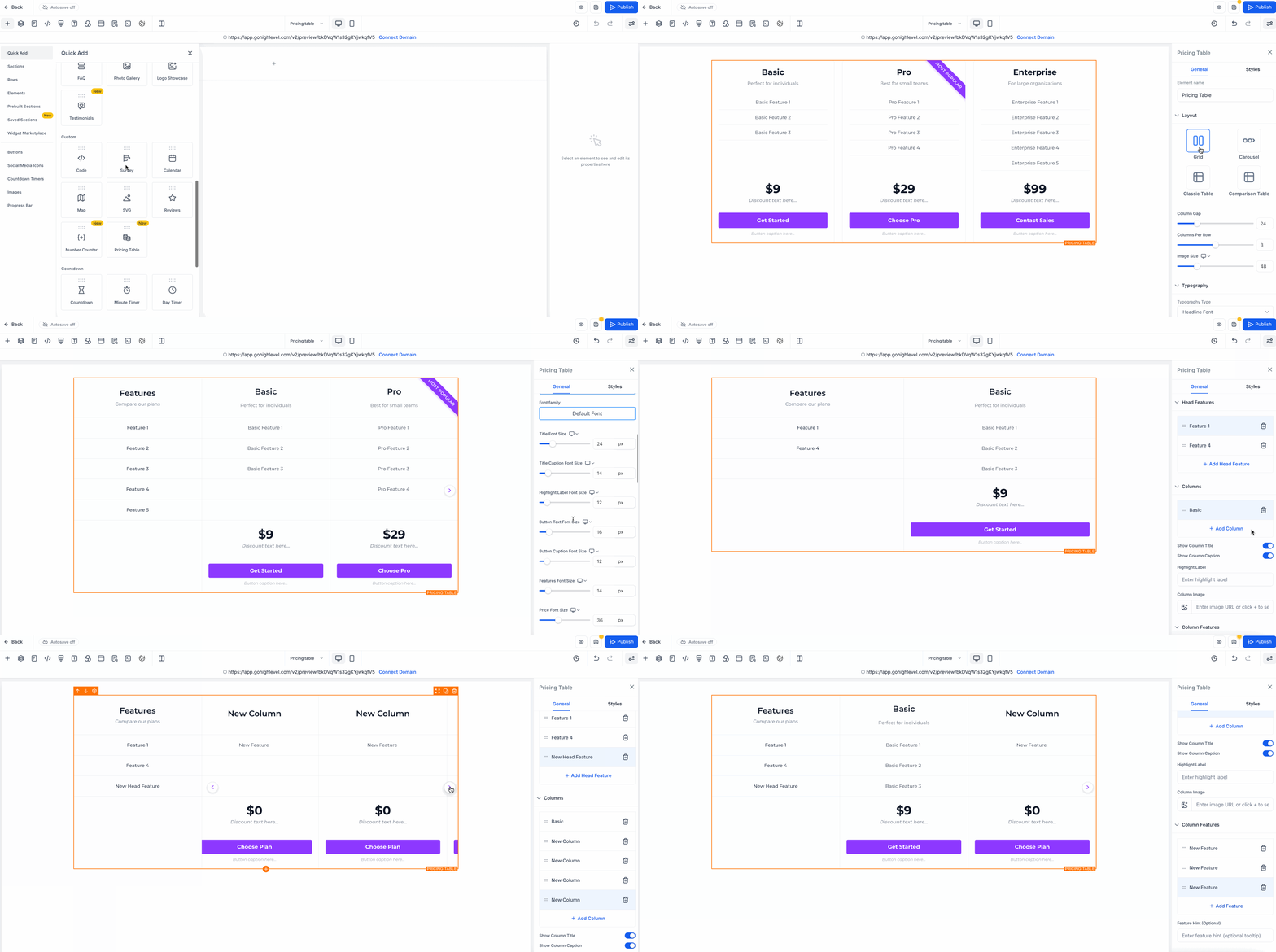
Grid Mode – clean card layout with up to 5 columns.
Carousel Mode – sliding plans with auto-play and pause on hover.
Classic Table – traditional table with horizontal scrolling.
Comparison Table – sticky first column for easy side-by-side viewing.
Flexible Pricing Models
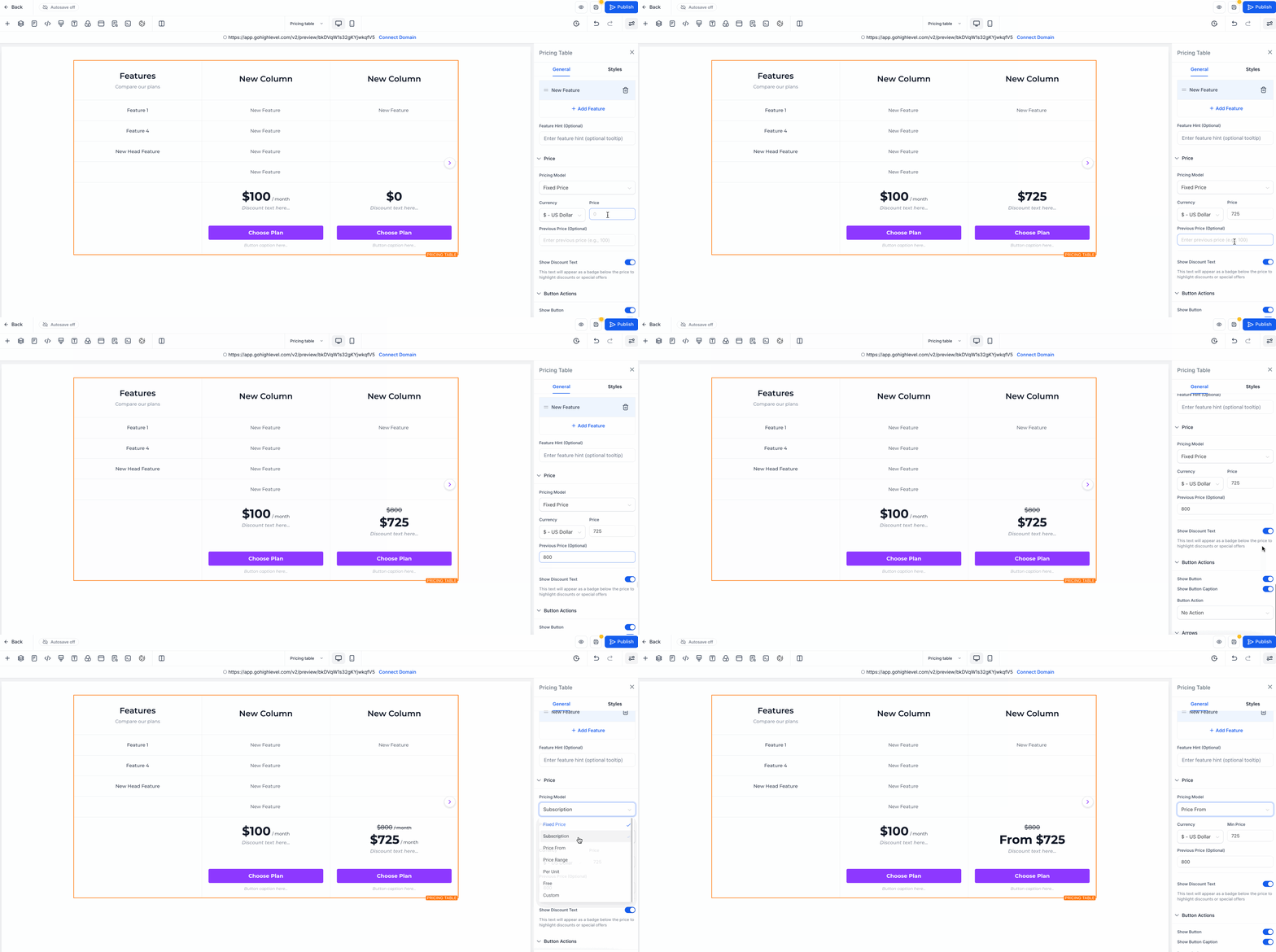
Fixed price, subscription, “starting at,” price ranges, per unit, free, or custom text.
Highlight discounts, show old prices with strikethrough, and add captions.
Better Buttons
Link to a URL, open a popup, move to a step, or do nothing.
Custom text, captions, and hide/show options.
How to Use
Drag the Pricing Table onto your page.
Pick a layout.
Add your pricing model and features.
Customize the design.
Set up your button actions.
Preview & publish.