Pre-send spam check: catch spam risks before you send
You can now check your email campaigns for spam risks before you send them, with the new Pre-Send Spam Check in Email Marketing campaigns.
The check reviews your email content, sender setup, and trust & reputation signals, then gives you specific recommendations so your campaign has the best chance of landing in the inbox instead of the spam folder.
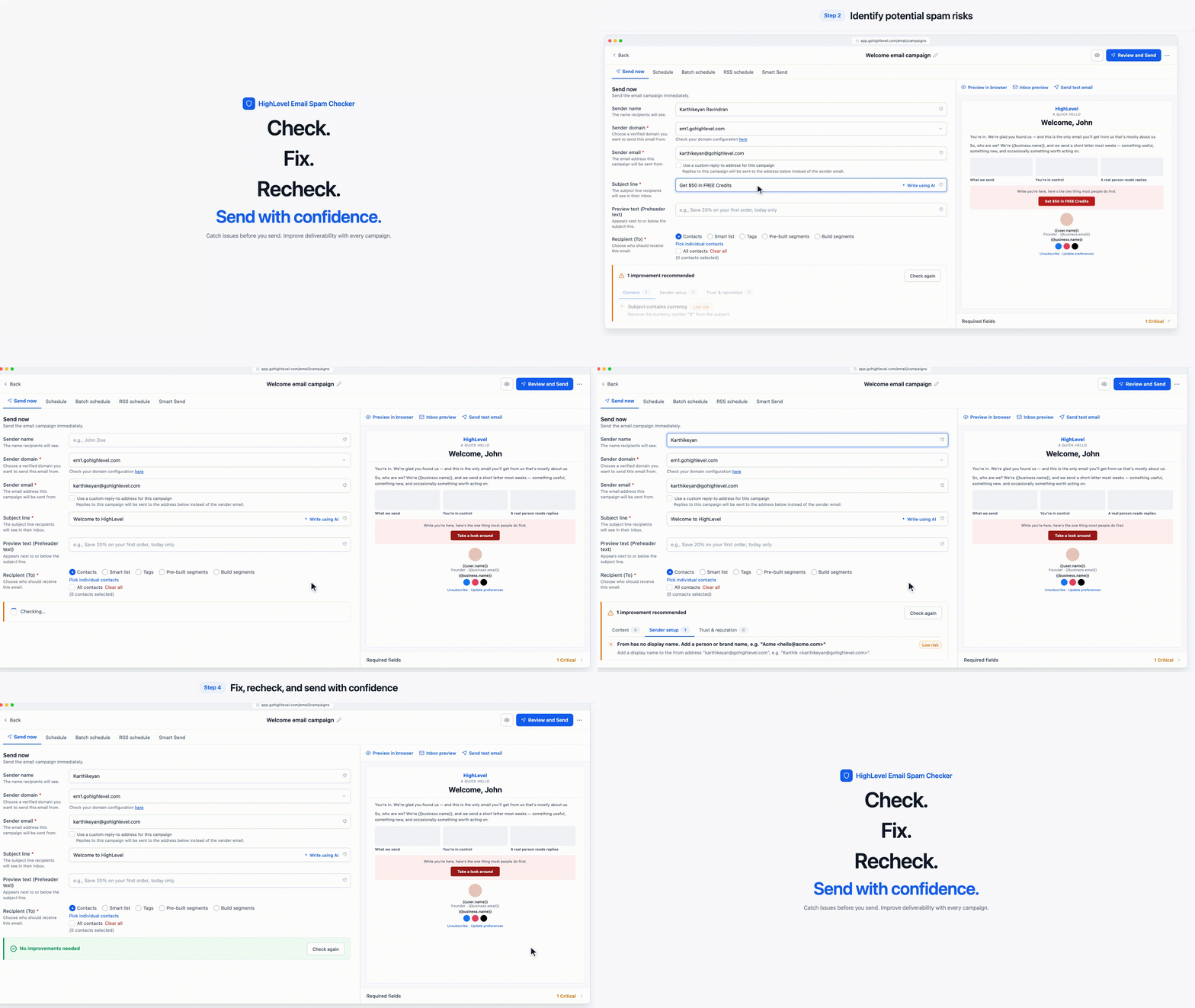
🌟 What's New
🔍 Pre-Send Spam Analysis
Run a spam check right from the send screen, before a single email goes out.
Results are grouped into three tabs (Content, Sender setup, and Trust & reputation), each showing how many recommendations were found.
📝 Content Checks
Scan your subject line and email body for spam-like phrases, scam patterns, excessive urgency, misleading guarantees and unsubscribe wording.
See the exact phrase to remove or change.
🛡️ Sender Setup Checks
Review your sender name, sender domain and sender email configuration.
Get recommendations such as selecting a verified sending domain or aligning your sender email with it.
🔗 Trust & Reputation Checks
Identify links and other elements that can reduce how much mailbox providers trust your email.
📊 Risk Levels & Recommendations
Each recommendation shows the issue detected, a risk level (High or Medium) and the suggested fix.
Fix High risk items first, then click Check again to confirm they're resolved.
🛠️ How to Use
Go to Marketing > Emails > Campaigns and create or open an email campaign.
Build your email in the email builder.
Click Send or schedule in the top-right corner.
Fill in the sender name, sender domain, sender email and subject line.
Scroll to the bottom of the send screen and click Check now on the spam check banner.
Review the recommendations, make your changes and click Check again.