March 25th, 2025
New
Courses & Communities
Pin Your Favorite Groups
As part of our ongoing efforts to enhance the UI and improve user experience on gokollab, we’re thrilled to introduce a new feature where-in users can pin their favourite groups for quick and easy access directly from the dedicated groups sidebar.
📌Group Pinning:
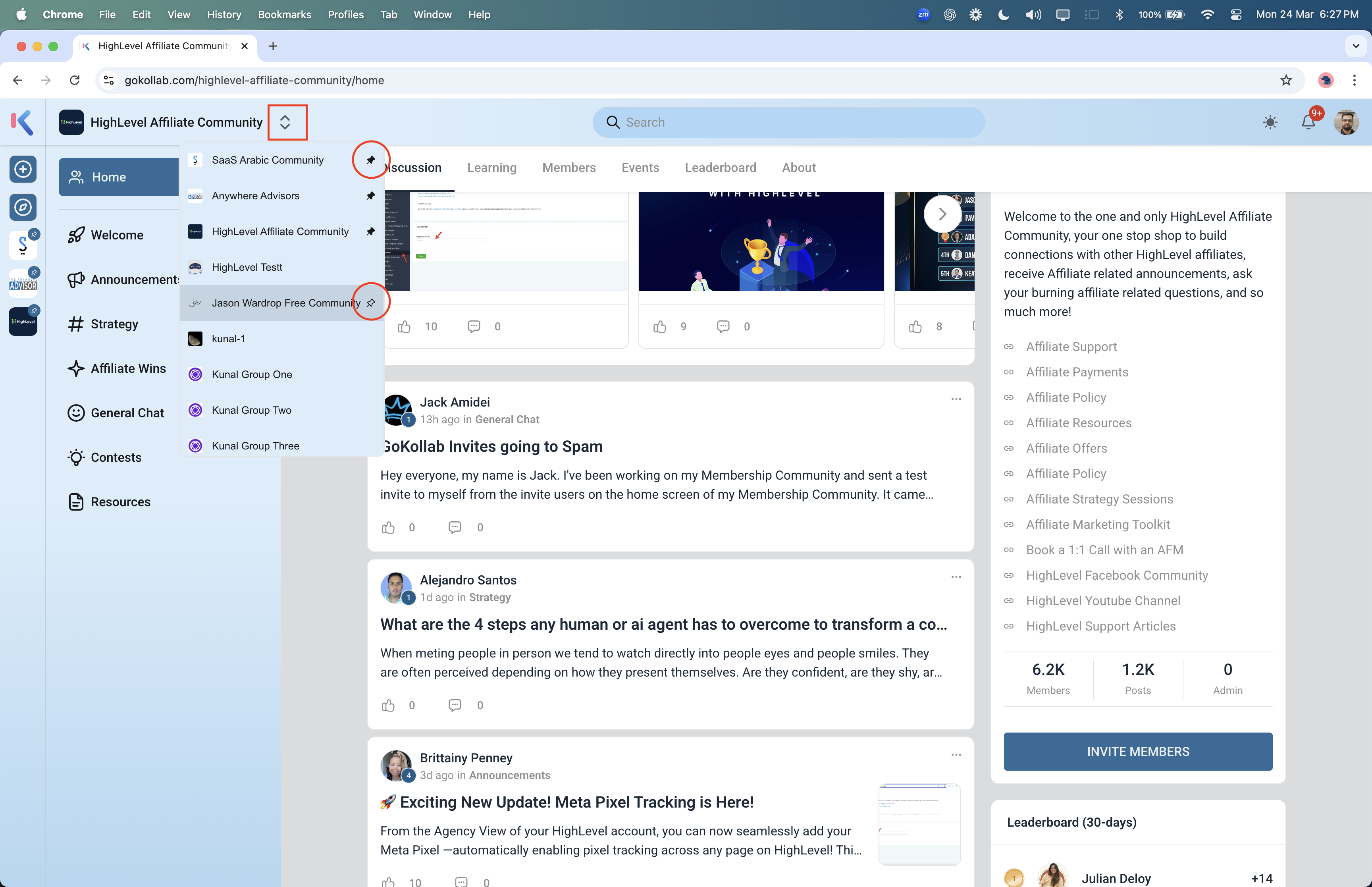
Users can pin their favourite groups from the group switcher.
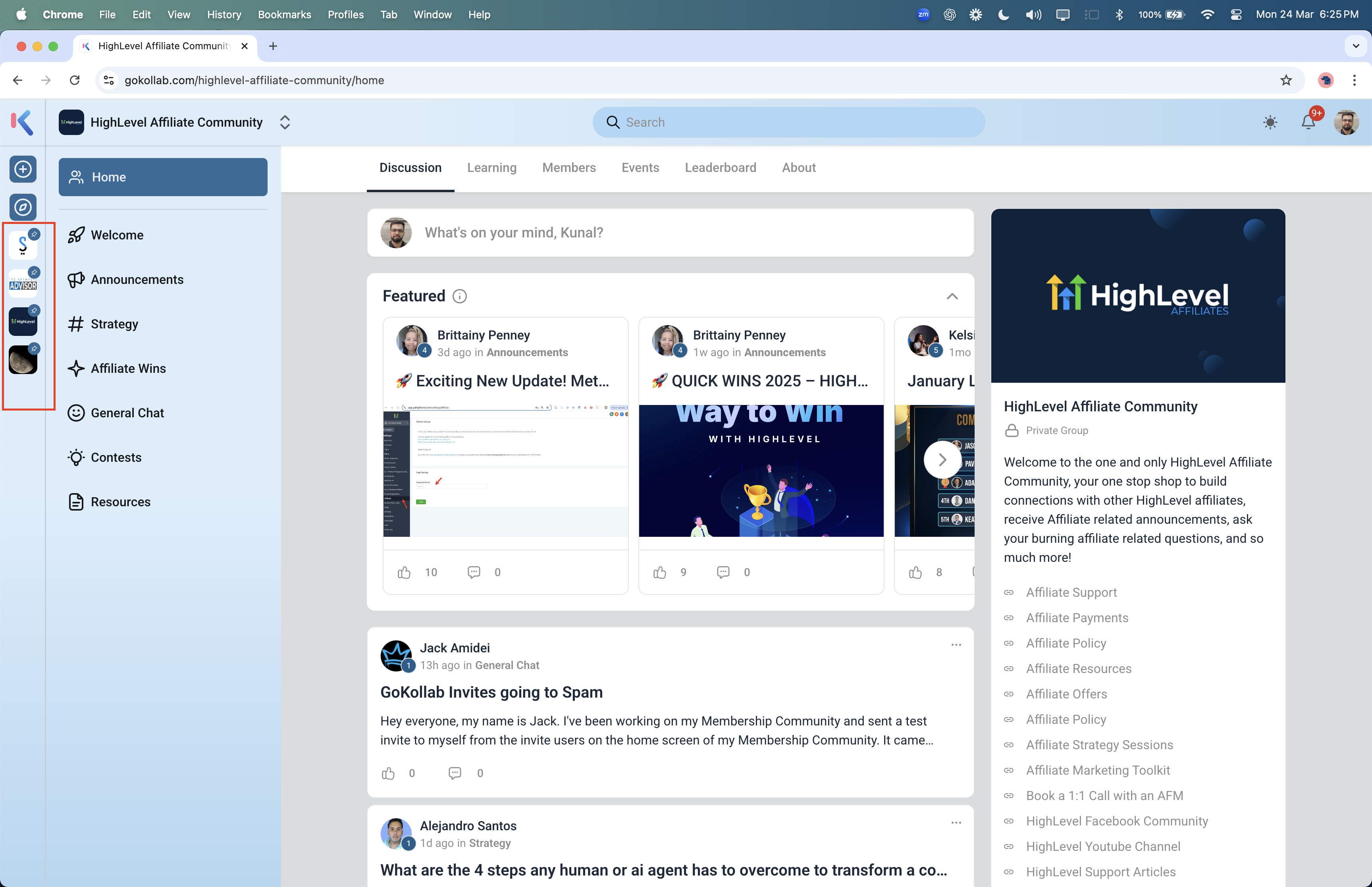
Pinned groups appear at the top in the dedicated group sidebar
Users can pin only upto 4 groups in both Gokollab & Communities.
In Communities, the pinned group appear at the top followed by the remaining groups under the sub account, however, in Gokollab, only the pinned groups appear in the sidebar.
📋How to Pin / Unpin a group
To pin a group, open the group switcher (present in the top navigation bar) and scroll to locate your favourite group.
Hover over the group to find the new pin icon that appears in the right end of the group card.
Click the icon to pin the group.
The pinned group appears at the top in both switcher and group sidebar list.
To unpin the group, click on the unpin button that appears in the right of the pinned group card in switcher.