October 12th, 2025
New
New UI for email creation in Email Action in workflows
❓Problem Statement
Email creation felt fragmented across Contacts, Bulk Actions, Campaigns & Workflows
Confusion with starting (blank/template), editing, and missing advanced settings options (UTM, tracking, automation)
🚀What We Did
Now all three builders have :
Similar UI and experience to start creating an email using blank, template library or existing templates
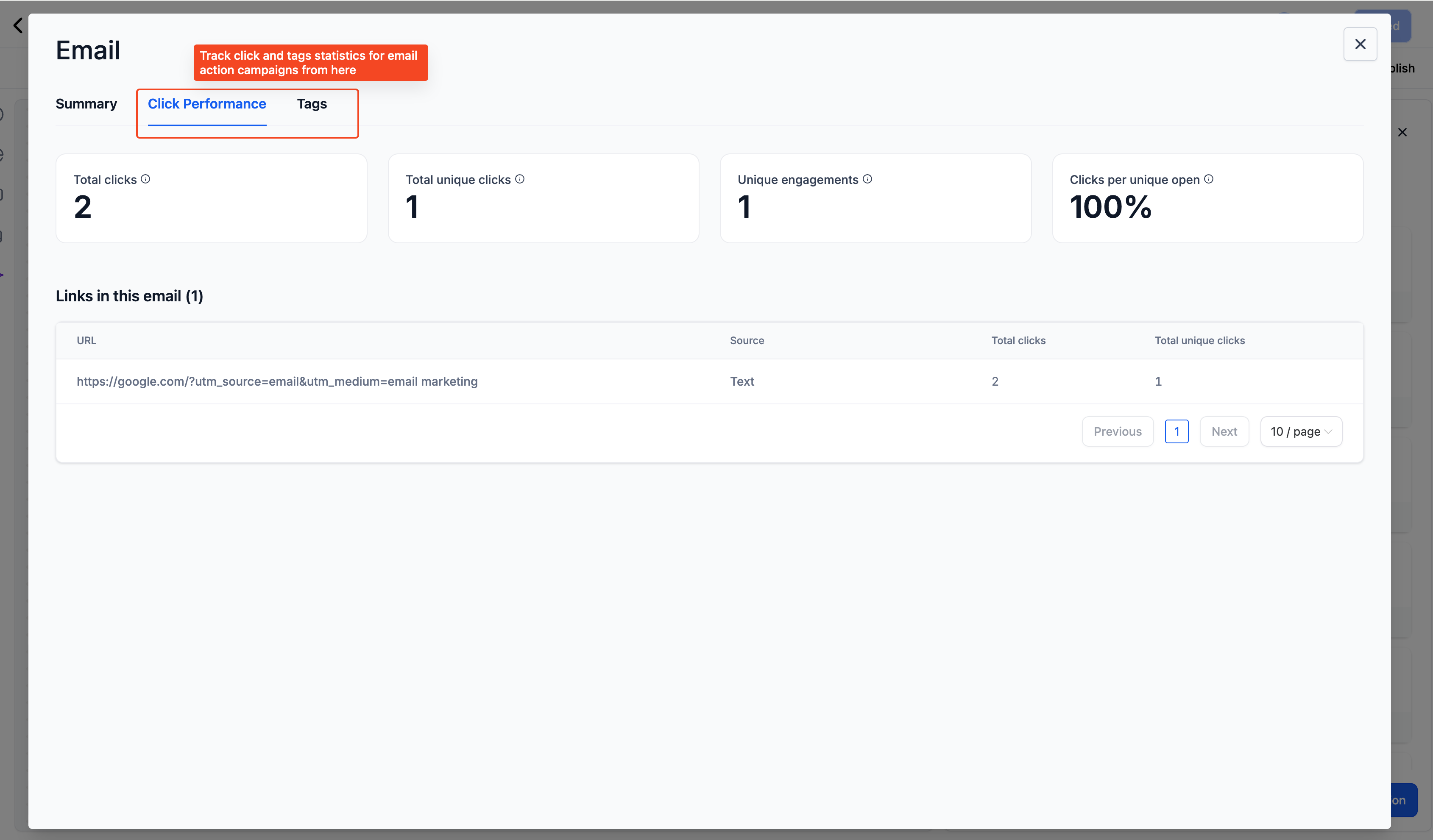
Capability to leverage advanced features like automation, click performance or link tracking
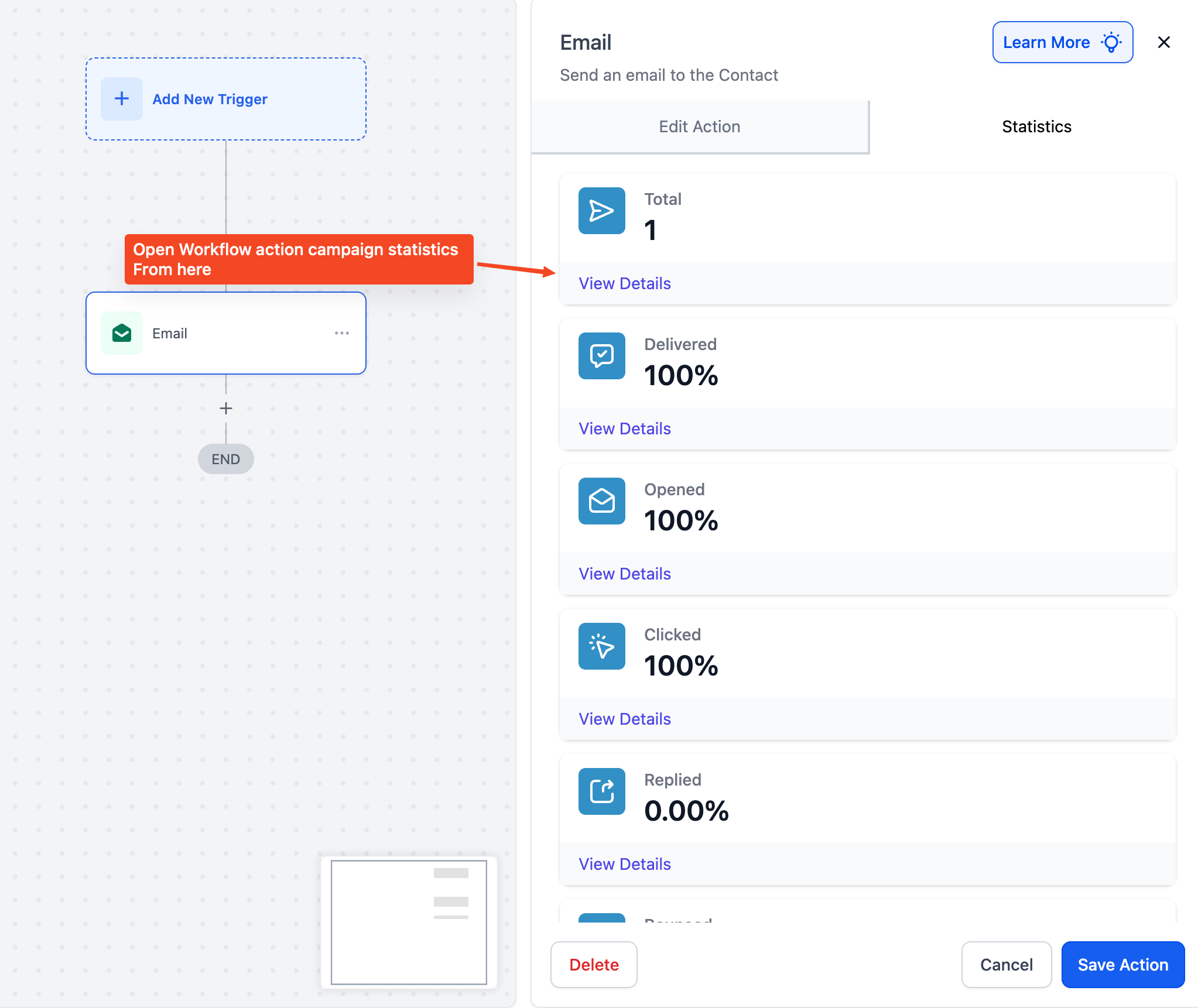
Similar statistics across
⚒️How to Use
Go to Marketing → Email Builder → Campaigns → Workflow campaigns or Automation → Workflow campaigns.
Add or edit an Email Action.
Choose how to start:
Quick Compose (default): Simple editor for fast messages.
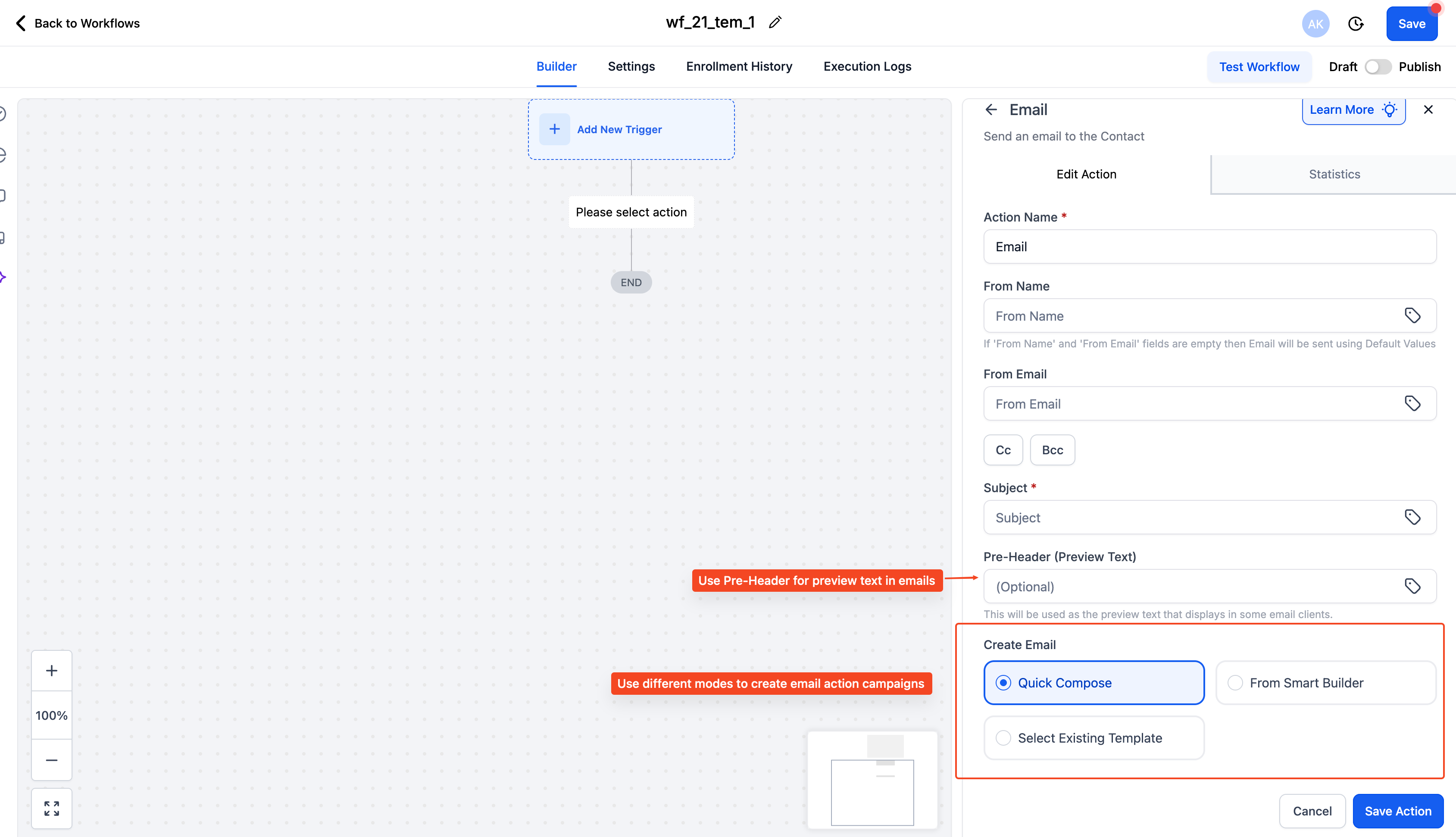
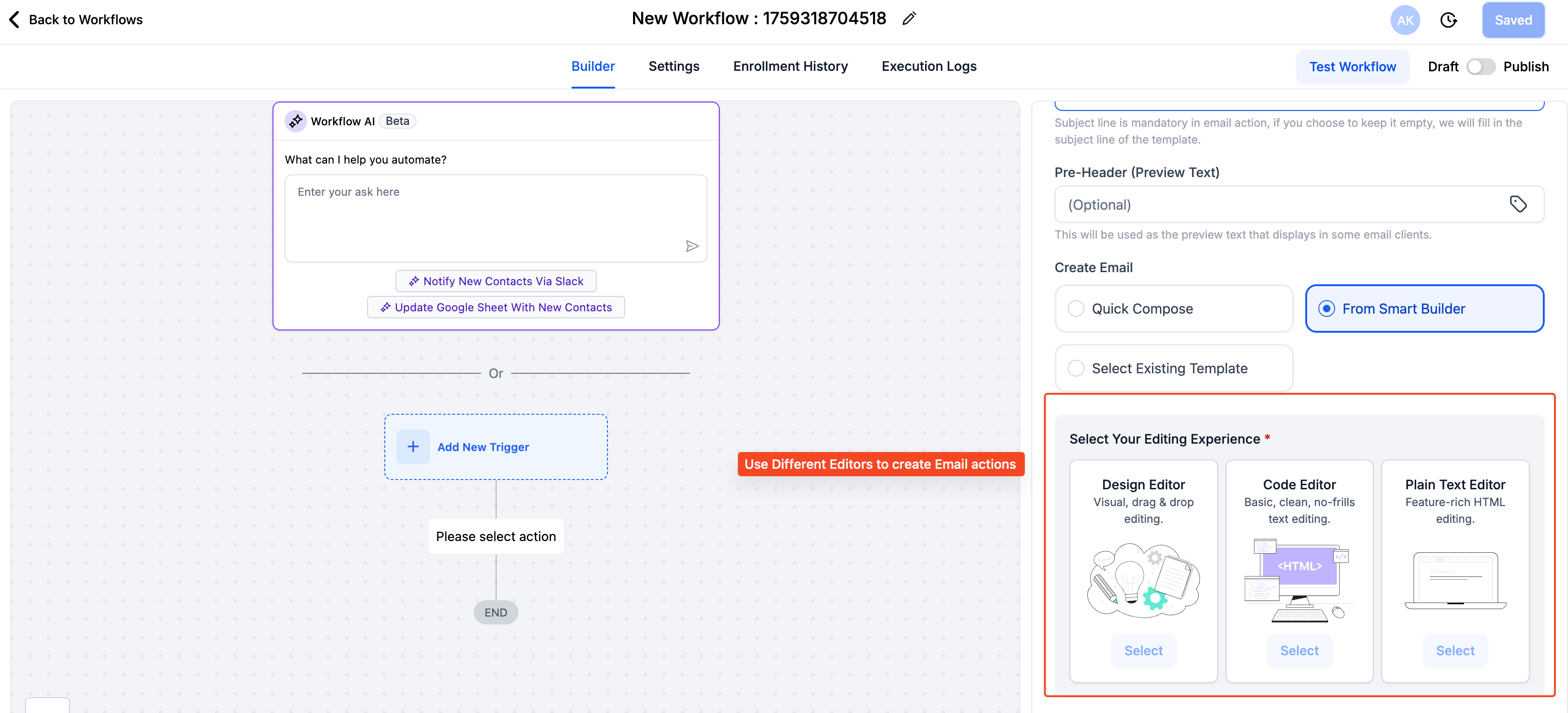
Smart Builder: Select Design, Code, or Plain Text editor to build from zero.
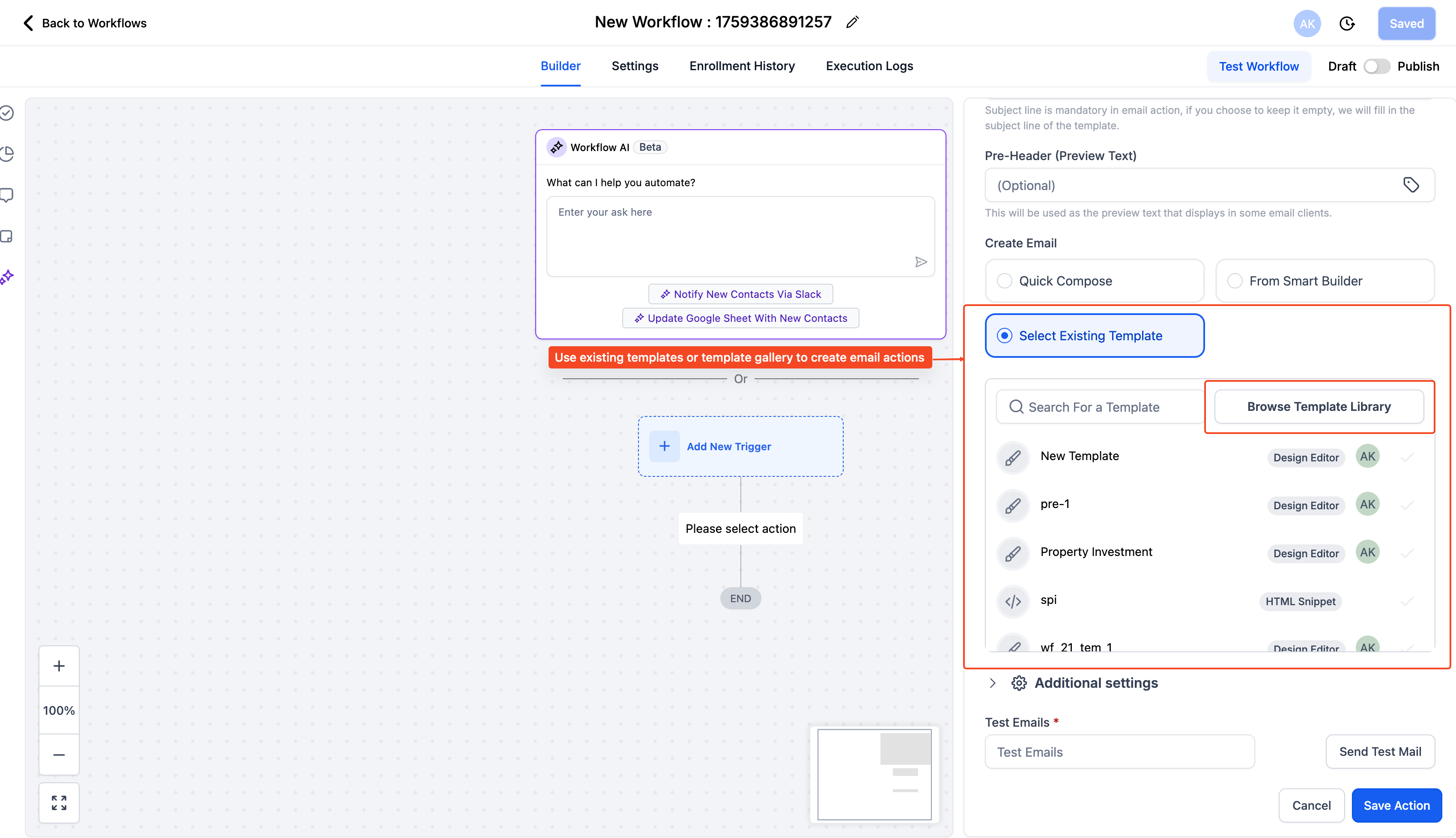
Select Template: Pick from My Templates or Templates Library.
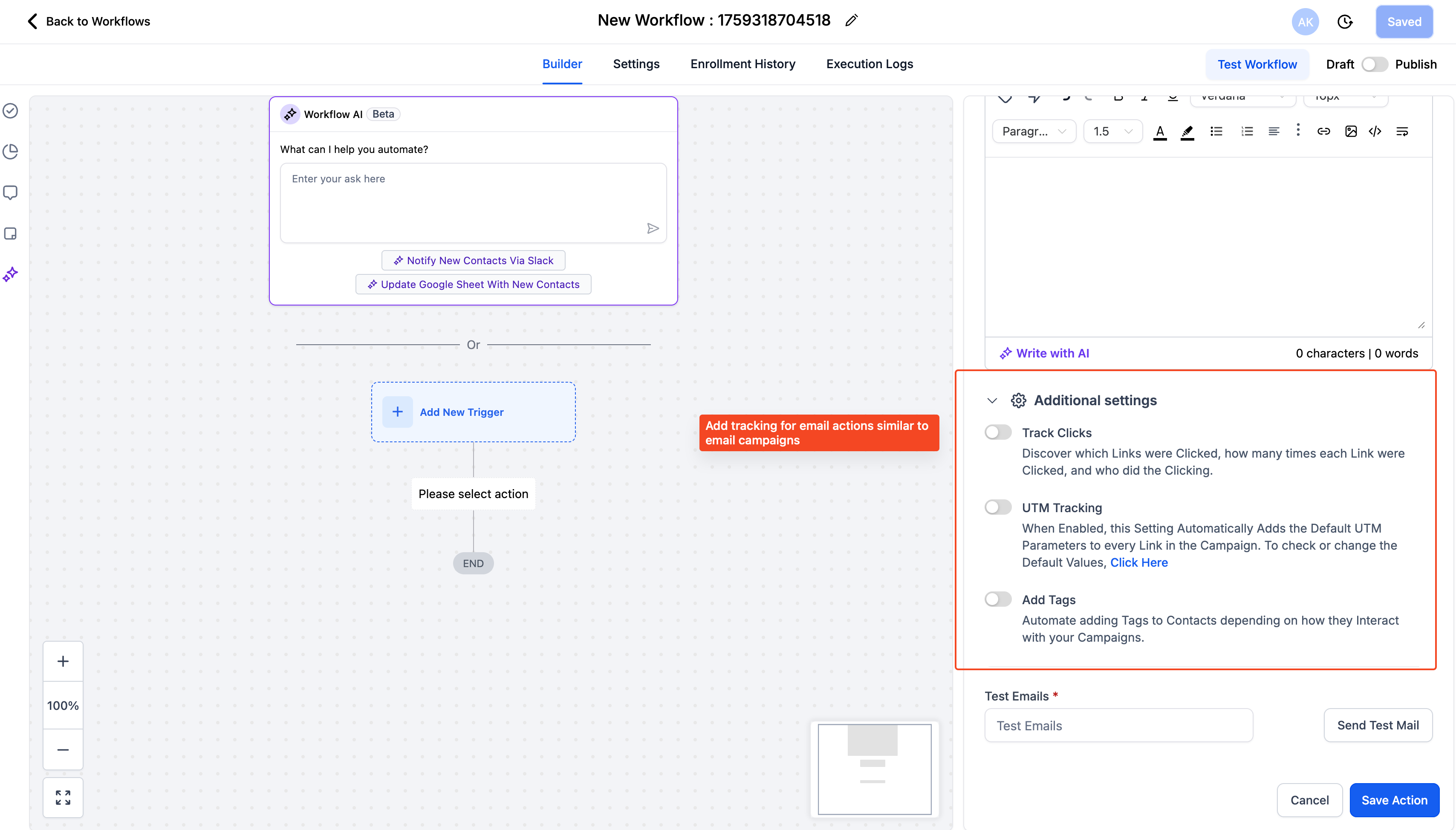
Expand Advanced Settings to enable:
Link Tracking → See clicks and CTR for each link.
UTM Parameters → Add campaign tracking tags.
Tags on Actions → Automatically tag contacts based on opens/clicks.
Save to create the workflow email action.
🎯Benefits
Easier onboarding, lower learning curve
Consistent experience across platform