July 23rd, 2025
New
Funnels & Websites
[LABS RELEASE] Multiple Popups per Page - Funnels & Websites!
You can now add and manage multiple popups on a single website or funnel page each with its own trigger, design, and behavior - Show different offers, forms, or messages in the same flow.
Where to Find It
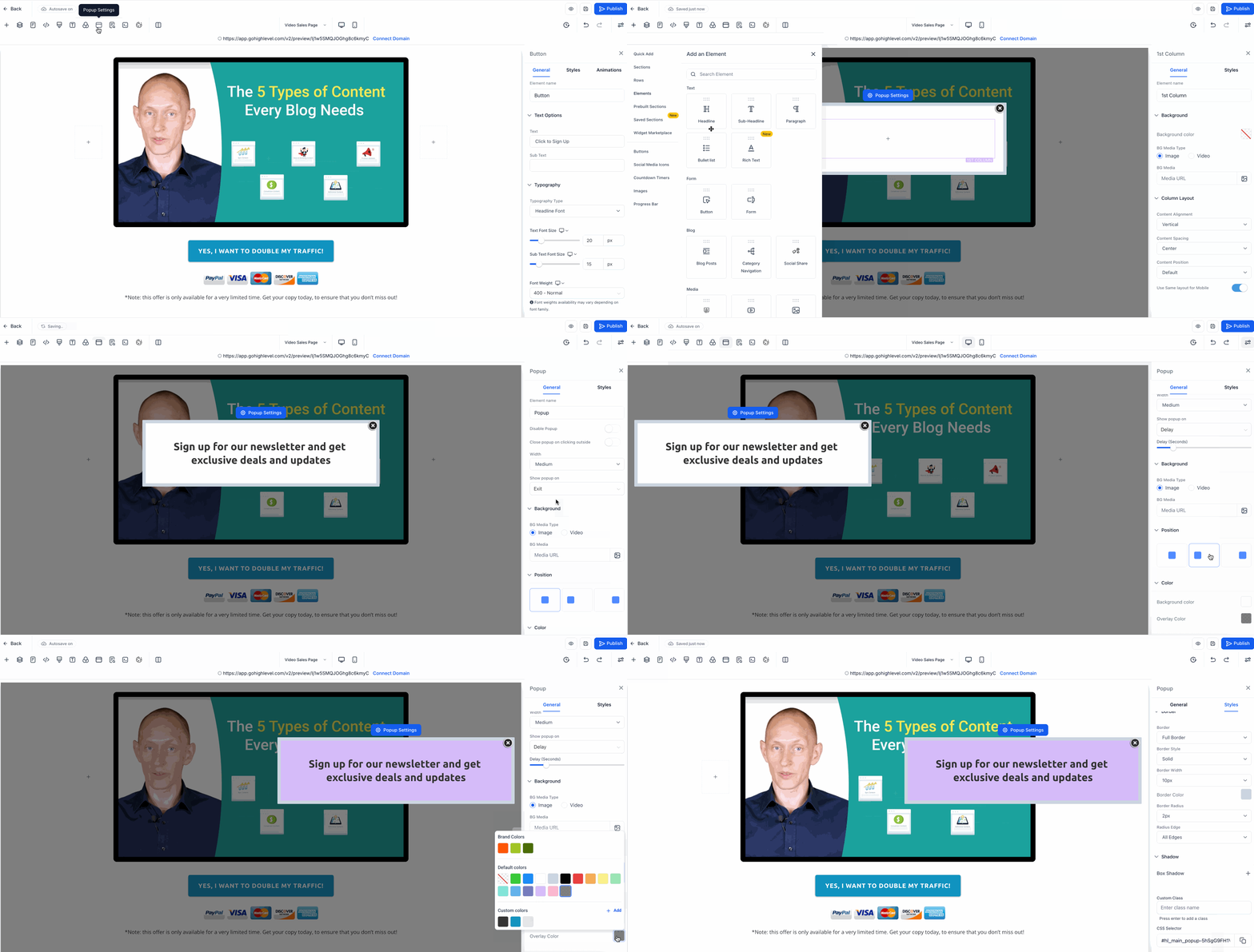
Open any page in the builder
Click the usual “Popups” button
Add and manage your popups from right sidebar
What's New?
Create different popups for different goals, no more single-popup limit.
Choose When They Show - Set popups to appear:
After a delay
On exit intent
Control the Look
Choose where it appears on the screen. You’re in control of where the popup shows up. Place it in the center, left or right on the page. This flexibility helps you match your page design!
Customize background, overlay, and spacing
Turn on auto-close after a few seconds if you want
Popup as a section - Add Any Content Inside
Just like a regular section drag in text, buttons, forms, or images.
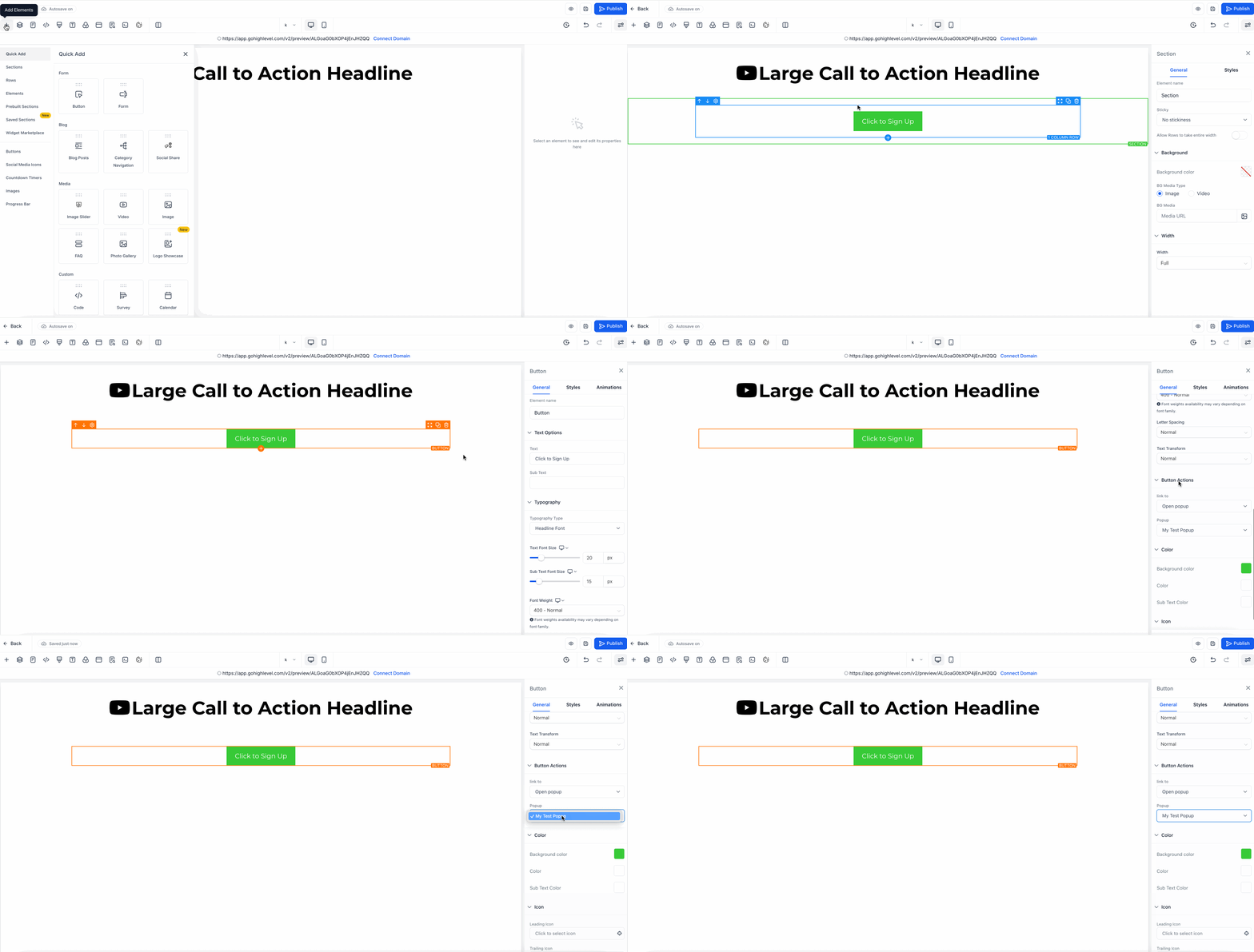
Link Popups to Buttons or Images
You can now link any popup to a button or image on your page. When someone clicks it, the connected popup will appear instantly.
Why This Matters?
Show the right message at the right moment
Keep your pages clean and focused
Boost conversions with more targeted offers
Avoid workarounds like custom code or duplicate pages