May 21st, 2025
Improved
Documents and Contracts
Invoices: Added Date-Range Support to Quickbooks import
Overview
You can now selectively import QuickBooks invoices by date range—making your migration to Invoicing easier, faster, and more precise.
What’s New?
Flexible Date Selection:
You can now pick a start and end date when importing invoices from QuickBooks into Growably.
Selective Migration:
Only invoices created within your chosen date range will be fetched and brought into your account. Earlier it would fetch invoices from the beginning.
How to Use
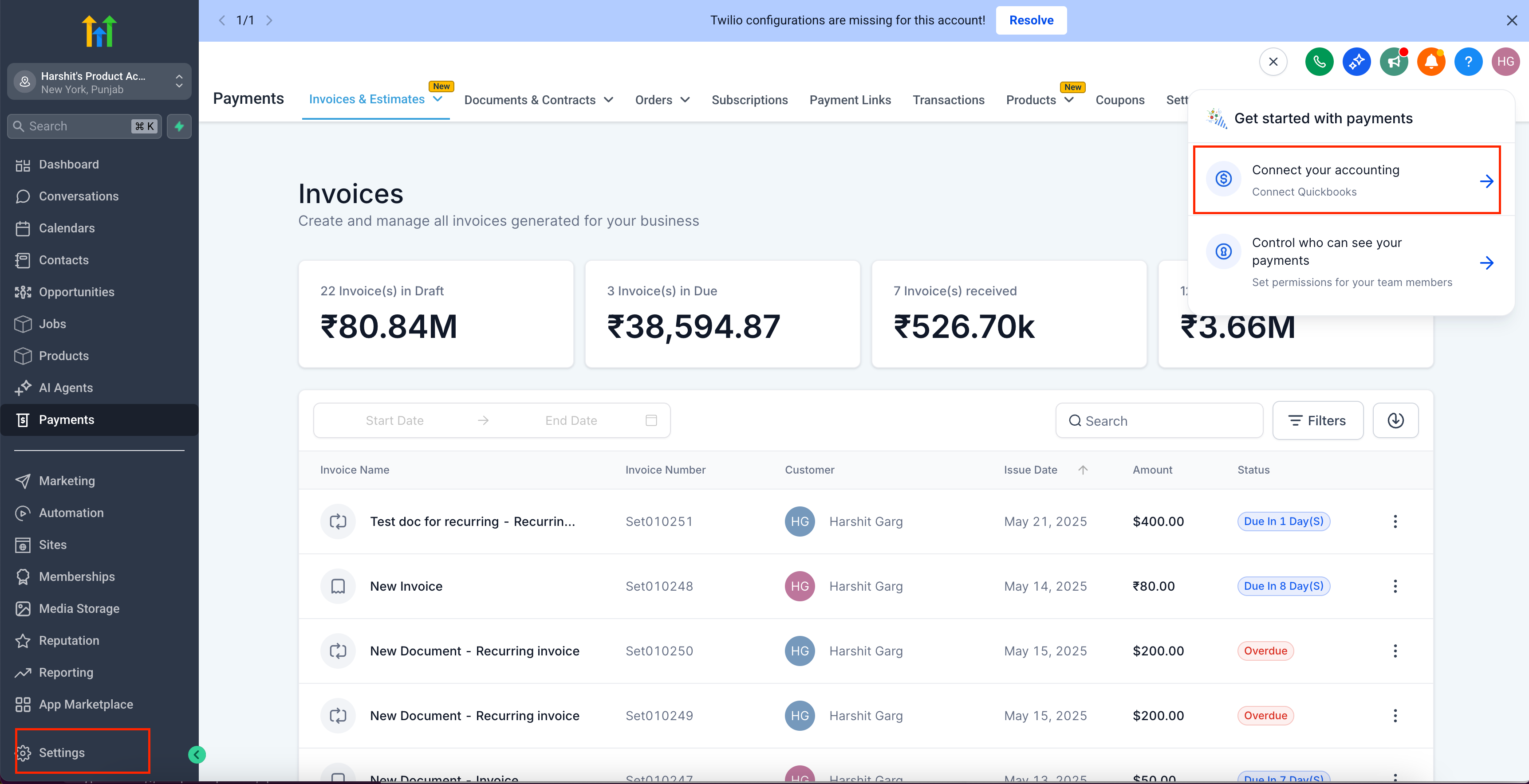
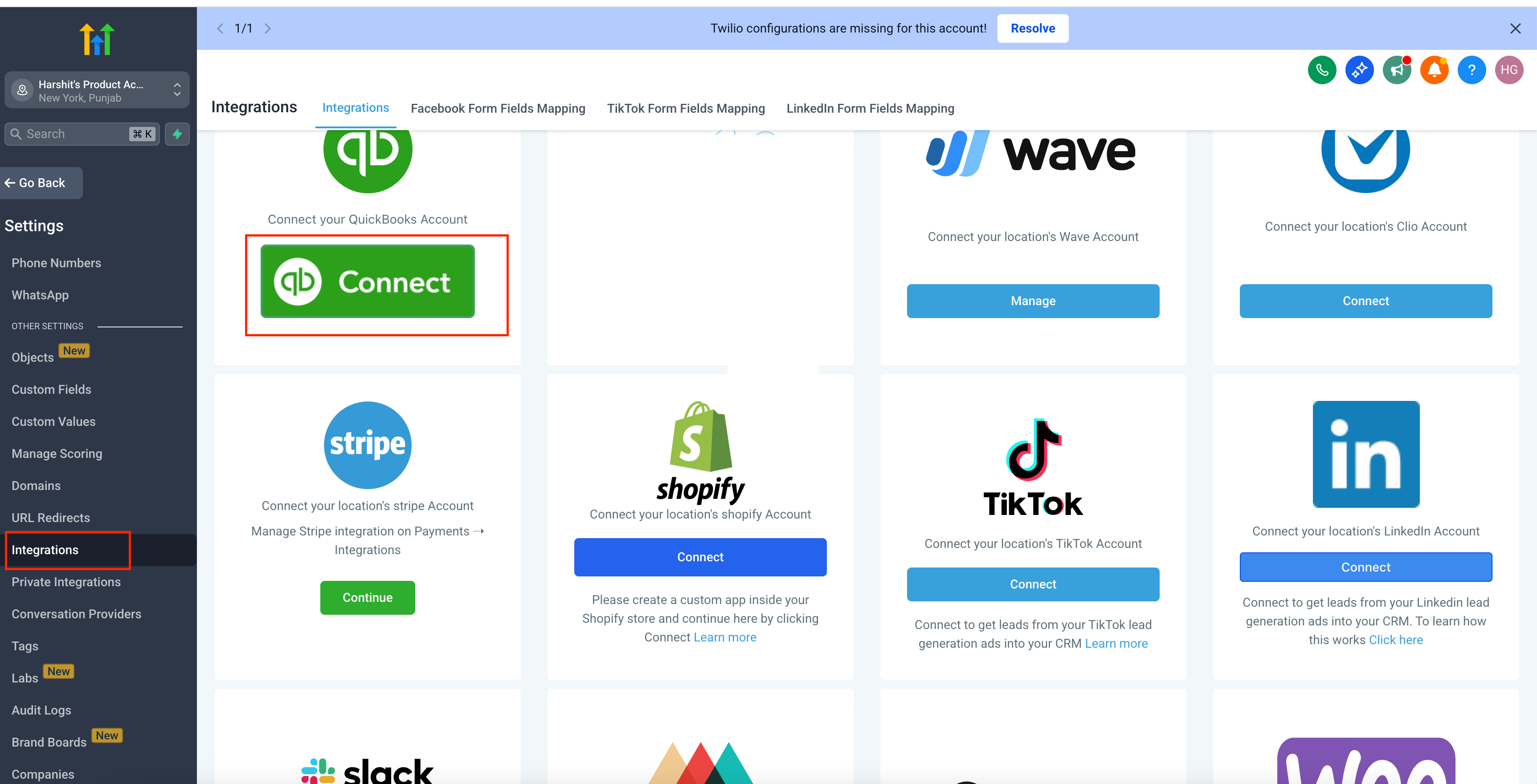
Navigate to Settings → Integrations → QuickBooks in your Growably dashboard.
Click Connect (or Manage) to open the QuickBooks Integration modal.
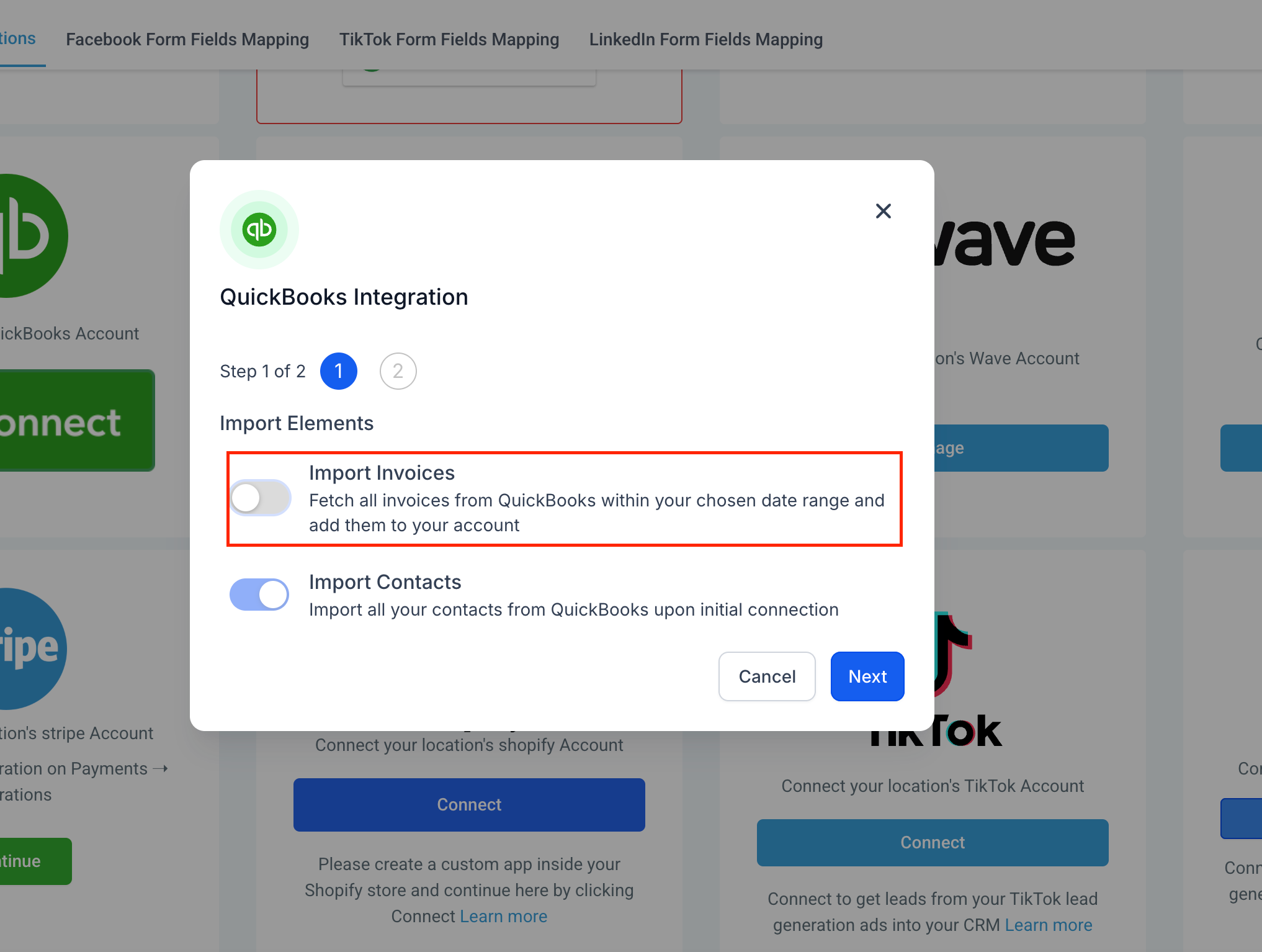
Toggle Import Invoices ON.
Click the date-picker and select your desired Start Date and End Date.
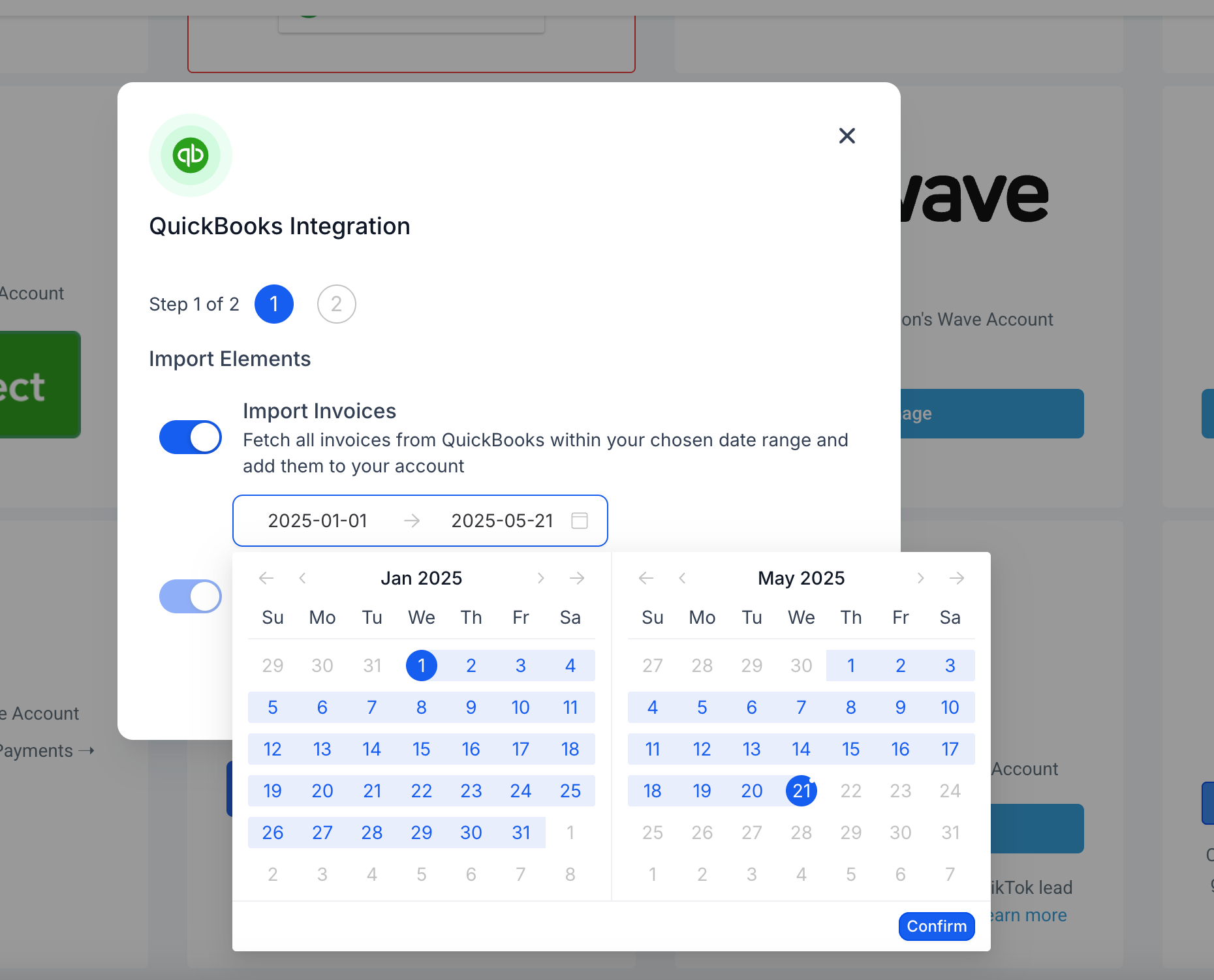
Hit Confirm, then click Next to begin.
Sit back—your invoices within that range will be imported asynchronously.
Why We Built It
Simplify Migration: Agencies can now migrate only the invoices they need, rather than pulling every record.
Control & Clarity: Give you full control over data volume and avoid clutter in your Growably account.