Email Marketing gets a fresh look and a faster start
Get to your campaigns, templates and email results sooner. Email Marketing now has a fresh, consistent look across the screens you use every day, a faster start when you open your email tools, and a smoother experience while you create.
What's new
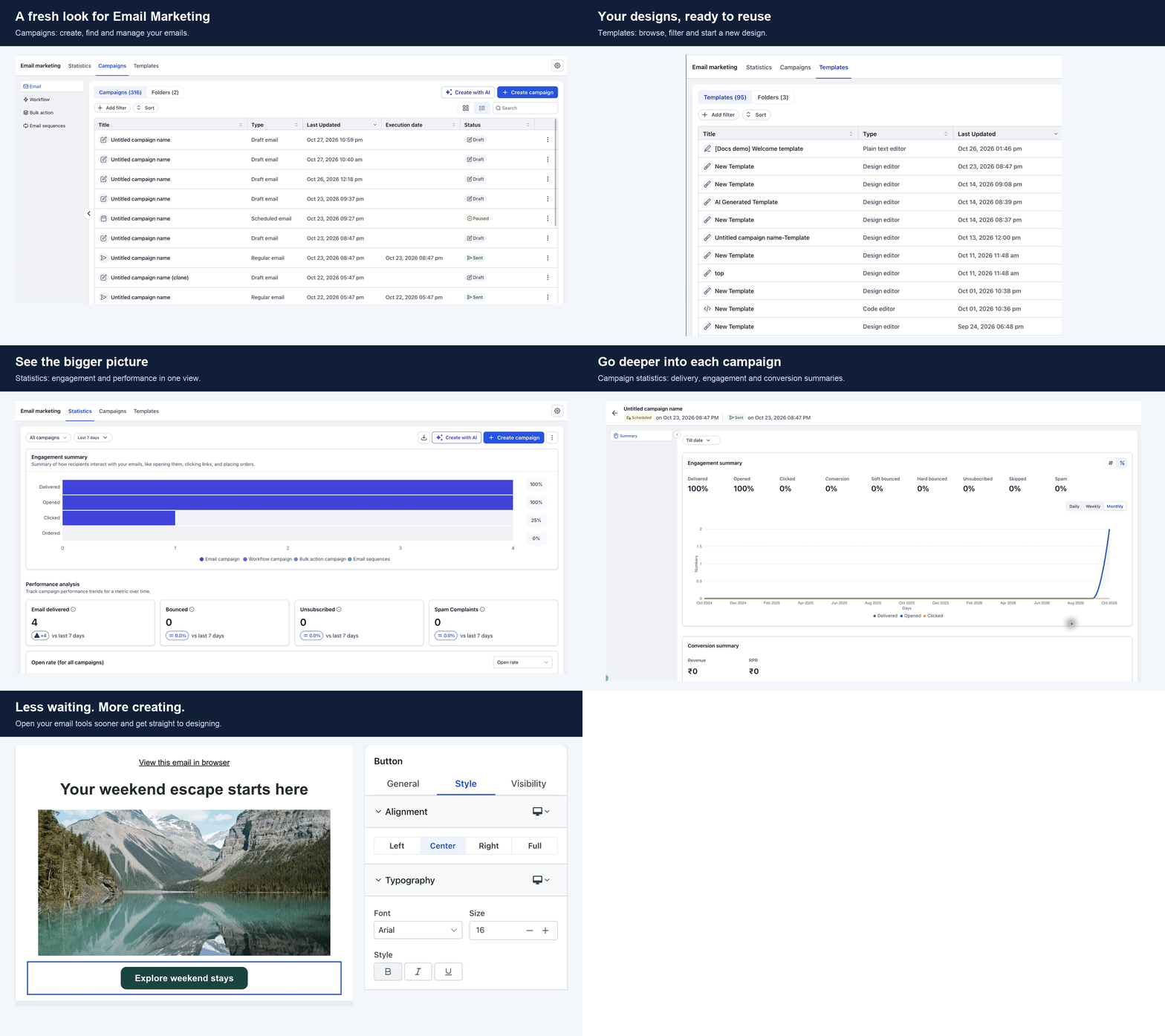
A refreshed experience across Email Marketing: Create campaigns, manage templates, review email statistics and access settings in one consistent interface. The builder feels part of the same experience, with smoother drag-and-drop editing.
Get into your email tools sooner: Spend less time waiting when you visit Email Marketing or open the builder. Your email tools load up to 7x faster on a first visit.
Pick up where you left off faster: Coming back to edit another email? Your email tools reuse what's already loaded, so returning to Email Marketing and reopening the builder feels quicker.
What's refreshed
Campaigns: Create and manage emails, with filters, sorting, and list or grid views.
Templates: Find and reuse your saved designs, or start a new one.
Statistics: Review overall email performance.
Campaign details: Inspect the performance of a sent campaign.
Settings: Access your email configuration.
Email Builder: Design your email with integrated editing controls.
Why it matters
Less waiting between an idea and a finished email. Move from managing campaigns to reusing a template, creating an email and reviewing results, all in one consistent interface.
How to use it
Go to Marketing > Emails.
Explore Campaigns, Templates and Statistics.
Open Settings from the gear icon.
Create or open an email to use the refreshed builder.
Good to know
The "up to 7x faster" figure compares the time needed to load the email tools themselves on a first visit. Each screen may also need to load your campaigns, templates or statistics.
Actual waiting time varies with your connection, device and previous visits.