May 6th, 2025
Improved
Documents and Contracts
Document viewed: Easy notification set up for better follow ups
What's new?
Within the in-house tool of Documents & Contracts where you can collect legal binding e-signatures, you now get an option to easily turn on a notification, whenever your document is first viewed by any one of your recipients.
This will help you stay better informed once any contact has viewed the document
How to use?
Navigate: Payments > Documents & Contracts > Settings > Team Notifications
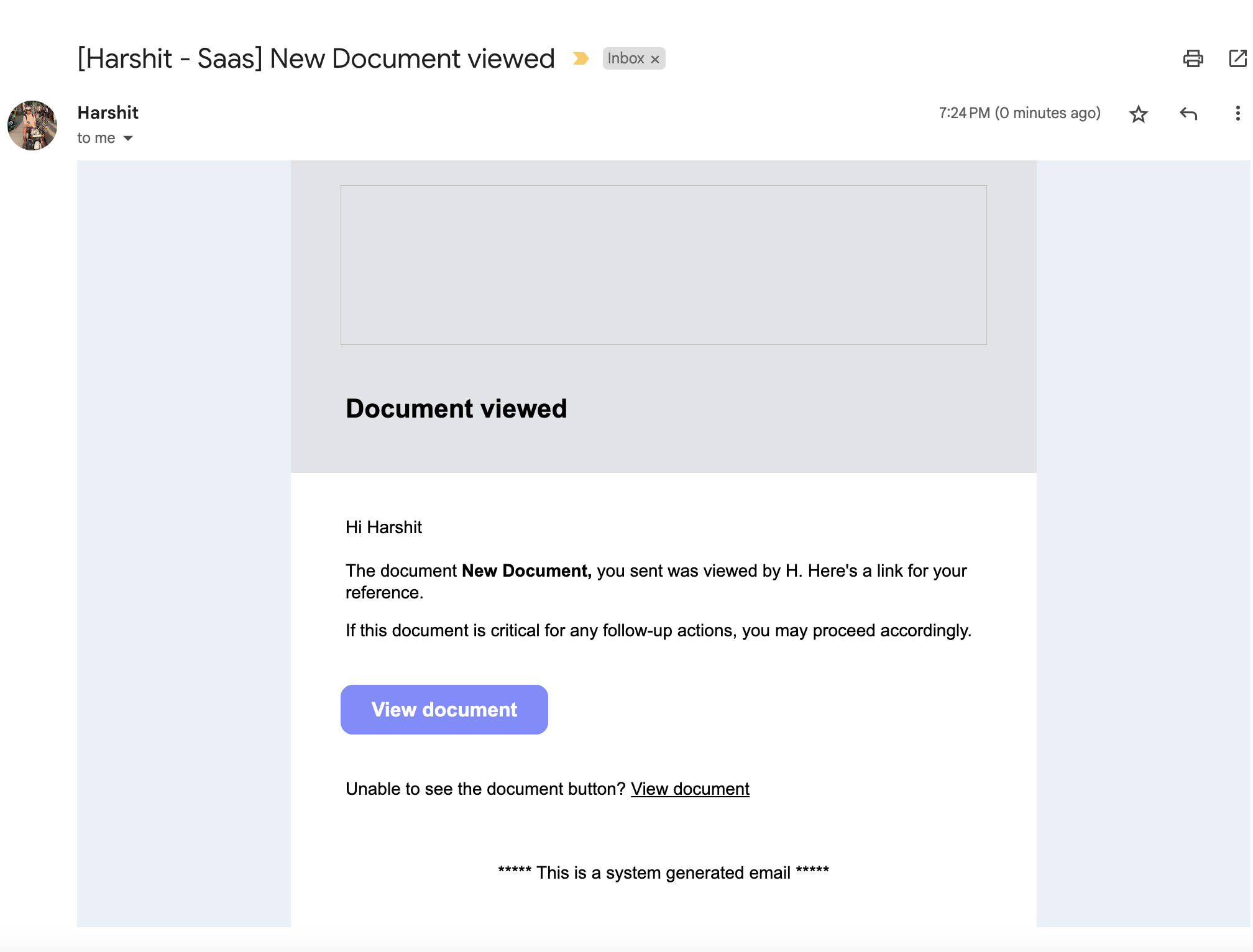
Enable: Turn on Document Viewed
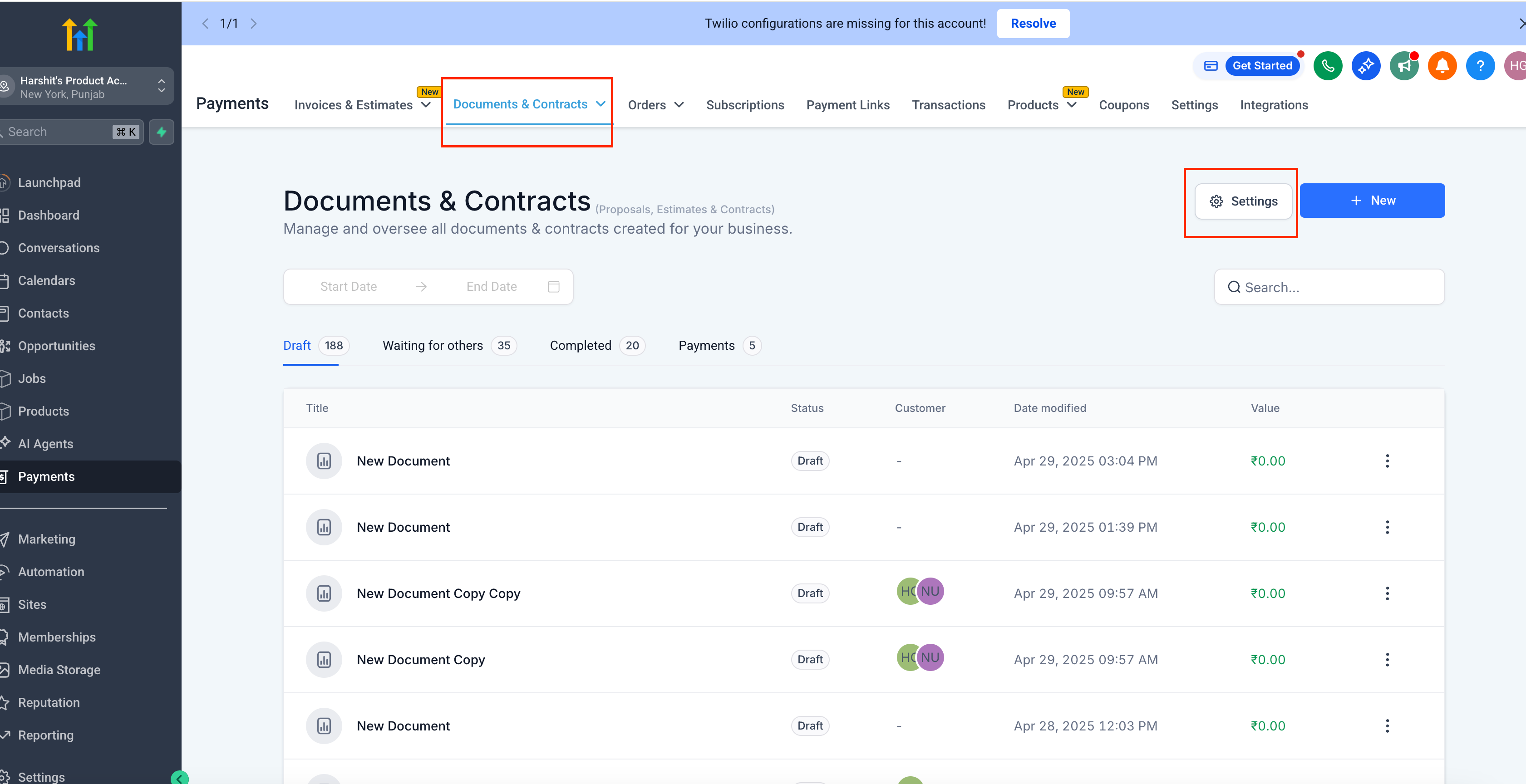
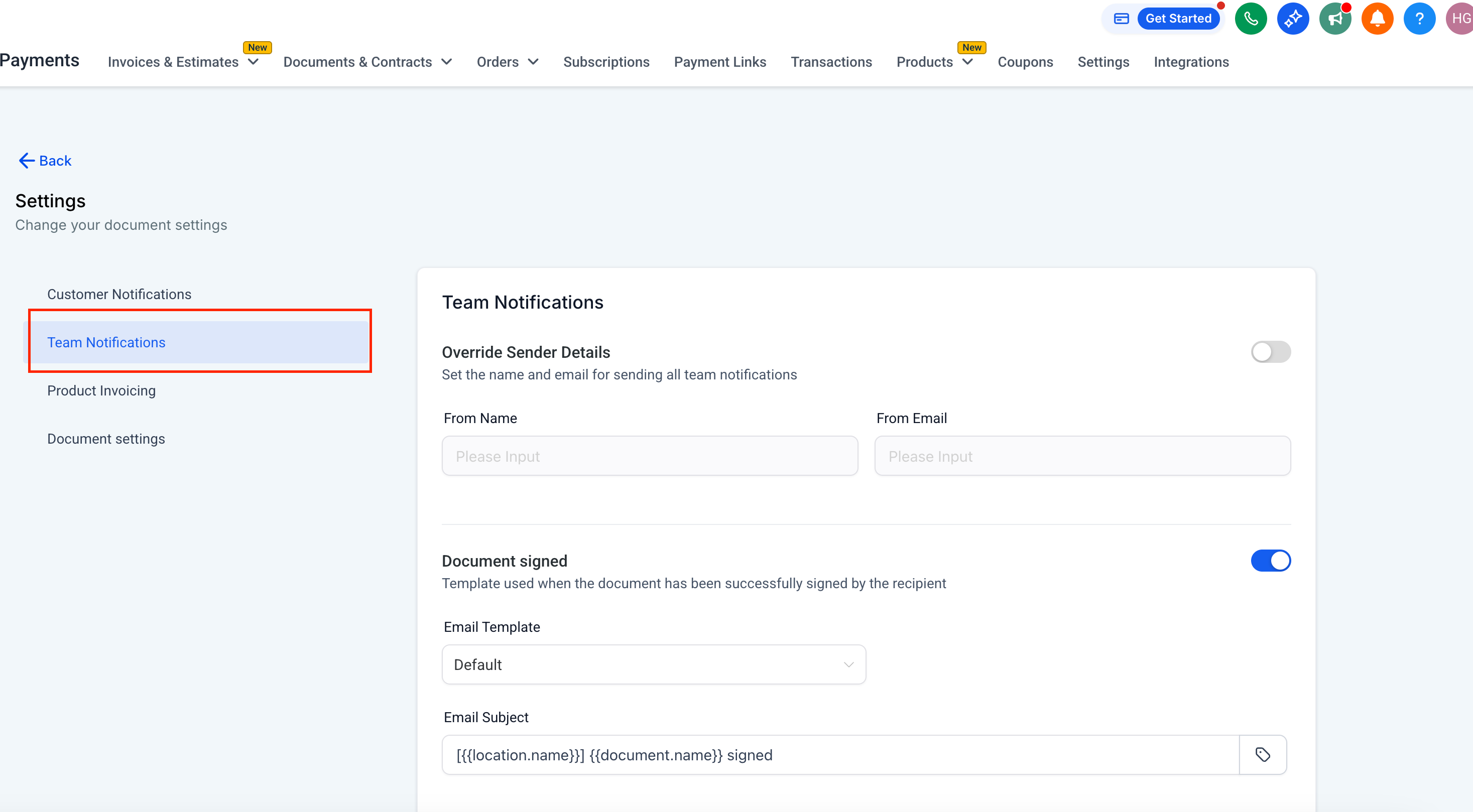
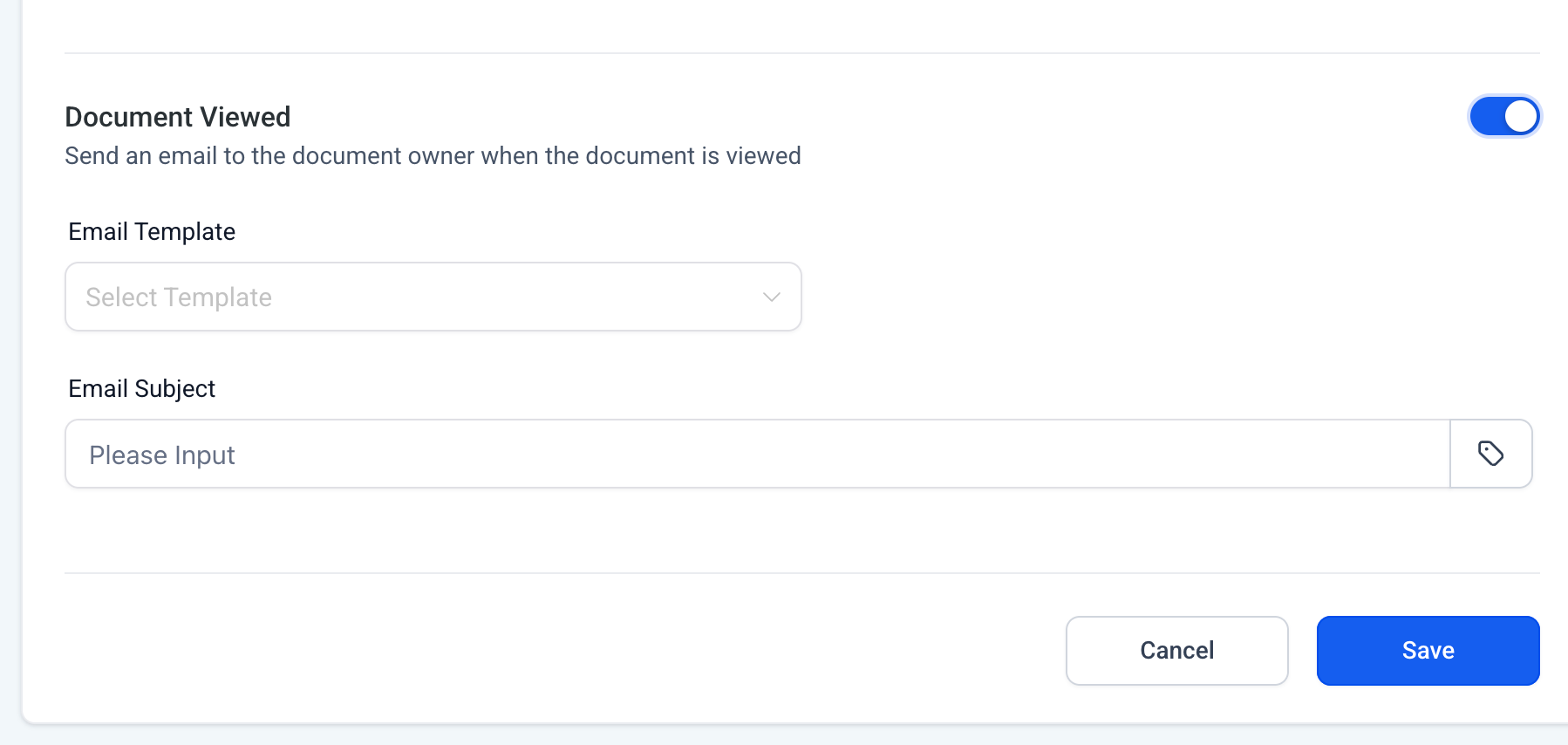
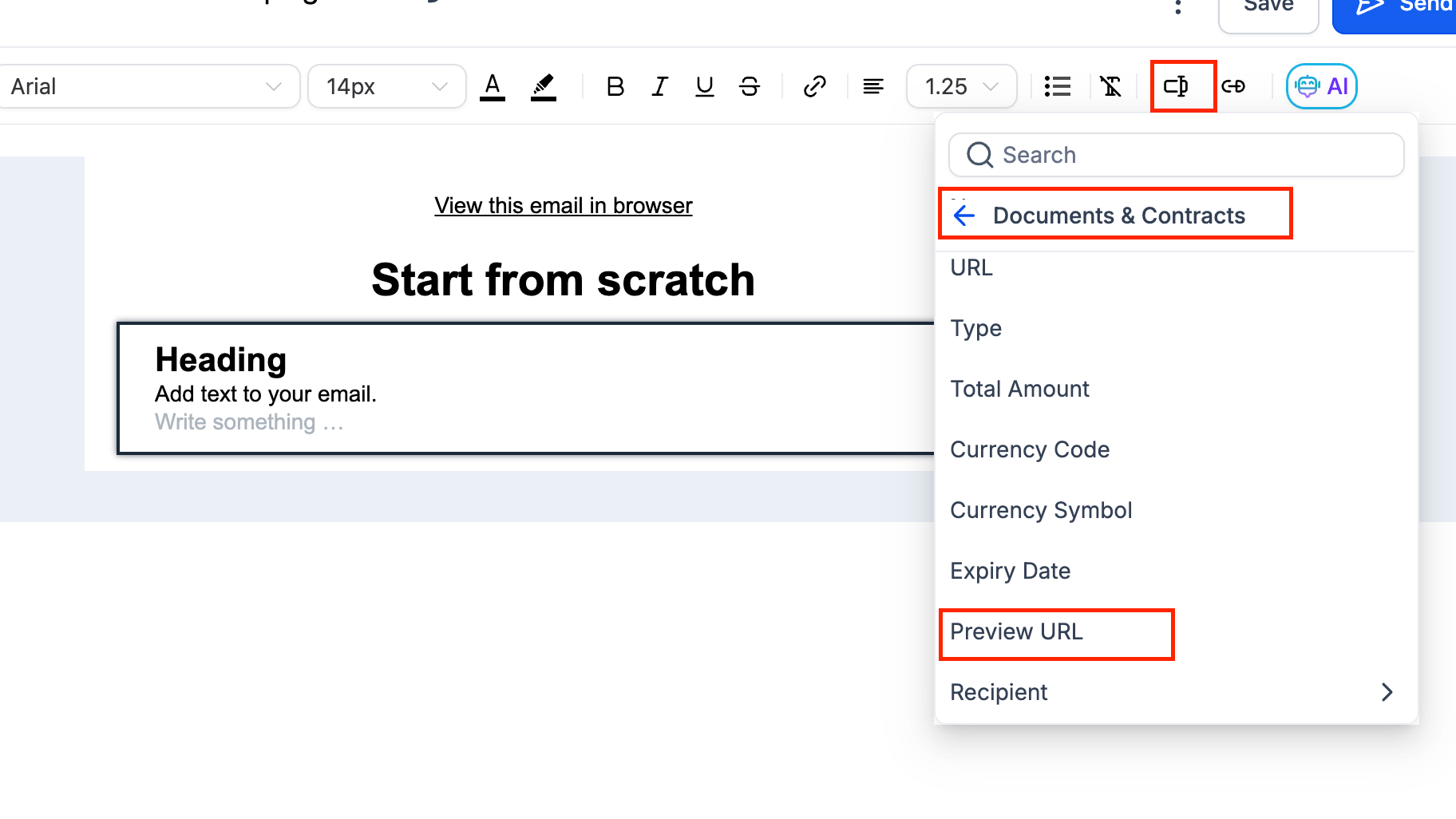
(Optional) Customize Email: -> Edit the subject (e.g., “Document Viewed”) -> In the body, insert {{Preview URL}}
Behavior: Only the first view (across all recipients) sends one alert on the sender's email
If you want a viewed notification for all recipients in case your document has multiple recipients, you can configure a workflow -> Use trigger: Documents & Contracts → Document Viewed (Status = Viewed)-> Add actions (e.g., send email)
Why we built it?
For you to be notified, once your recipient has viewed this document for the first time, so that you can follow up and take the document to completion.