August 27th, 2025
New
Sales Pipelines
Customize, Act, Close Faster 🚀 Opportunities V2 - Mobile App! Lead Management Reimagined for You!
From customizable stages to full-detail views and lightning-fast actions, here’s what’s new and why it helps you close deals better than ever.
🤔 You spend hours digging through pipelines, clicking into cards just to find key details, and switching between tabs or tools to take the simplest action. Quick follow-ups get buried, important context gets missed, and your team wastes time on clicks instead of closing deals.
✨ We’ve reimagined lead management so your pipeline works with you and for you. From personalized card layouts to quick actions and integrated tabs for notes, tasks, and appointments — everything is now connected in one modern, intuitive workspace.
🏆
How This Supercharges Your Business
Save Time: Fewer clicks, instant details, faster actions.
Boost Revenue: Quick follow-ups lead to more closed deals.
Empower Teams: Customizable views for clarity and control.
Delight Customers: Respond faster, follow up consistently.
🛠️ How to Get Started
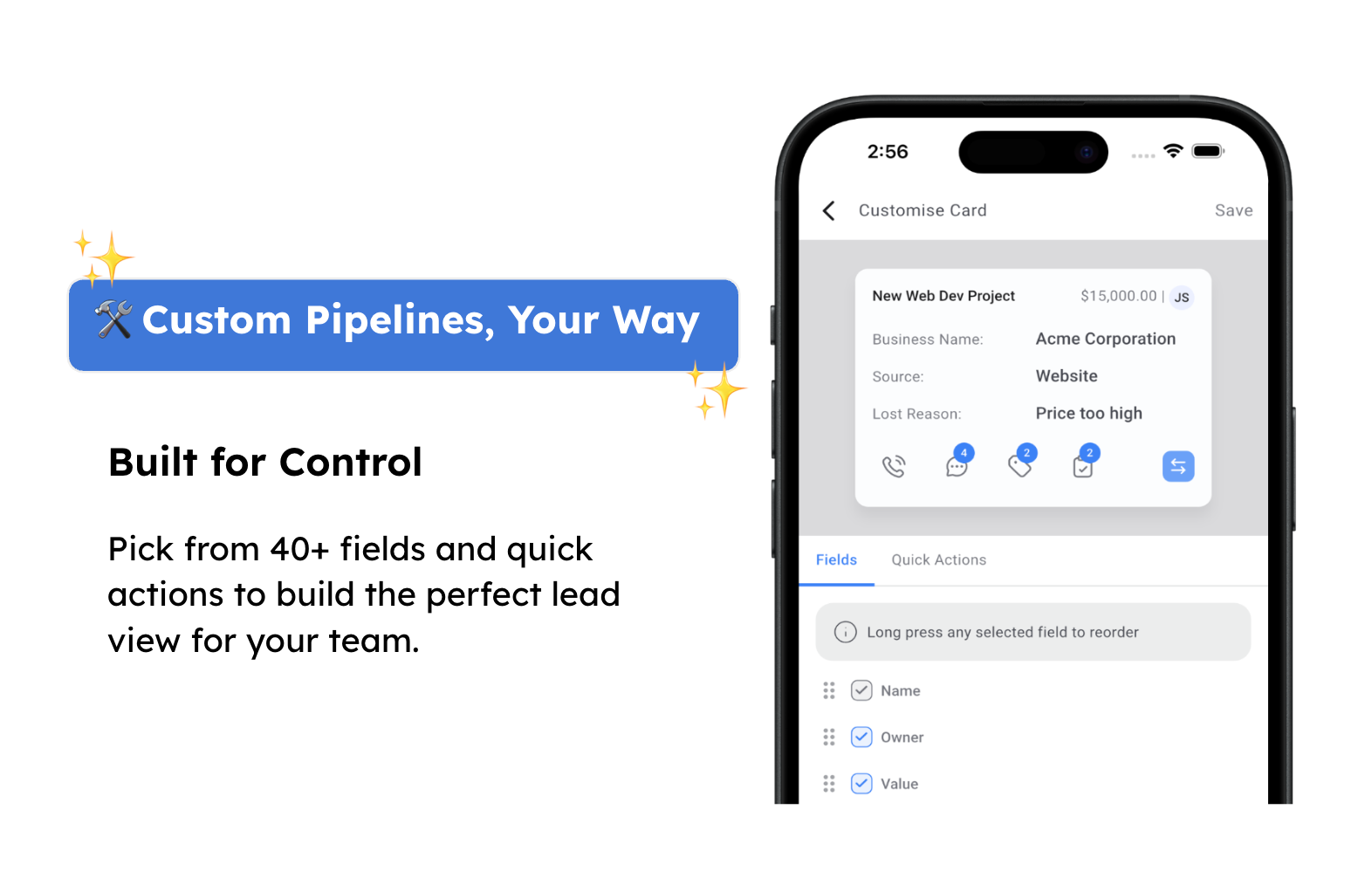
1. Customization
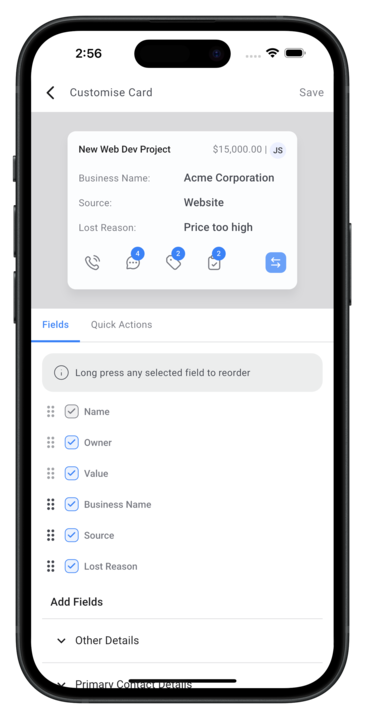
Go to Opportunities → Settings → Customize Cards → Choose from 40+ fields and Quick actions
Activate: Select up to 7 fields and choose your quick actions
Save and see your personalized cards instantly in the pipeline
2. All New Pipelines
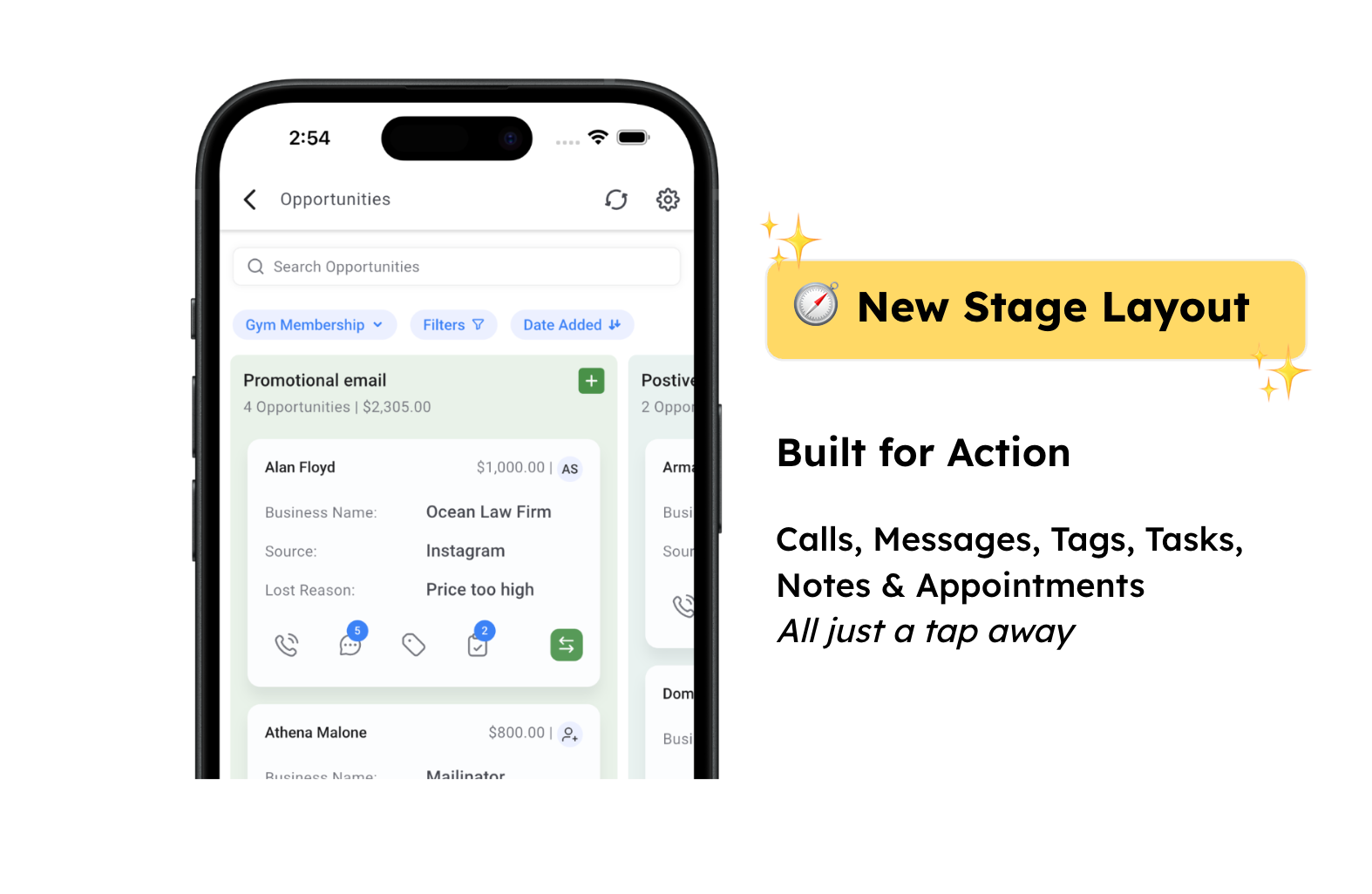
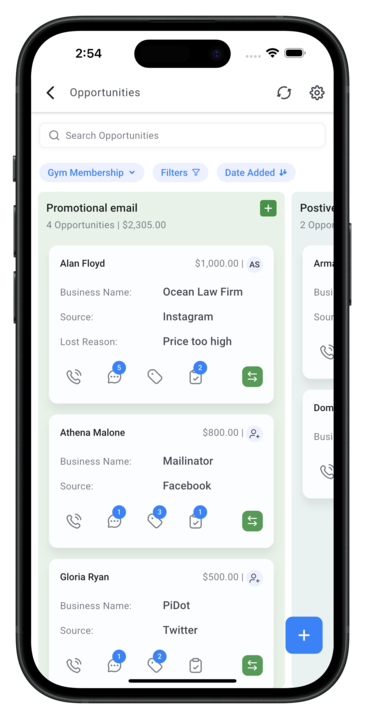
Go to Opportunities → Pipelines to view your updated stages
Interact with customized cards — take quick actions (call, notes, tasks, tags, stage change) directly from the card, with badges showing active items
Work faster with a clean, modern pipeline view that puts everything you need just a tap away
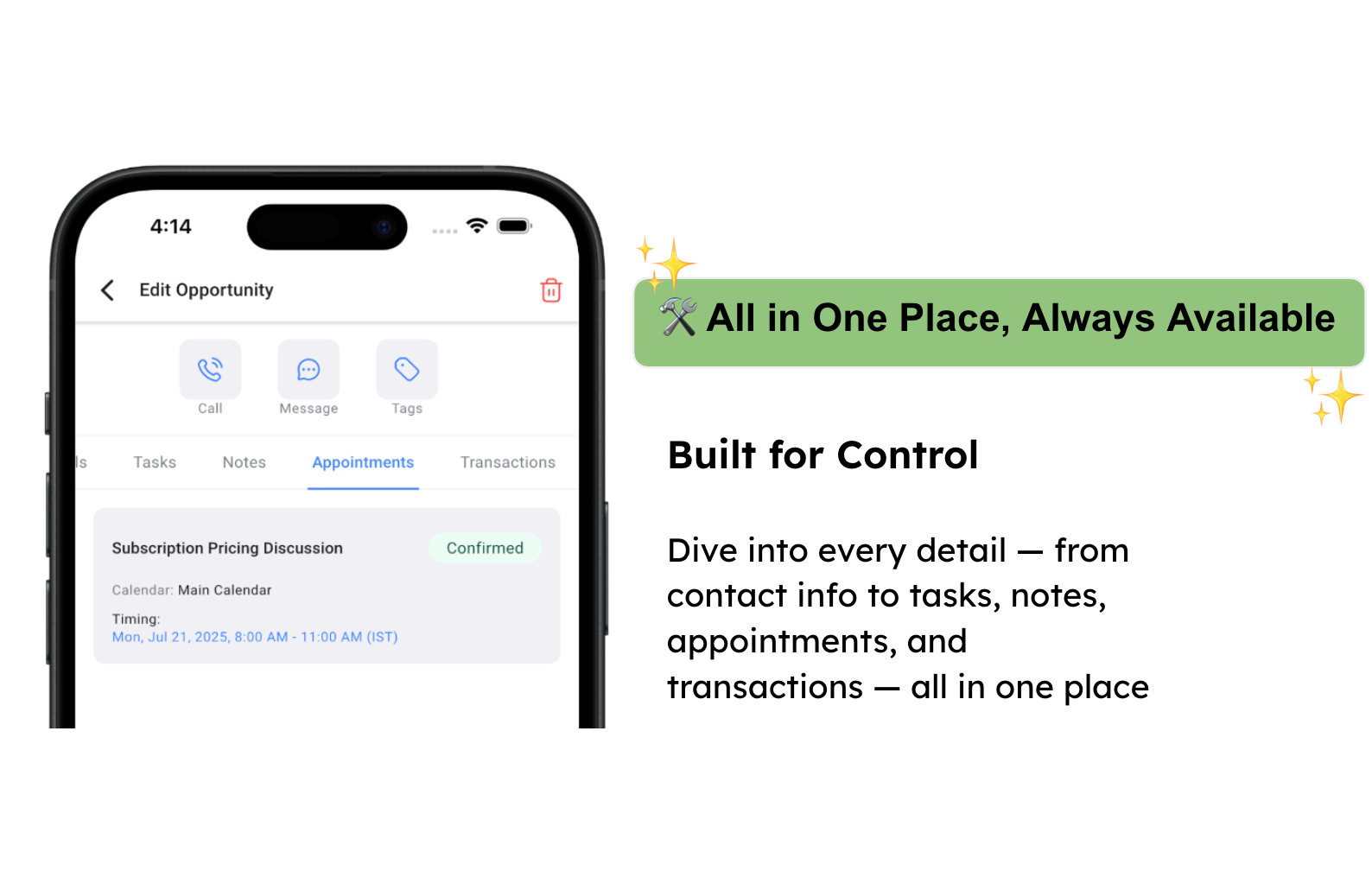
3. All-in-One View
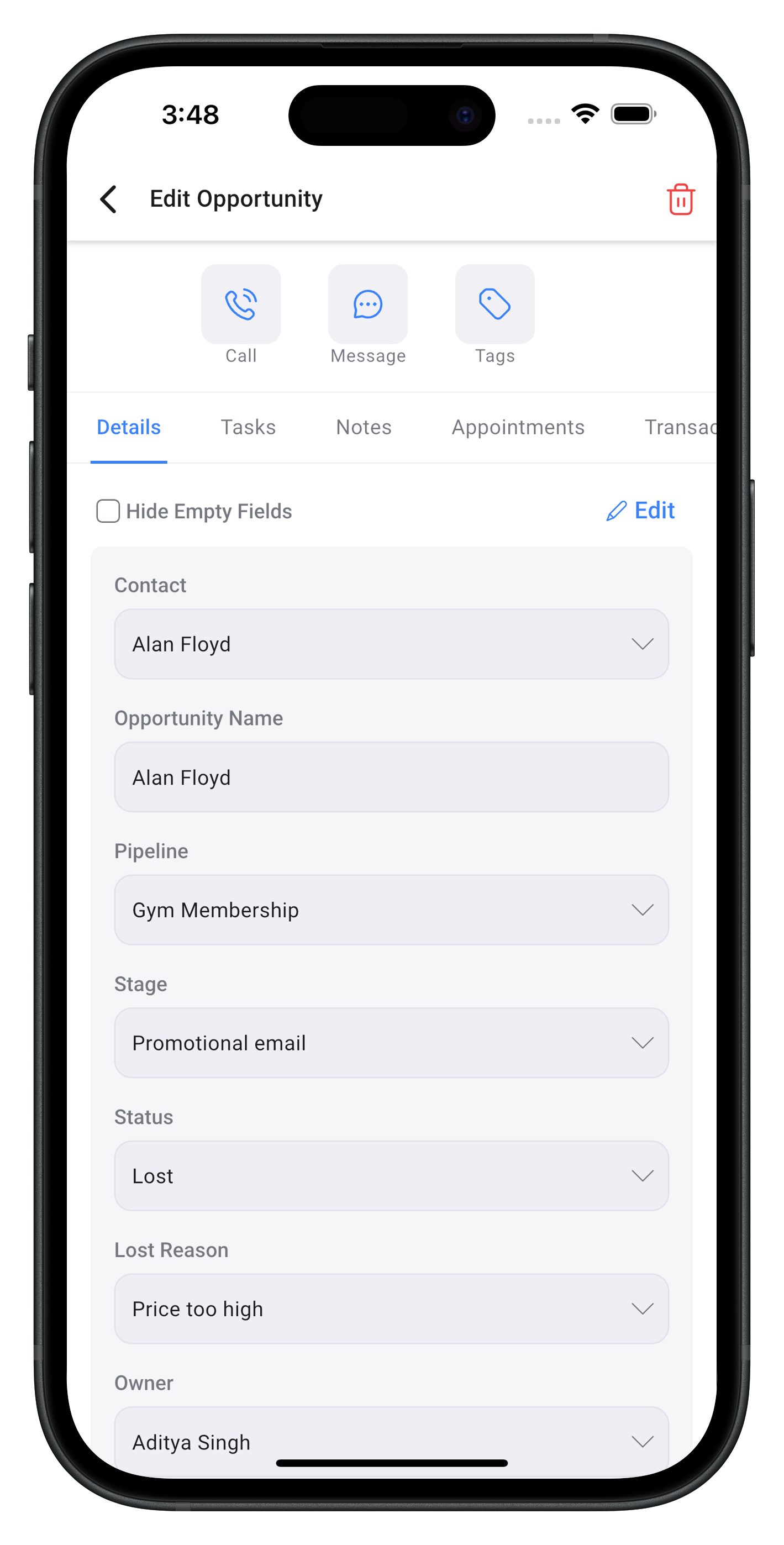
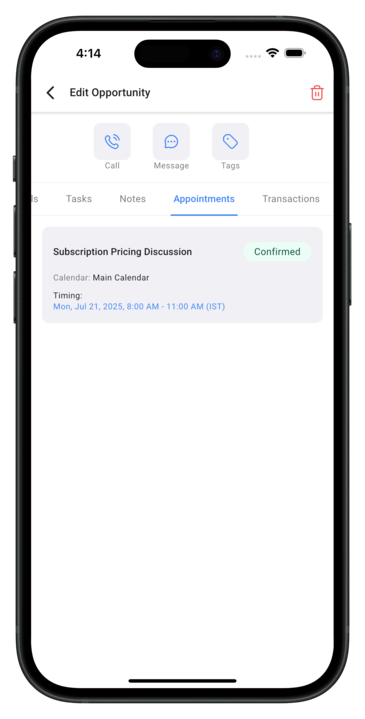
Click on any Opportunity Card inside your pipeline
Use the top quick actions (call, message, tag) or switch between tabs — Details, Tasks, Notes, Appointments, Transactions to manage everything in one place - Edit info, add updates, and track activity seamlessly without leaving the opportunity view
💡💡 Pro Tip: Watch for counters on conversations, notes, tasks, and tags so you never miss an update.
📌 Important Info
Q1: When is this going live?
A: This is live! Update the mobile app to start using.
Q2: Will this reset the way cards and fields currently appear on mobile?
A: Yes, this update will reset your current mobile card layout and fields.
Q3: What will be the default fields on the new Opportunity cards?
A: Name, Value, Owner, Source, Business, and Lost Reason
Q4: How many fields can I show on each Opportunity card?
A: You can display up to 4 custom fields on each card. In addition, 3 bonus fields—Name, Value, and Owner will always appear on the top line of every card by default when selected.
Q5: What will be the default actions available on cards?
A: Message, Add Tag, Add Task, and Move Opportunity
Q6: Will this customization change how Opportunities appear on desktop?
A: No, this change is limited to the mobile app only.
Q7: Is the new version and changes applicable only to mobile app?
A: Yes, the customization and layout updates apply to the mobile app only. All of this is already available on Web, will continue to work as per your setup on Web.
Q8: Will change in customization on Mobile change the Web layout and vice versa?
A: No, changes made on Mobile app applies only to layout on the Mobile app and same goes for Web.