Custom values support in dashboards and reporting
👀
What's New?
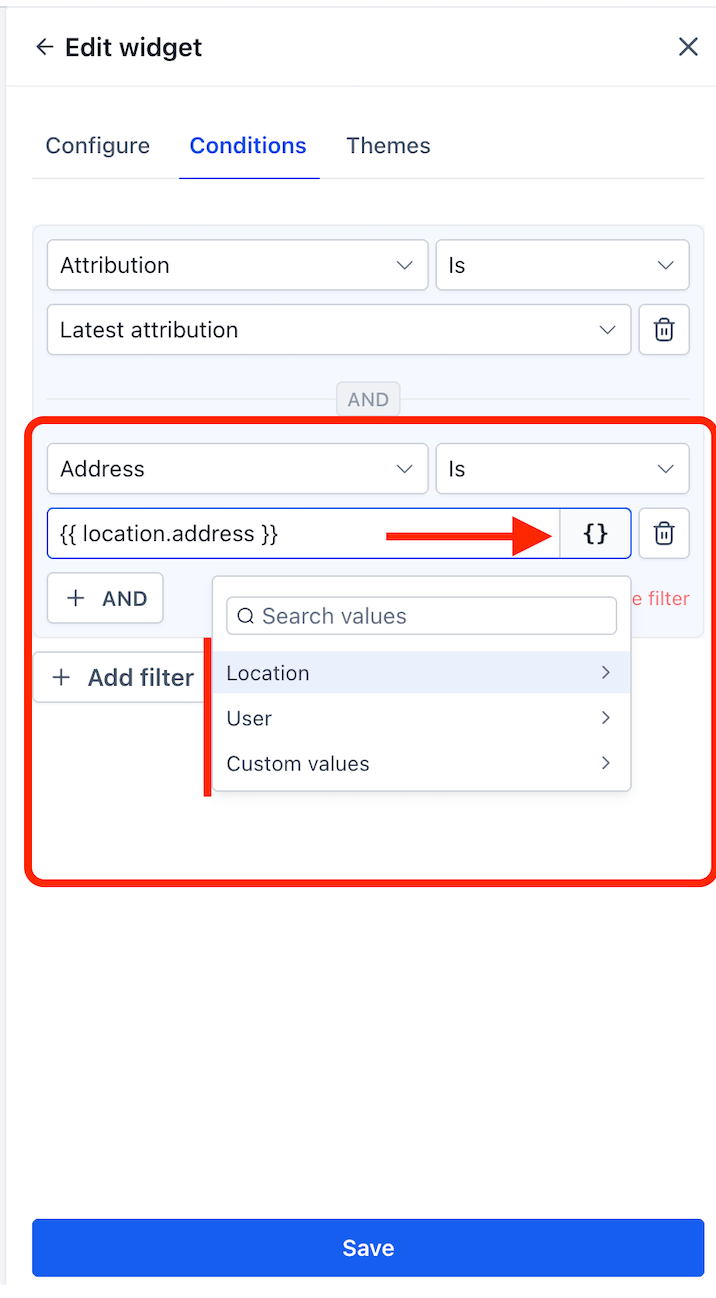
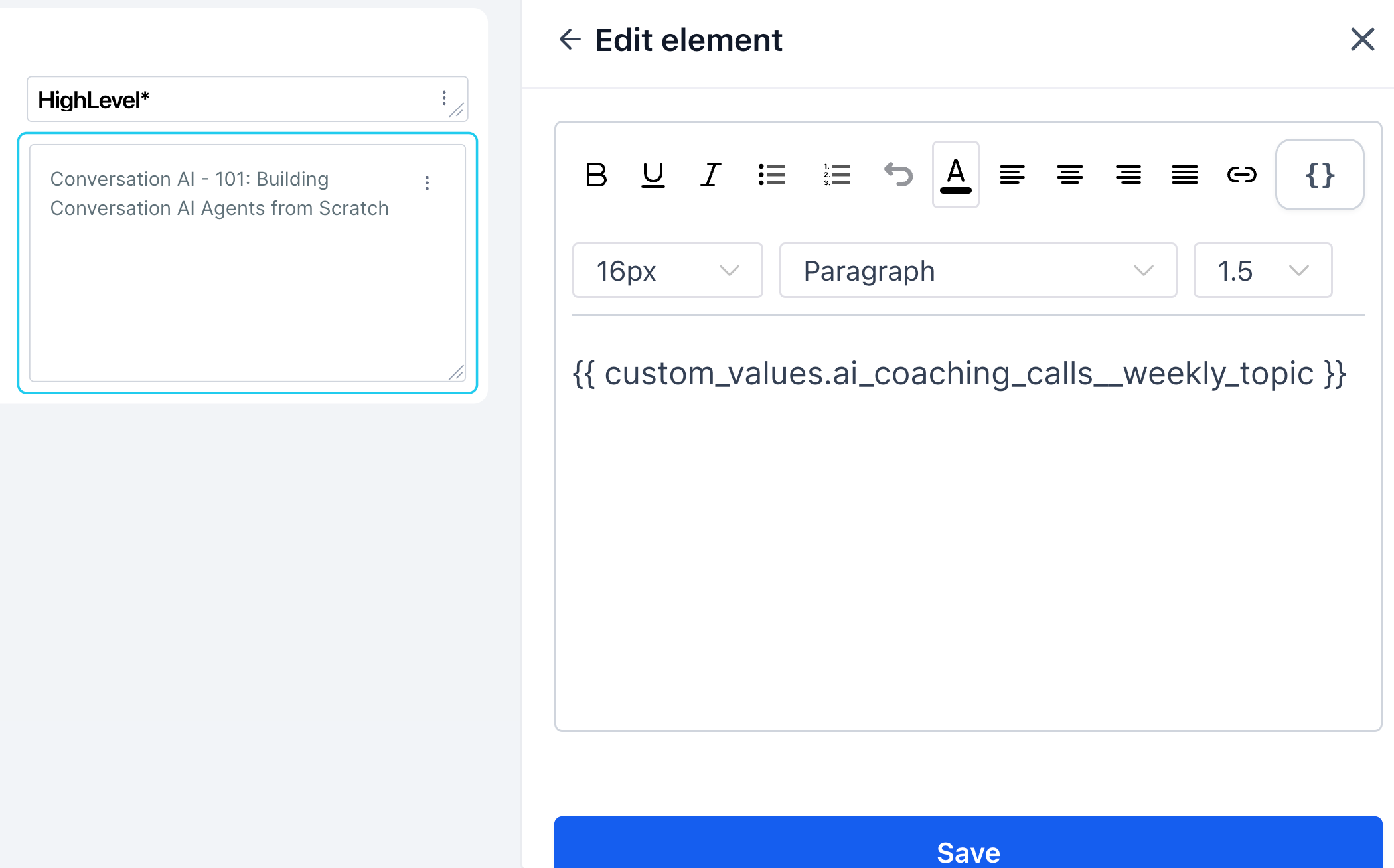
You can now insert custom values into dashboard/report widget conditions and elements using the new {} picker.
Supported in widget conditions — wherever you enter a text value (e.g. Source field).
Supported in dashboard elements — Embed (URL), Title, or Text box.
Location fields available: Location Id • Location Name • Email • Phone • Website •Address • City • State • Country • Postal Code • Timezone
User fields available: User Id • Email • Phone • Role • Type • First Name • Last Name • Name • Full Name.
Custom values — everything you've created under Settings → Custom values is available in the picker, organised by folder.
Tokens resolve automatically per sub-account when the dashboard is viewed.
👷 How It Works:
Open a dashboard and switch toEdit mode.
Add or edit a widget — go to the Conditions tab. Or add an Element (Embed, Title, or Text box).
Click the {} button next to any text input field.
Browse or search across Location, User, or Custom values.
Select a field — the token is inserted (e.g. {{ location.name }}).
Save. Switch to View mode — the token resolves to the real value for that location automatically.
🌟Why It Matters:
One dashboard for every location — build a single dashboard template and every sub-account sees their own name, address, and data — no duplication needed.
Dynamic embed URLs — insert a location ID or custom value into an embed URL so each location loads their own external report automatically.
Personalised dashboard experience — titles, text boxes adapt per location, making dashboards feel purpose-built for each client.
Faster agency setup — what used to take multiple manual setups now takes one.
Notes:
Custom value insertion is available to dashboard editors only.
If a token has no value set for a location, it resolves as blank in view mode.
Location and User system fields are available by default — no setup needed. Custom values require prior setup under Settings → Custom values.