June 10th, 2025
New
Create New Tags in the Send or Schedule Page 🚀
🚀 What’s New
You can now create new tags directly from the Send or Schedule page while setting up your email campaign. Previously, only existing tags could be selected.
😎 Benefits
No need to pre-create tags in advance
Streamlines automation setup
Saves time during campaign scheduling
✅ How to Use
Navigate to Email Marketing
Create a new campaign or open an existing one
Go to the Send or Schedule screen
Click on Add Tags and enable it
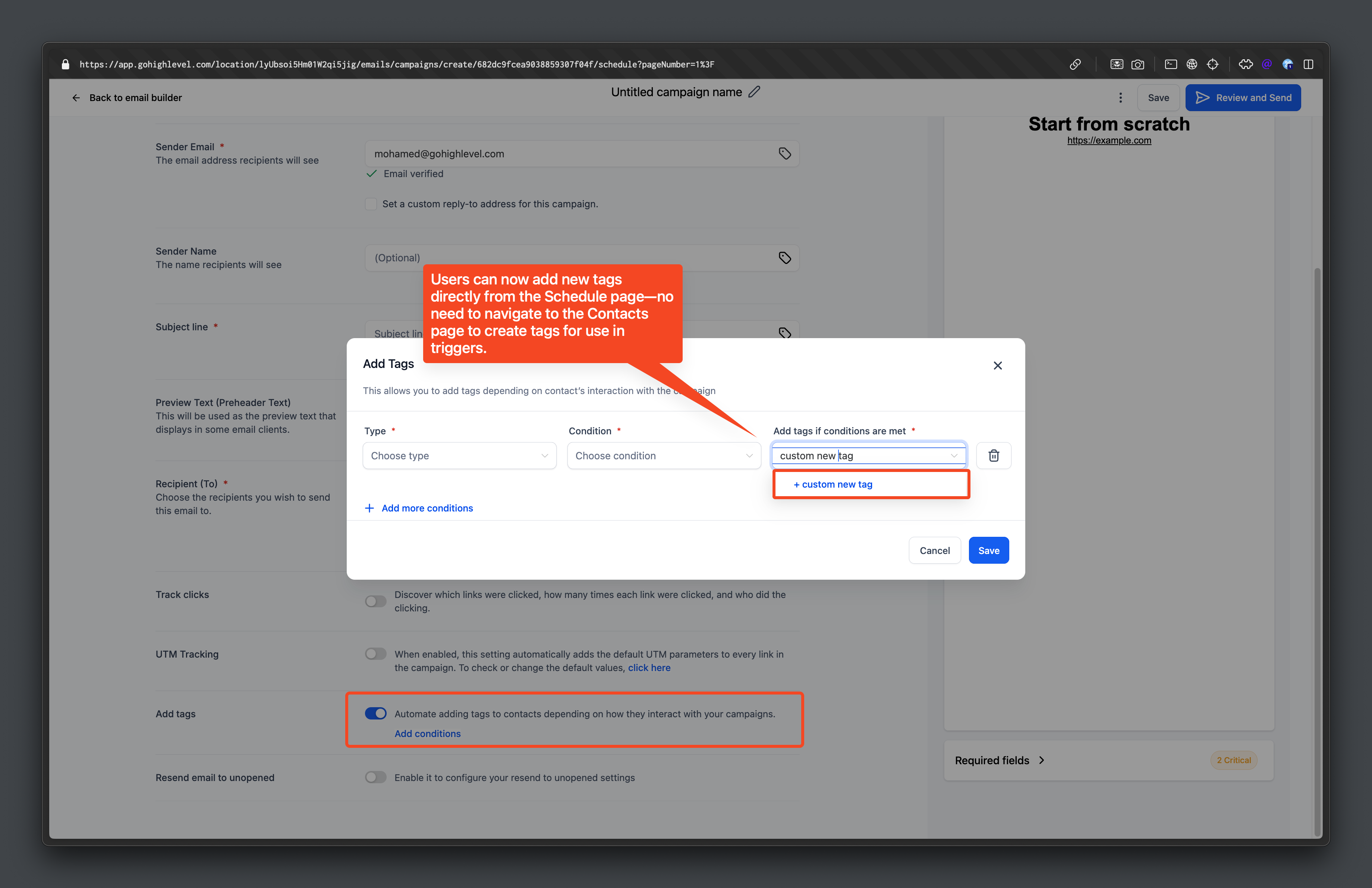
Click on Automate
In the tag dropdown, type your new tag
Click the Add button to create and apply the tag
Write a comment...