May 29th, 2025
Improved
Documents and Contracts
Control signature type: Draw or Type - Documents & Contracts
What’s New?
Draw/Type Signatures Option:
You can now choose the kind of signatures you want to support on your Documents & Contracts.
Flexible Choice:
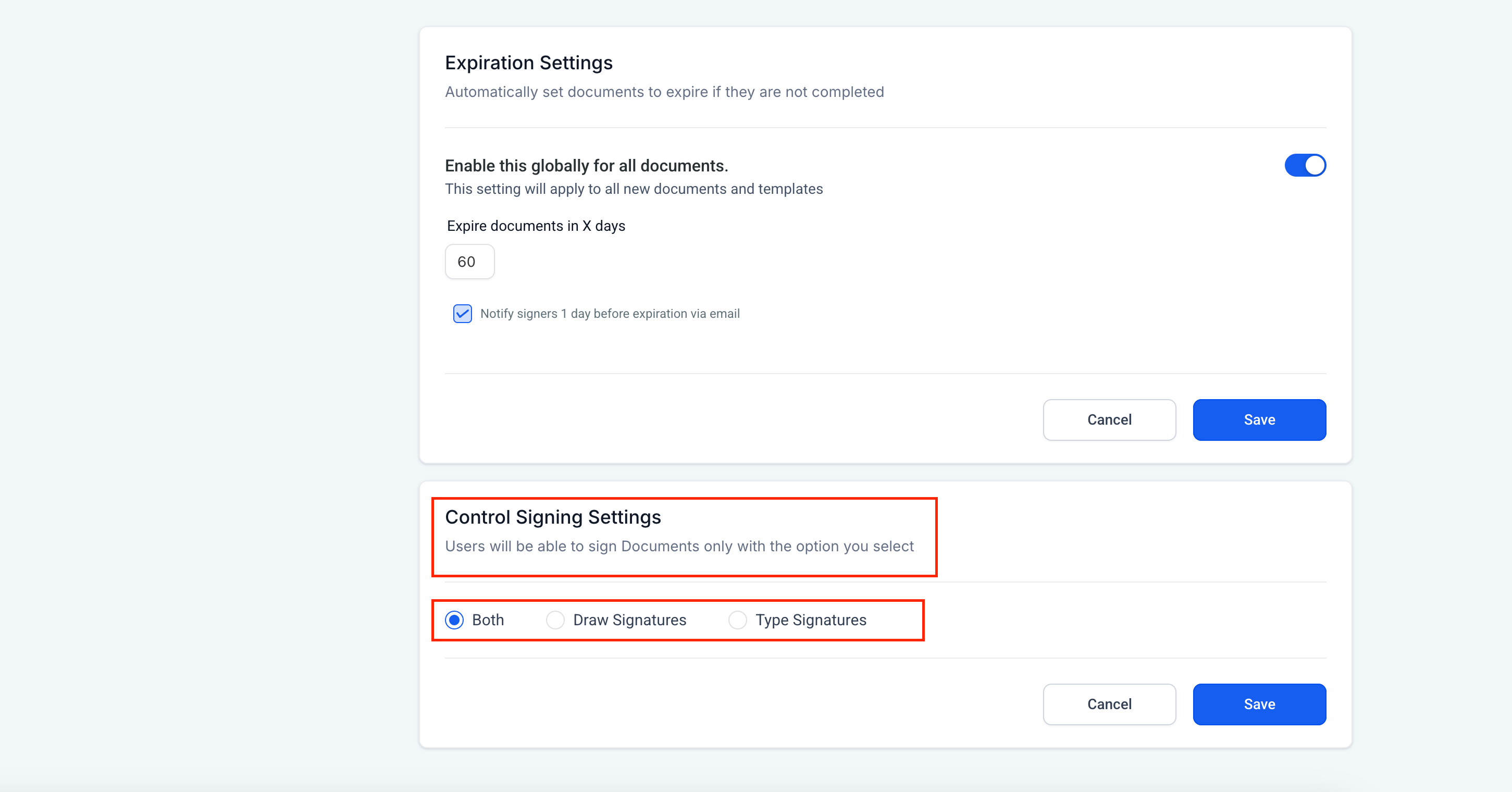
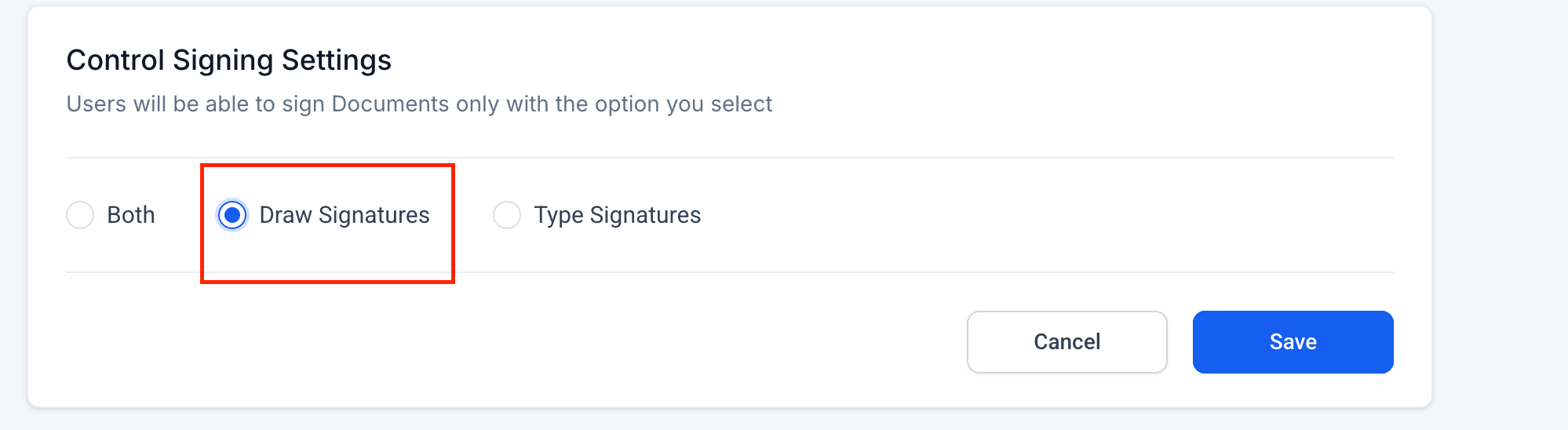
Under Control Signing Settings, choose Draw Signatures (or Both) to enable hand-drawn signing alongside typed signatures.
How to Use
Go to Payments → Documents & Contracts and click Settings.
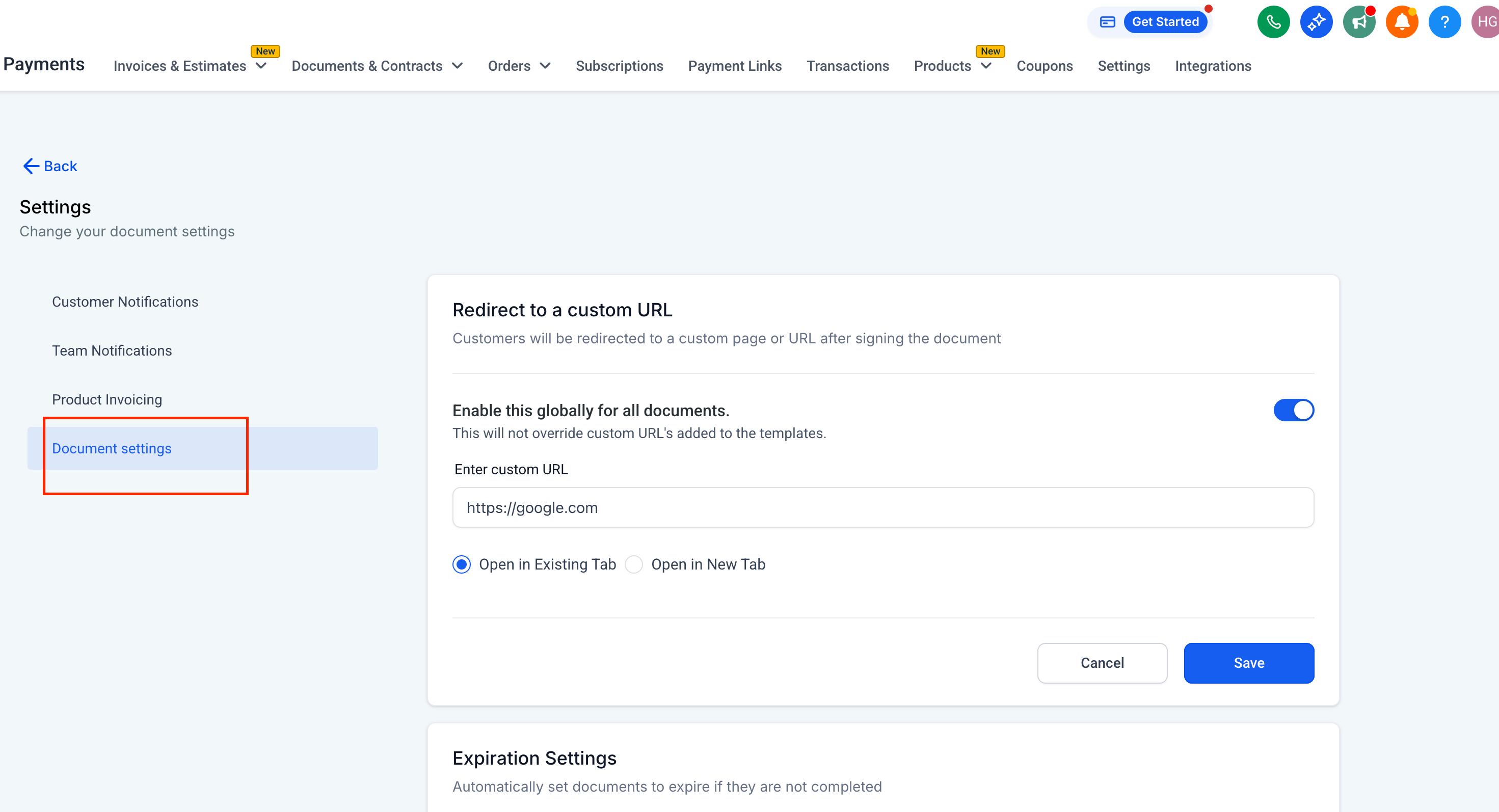
Select Document settings from the sidebar.
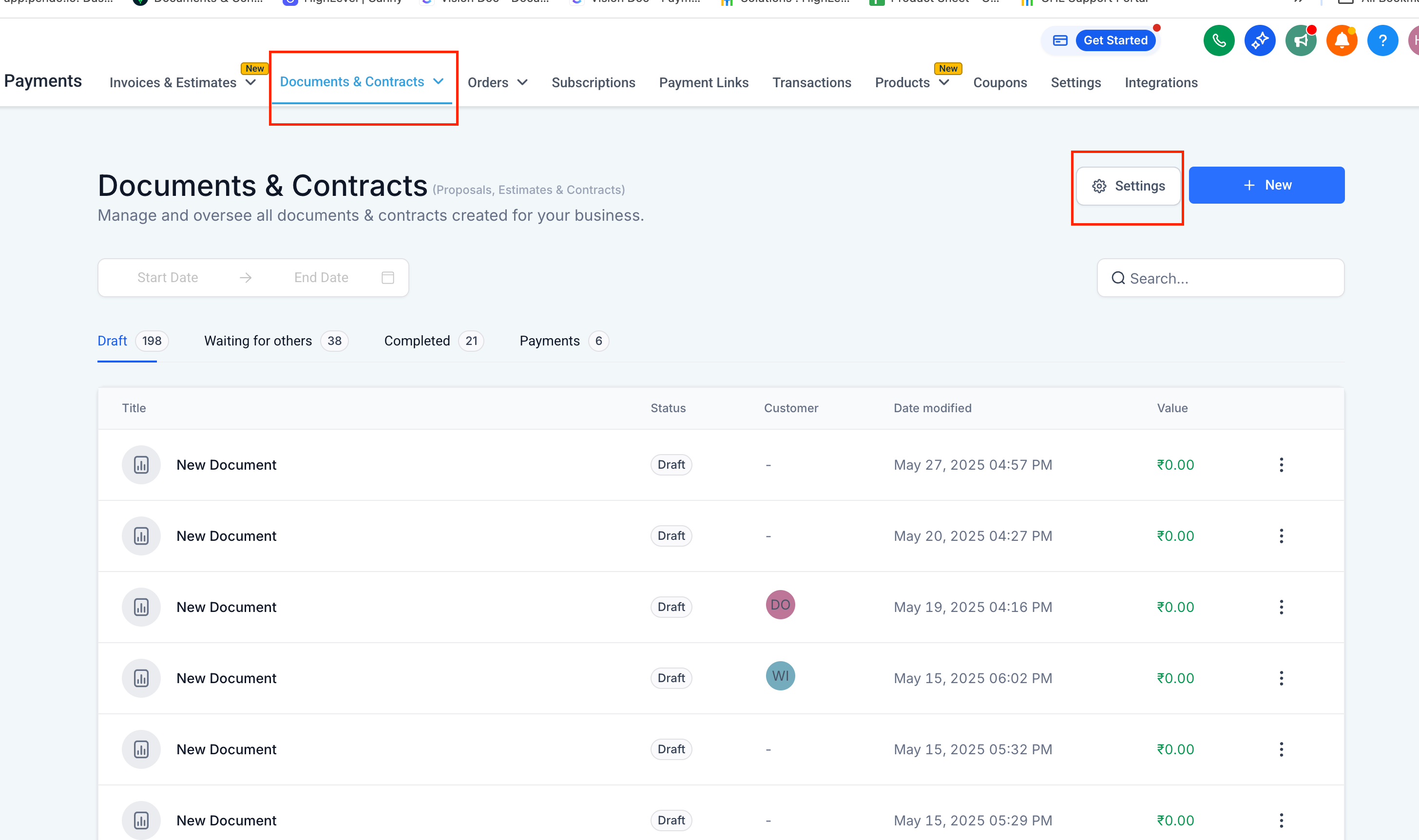
Scroll to Control Signing Settings, then pick Draw Signatures (or Both) and hit Save.
When user is filling a document, they will click the Signature field.
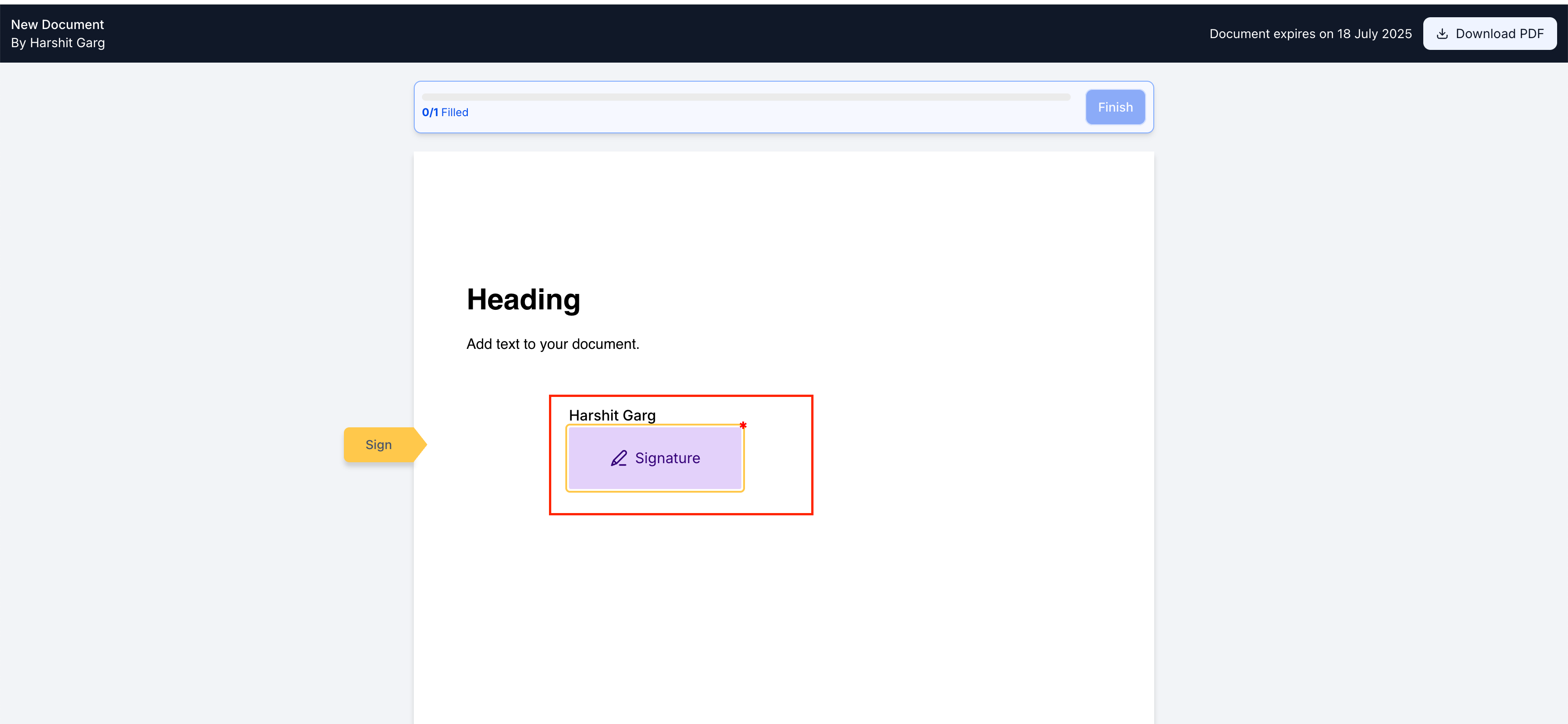
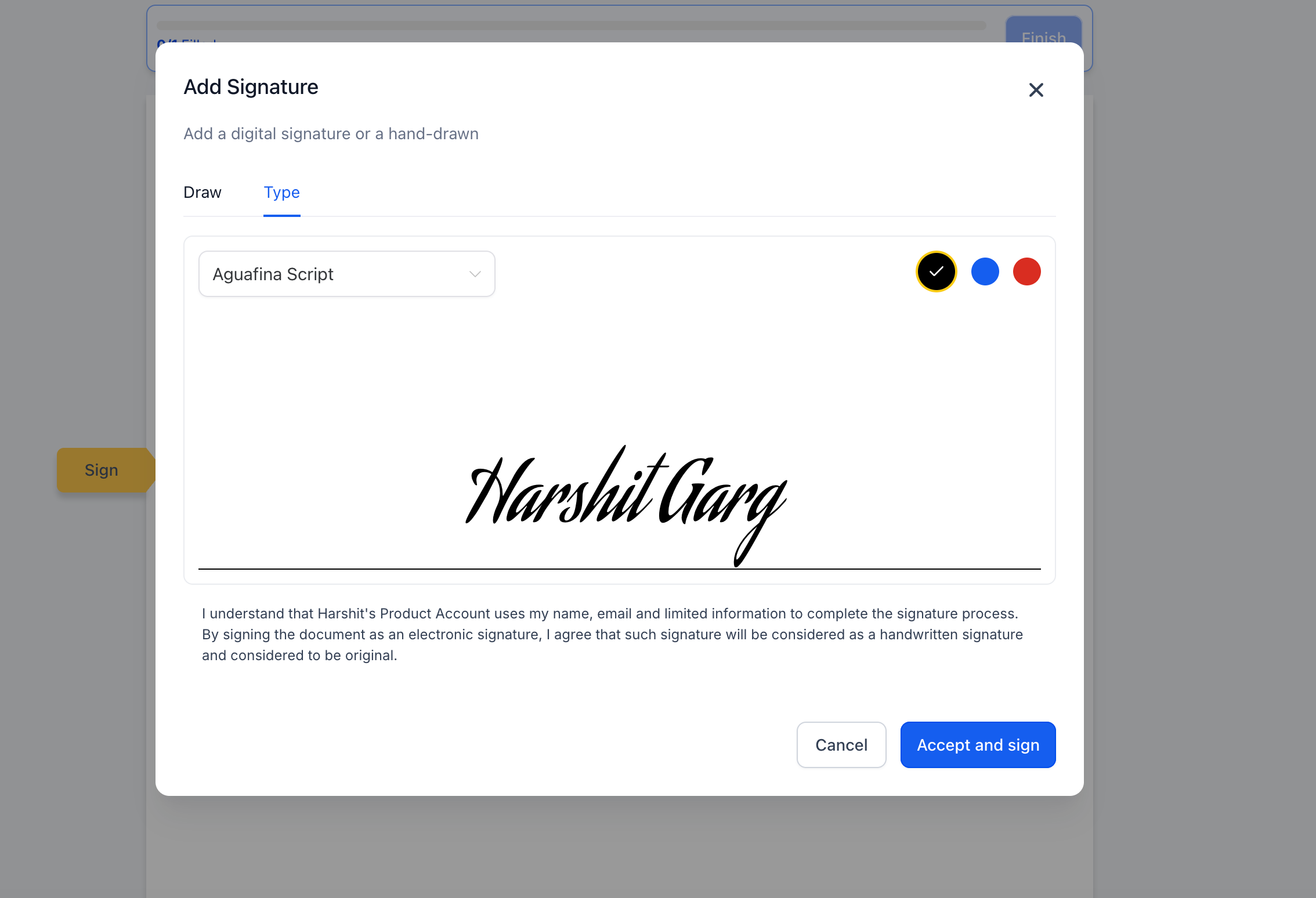
In the pop-up, they will see both, type only or draw only based on your configured global setting.
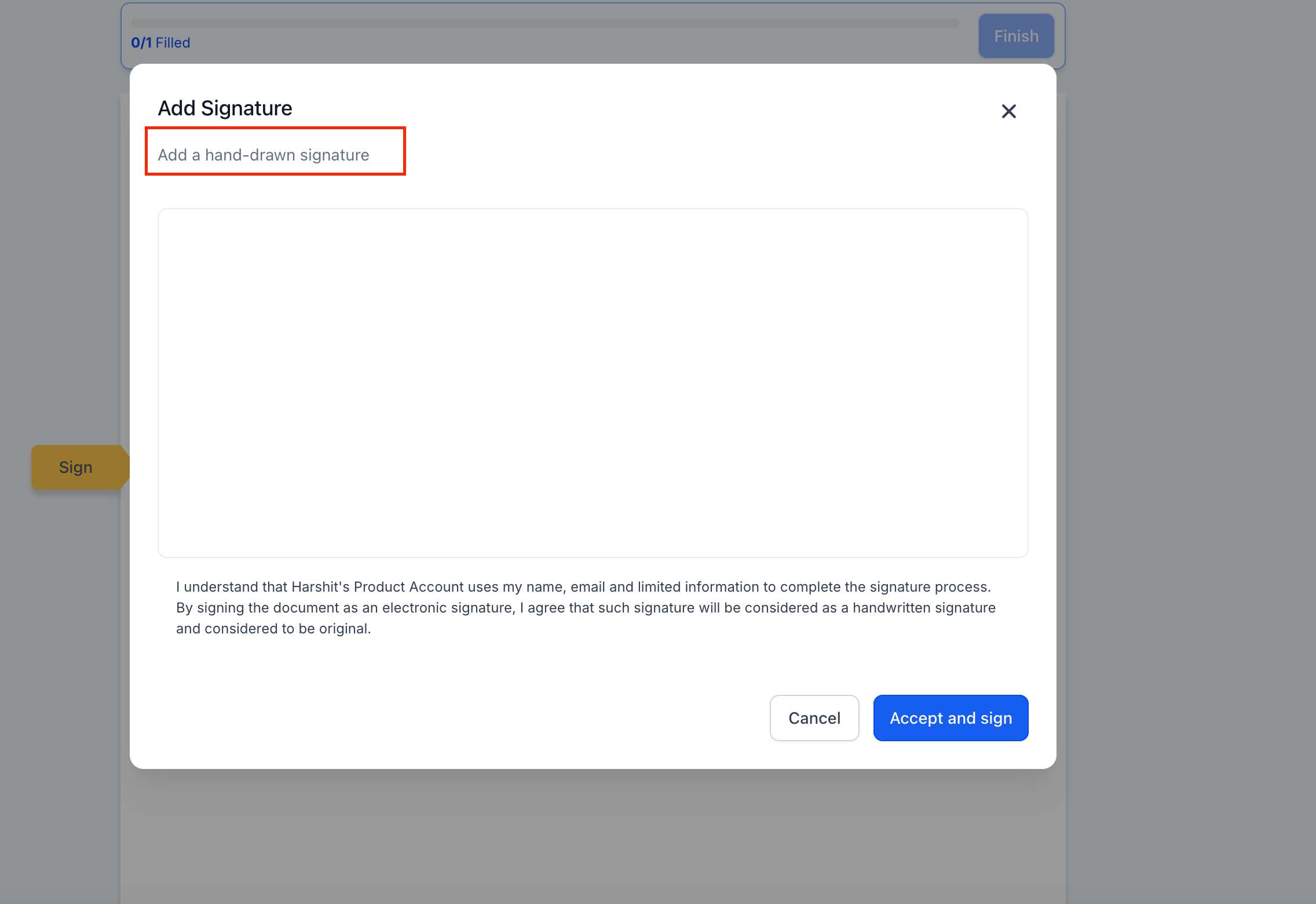
With both:
Why We Built It
Industry Compliance: Many regulators and legal frameworks accept only hand-drawn signatures as valid.