April 9th, 2026
New
Automations
Contact Tag Trigger: Configuration Safeguards
We've added two in context safeguards to the Contact Tag trigger to prevent the most common configuration mistakes and protect users from unexpected workflow behavior.
What's New
Retroactive Enrollment Info Banner
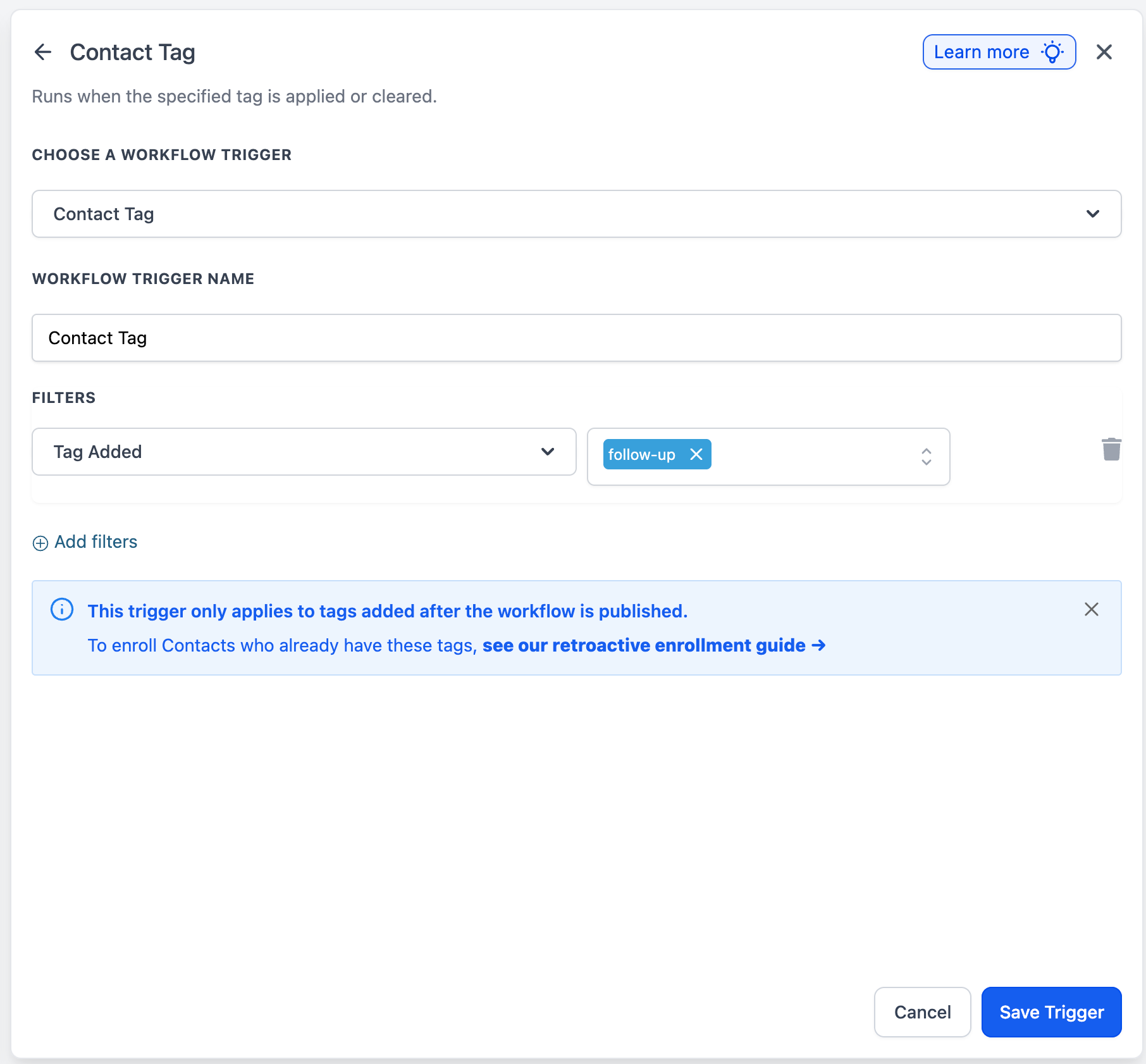
When a tag is added to the Contact Tag trigger, a subtle info banner now surfaces to clarify that the trigger only applies to tags added after the workflow is published. The banner links directly to the retroactive enrollment guide, where users can follow the steps to bulk import existing tagged contacts into the workflow.
No Filters Warning
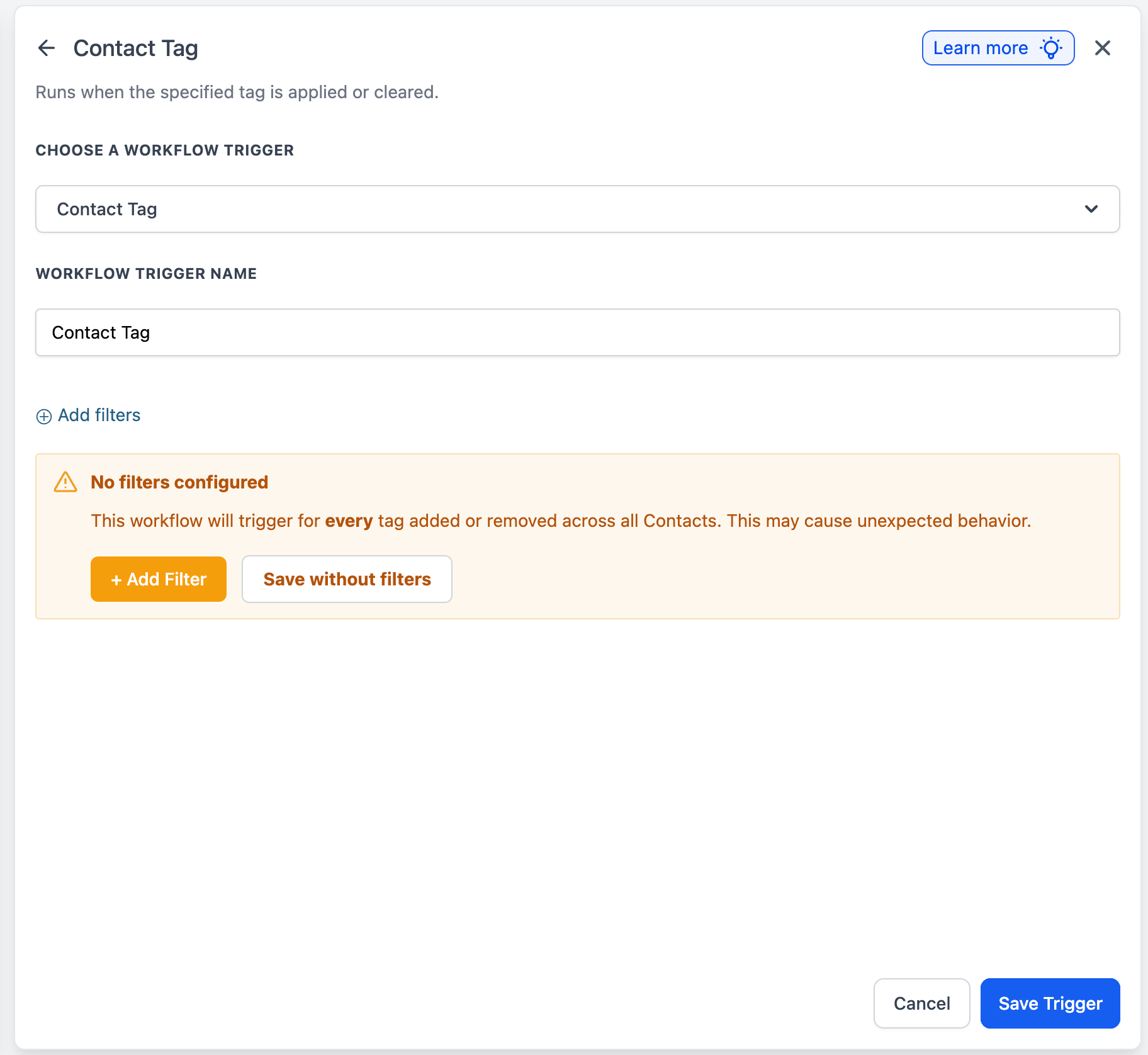
If a user attempts to save the Contact Tag trigger without configuring any filters, a warning now surfaces explaining that the workflow will trigger for every tag added or removed across all Contacts, which may cause unexpected behavior. The warning offers two clear paths forward:
Add Filter (primary CTA) — returns the user to filter configuration
Save without filters — preserves the option for advanced use cases
How It Works
Retroactive Enrollment Info Banner
Appears when a tag is added inside the Contact Tag trigger filters
Includes a link to the retroactive enrollment support article
Dismissible via the close icon. Once dismissed, it will not appear again for that user
If not dismissed, it follows a frequency cap of 3, after which it stops appearing automatically
No Filters Warning
Triggered when the user attempts to save the Contact Tag trigger with zero filters configured
The Add Filter CTA returns the user to filter configuration
The Save without filters CTA preserves the option for advanced use cases
Why This Matters
Reduces confusion around post-publish trigger behavior by setting clear expectations upfront
Prevents accidental workflow runs across the entire contact base
Surfaces the retroactive enrollment path right where users need it, instead of leaving it buried in documentation
Keeps power users unblocked by making every guardrail dismissible or overrideable