Client Portal - File Share Notifications
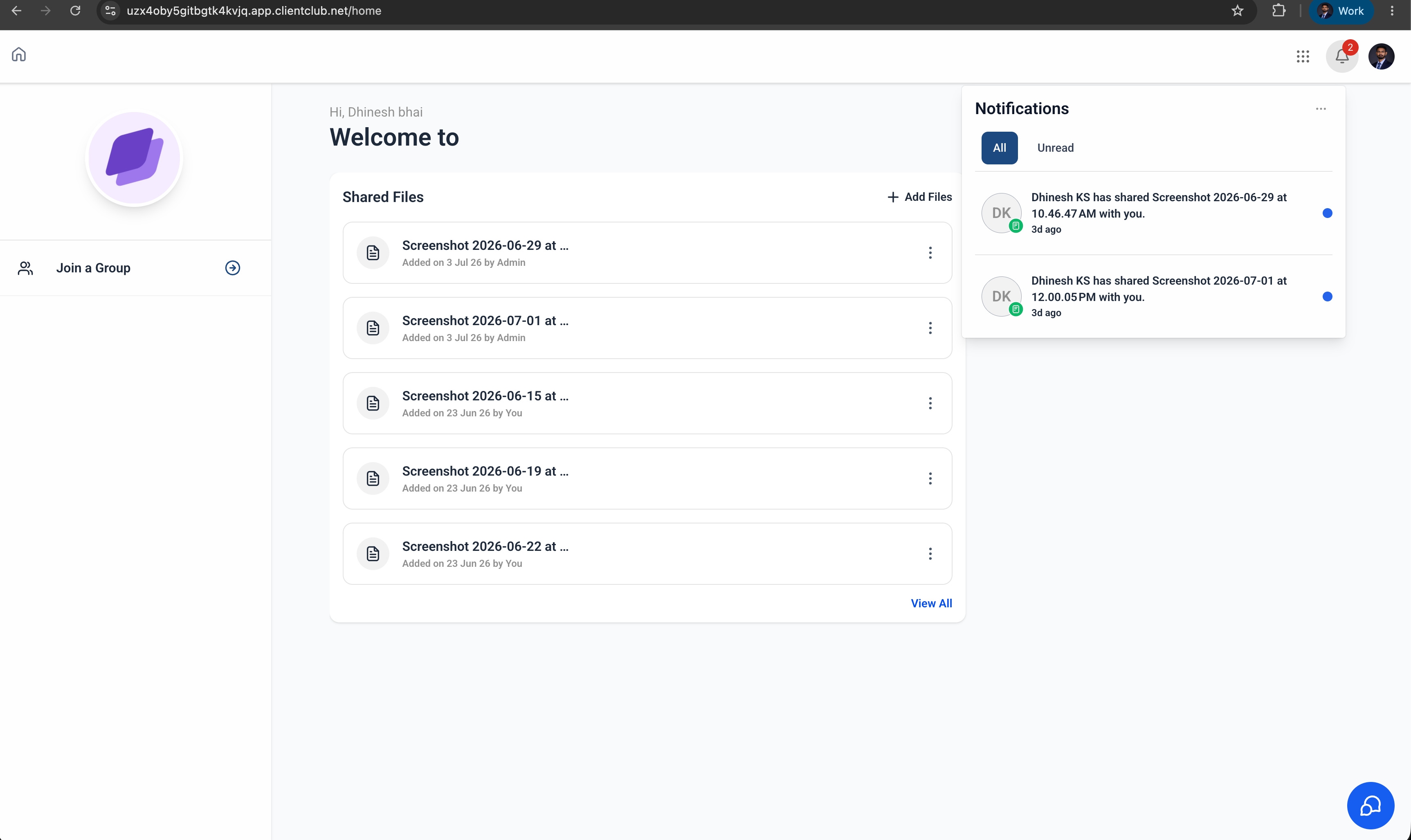
Contacts now get notified the moment an admin shares a file with them through the Client Portal. Real-time notifications reach them across the Client Portal (Web) and the White Label mobile app — so newly shared documents never slip through the cracks. Contacts stay in control, too, and can manage these notifications right from their Client Portal preferences.
✨ What's New
🔔 File Share Notifications for Contacts
When an admin shares a file with a contact through the Client Portal, the contact automatically receives a notification letting them know a new file is available.
⚙️ Manage Notification Preferences
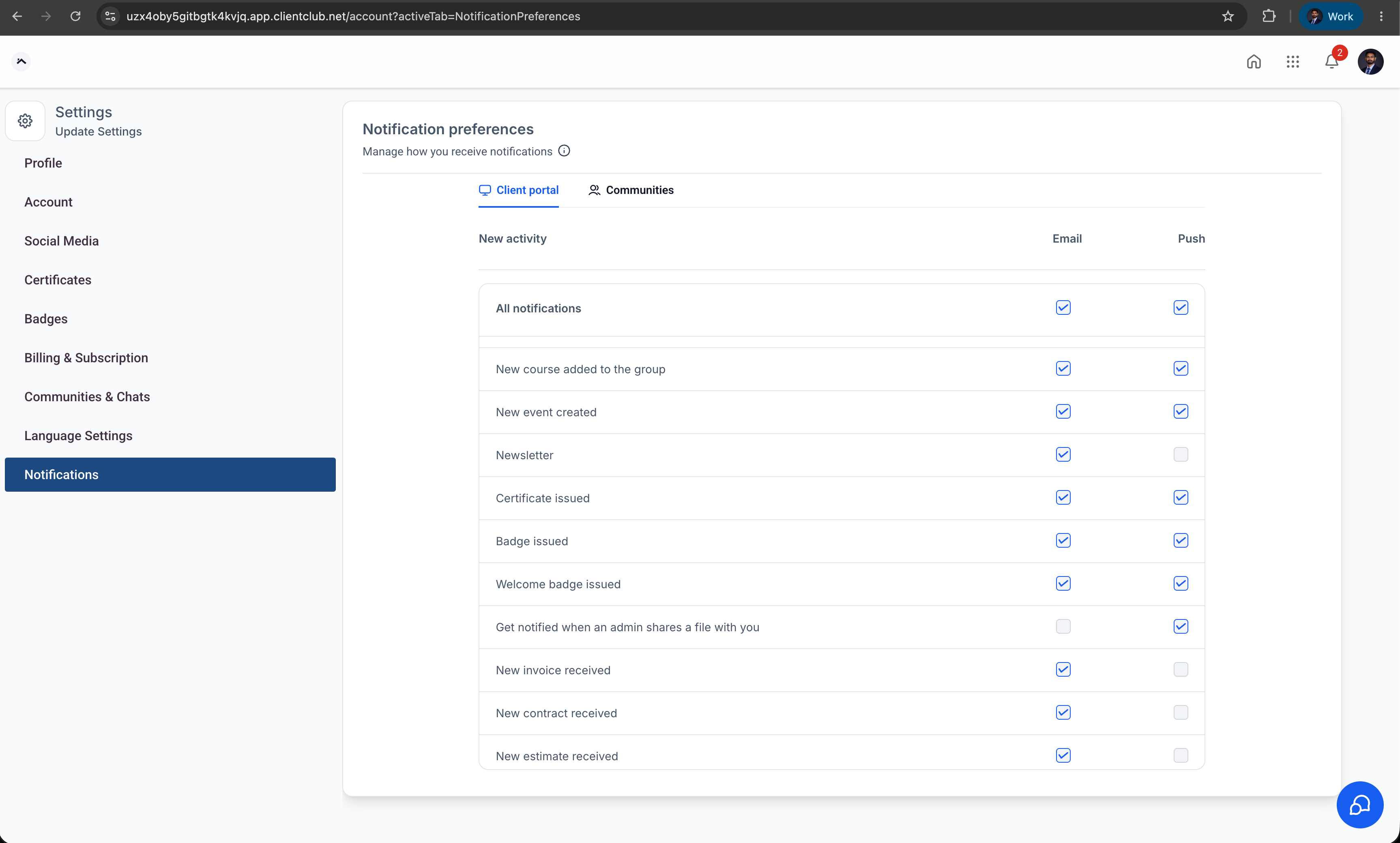
Contacts can decide whether to receive notifications for shared files by updating their notification preferences within the Client Portal.
📱 Available Across Platforms File share notifications are supported on:
Client Portal (Web)
White Label Mobile App
🤝 Improved Client Communication
Keep clients informed whenever important documents, contracts, invoices, or other files are shared — reducing missed updates and improving the overall client experience.
🚀 How to Use
Share a File with a Contact
Navigate to a contact.
Open the Files section from the right-side navigation panel.
Upload or select a file.
Enable the Upload to Client Portal option.
Save the file.
Once the file is shared, the contact receives an in-app notification and, if enabled, a push notification.
Manage Notification Preferences (Client)
Log in to the Client Portal.
Navigate to Settings → Notification Preferences.
Enable or disable In-app & Push Notifications.
Save your preferences.
💡 Why This Feature
Businesses frequently share important files with clients through the Client Portal, but previously clients had no automatic notification that a new document had been shared. With file share notifications, clients are immediately informed when new files become available — improving visibility, reducing missed communications, and creating a more seamless client experience.
📝 Notes
Notifications are triggered when an admin shares a file with a contact through the Client Portal.
Contacts can manage notification preferences from the Client Portal settings.
Supported notification channels: In-app Notifications and Push Notifications.
Available on both the Client Portal (Web) and White Label Mobile App.