September 1st, 2025
New
Calendar
Calendar Dedicated Sending Domains Now Available
What's New
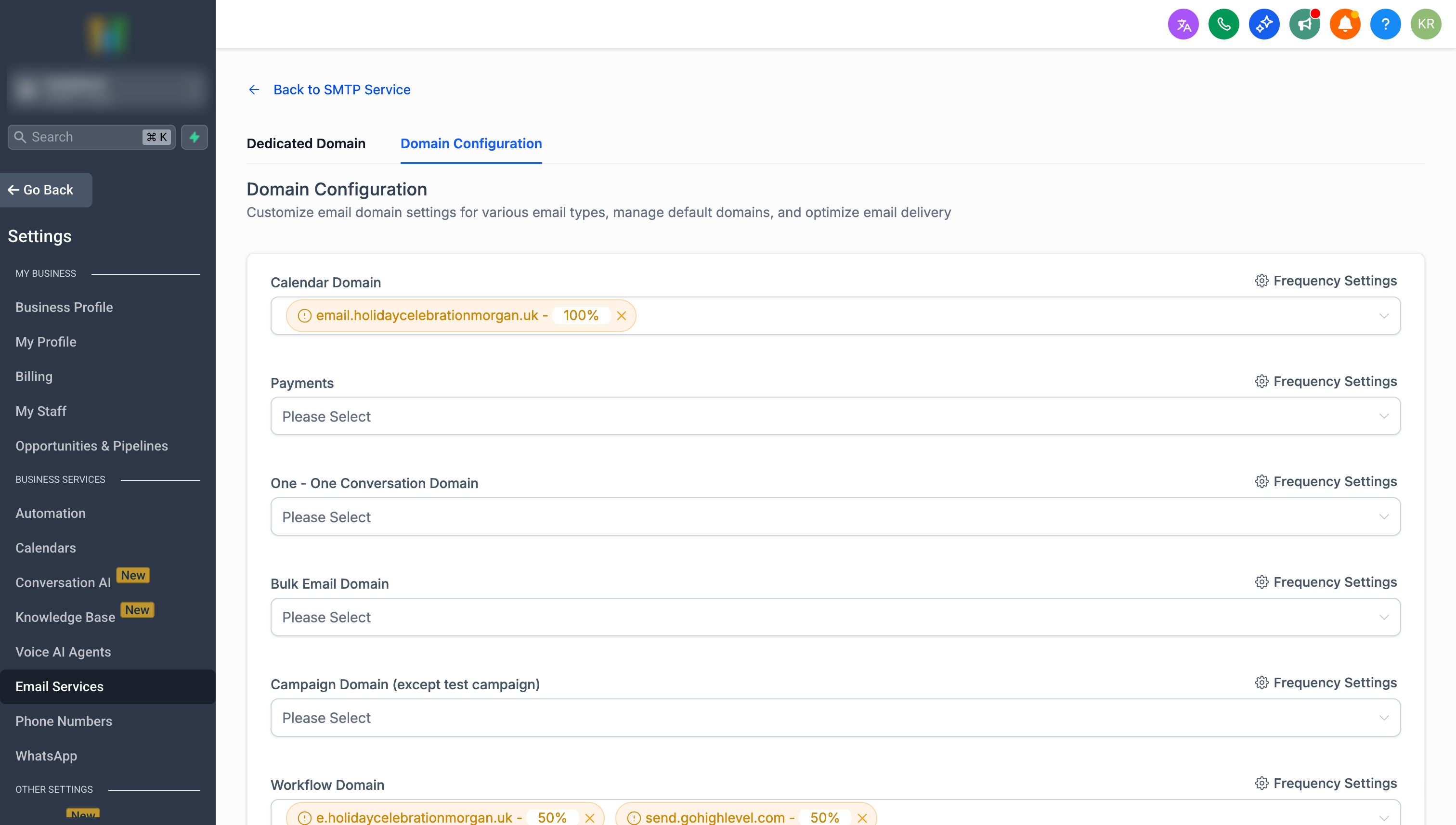
You can now assign dedicated sending domains specifically for Calendar emails! This enhancement gives you better control over your appointment-related email deliverability.
How It Works
Navigate to Sub-account Settings → Email Service → SMTP Service → Domain Configuration to set up dedicated domains for:
Appointment confirmations
Calendar reminders
Reschedule notifications
Other calendar-related communications
Key Benefits
✅ Better Deliverability - Separate domains for calendar emails
✅ Load Distribution - Split traffic across up to 5 domains per category
✅ Reputation Protection - Isolate calendar emails from other communications
✅ Flexible Allocation - Percentage-based distribution control
Getting Started
Ensure you have sub-account created domains.
Go to Domain Configuration in your sub-account settings
Add your domains to the Calendar category
Set percentage distribution as needed
Note: This feature is available for LC Email Users.