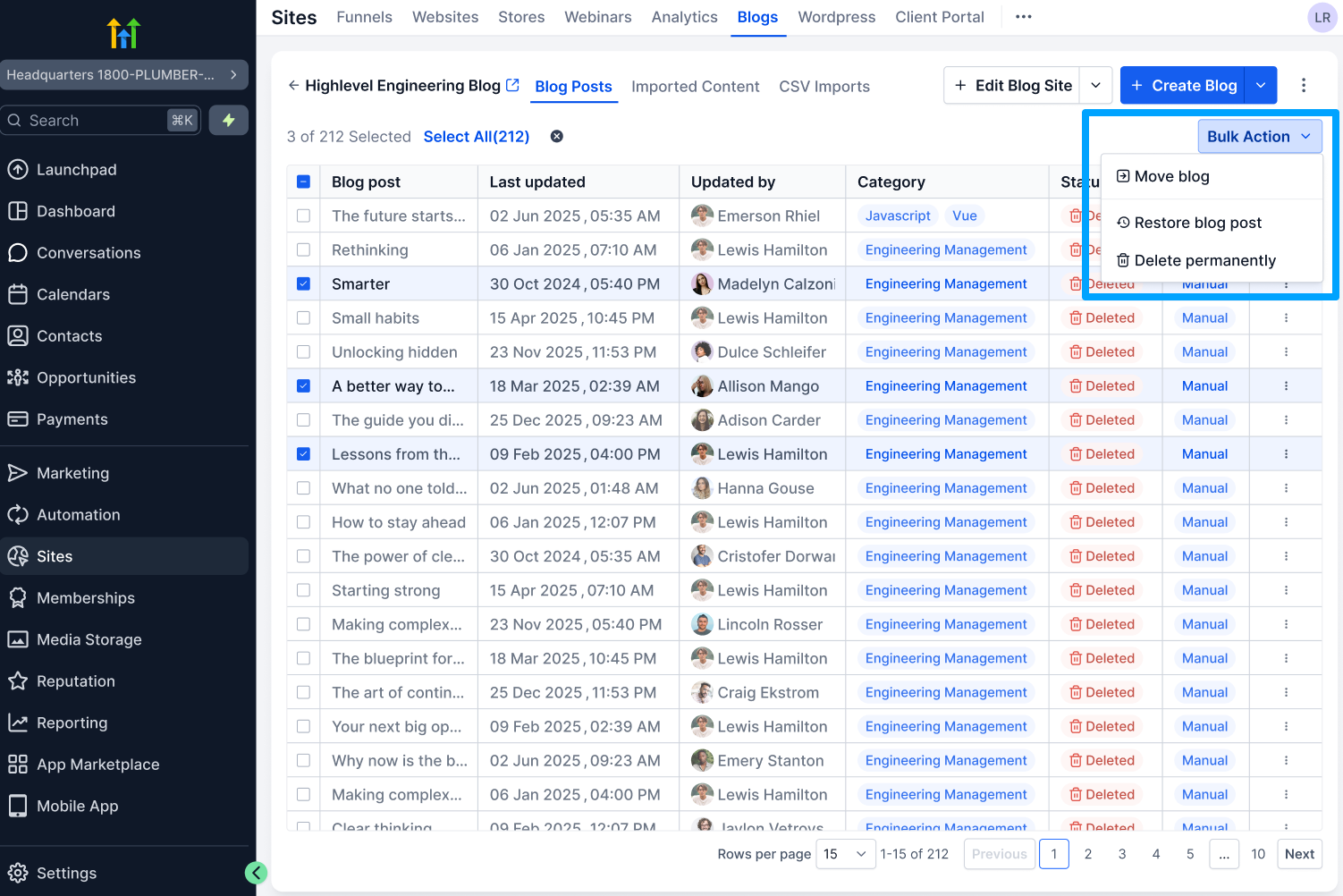
Delete & Restore Blog Posts
What’s new
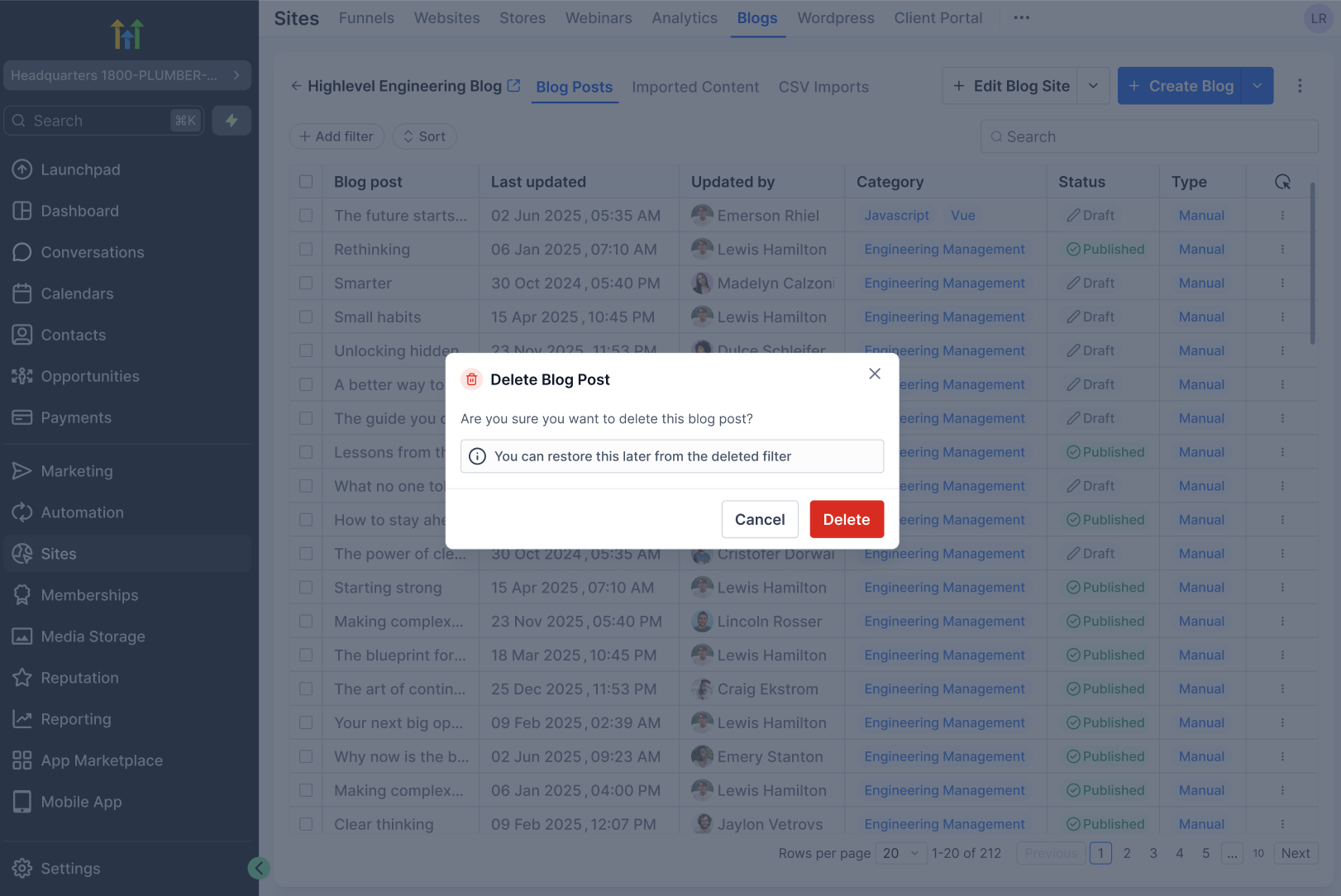
Deleting a blog post no longer removes it permanently, Restore Blog Post brings the post back with its original content and status, For long-term cleanup, users can choose Delete Forever from the Deleted filter.
Updated Behaviour:
The Blog post is marked as Deleted
It’s hidden from the main list
It remains fully recoverable for 30 days
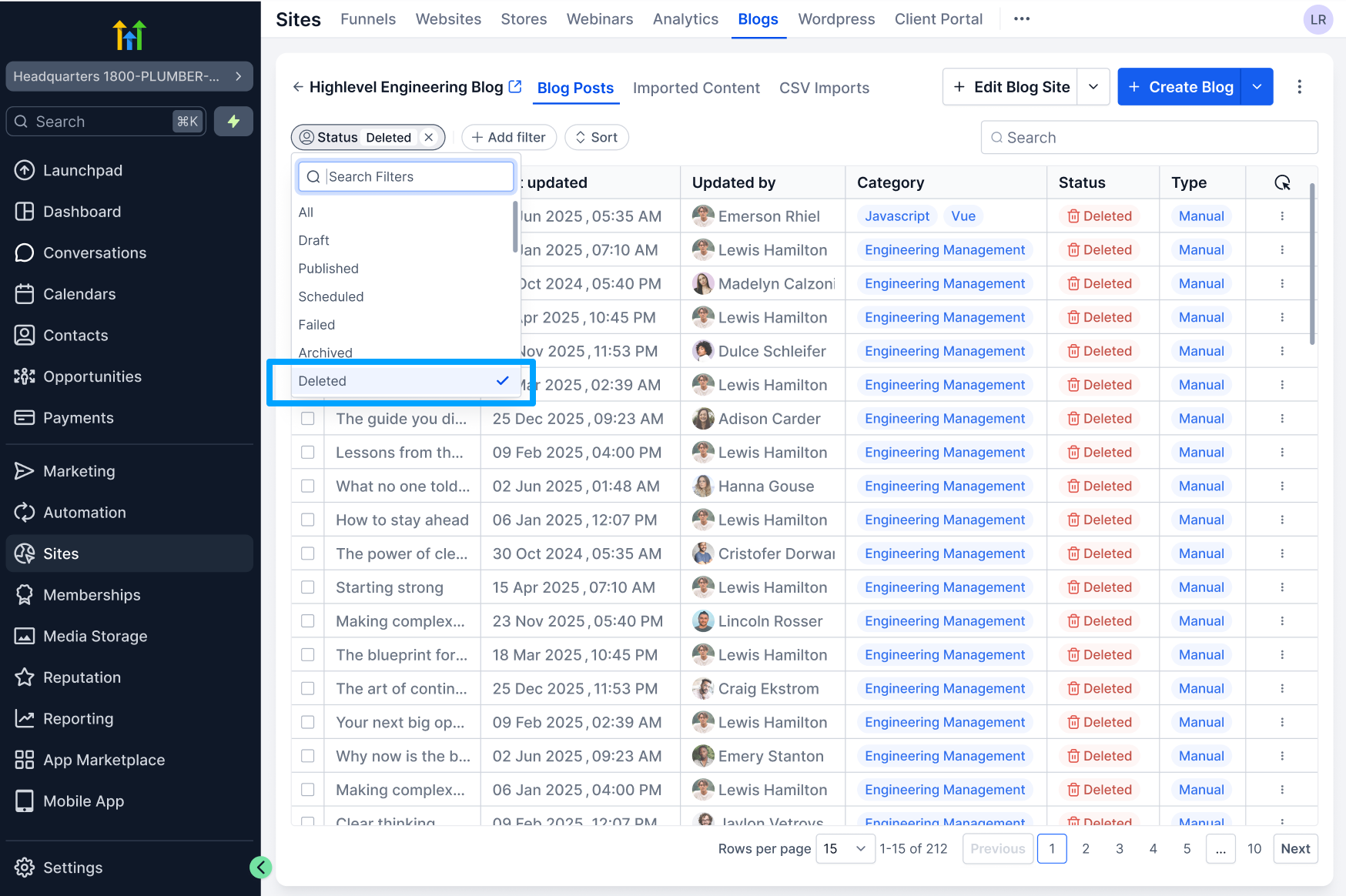
A dedicated “Deleted” filter now lets users:
View all deleted blog posts
Restore a post with one click
Permanently delete if desired
Why it matters
This update helps users:
Avoid accidental content loss
Restore blogs without waiting on support
Maintain a safer, more intuitive content workflow
Manage blogs with confidence and full control
Reduce operational friction and support dependency
How it works
Delete a Post
Go to Sites → Blogs
Open the 3-dot menu on a post
Click Delete → Confirm
Open the Deleted filter
Restore a Deleted Blog Post or bulk restore it or Permanently Delete a Post