August 21st, 2025
New
Forms, Surveys & Quizzes
True Zero Padding Support for Forms, Surveys & Quizzes
What's New
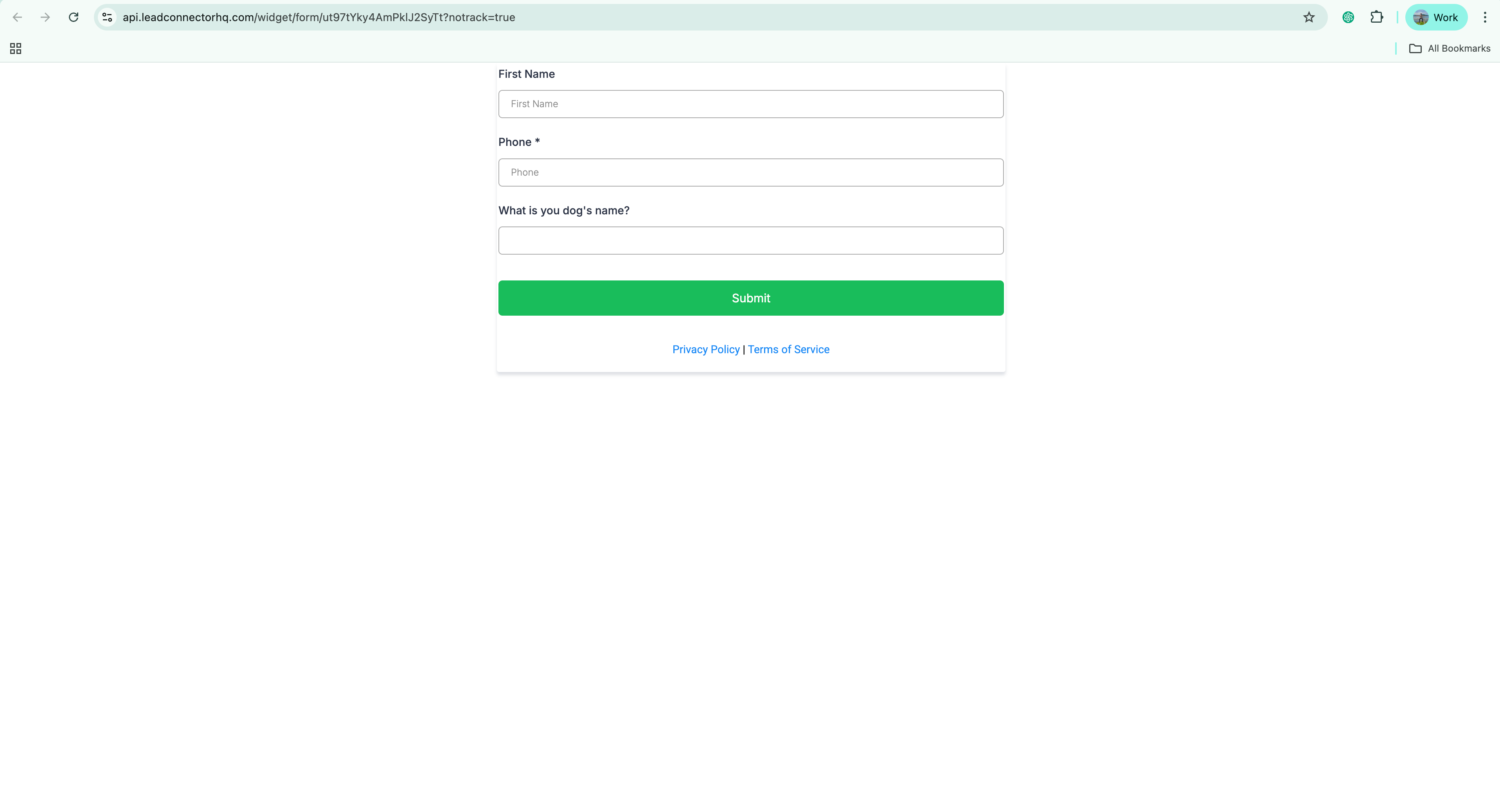
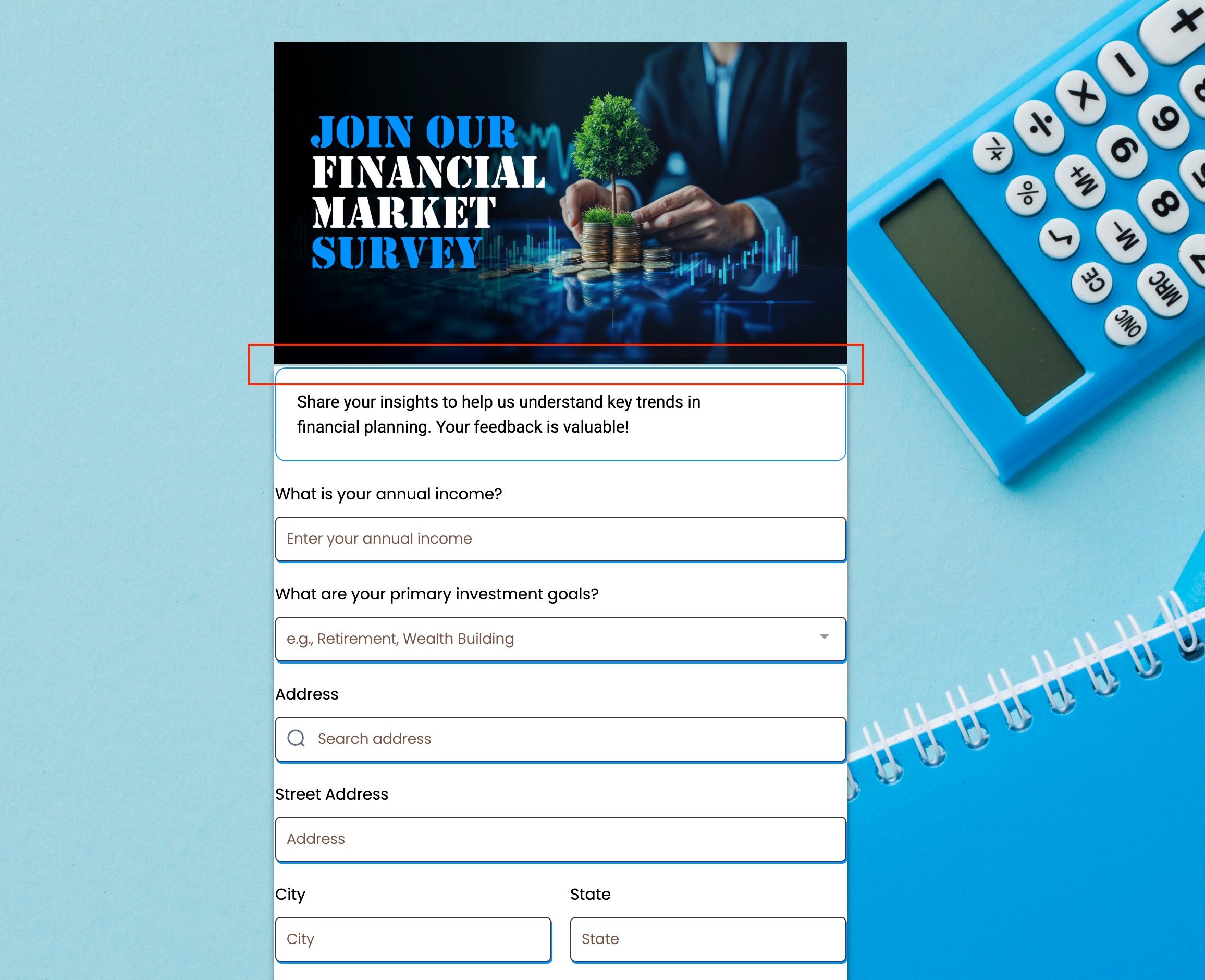
We’ve introduced support for 0 top and bottom padding across forms, surveys, and quizzes. Previously, extra padding was automatically added, which prevented a true "zero padding" layout. With this update, you now have full control over vertical spacing, enabling cleaner and more precise designs.
Key Highlights
True 0 Padding Support – No more forced spacing at the top and bottom.
Pixel-Perfect Layouts – Create tighter, sharper, and more modern designs without unwanted whitespace.
Flexible Customization – Set padding exactly as you need it—whether it’s zero or more, the choice is fully yours.
How It Works
Go to the form/survey/quiz builder.
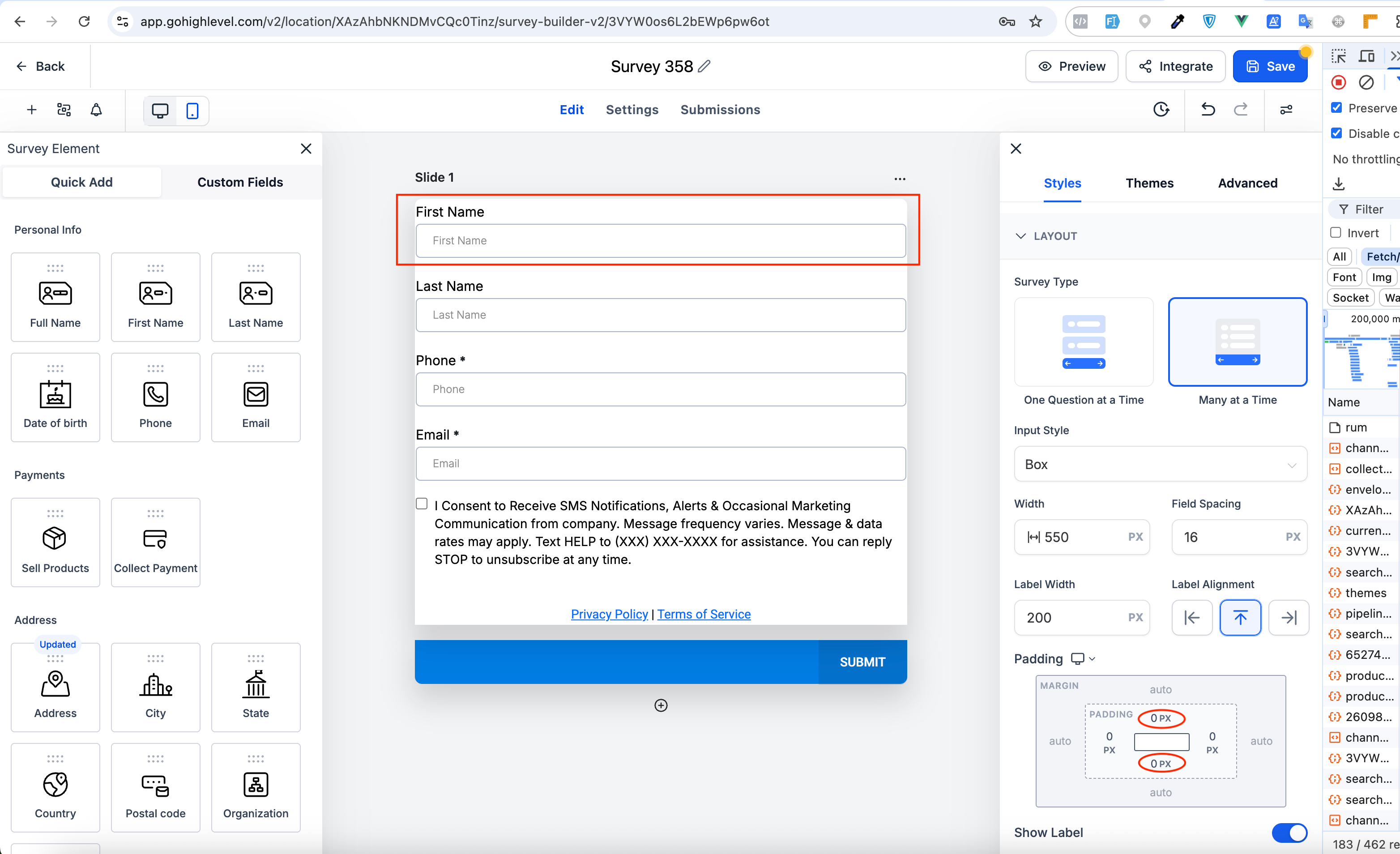
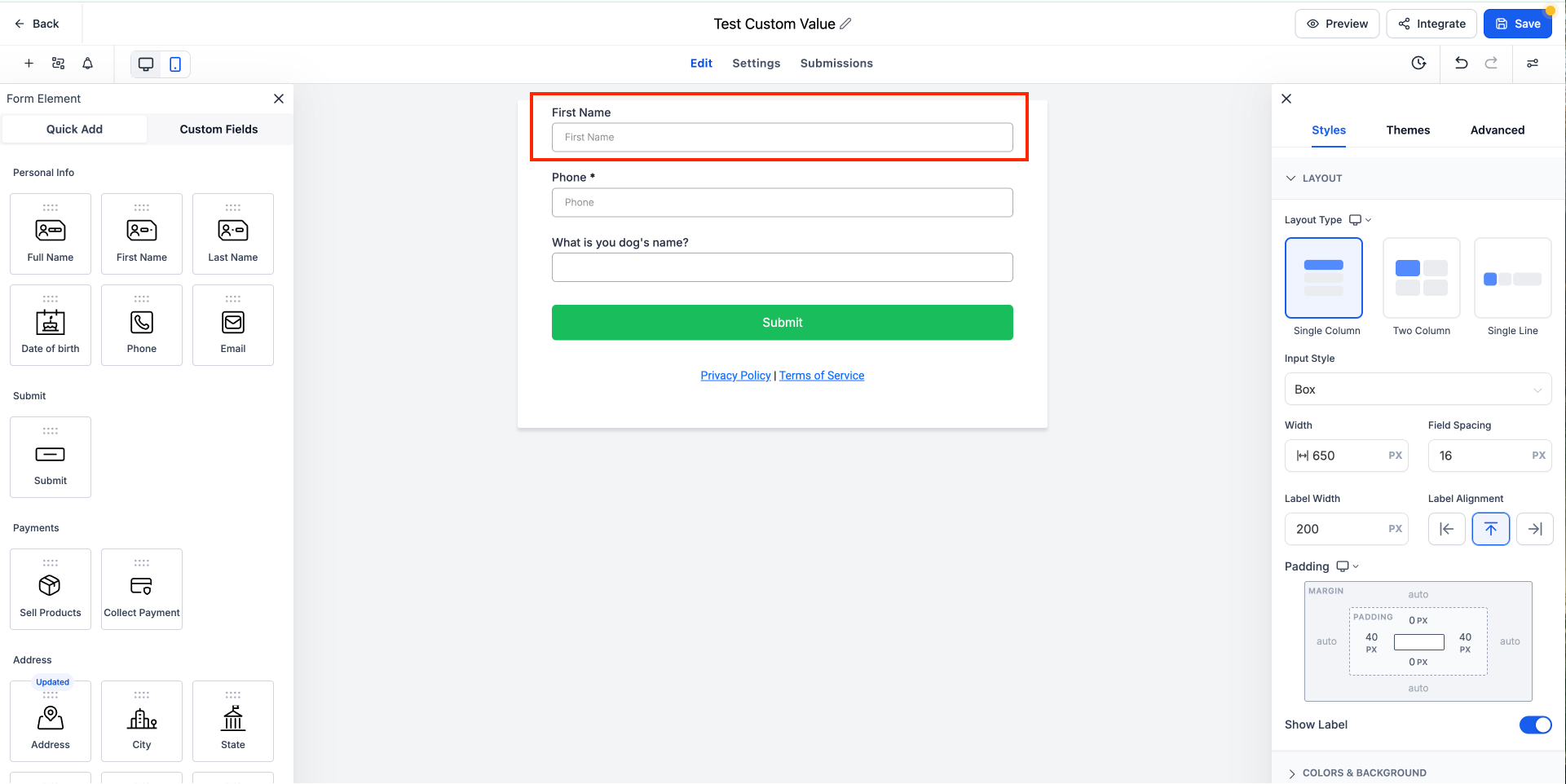
Navigate to Styles → Layout → Padding.
Set the Top and/or Bottom padding to 0px.
Preview and publish—your design will now render with true zero spacing.
Notes
Applies to forms, surveys, and quizzes across all layouts.
If you already had padding set to 0, your current forms, surveys, and quizzes will look exactly the same as before. You can go to the builder and set padding to 0 again in case you want to update them to true zero.