June 25th, 2025
New
QR Codes
Smarter Folder Management and Streamlined Bulk QR Creation
What’s New
This release introduces several enhancements to simplify QR code organization and bulk creation workflows:
Key Highlights
Move QR Code to Folder
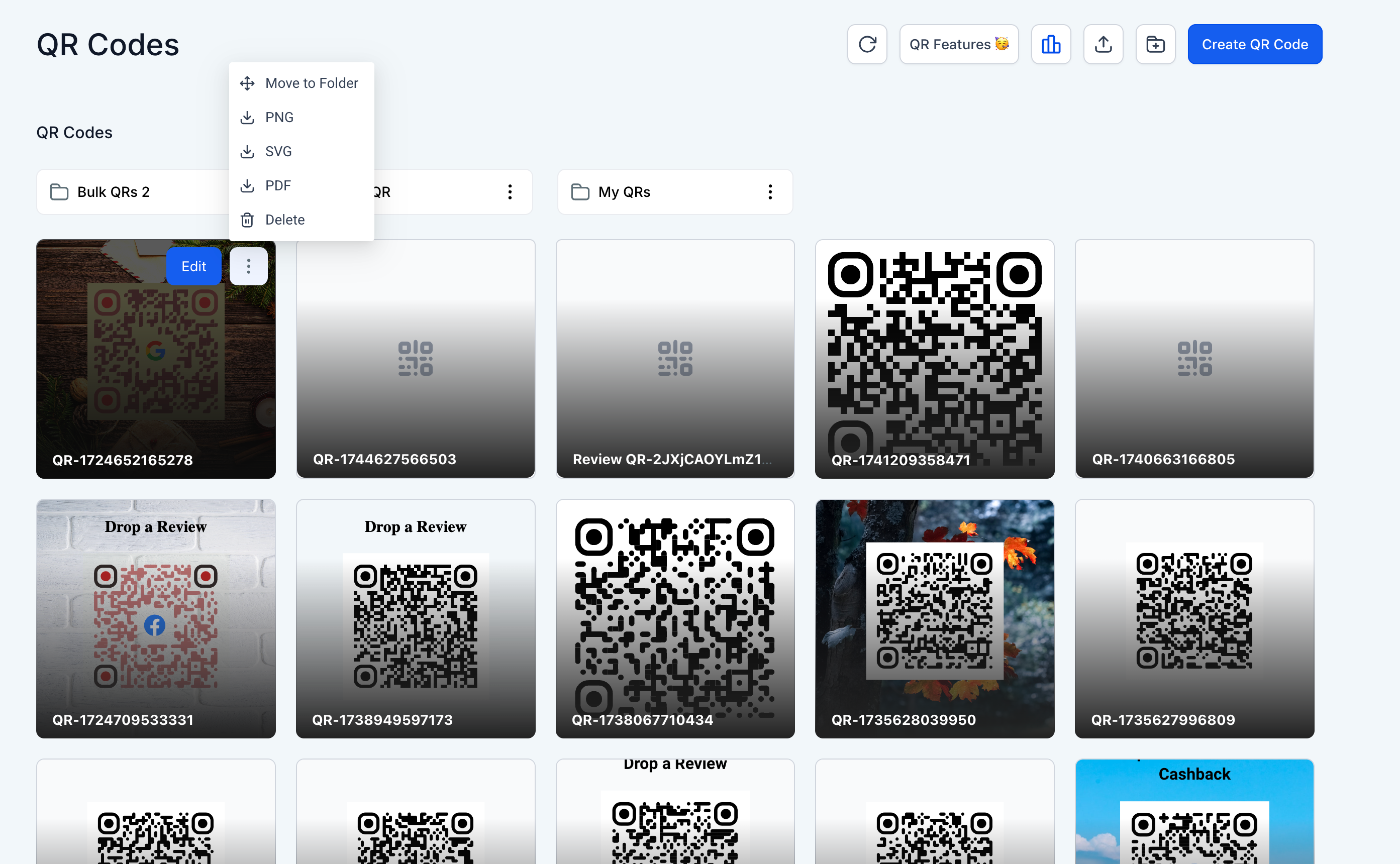
Users can now move individual QR codes to any folder directly from the grid view. This update improves organizational flexibility without requiring bulk actions.
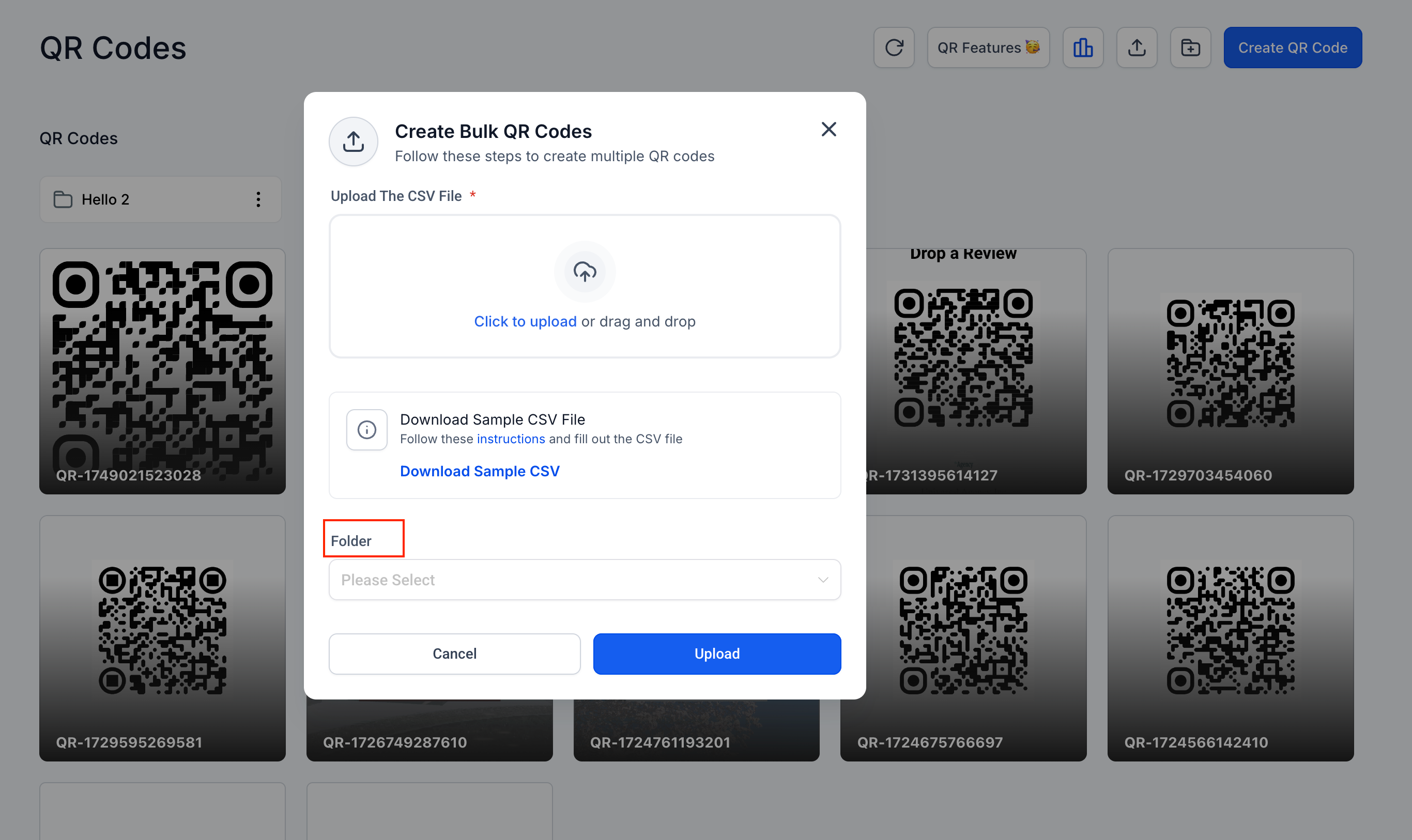
Folder Selection Now Optional in Bulk Creation
The folder field is no longer mandatory when creating QR codes in bulk. Users can proceed without selecting a folder, and the codes will default to the root directory.
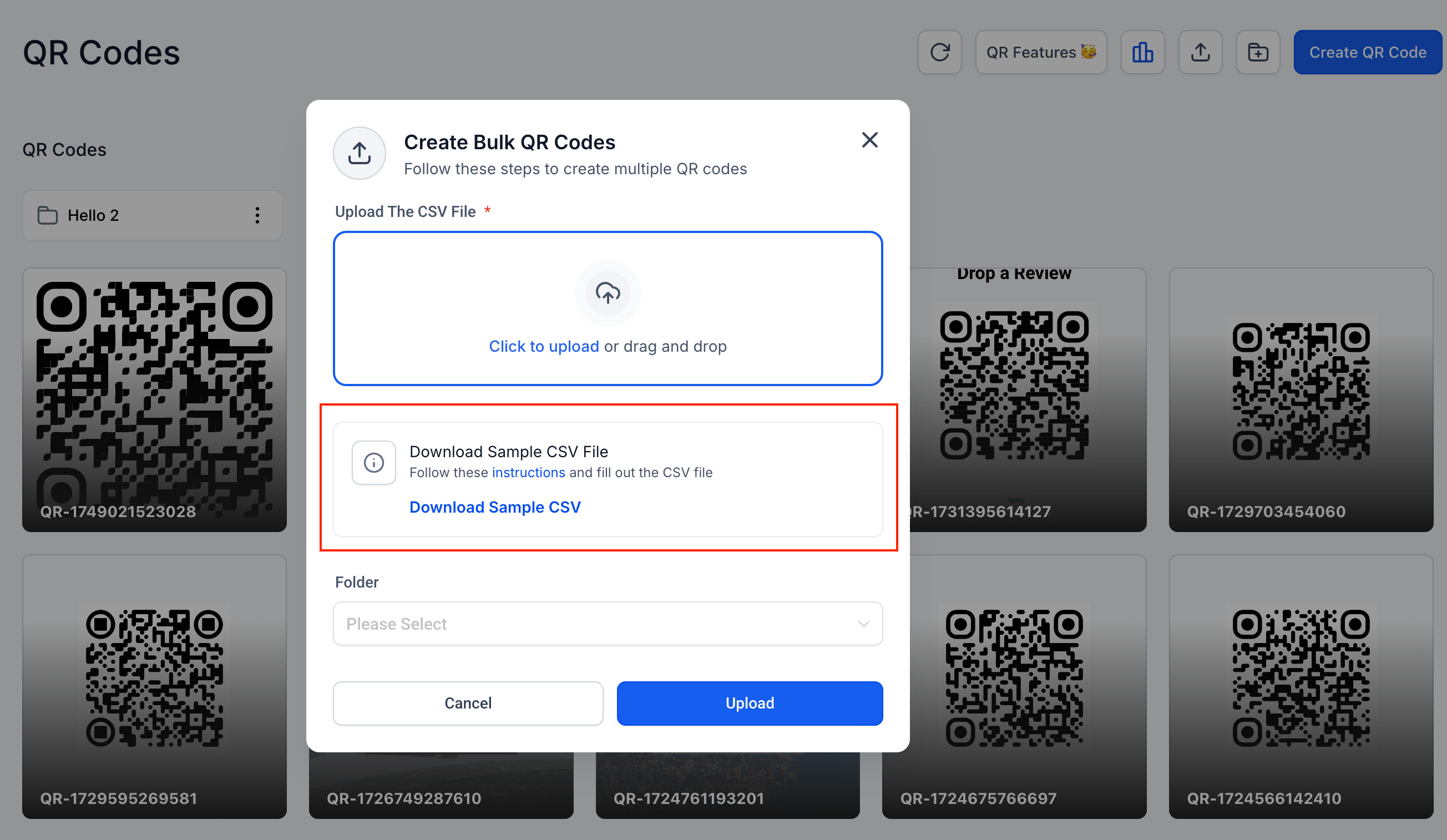
Dynamic Sample CSV Visibility
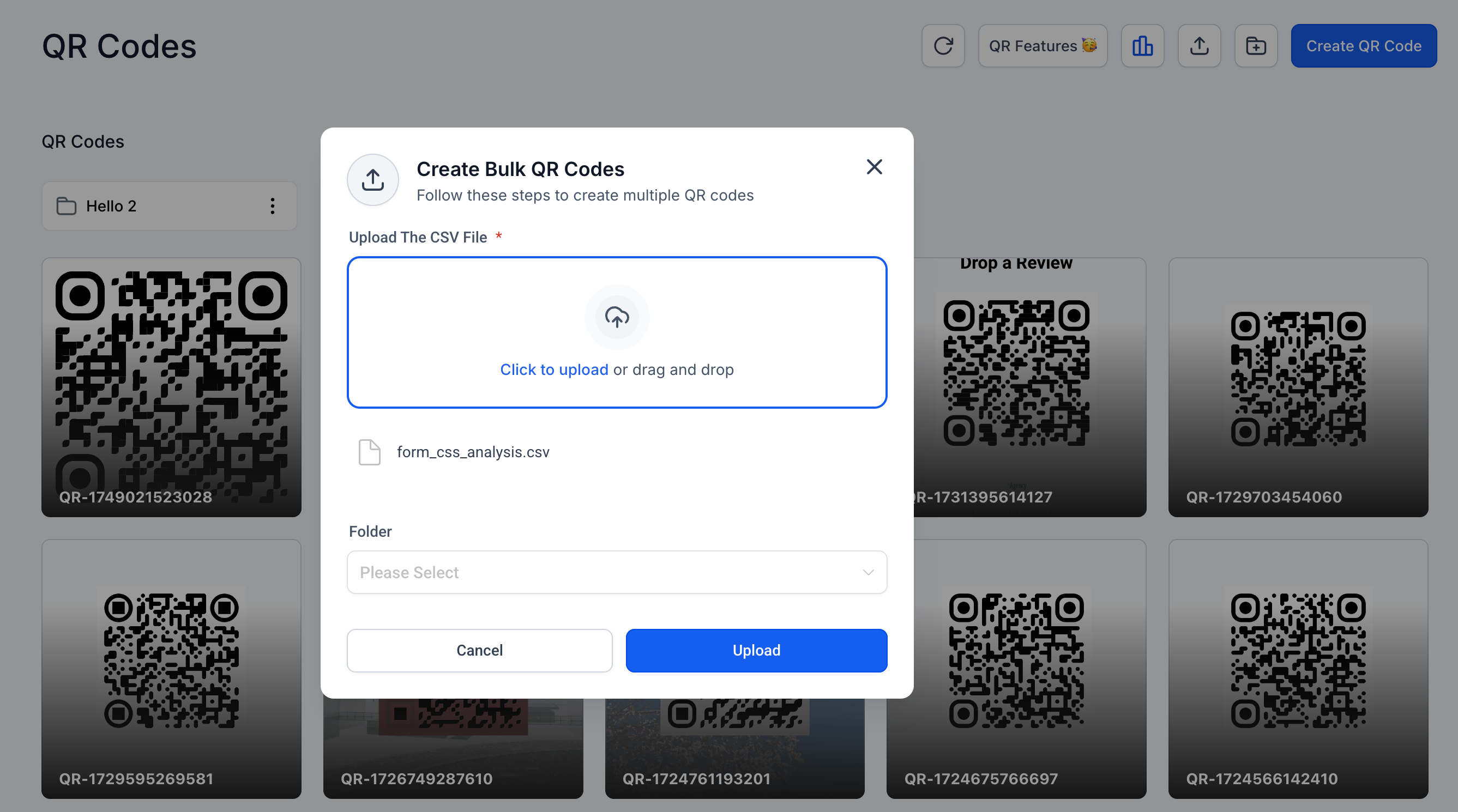
To reduce visual clutter, the "Download Sample CSV" option in the bulk upload dialog automatically disappears once a file has been uploaded.
How It Works
Moving QR Codes
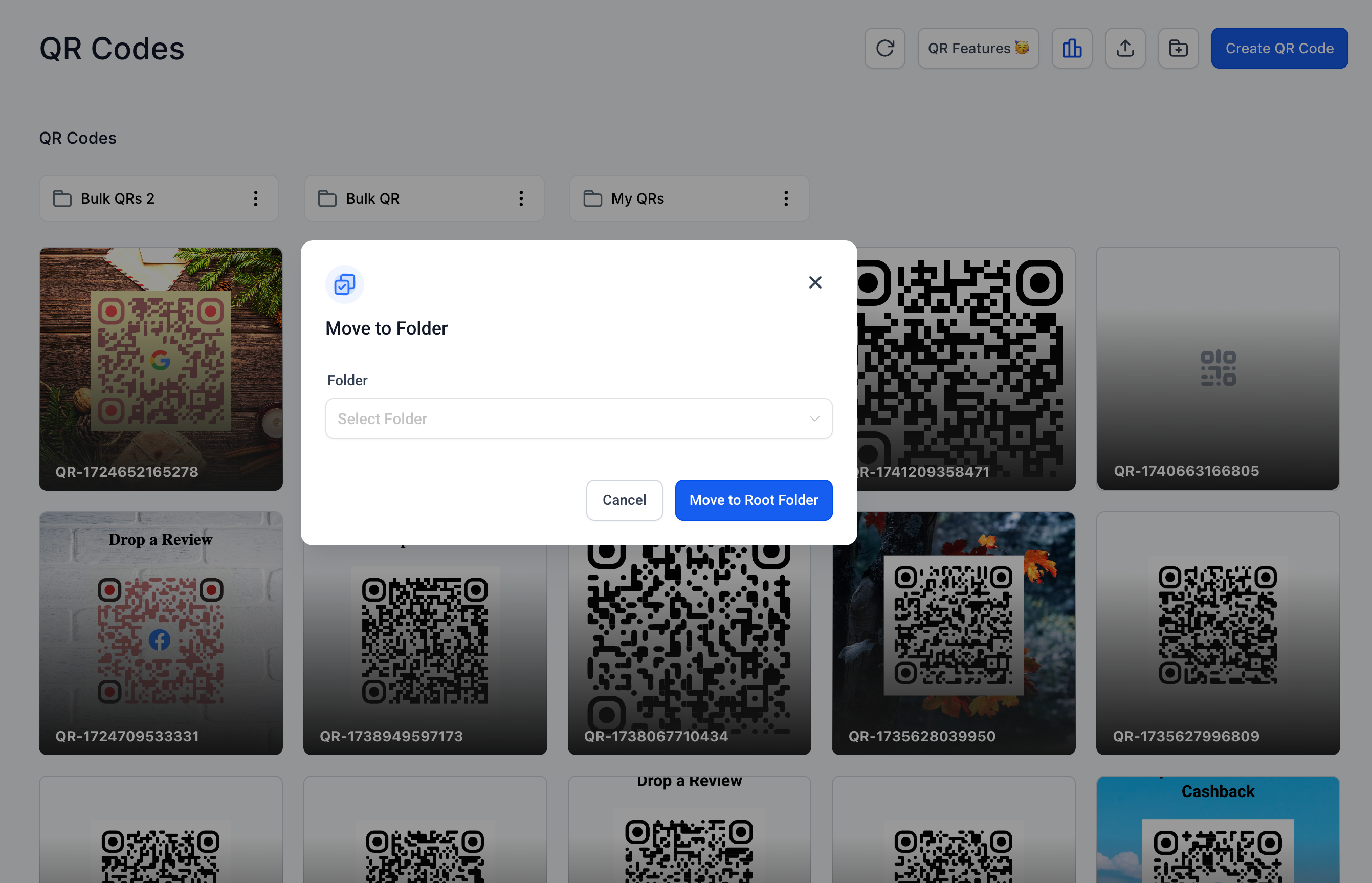
Click the three-dot menu on any QR code tile and select "Move to Folder."
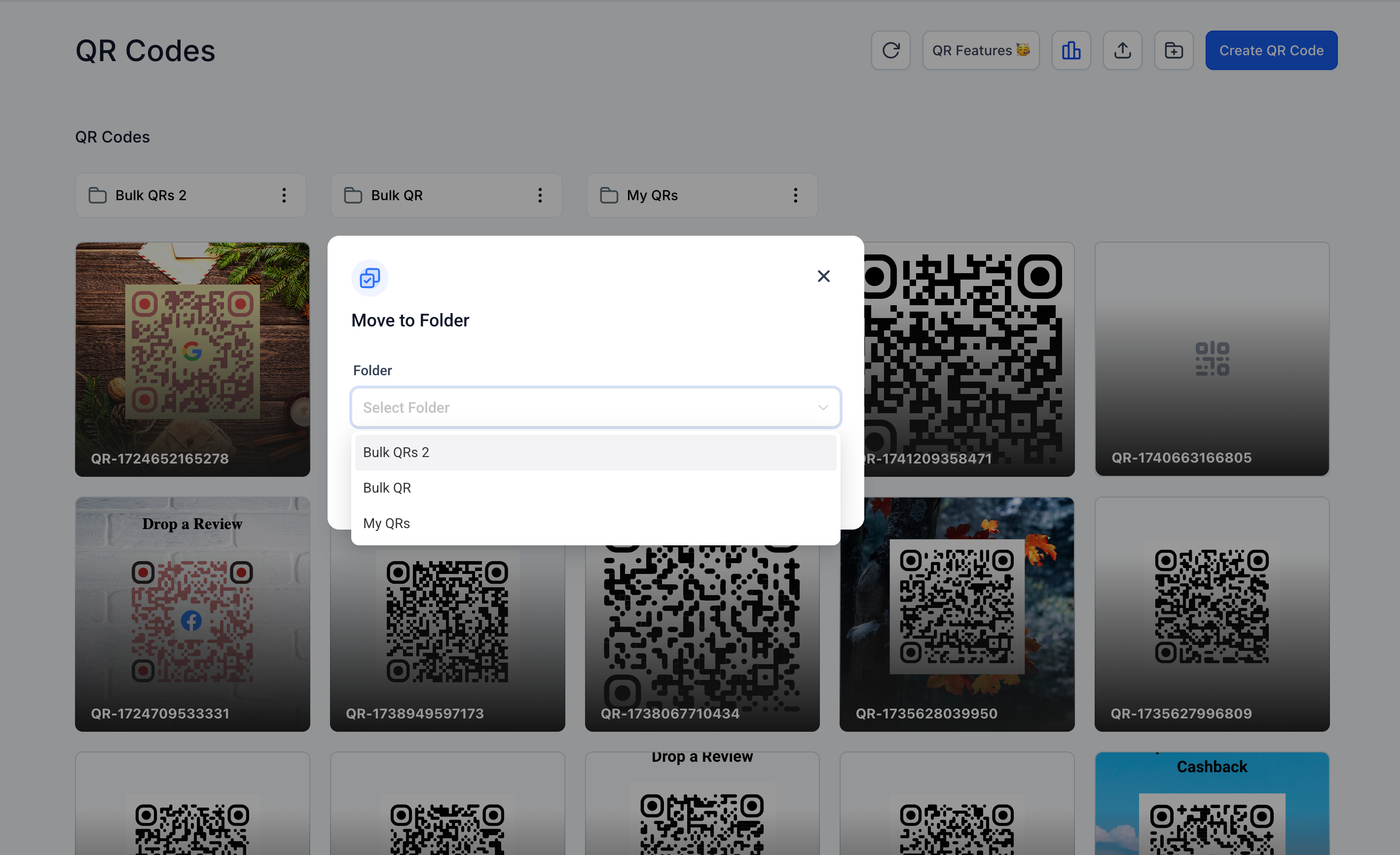
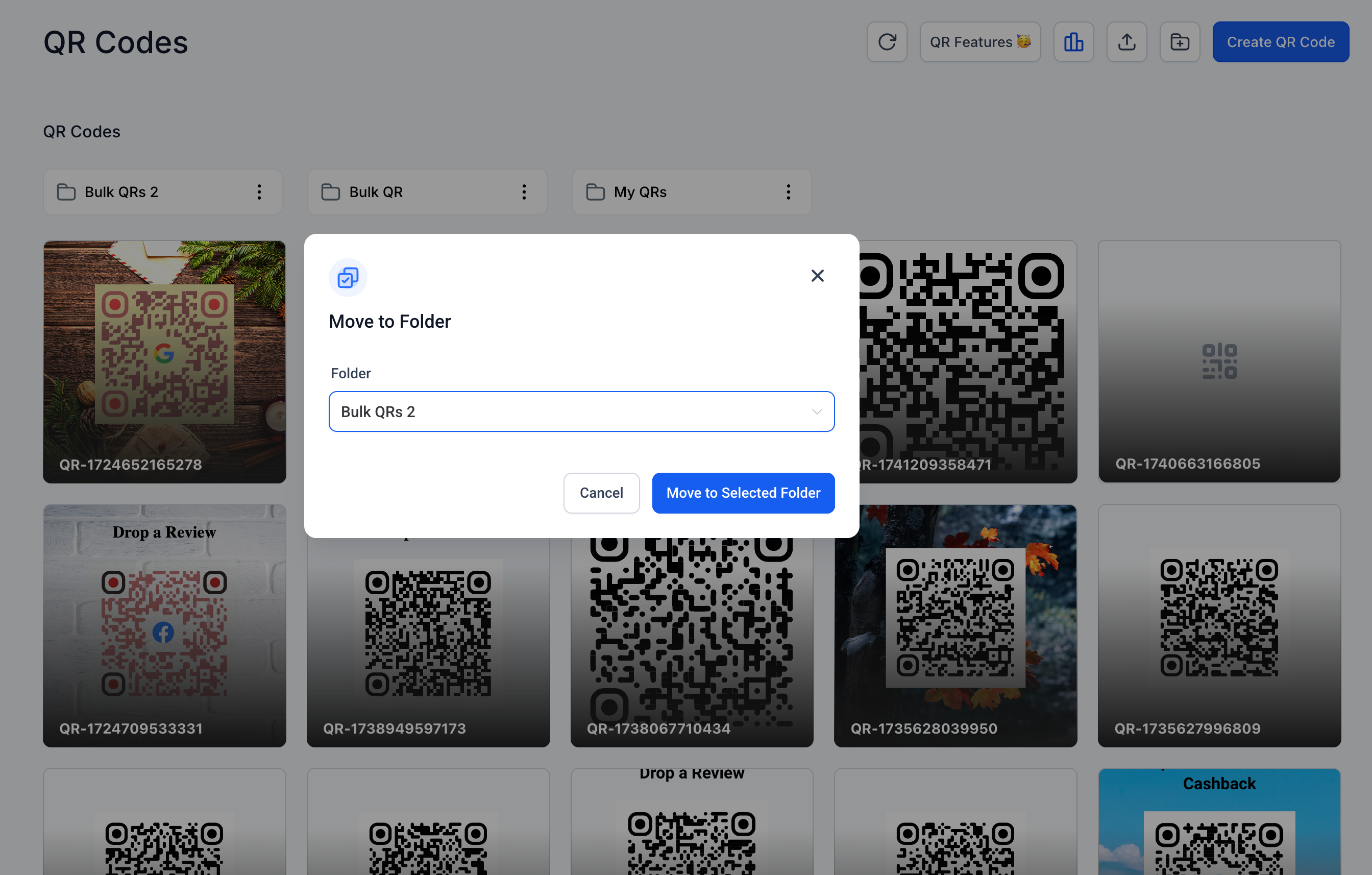
Choose the desired folder or move the item to the root directory.
Bulk QR Code Creation
Navigate to "Create QR Code" > "Bulk."
Upload a CSV file to generate multiple QR codes.
Selecting a folder is now optional. If no folder is selected, codes will be placed in the root.
Clean Upload Interface
The interface initially shows a "Download Sample CSV" link.
After a CSV is added, the link is hidden to streamline the interface.
Notes
No changes were made to existing QR codes, analytics, or API endpoints.
A hard refresh may be required to load the latest interface updates.
These improvements aim to make bulk operations and folder management faster and more intuitive.