October 31st, 2025
New
Forms, Surveys & Quizzes
🚀 Map Quiz Results Directly to CRM Custom Fields!
🆕 What's New
Say hello to Quiz Result → CRM Field Mapping 🎉 — a game-changing update that allows quiz results to be automatically mapped into contact-level custom fields in the CRM.
This feature gives you structured, persistent access to quiz data for more personalized automations, segmentation, and follow-ups — eliminating the need for manual tagging or external tools!
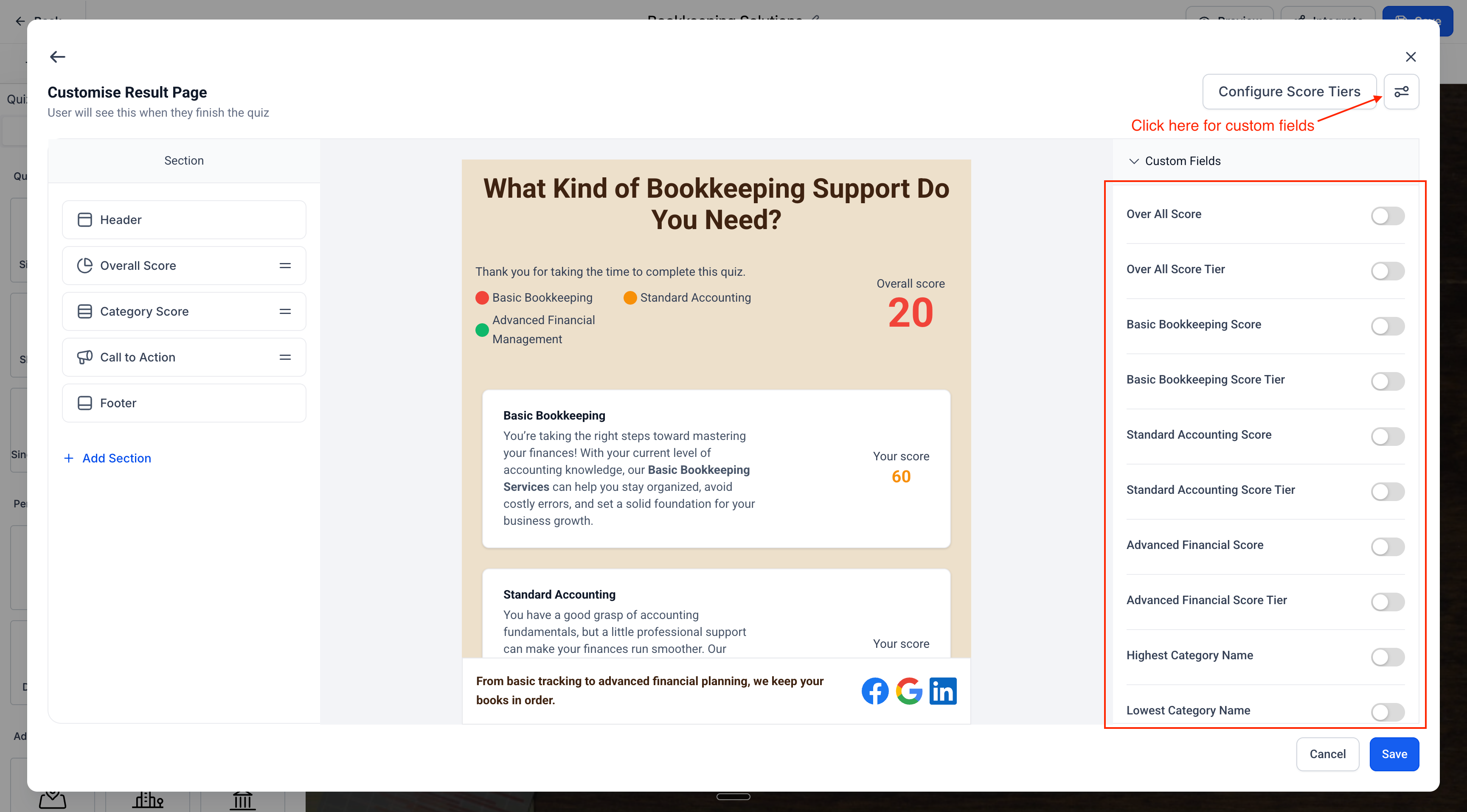
🌟 Key Highlights
✅ Auto-generated Custom Fields
Automatically create fields for:
Overall Score & Tier
Category-wise Scores & Tiers
Highest & Lowest Scoring Categories and their Scores
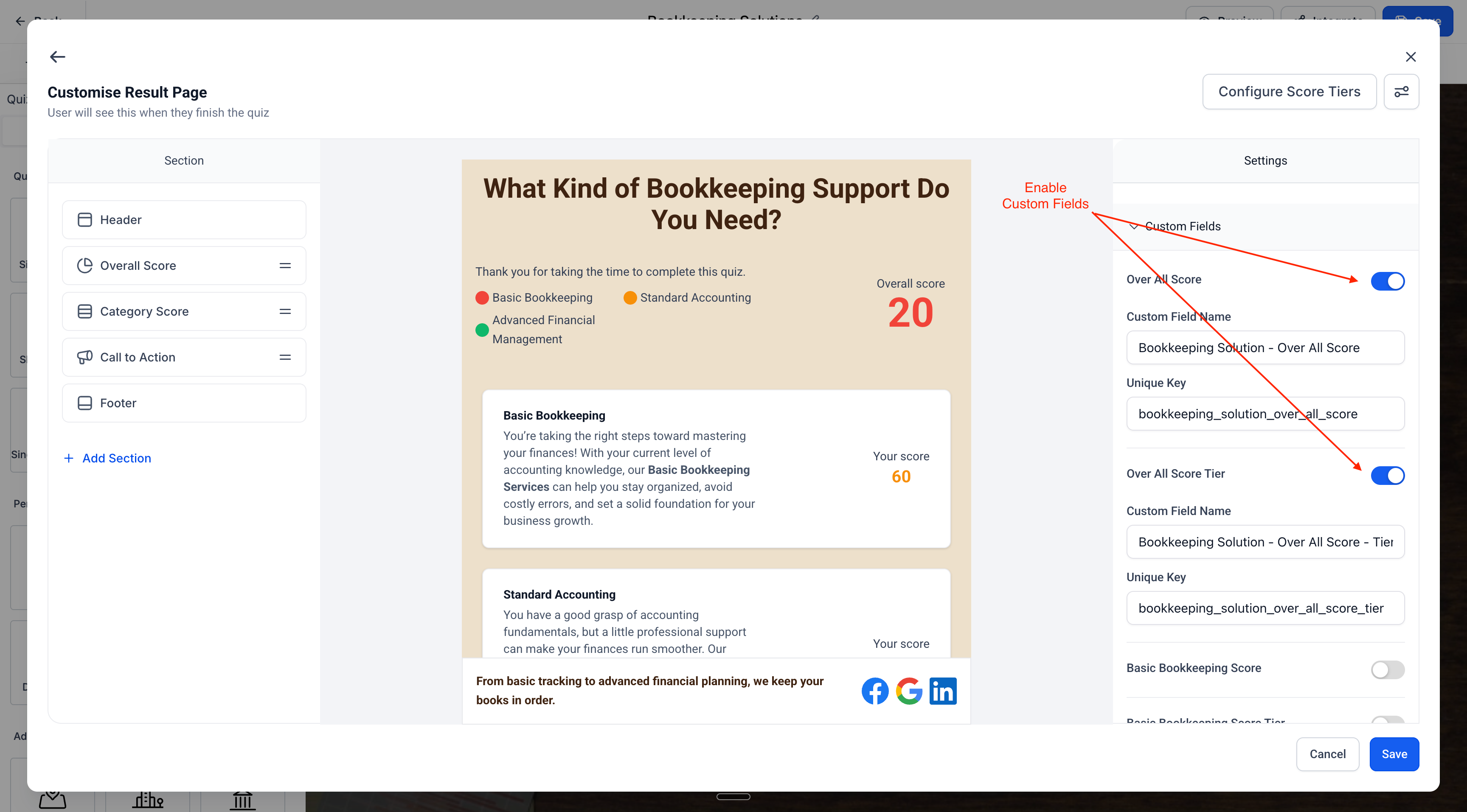
🌪️ Real-Time Field Updates
Fields are updated each time a contact resubmits the same quiz — no duplicates, just clean overwrites!
🔄 Seamless Integration with CRM & Automations
Mapped fields can be used in:
Contact Segmentation
Dynamic Follow-ups
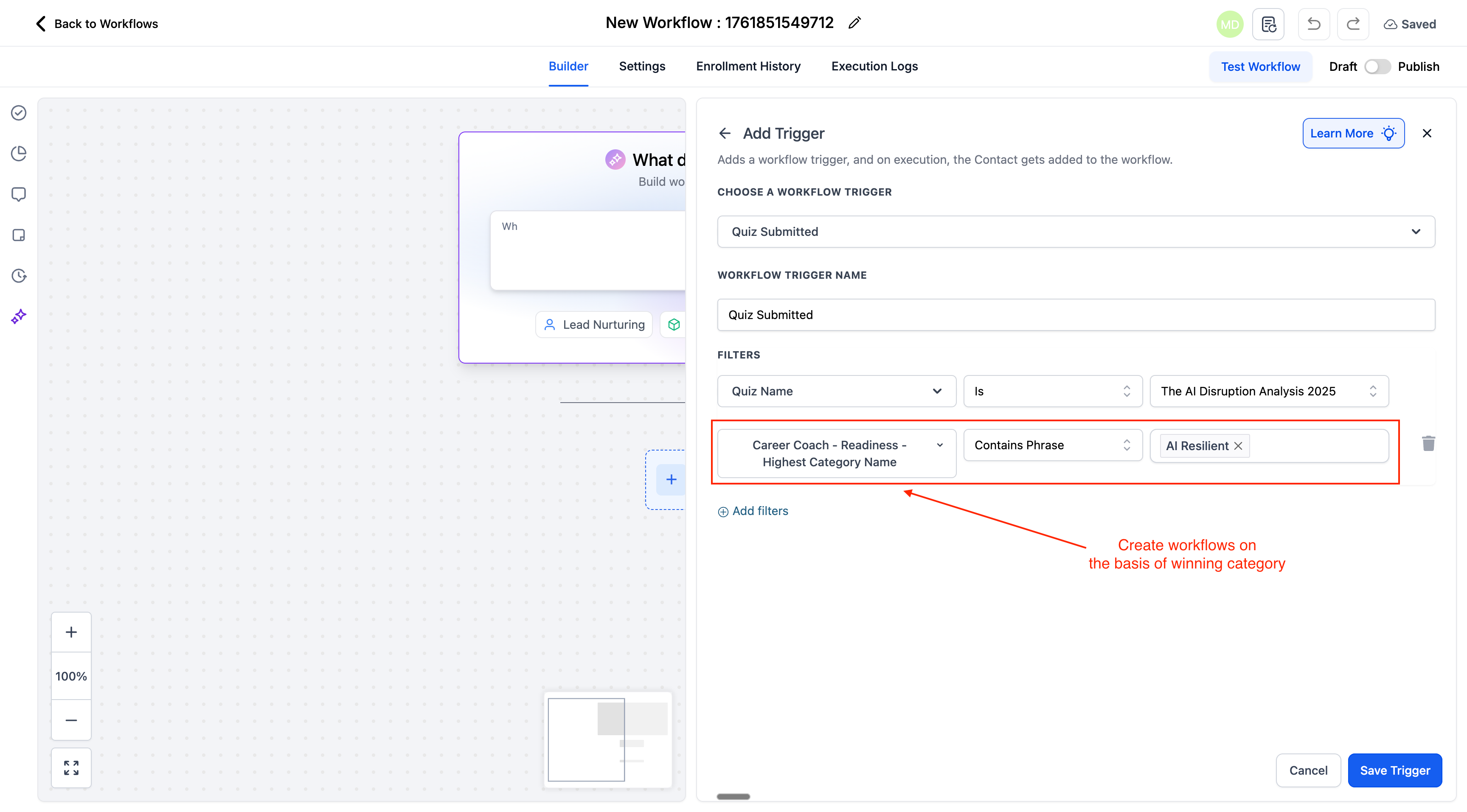
Conditional Workflows
⚙️ How It Works
📝 Complete a Quiz
User submits a quiz built using the Quiz Builder.
📊 Result Captured
The system automatically extracts scores, tiers, and category insights.
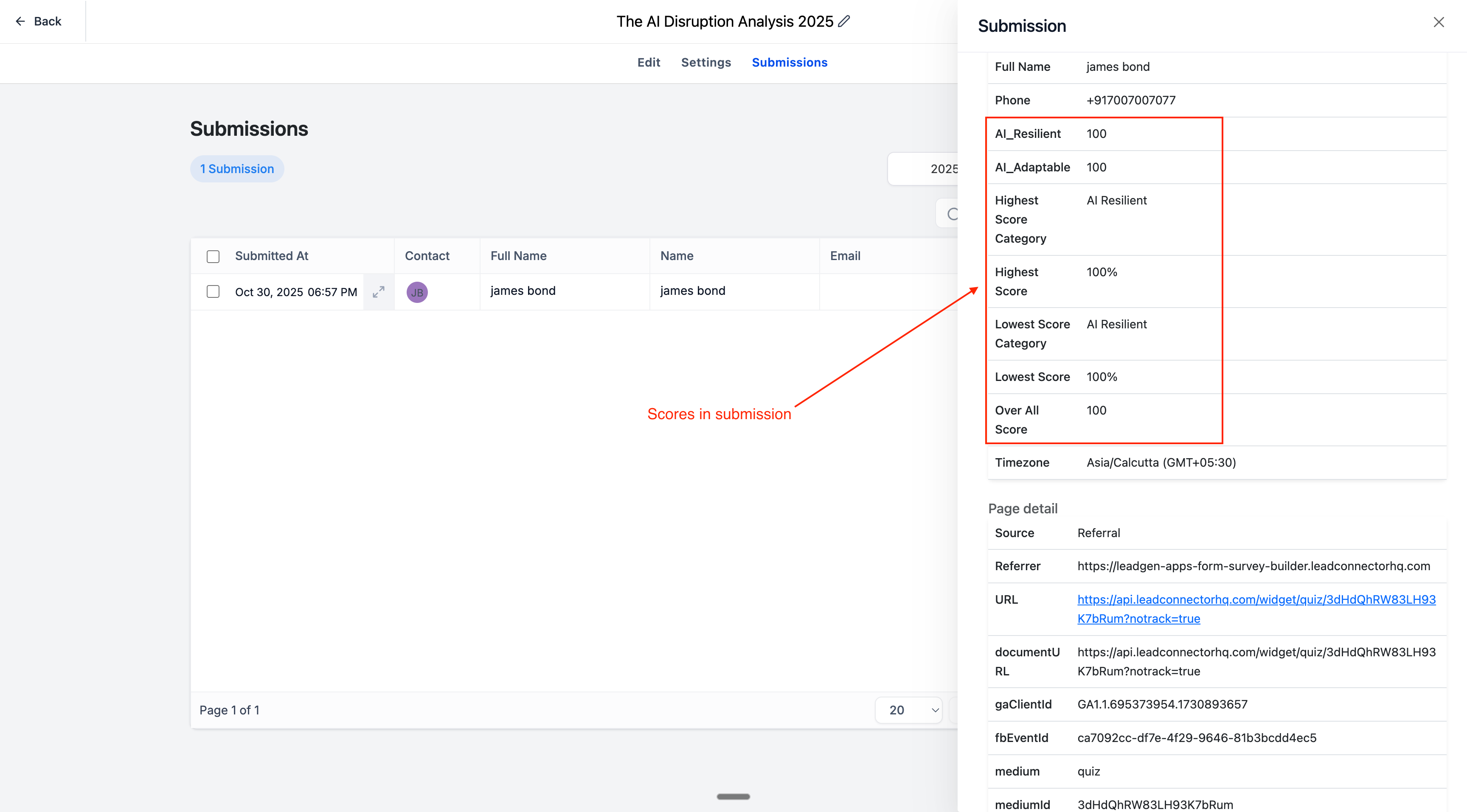
🧠 Fields Auto-Mapped
Fields like {{quiz_name}} - Overall Score and {{quiz_name}} - {{category_name}} - Score are created and updated under the contact record.
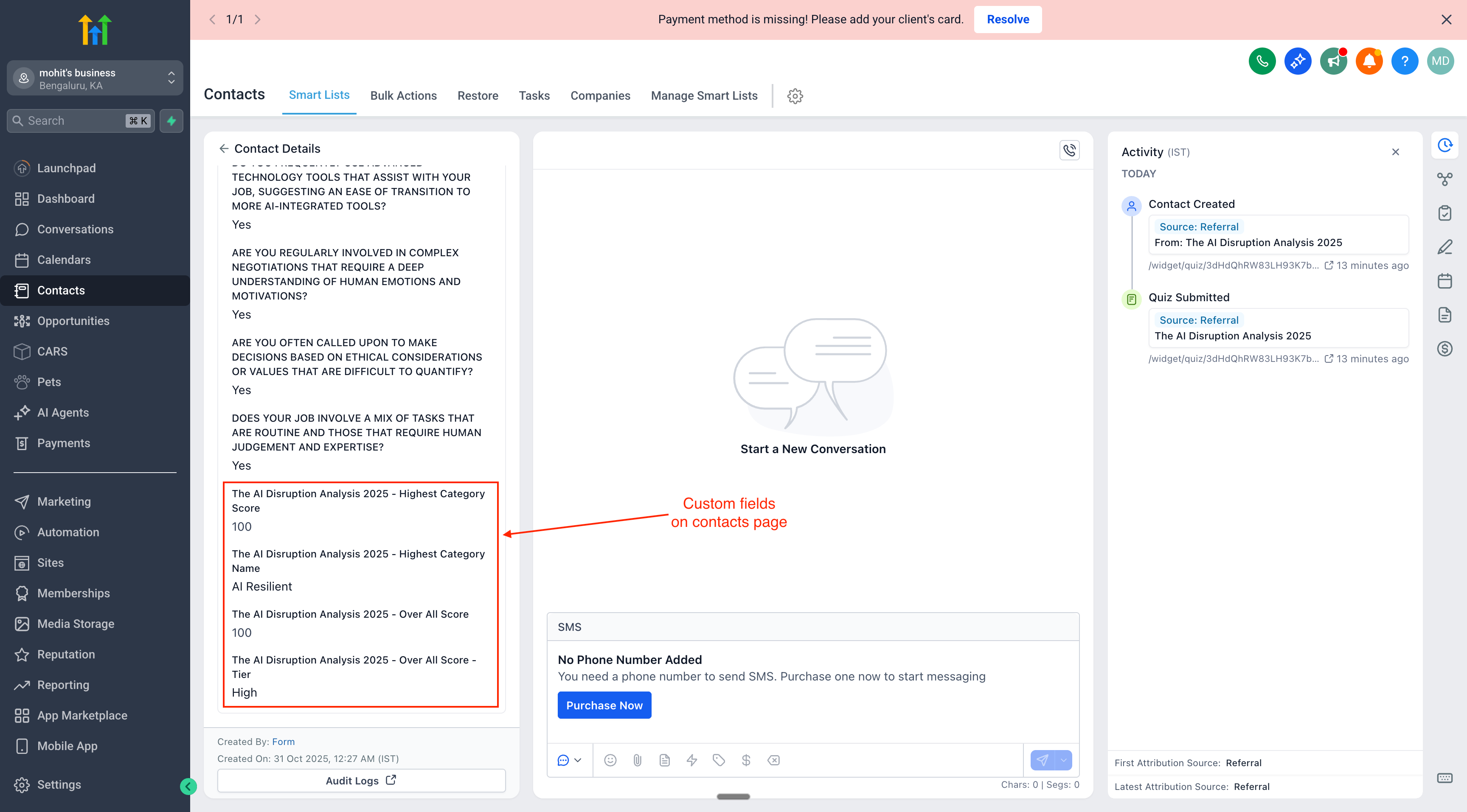
🔁 Use Anywhere in the CRM
These fields can now power workflows, filters, and personalized messages.
📌 Notes
Default field types:
Scores → Number
Tiers/Category Names → Text
Field creation respects quiz resubmission — no duplicates, only updates
Compatible with Workflows, Automations, Smart Lists, Emails etc
🙌 This is a big step forward in turning quizzes into a powerful CRM data source — enabling smarter personalization and deeper automation across your campaigns.