June 23rd, 2025
New
Reputation
Review Widget - New Floating Badge & Slider Widgets + AI Styling 🎯
🎉 What’s New
Take your review showcases to the next level! We’ve added a brand-new Floating Badge Widget, deeper customisation controls, and full flexibility over how AI summaries appear.
✨ What’s New:
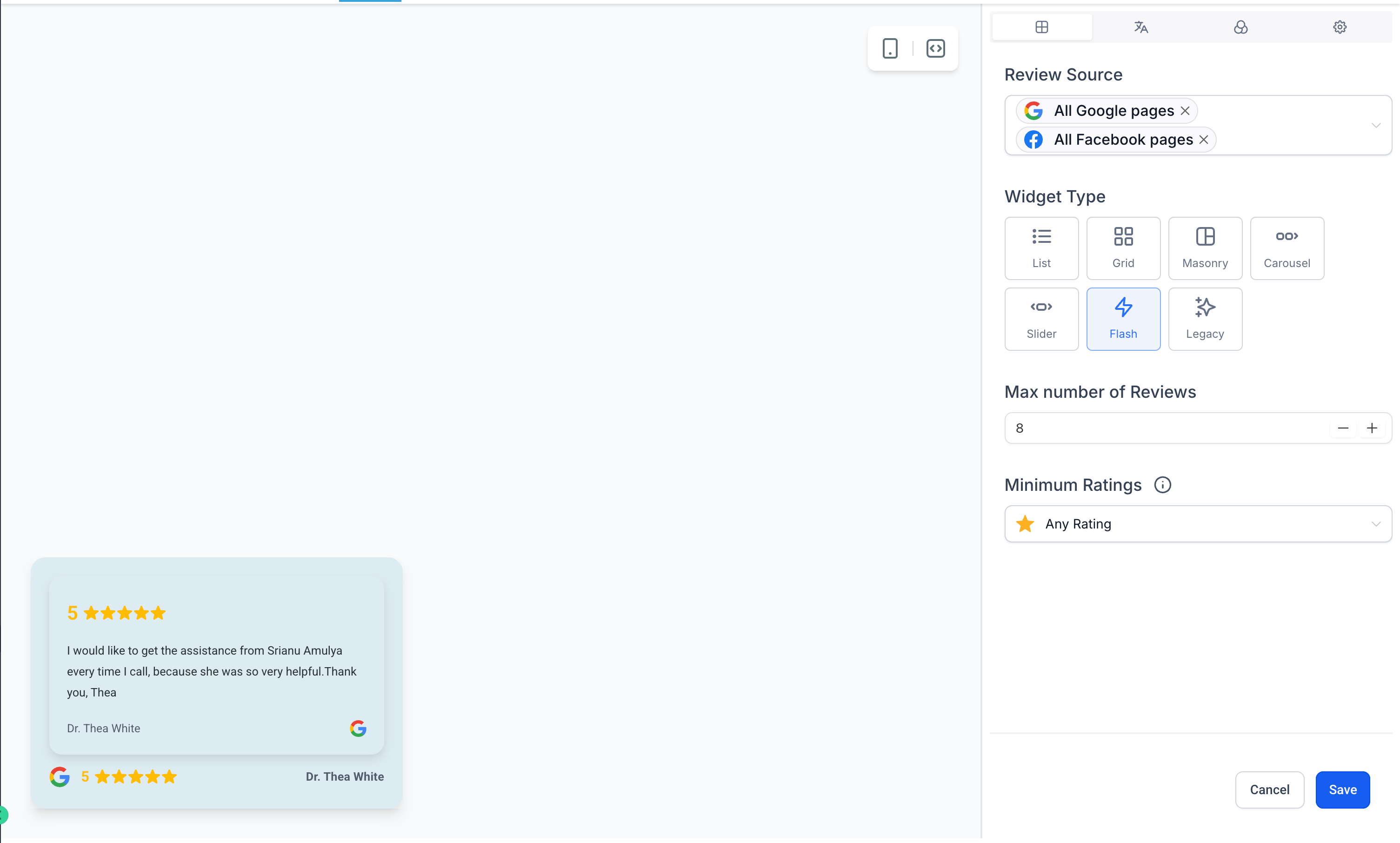
🪄 Floating Badge Widget
A minimal, persistent badge to spotlight reviews on any corner of your site
Choose the badge position: Top/Bottom + Left/Right
Set the interval for how frequently reviews rotate inside the badge
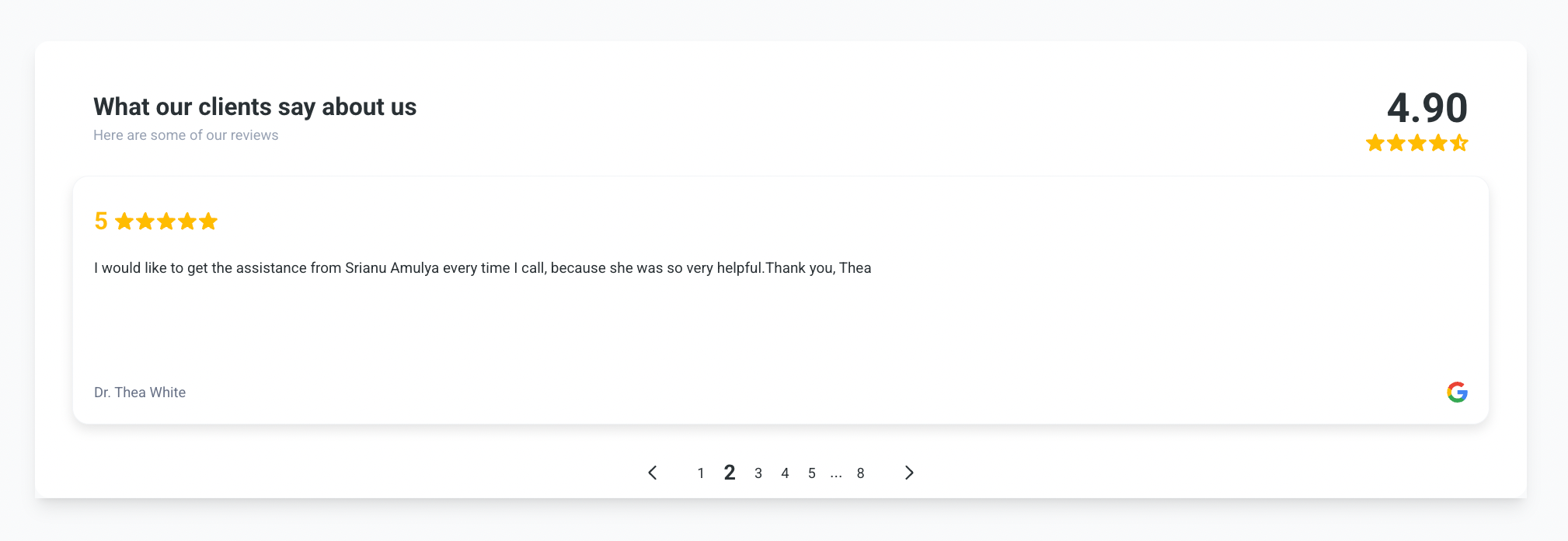
🎞️ Slider Widget
Display one review at a time in a sleek slider
Perfect for tight spaces and focused layouts
Control the slide interval to match your page rhythm
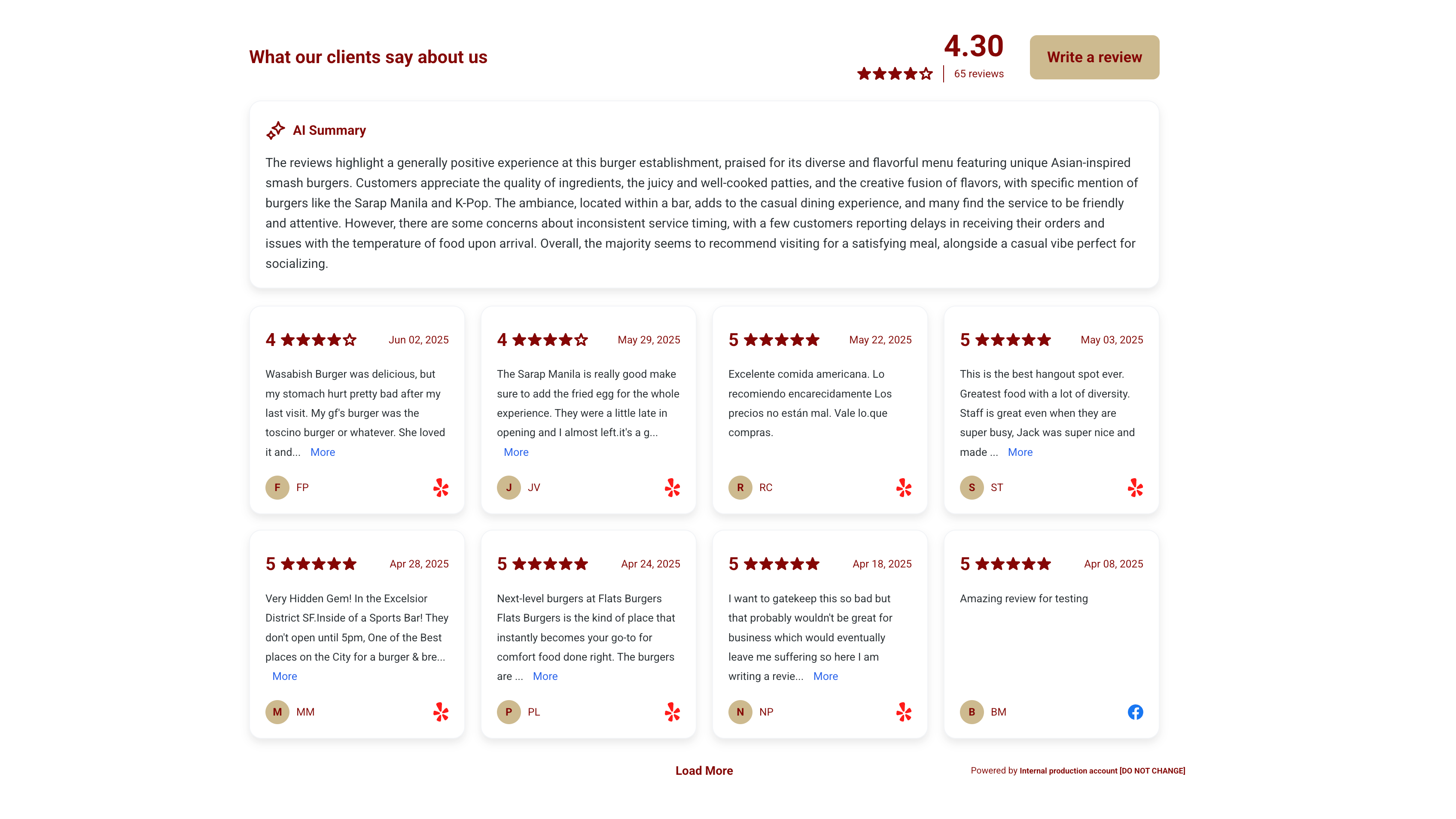
🎨 Template Library – Plug-and-Play Designs
Choose from a growing collection of beautifully designed templates
Switch styles instantly with no coding needed
🖌️ Deeper Style Customisation
Tweak button colours, avatar background/text, and summary colors
Match every element to your brand — fully visual, no CSS required
Real-time preview built in
🤖 AI Review Summary – Now Fully Configurable
Choose summary type per widget:
Short (1–2 sentence)
Detailed (3–4 sentence)
Action Points (bullet format)
Decide where summaries appear: Top, Bottom, or inline
🔧 How It Works
Go to Reputation → Widgets
Choose Floating Badge or Slider from the widget type list
Select a template, adjust intervals, and customise styles
Set AI summary preferences and publish — done!