November 23rd, 2025
New
Forms, Surveys & Quizzes
Order Upsell in Forms and Surveys
What’s New
You can now add an upsell directly in your funnel forms no extra page or re-entry of details needed. This helps increase your average order value while keeping checkout smooth and quick.
What You Can Do
Add an extra product offer in the same or next funnel step.
Let customers accept the offer with one click.
Use upsells with both Normal Sell and Bump Products.
Works seamlessly with Forms and Surveys added as native elements in funnels.
How It Works
1. Build the Form
Open the Form or Survey Builder.
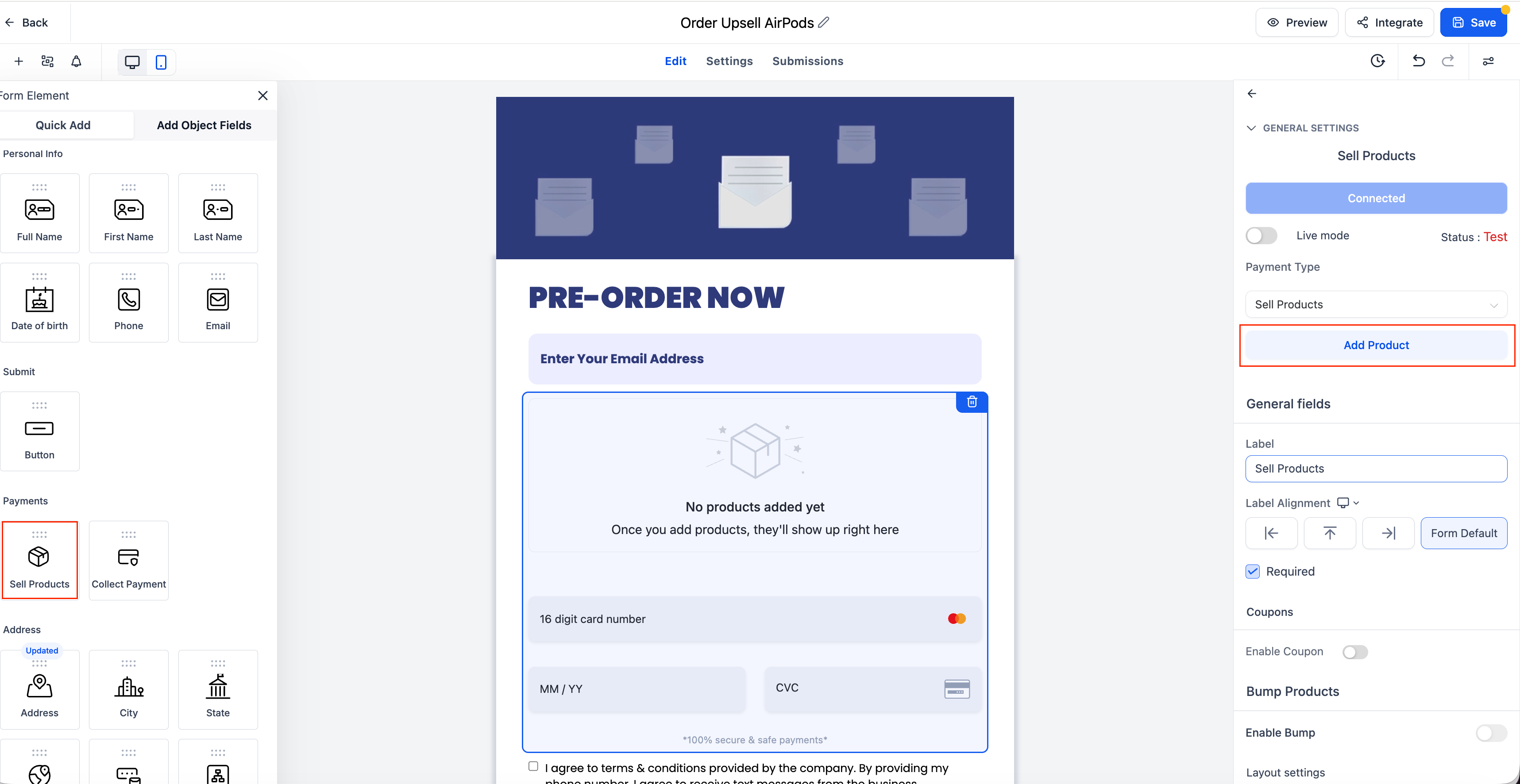
Drag and drop a Sell Product element.
Configure the product details (price, product ID, etc.).
Save the form.
2. Funnel Integration
Open or create a Funnel.
Go to the desired Funnel Step.
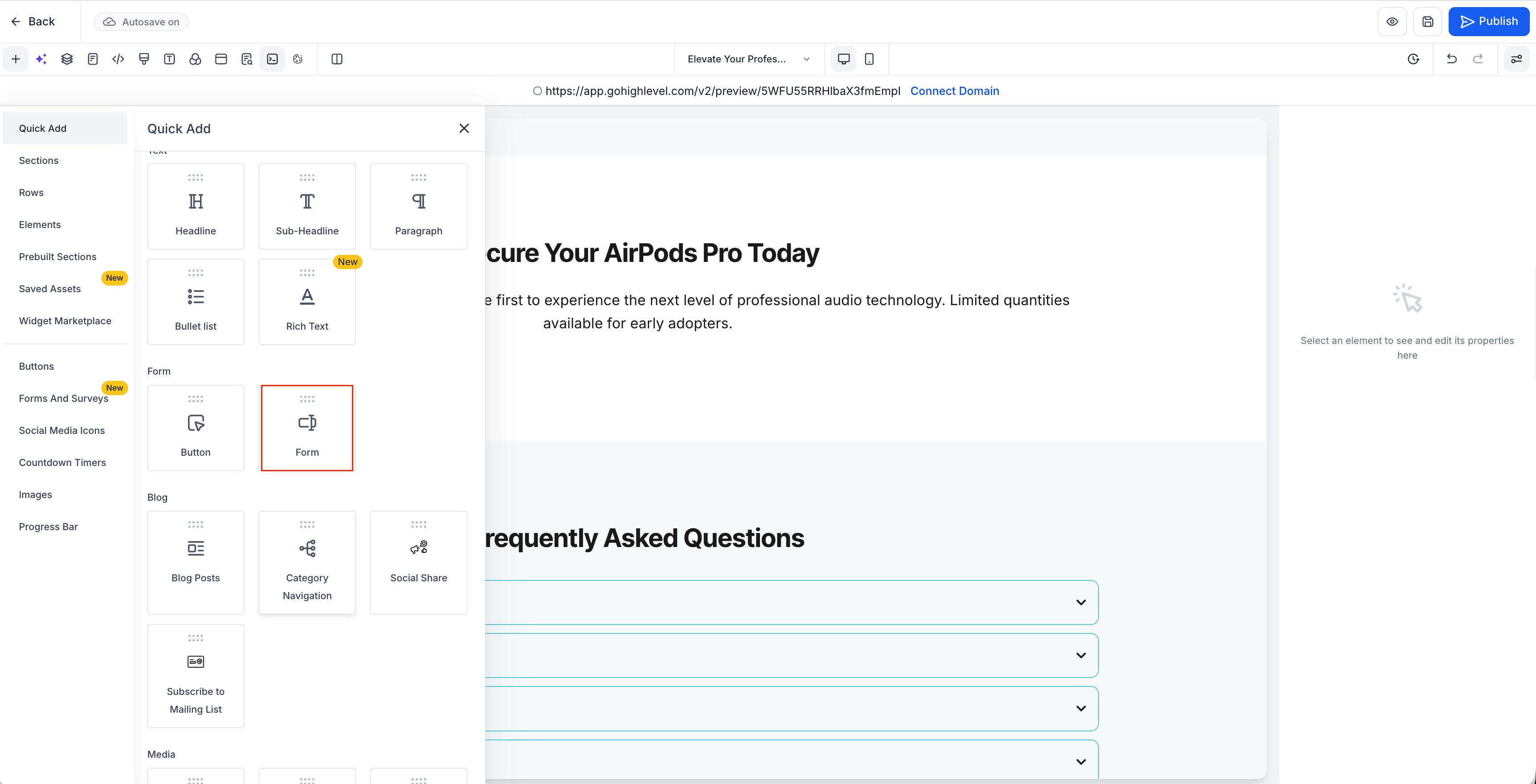
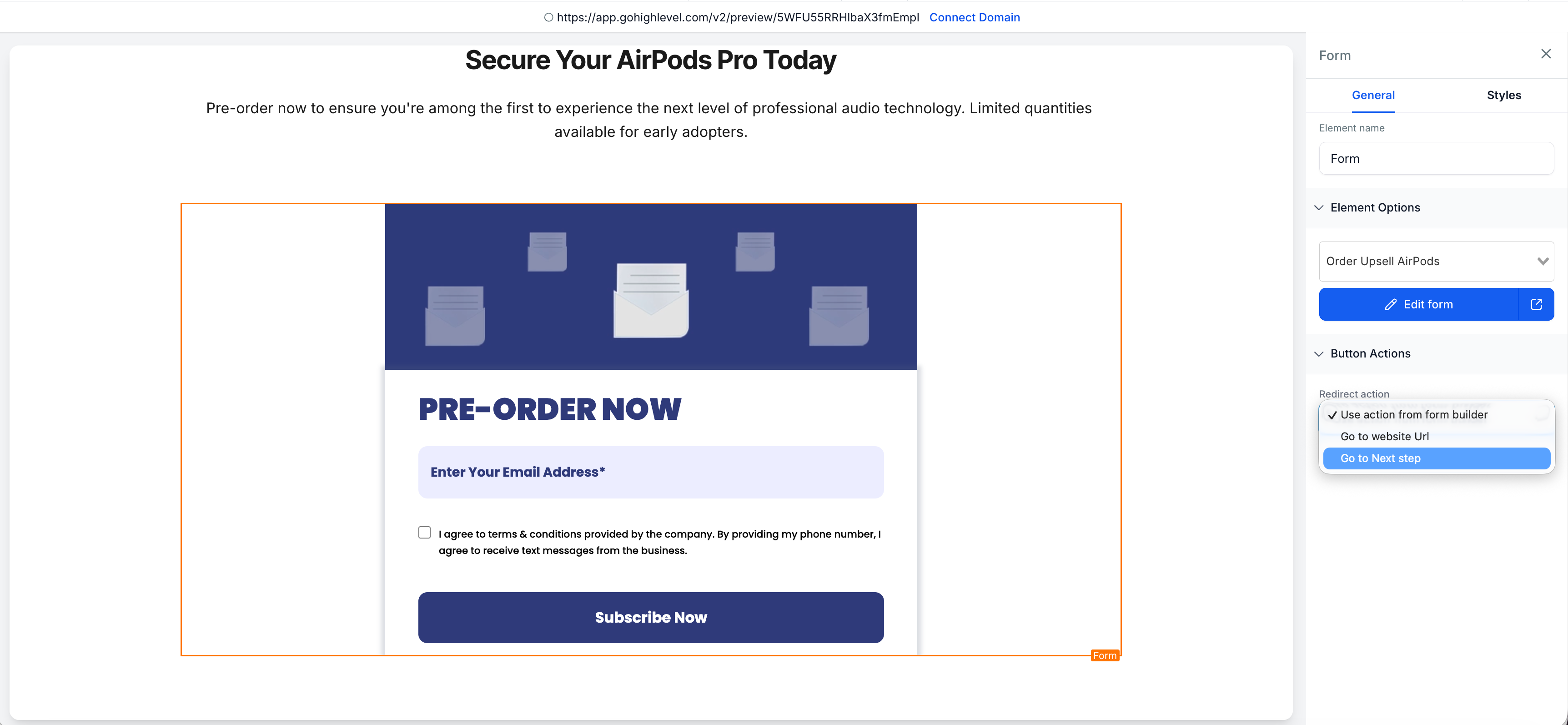
Add the saved Form as a Native Form element (not embedded).
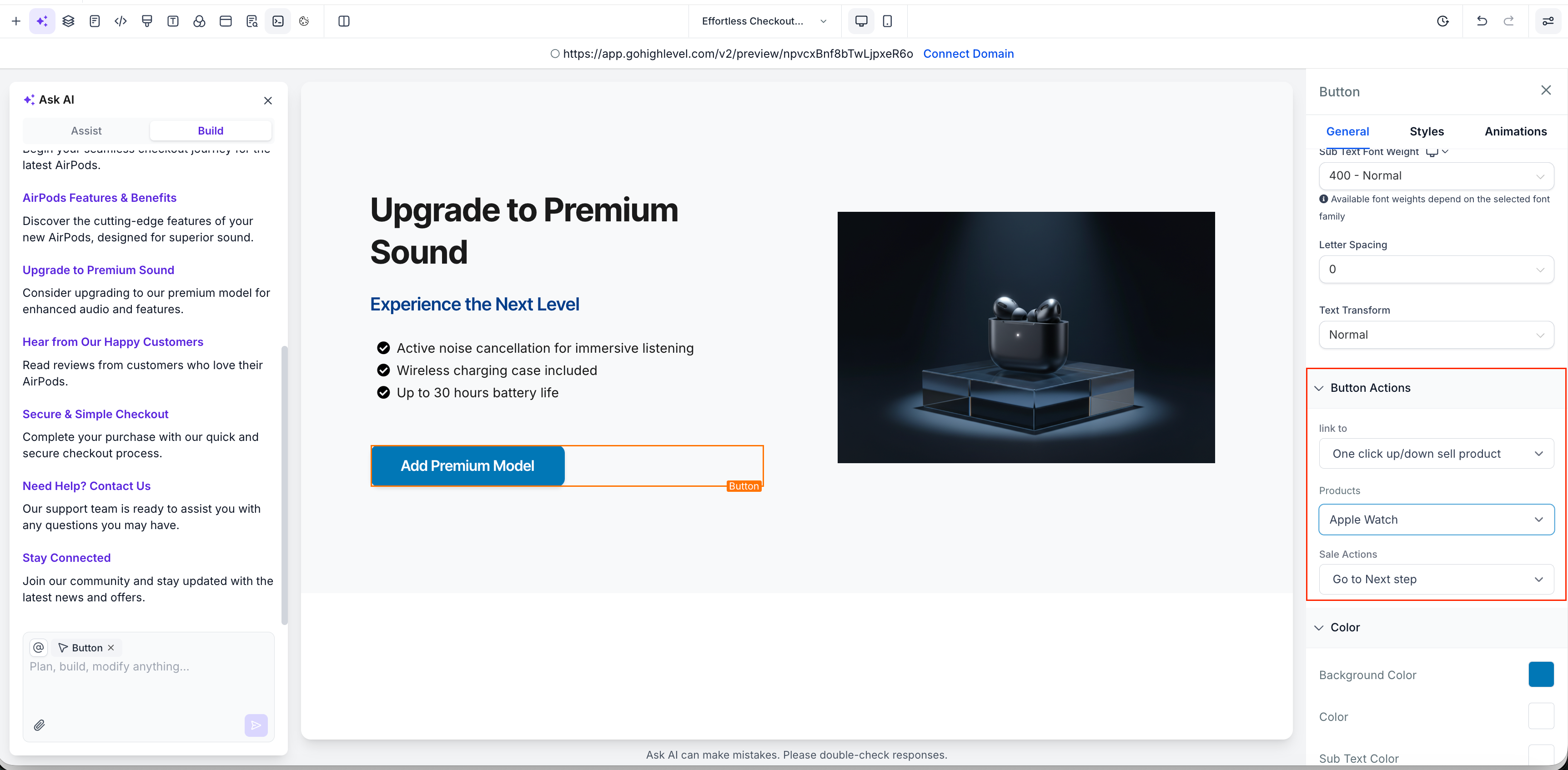
3. Add the Upsell Button
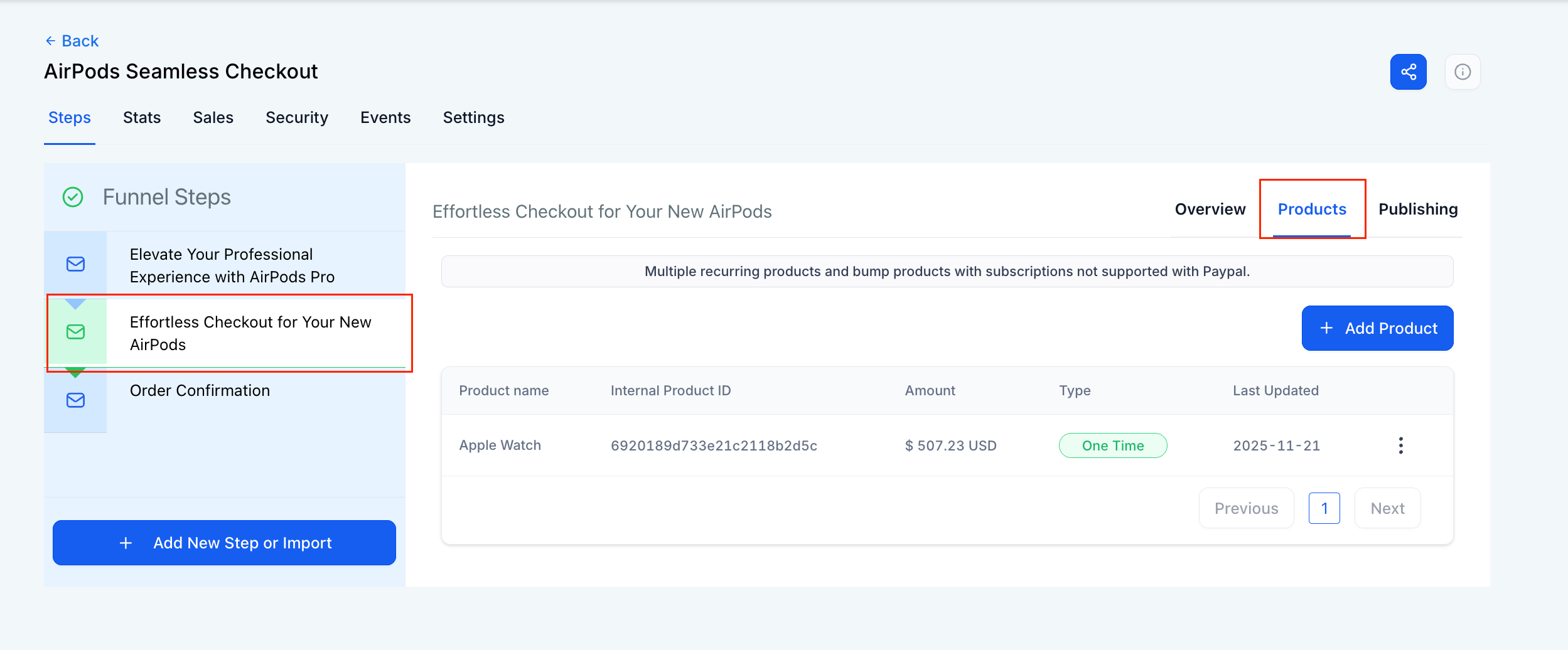
In the next Funnel Step, drag a Button element.
Set the button action to "Upsell Product".
Select the Upsell Product you want to offer.
4. Order Summary
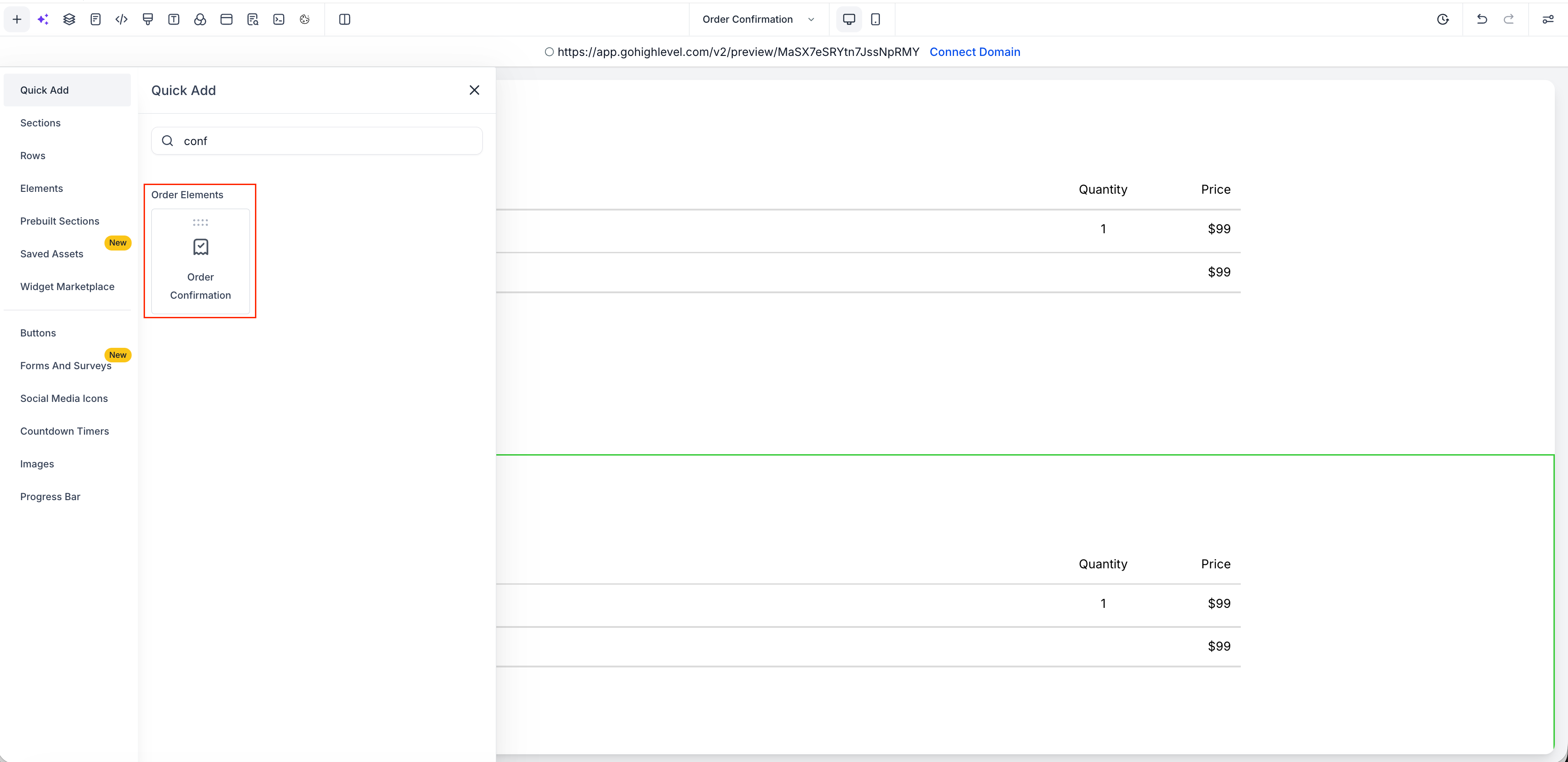
Ensure the Funnel contains an Order Summary element to reflect:
Initial product from the form
Additional Upsell product (if accepted)
Why It Matters
This update helps you sell more without adding friction to the checkout.
Customers can complete their upsell purchase in just one click. No new page, no repeated form filling. It’s a simple way to boost revenue and improve the buying experience.