August 13th, 2025
New
Reputation
Customer list custom audience with Dynamic Smartlist option
👀 What’s New?
To the existing functionality, we have added the ability to create Customer List Custom Audiences from Smart Lists with an advanced condition to choose between static or dynamic audience updates.
Static audiences include only the contacts present in the Smart List at the time of creation.
Dynamic audiences automatically update to reflect any contacts added or removed from the Smart List after creation.
👷 How It Works:
Create a Customer List Custom Audience from the Ad Manager settings and choose customer list type as Smart Lists.
Select one or more Smart Lists.
In Advanced Conditions, choose either of the two:
No, only include the contacts currently on the Smart List
(Static)
Yes, include the dynamic updates
(Dynamic)
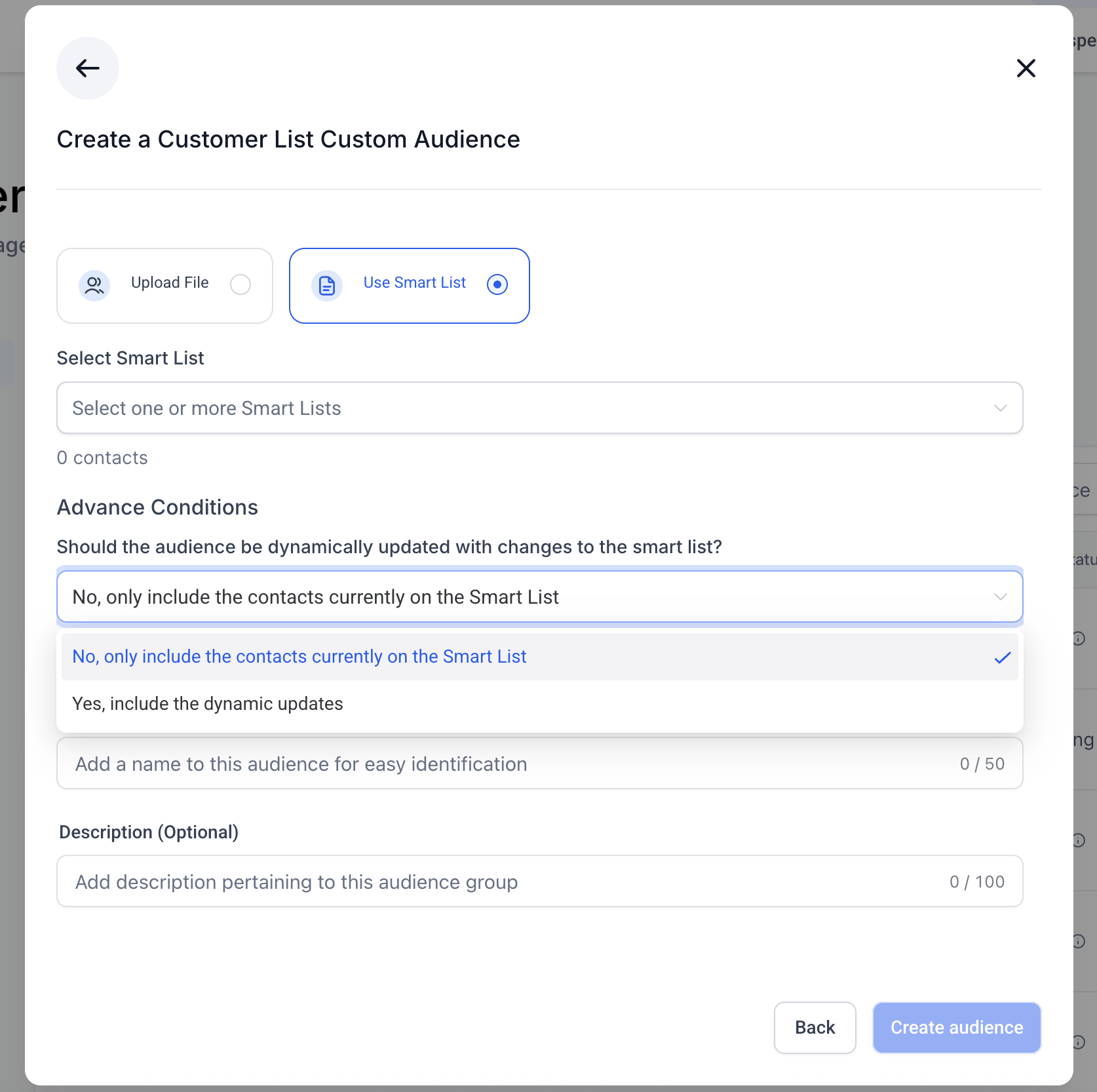
Name the audience and optionally add a description.
Save to create a dynamic customer list custom audience.
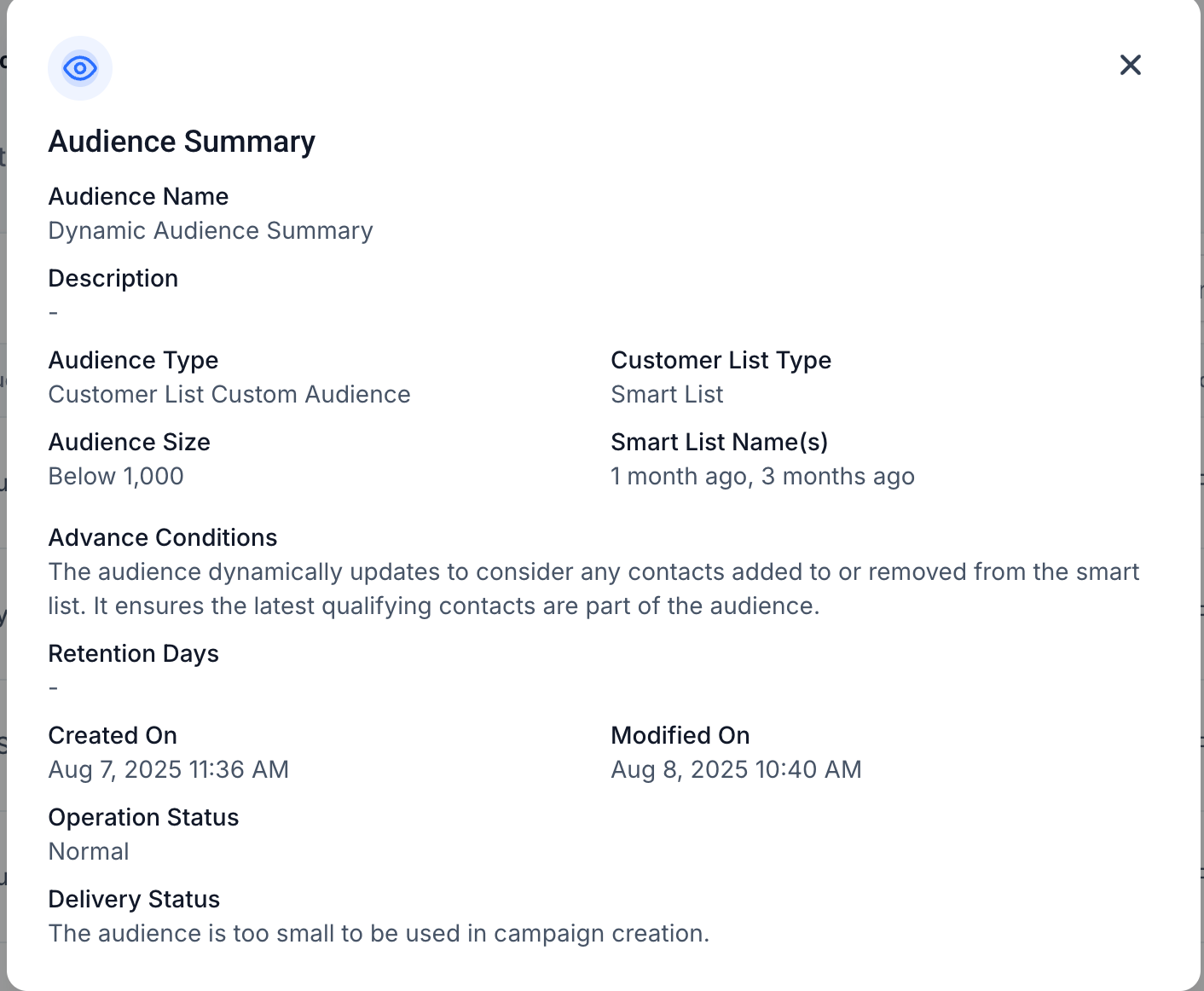
You can review the summary of an existing audience which now clearly reflects whether the audience is static or dynamic.
⭐ Why It Matters:
Gives advertisers flexibility in audience management for ad campaigns.
Dynamic mode ensures campaigns always target the most up-to-date Smart List contacts.
Static mode locks audiences for consistency, useful for controlled tests and compliance.
📝 Note:
Delivery status rules and minimum audience size requirements remain unchanged.