September 24th, 2025
New
Reputation
Added ability to dismiss “Missing Info” alerts on entity profiles
Our Customers asked, we delivered!
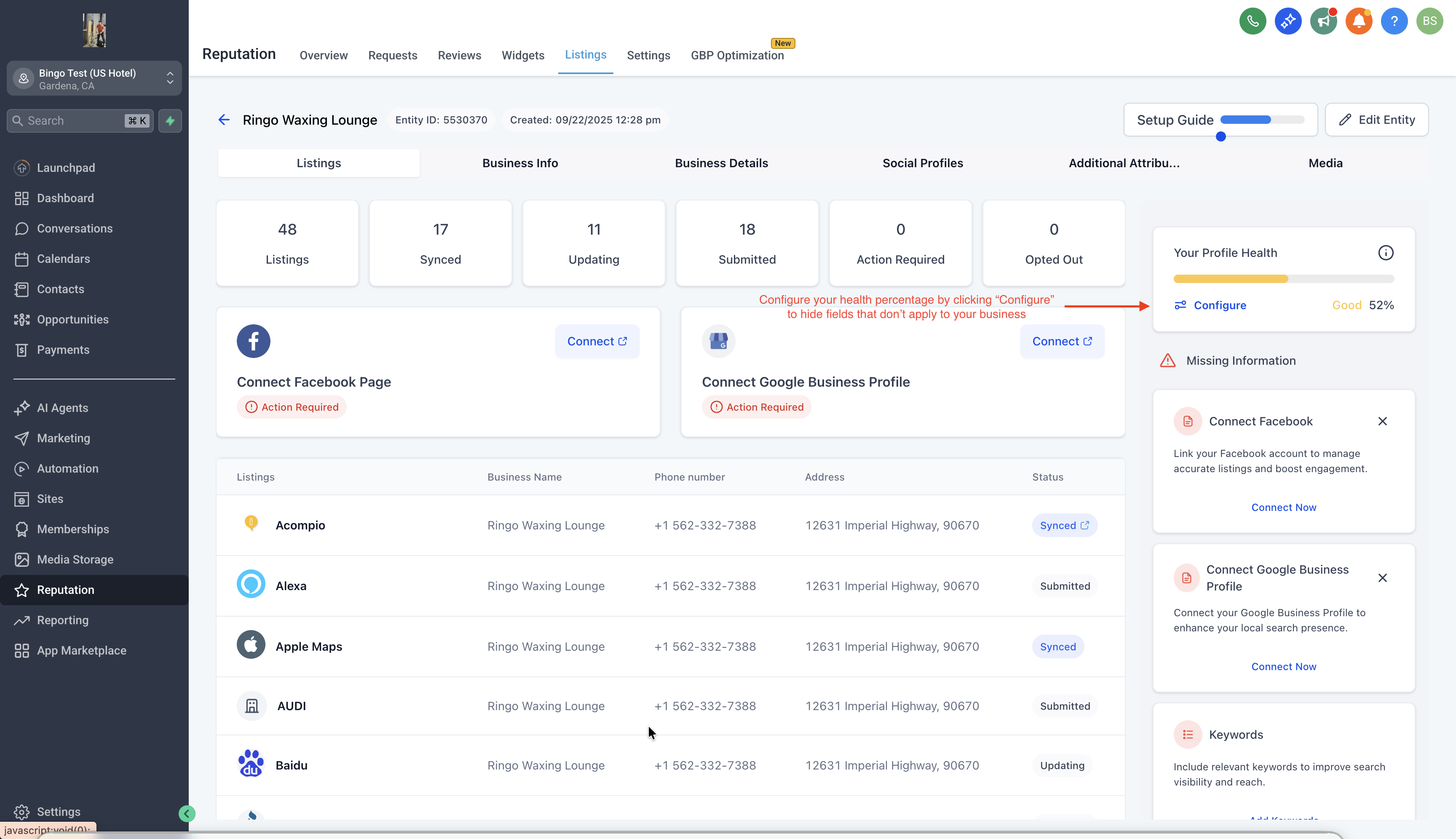
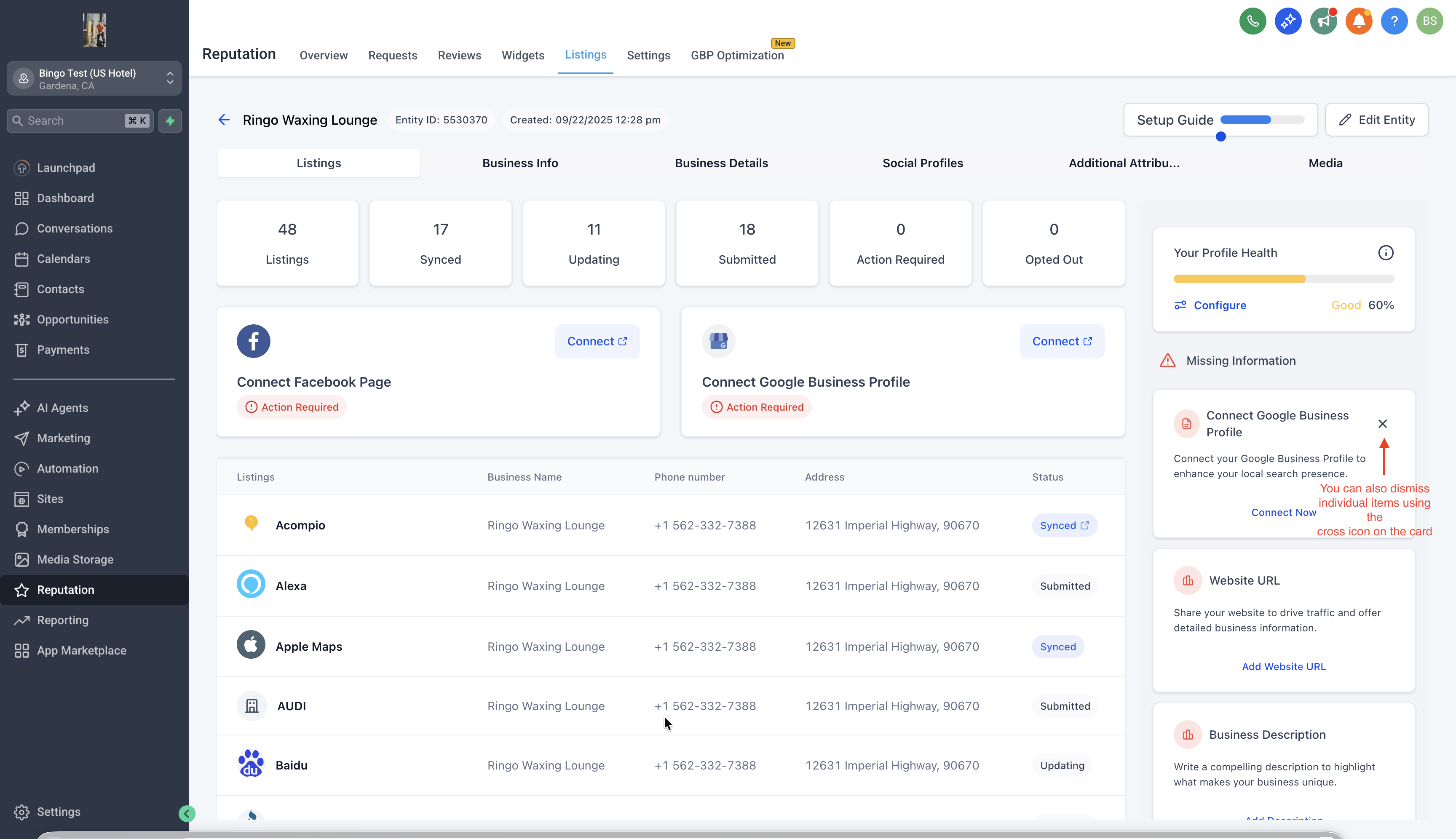
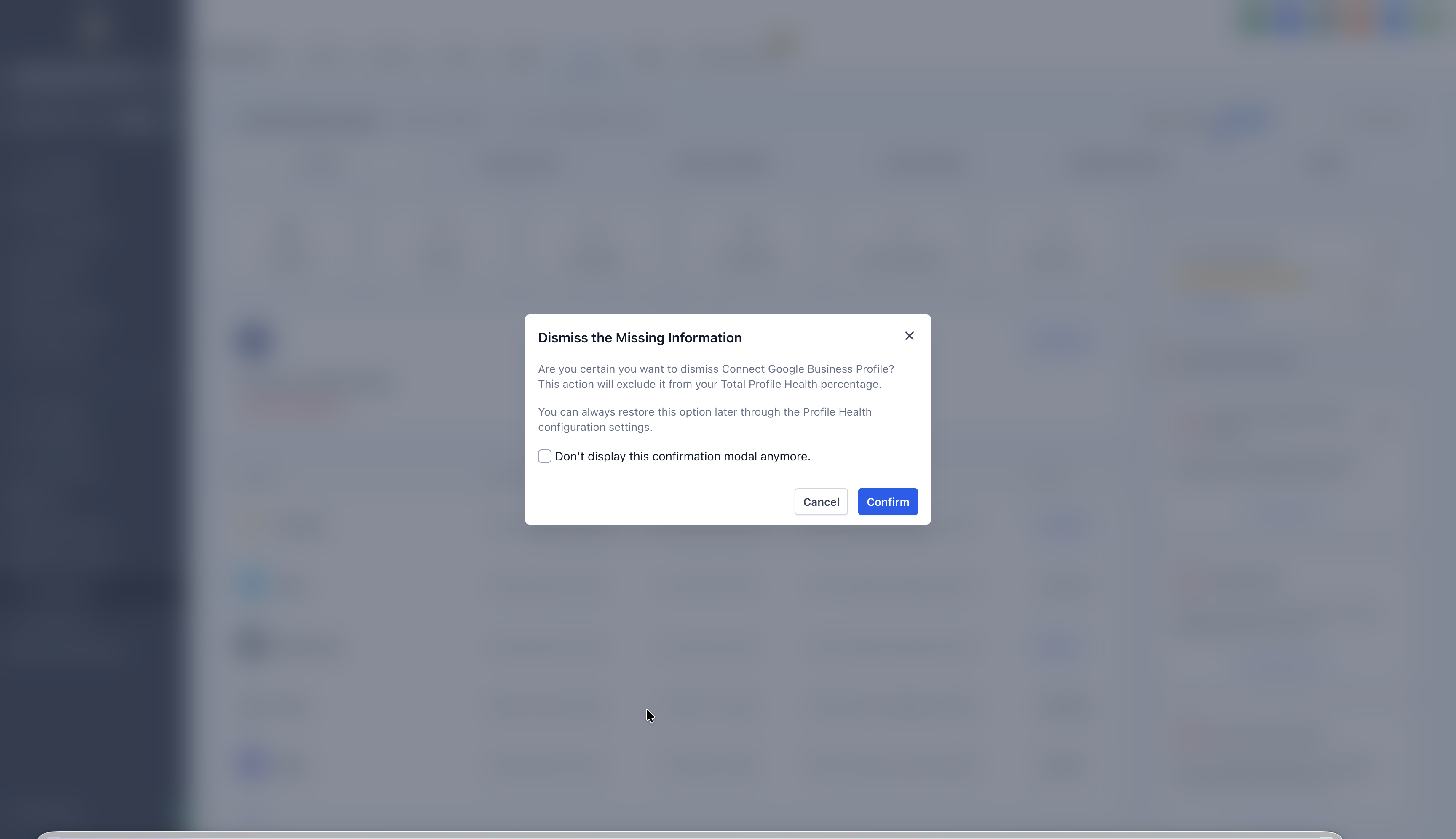
Users can now dismiss missing info alerts on the entity detail screen for fields that are not applicable to a business (e.g., TikTok URL, YouTube page, etc.).
🚀 Key Benefits
Cleaner UX: Alerts are no longer cluttered with irrelevant missing fields.
Personalized Control: Agencies and businesses decide what’s relevant — not a one-size-fits-all template.
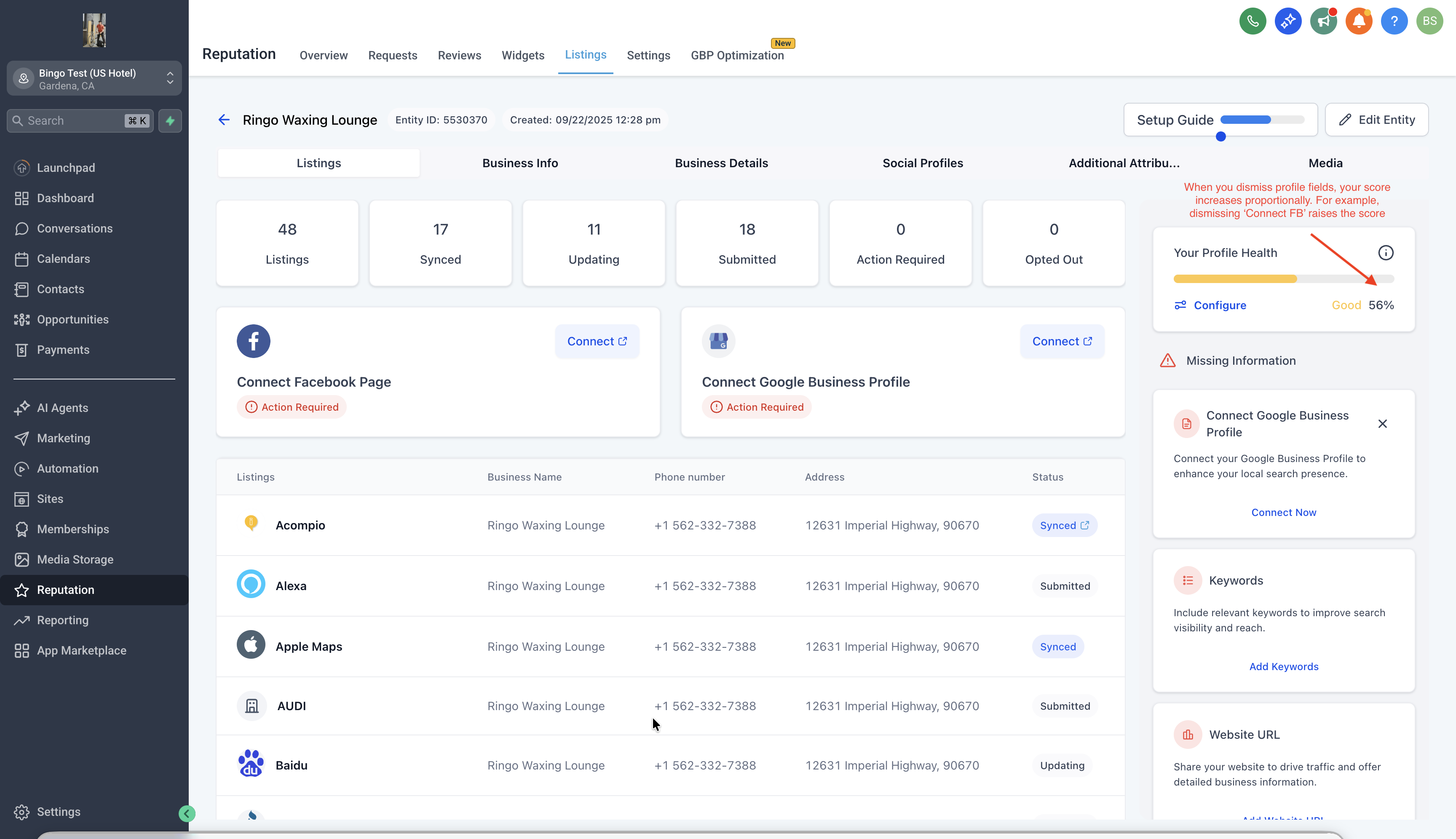
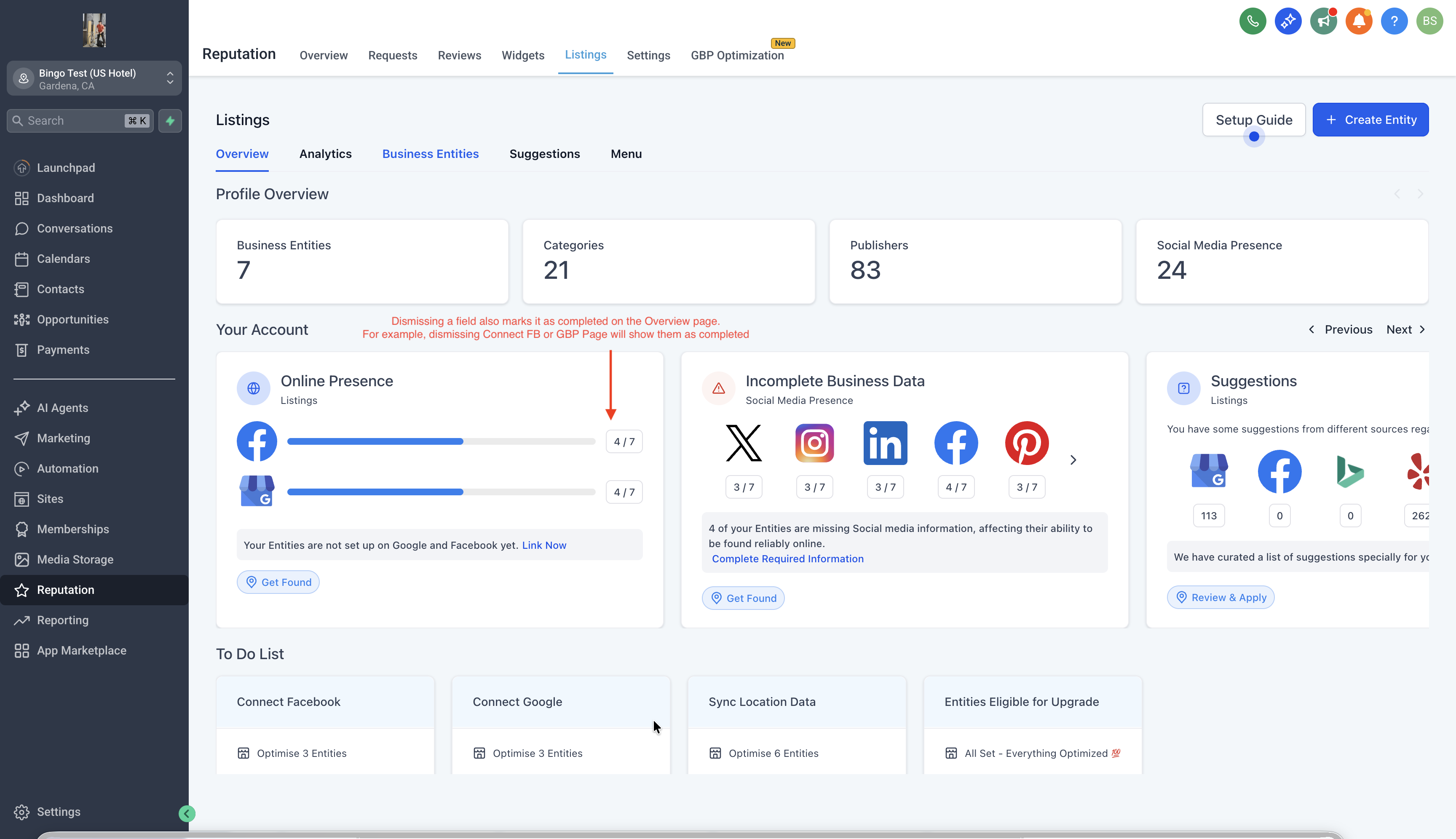
Accurate Profile Scores: Dismissed fields are excluded from completeness scoring, making the score more reflective of actual completion.
Reversible: Accidentally dismissed something? Toggle dismissed fields back on anytime.
🛠 How It Works
Navigate to any location/entity profile.
In the “Missing Info” section, click "Configure" on the Profile Health Card
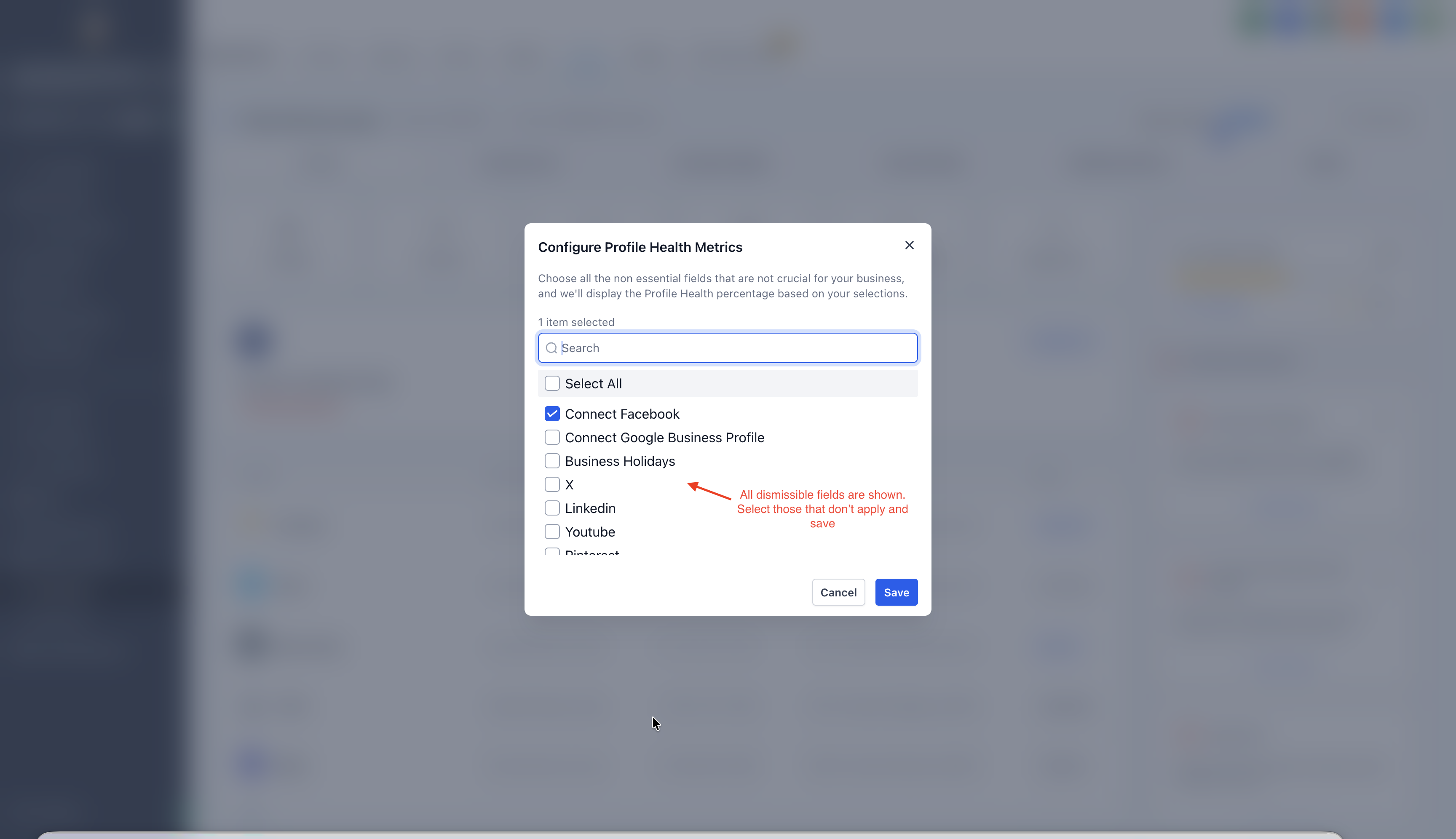
A modal will appear where you can select all the fields not applicable.
Once confirmed, the alert disappears and the profile score updates accordingly.
💥 Want to bring something back?
Use the “Configure” button to view and “Re-enable” any field.
Once re-enabled, it reappears in your alerts and profile scoring.
⚡Profile Score Behavior
Dismissed fields are excluded from both the numerator and denominator of profile completeness.
Example: If 2 fields are dismissed from a 10-field profile, the score is calculated as Completed / 8.
To know more about Online Listings and how you can resell it to your clients, click here 👈🏻 Have some suggestions for Listings? Simply post your ideas in our 💡 Ideas Board, and we will prioritise your suggestions!